Solved

Conversation Memory Invalid JSON error


Rekpene John

I’m building a conversational assistant with Gemini API integration.
I want to create a conversational history so the bot can remember previous conversations:
1… I create a QUESTION custom field with value to user text input

2… I create a RESPONSE custom field mapped to the API response
3… (THE PROBLEM) I create a HISTORY custom field with value {{History}}
User: {{Question}}
Assistant: {{Response}}

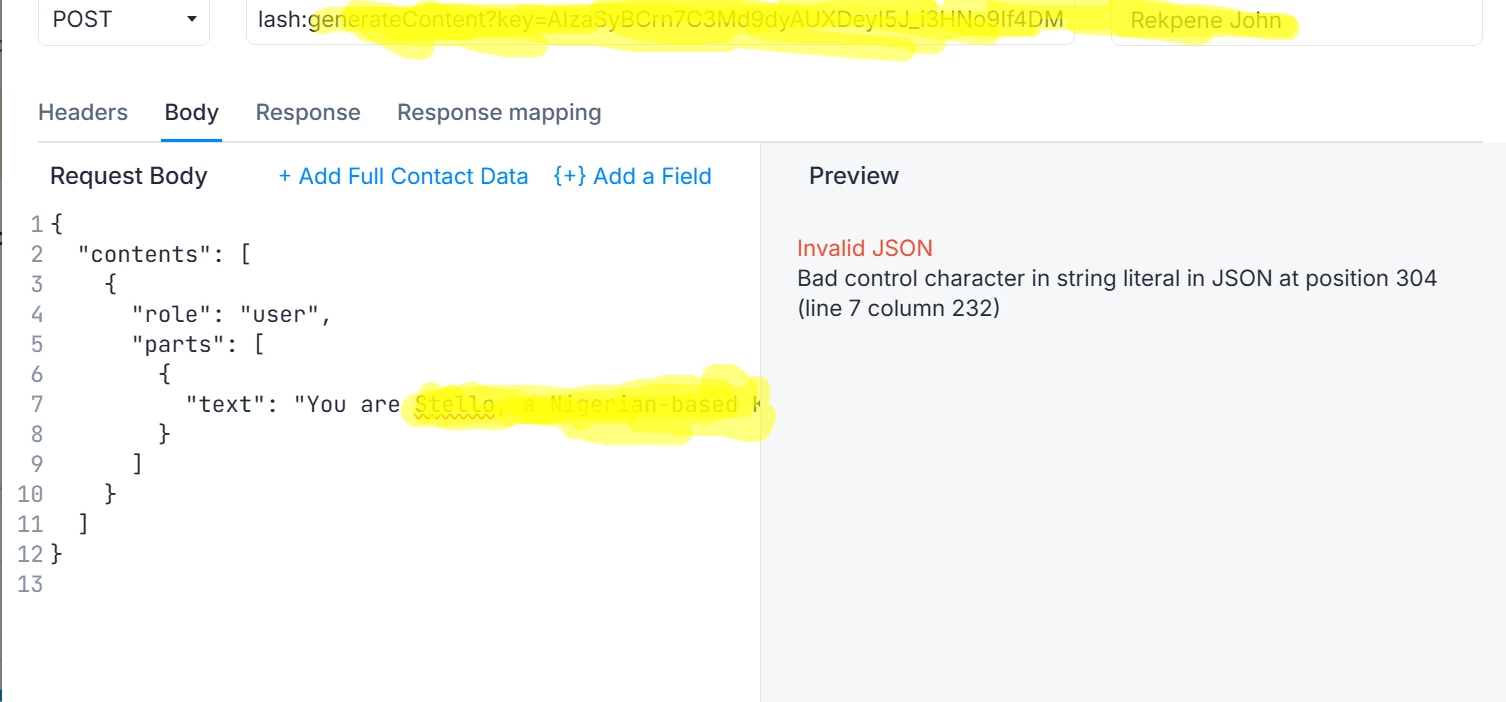
I keep receiving the error: 

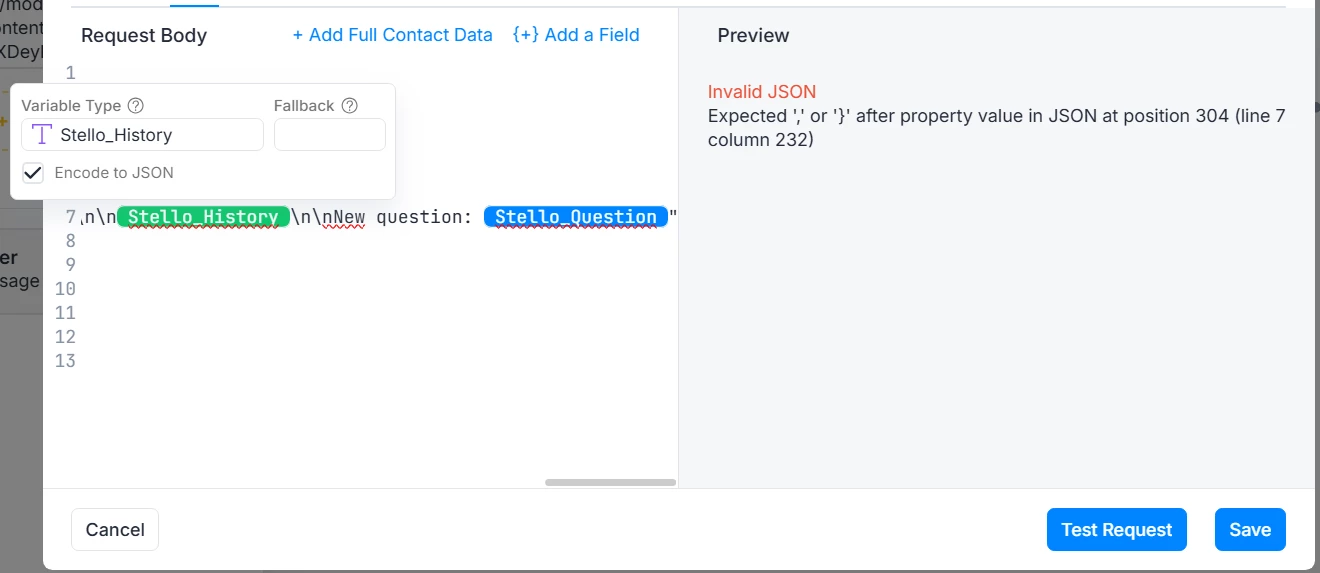
Invalid JSON

Bad control character in string literal in JSON at position 304 (line 7 column 232)


Best answer by rogerioaraujo

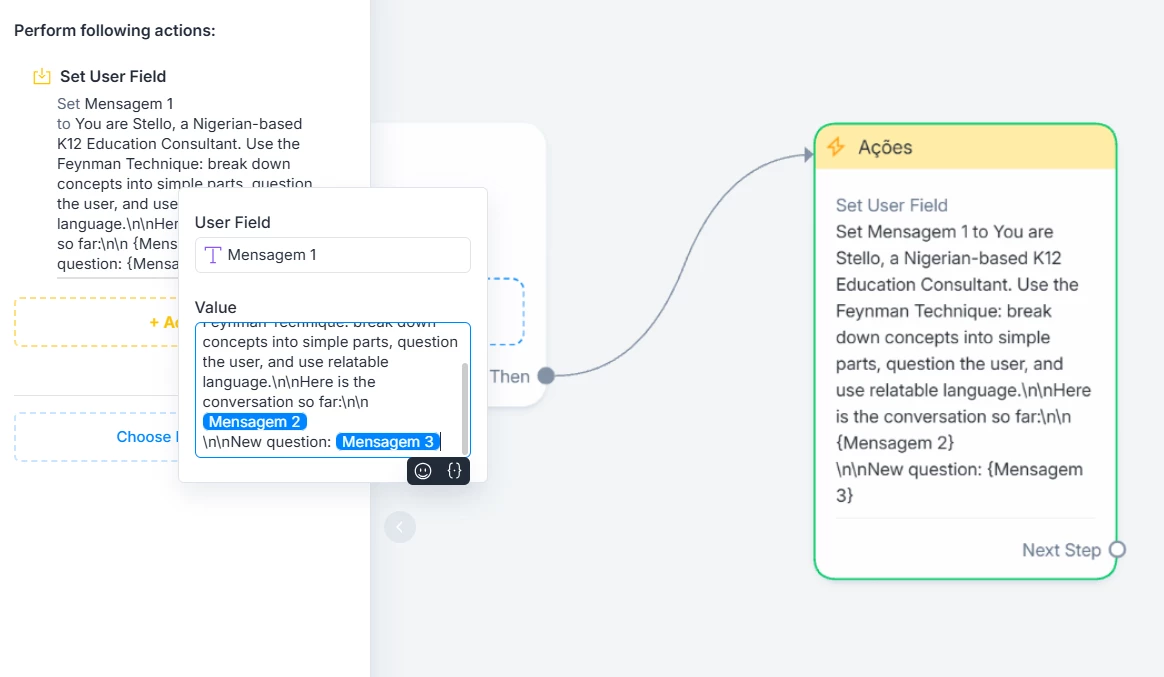
For your use case, I suggest organizing the text in a custom field by combining both fixed and variable values into a single field, and then sending that field to the API. It would look like this:


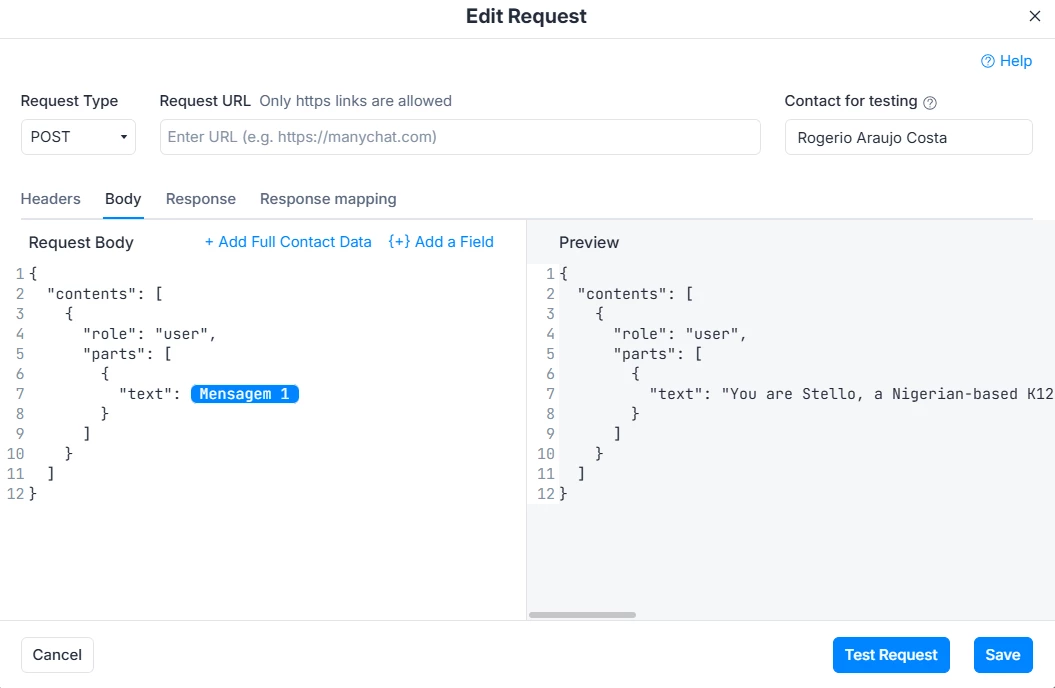
In the external request, you would send this field with the entire formatted text:


View original

3 replies

rogerioaraujo
Forum|alt.badge.img+1

Hello ​@Rekpene John ,
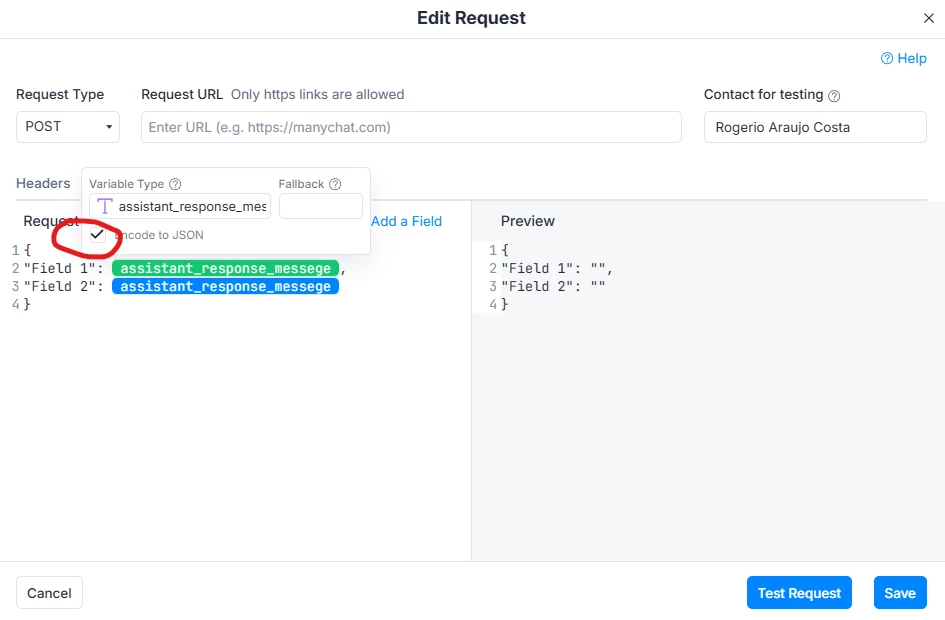
To avoid these errors, insert the custom field as shown below, without quotation marks (""). Then click on the field and enable the Encode to JSON option.


Rekpene John

Thanks for your response. I have done the steps but I’m still having trouble fitting it into my specific use case as shown below:


My complete code:

{
  "contents": [
    {
      "role": "user",
      "parts": [
        {
          "text": "You are Stello, a Nigerian-based K12 Education Consultant. Use the Feynman Technique: break down concepts into simple parts, question the user, and use relatable language.\n\nHere is the conversation so far:\n\n{{cuf_13575421|to_json:true}}\n\nNew question: {{cuf_13575416|to_json:true}}"
        }
      ]
    }
  ]
}


rogerioaraujo
Forum|alt.badge.img+1

For your use case, I suggest organizing the text in a custom field by combining both fixed and variable values into a single field, and then sending that field to the API. It would look like this:


In the external request, you would send this field with the entire formatted text: