Solved

How to start new sequence when you get no response from the user?

  • November 11, 2025
  • 4 replies
  • 72 views

insainity

Hey team

Quick question, I understand that all the automation and sequences are great but I am trying to keep my flow of conversation very organic and less bot-like.

I want to ask how do I start a new sequence or just send a follow-up message if clients don’t interact or message anything?

Thanks for the help!

Best answer by Fabio Gaulke

You can try to give a tag for users who left a comment on your post.
Then set up another automation with the tag and send them a follow-up message.


This only works if the contact already has interacted with your profile (sent a DM, clicked a button/quick reply).


For example, if you’re using a Comment Reply to Post/Reels trigger and the user comments your keyword, triggers the automation and receives the first message block (Send as Private Reply) but never clicks the button to continue the automation… No message window will be open and it will be impossible to send any kind of follow up via automation.

Here you find some extra information about the Messaging Windows: https://help.manychat.com/hc/en-us/articles/23358636027932-Understanding-messaging-windows


This means that (unfortunately) it’s impossible to start any kind of sequence or automation to contacts that didn’t interact via DM in the last 24h.


What you could do is connecting a WhatsApp Account to Manychat and ask for your contacts WhatsApp number. Then you create some Message Templates and send it to your contacts via WhatsApp: https://help.manychat.com/hc/en-us/articles/14281326740124-How-to-use-WhatsApp-Messages-Templates-in-Manychat


Hope this helps somehow!! 

🙌

4 replies

Andymvisuals
  • Up-and-Comer
  • November 28, 2025

You can try to give a tag for users who left a comment on your post.
Then set up another automation with the tag and send them a follow-up message.


Fabio Gaulke
Forum|alt.badge.img+3
  • Manychat Community Moderator
  • Answer
  • November 28, 2025

You can try to give a tag for users who left a comment on your post.
Then set up another automation with the tag and send them a follow-up message.


This only works if the contact already has interacted with your profile (sent a DM, clicked a button/quick reply).


For example, if you’re using a Comment Reply to Post/Reels trigger and the user comments your keyword, triggers the automation and receives the first message block (Send as Private Reply) but never clicks the button to continue the automation… No message window will be open and it will be impossible to send any kind of follow up via automation.

Here you find some extra information about the Messaging Windows: https://help.manychat.com/hc/en-us/articles/23358636027932-Understanding-messaging-windows


This means that (unfortunately) it’s impossible to start any kind of sequence or automation to contacts that didn’t interact via DM in the last 24h.


What you could do is connecting a WhatsApp Account to Manychat and ask for your contacts WhatsApp number. Then you create some Message Templates and send it to your contacts via WhatsApp: https://help.manychat.com/hc/en-us/articles/14281326740124-How-to-use-WhatsApp-Messages-Templates-in-Manychat


Hope this helps somehow!! 

🙌


cata_rendon
Forum|alt.badge.img+4
  • Manychat Community Moderator
  • November 28, 2025

Hi ​@insainity  I think it’s a great strategy — it really works for me.

Set up a Smart Delay after the last message (I usually use 15 minutes for things like phone/email data collection). Then check if the user has answered what you’re looking for. If not, send a reminder message.

The follow-up message should be friendly but straight to the point. I like using the contact’s name in the first line so it feels personal and relevant.
You can also use humor to regain attention — for example, a fun GIF. (Believe me, it works. My financial advisor bot gets more than 300 interactions per user and uses GIFs to pull back the user’s attention.)

Choose how relevant the information is. For example, if after a second reminder the lead still hasn’t replied, you can continue the flow if the info is not critical. Sometimes it's better to keep the conversation going rather than stop the entire flow just because of a missed answer.

Hope this helps!

Good luck with your bot,
Catalina R


Andymvisuals
  • Up-and-Comer
  • December 20, 2025

@Fabio Gaulke 
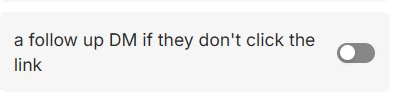
Btw this option a bit misleading when one set ups an automation. If a user never cliks the link it’s not possuble to send any follow up.