Solved

Lead count per day

  • December 10, 2025
  • 3 replies
  • 24 views

Laetitia Moussalem

Hello Guys ,
Did anyone find a way to track how many leads we get per week/day/ month for an info business 

Best answer by cata_rendon

Hi ​@Laetitia Moussalem ,

There are many ways to track daily/weekly/monthly leads:


1. From your Manychat Audience dashboard:

Use the filters → “Subscribed after X date” and “Subscribed before X date.”

For example: Nov 1 to Nov 30.

This will show you exactly how many users subscribed in that period, grouped by channel.


2. Using Google Sheets:

Send each new lead to a sheet with their Contact ID and Subscribe Date.

This lets you create your own list or report and count leads per day/week/month.


hope this helps!

cata R

3 replies

cata_rendon
Forum|alt.badge.img+4
  • Manychat Community Moderator
  • Answer
  • December 10, 2025

Hi ​@Laetitia Moussalem ,

There are many ways to track daily/weekly/monthly leads:


1. From your Manychat Audience dashboard:

Use the filters → “Subscribed after X date” and “Subscribed before X date.”

For example: Nov 1 to Nov 30.

This will show you exactly how many users subscribed in that period, grouped by channel.


2. Using Google Sheets:

Send each new lead to a sheet with their Contact ID and Subscribe Date.

This lets you create your own list or report and count leads per day/week/month.


hope this helps!

cata R


Laetitia Moussalem

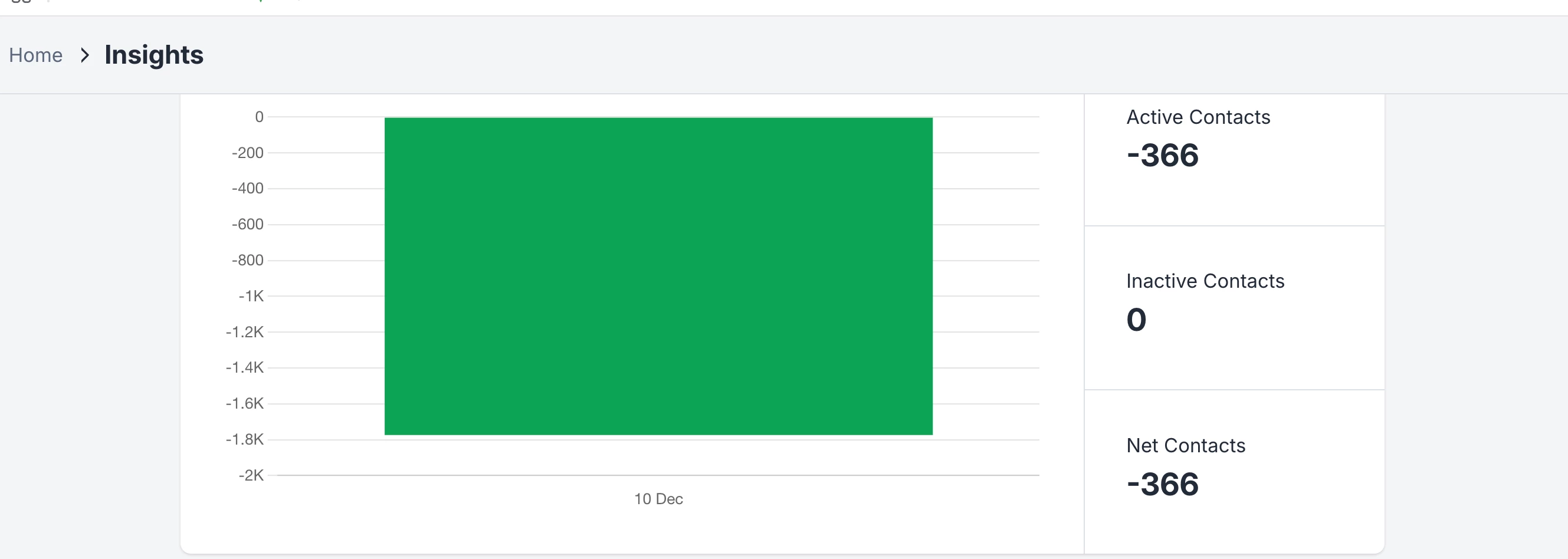
Hi Cata are you referring to this one?


cata_rendon
Forum|alt.badge.img+4
  • Manychat Community Moderator
  • December 11, 2025

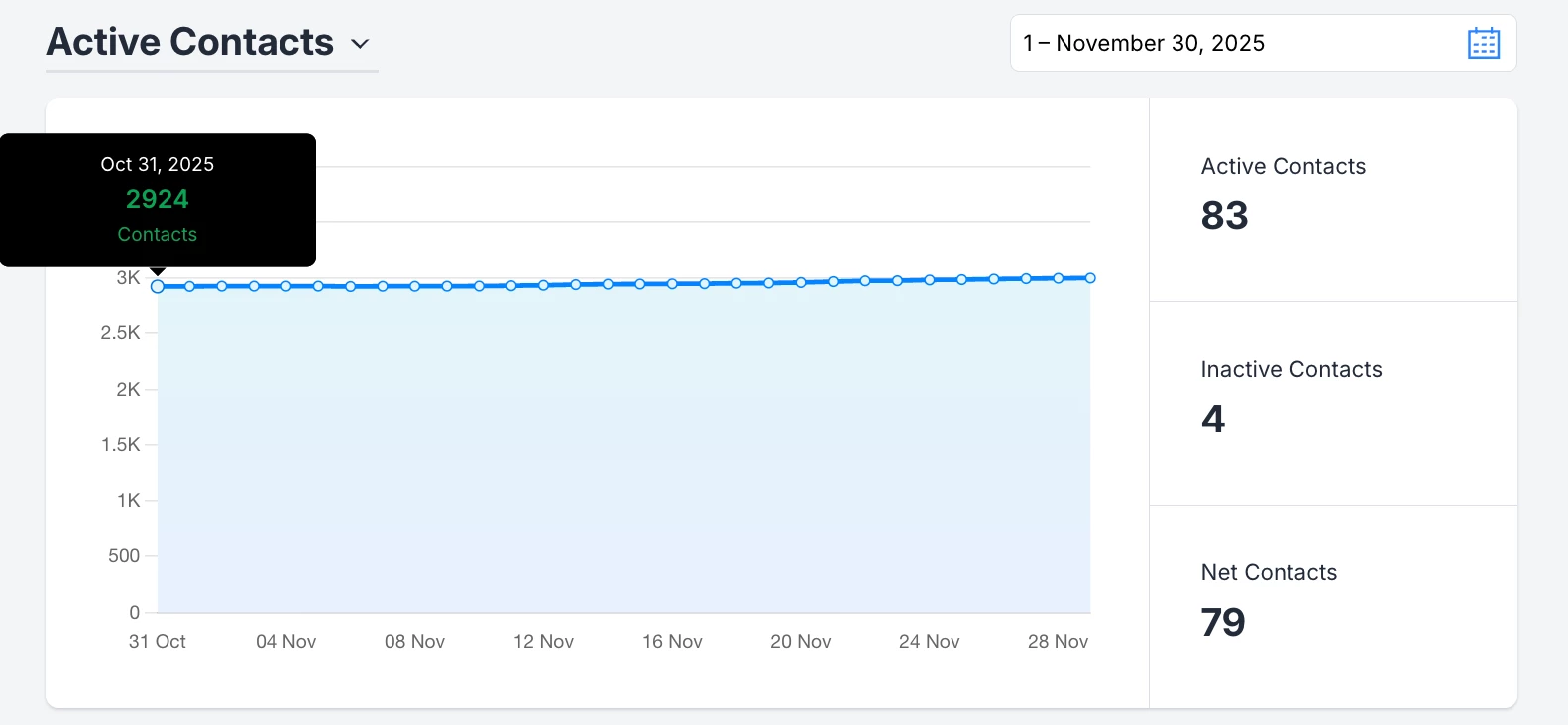
Hi ​@Laetitia Moussalem , yes — that chart and those metrics can give you a proxy for how many new leads you received in a specific time period.

Let me use the table below as an example to explain how the metrics work  (Sorry for the long replay but I would like to explain it the best as possible):

1. Contacts (Ct)

This is the total number of contacts in your bot during a selected period.
It is calculated using:

Ct = Ct-1 + ACt – It
Where:

  • Ct-1 = contacts from the previous period

  • ACt = new Active Contacts (the “new leads”)

  • It = Inactive Contacts (people who unsubscribed)

2. Active Contacts (ACt)

These are the new contacts who subscribed to your bot during that period.
Important:
If a user was already in your bot at any point in the past, they will NOT be counted again as a new Active Contact. Manychat never duplicates users.

3. Inactive Contacts (It)

These are the people who unsubscribe from your bot — either manually or because you removed them.

4. Net Active Contacts (NACt)

These are simply:
NACt = Active Contacts (ACt) – Inactive Contacts (It)
This shows the “net growth” of your bot for that period.

⚠️ Important Clarification

If a lead interacts multiple times or comes from different campaigns, Manychat only counts them once, because the system recognizes them as an existing contact.

For this reason:

  • These metrics help you estimate how many new leads  entered your bot,

  • But they do not show how many total leads interacted with your bot in that period.

If you want precise weekly/daily/monthly tracking of:

  • New leads

  • Returning leads

  • Campaign attribution
    …the best practice is to send the data to Google Sheets and log each interaction there. You can record whether the person is truly new or returning, and from which source they came.

Hope this helps you understand how the metrics work 
Cheers,
Catalina R.