Solved

Why I don't see first ads message in Manychat Live

  • December 2, 2025
  • 6 replies
  • 38 views

Siriwan

I used the Facebook Ads Trigger for my advertising here. And it’s restricted me to use send message with button as the first step.
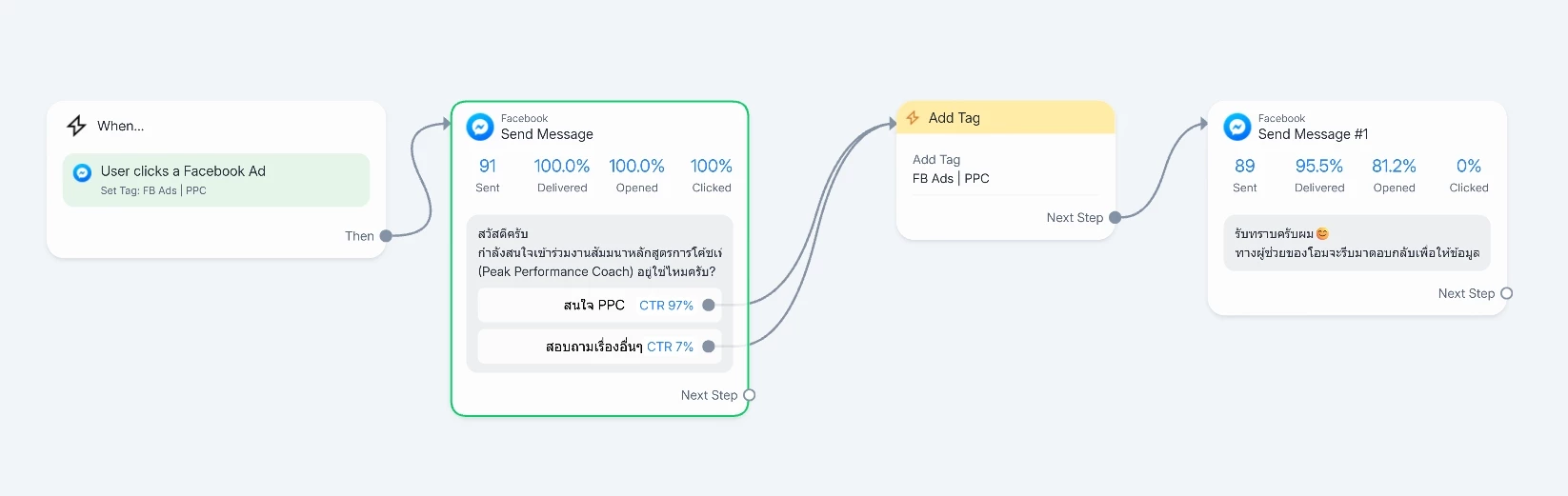
But sometime customer didn’t click on the button I set but directly type the reply. And the problem is that sometimes they type short question without detail like “I’m interested” or “How much?”

But our admin don’t see which ads they came from and the first message box I set up also not show on Manychat too.
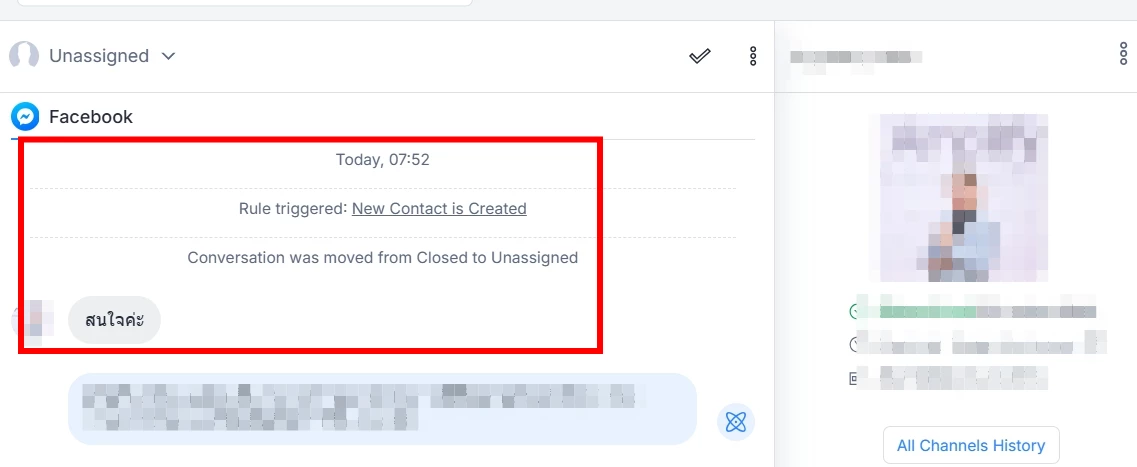
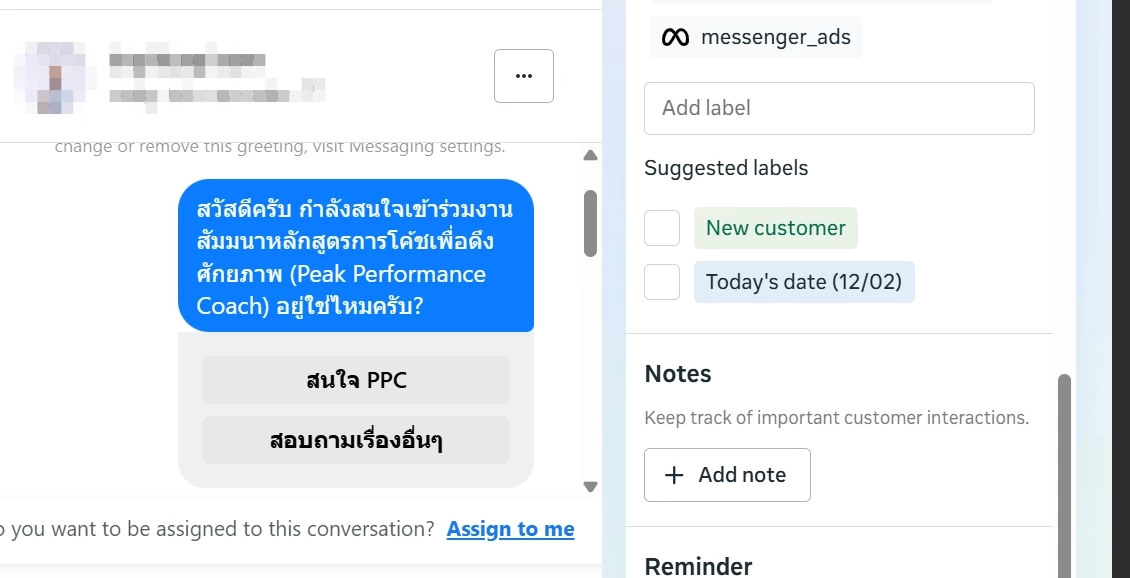
We will know which product they are interested in only when we go to look at Meta inbox. It’s really inconvenience. Can anyone give me an advice?


Best answer by cata_rendon

Hi ​@Siriwan 
If you want to accurately track which ad your conversations are coming from, I recommend setting up your campaigns using the “Partner App” Trigger. This setup allows Manychat to properly register the ad source, making it much easier to filter and understand where each lead is coming from.

Regarding the first message users receive, it's very important to give clear and explicit instructions. Many people don’t realize they must click the button to continue, so you can write something like:

“To continue, please click on the X button right below this message.”

You’ll be surprised how many users need very direct guidance to move forward 😊. 

Another tip: if you're using Partner App, store key ad information (such as the Ad ID or any reference you care about) in a Custom User Field (CUF). This will help you identify and track leads more easily inside Manychat.

Here’s a helpful guide on how to set up your ads using Partner App:
https://help.manychat.com/hc/en-us/articles/14281372007196-Facebook-Ads-Trigger

Hope this helps!

Best,
Catalina R

6 replies

cata_rendon
Forum|alt.badge.img+4
  • Manychat Community Moderator
  • Answer
  • December 2, 2025

Hi ​@Siriwan 
If you want to accurately track which ad your conversations are coming from, I recommend setting up your campaigns using the “Partner App” Trigger. This setup allows Manychat to properly register the ad source, making it much easier to filter and understand where each lead is coming from.

Regarding the first message users receive, it's very important to give clear and explicit instructions. Many people don’t realize they must click the button to continue, so you can write something like:

“To continue, please click on the X button right below this message.”

You’ll be surprised how many users need very direct guidance to move forward 😊. 

Another tip: if you're using Partner App, store key ad information (such as the Ad ID or any reference you care about) in a Custom User Field (CUF). This will help you identify and track leads more easily inside Manychat.

Here’s a helpful guide on how to set up your ads using Partner App:
https://help.manychat.com/hc/en-us/articles/14281372007196-Facebook-Ads-Trigger

Hope this helps!

Best,
Catalina R


Siriwan
  • Author
  • Chat Surfer
  • December 2, 2025

Hi ​@Siriwan 
If you want to accurately track which ad your conversations are coming from, I recommend setting up your campaigns using the “Partner App” Trigger. This setup allows Manychat to properly register the ad source, making it much easier to filter and understand where each lead is coming from.

Regarding the first message users receive, it's very important to give clear and explicit instructions. Many people don’t realize they must click the button to continue, so you can write something like:

“To continue, please click on the X button right below this message.”

You’ll be surprised how many users need very direct guidance to move forward 😊. 

Another tip: if you're using Partner App, store key ad information (such as the Ad ID or any reference you care about) in a Custom User Field (CUF). This will help you identify and track leads more easily inside Manychat.

Here’s a helpful guide on how to set up your ads using Partner App:
https://help.manychat.com/hc/en-us/articles/14281372007196-Facebook-Ads-Trigger

Hope this helps!

Best,
Catalina R

Hello thanks for the tips. I'll try to adjust my first message too.

But I'm wonder about this tip

Another tip: if you're using Partner App, store key ad information (such as the Ad ID or any reference you care about) in a Custom User Field (CUF). This will help you identify and track leads more easily inside Manychat.

Right now, I’m using partner app but don't know I can store Ad ID too.

How can I do that and how it look like? Can you give me tutorial 🙏


cata_rendon
Forum|alt.badge.img+4
  • Manychat Community Moderator
  • December 2, 2025

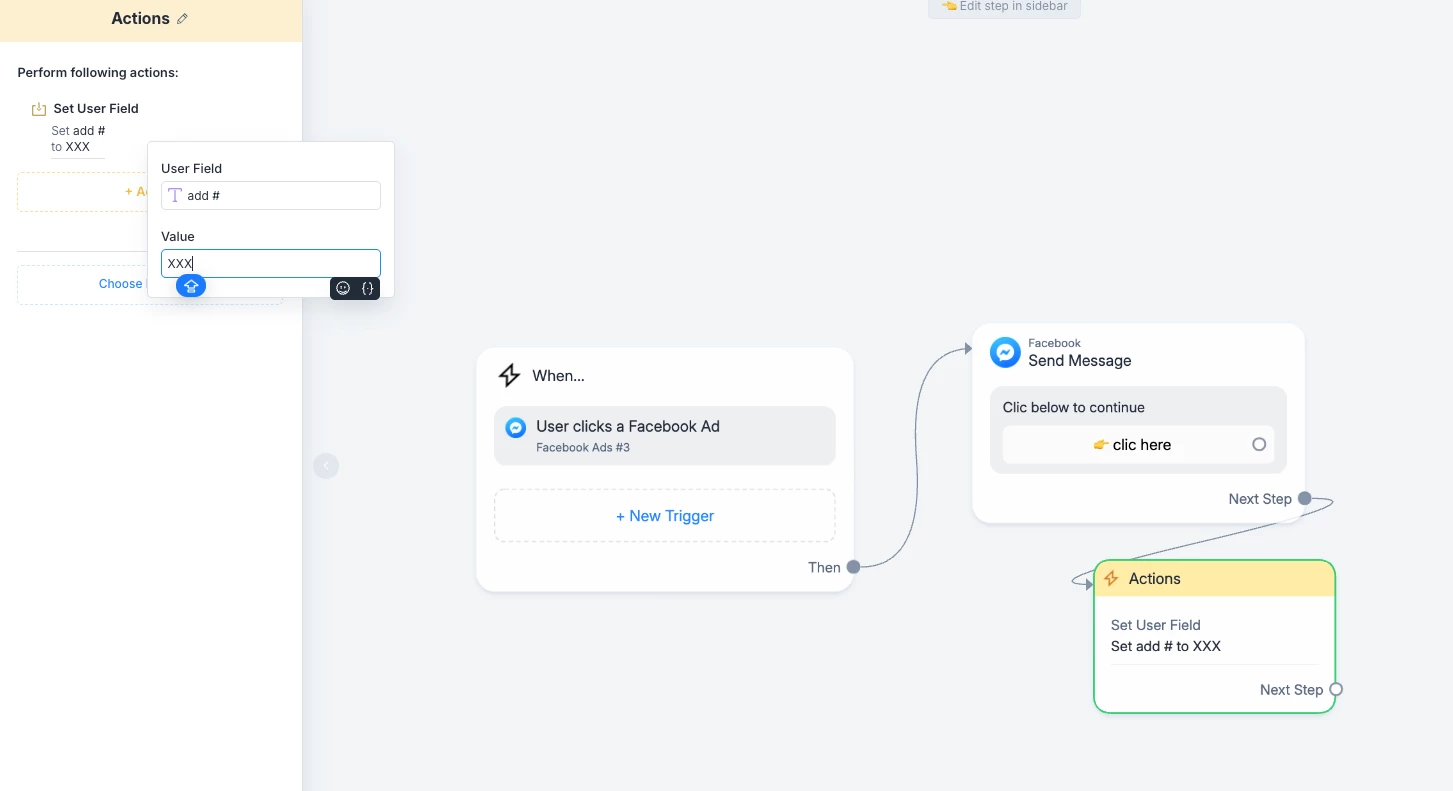
Hi ​@Siriwan , you can just add an “Action Step” after the first welcome message and you can set a User Field with the add id - see example below -

Also, instead you can use a tag, but I prefer to use the CUF and export that info to google sheet for better tracking.


Siriwan
  • Author
  • Chat Surfer
  • December 3, 2025

Hi ​@Siriwan , you can just add an “Action Step” after the first welcome message and you can set a User Field with the add id - see example below -

Also, instead you can use a tag, but I prefer to use the CUF and export that info to google sheet for better tracking.


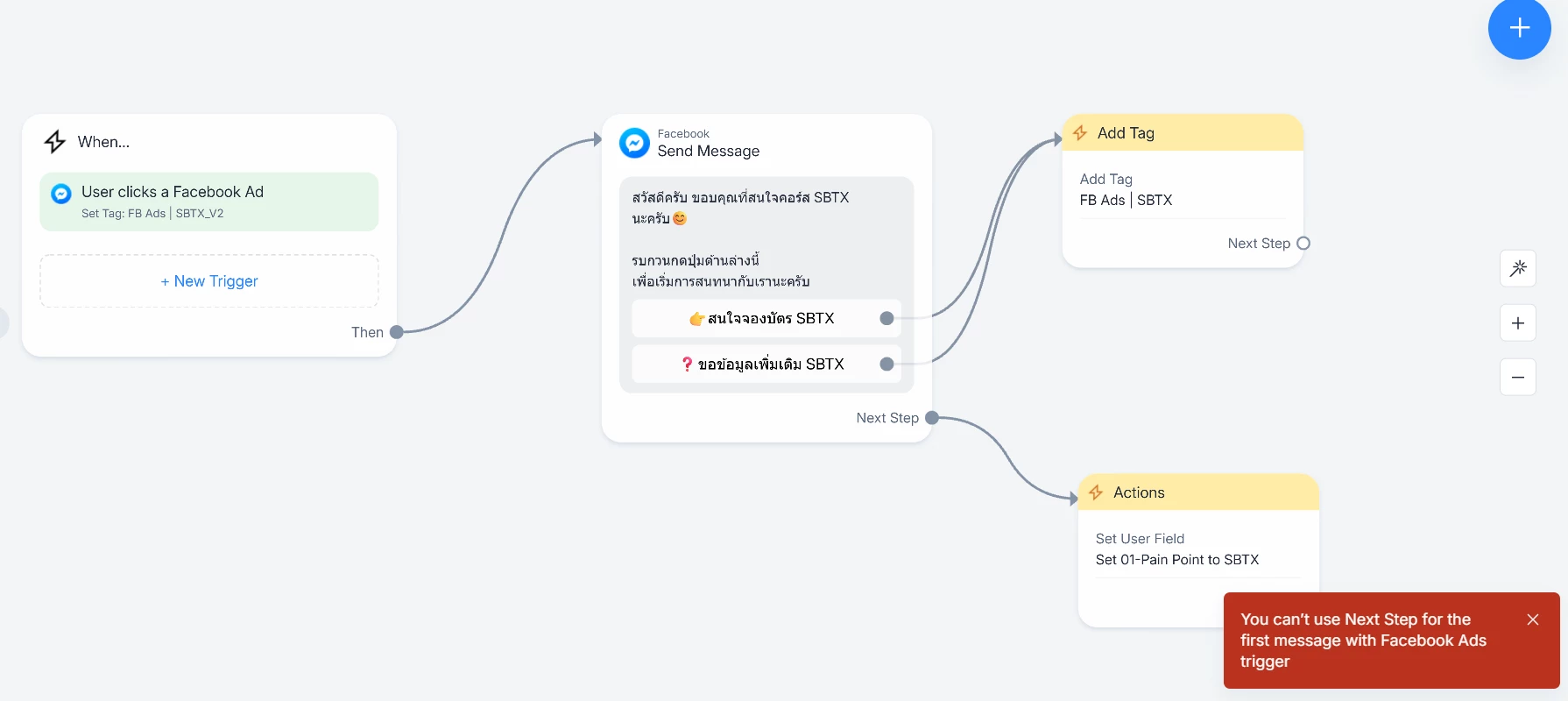
Hello, I try it but I can’t save / update. The system told me that “You can’t use Next Step for the first message with Facebook Ads trigger”


cata_rendon
Forum|alt.badge.img+4
  • Manychat Community Moderator
  • December 3, 2025

Hi ​@Siriwan , in that case link it after the action Tag you created - The one after the users clics the first botton. 

Hope this helps!

cata


Siriwan
  • Author
  • Chat Surfer
  • December 3, 2025

Hi ​@Siriwan , in that case link it after the action Tag you created - The one after the users clics the first botton. 

Hope this helps!

cata

Hello, if I link it after the button and my customer don’t click button (directly type something else) the tag won’t add by trigger.