New

Feature Request: Native Fallback Mechanism for Integration & Action Block Timeouts

Related product area:Flow Builder
  • March 19, 2026
  • 5 comments
  • 13 views

Desmond

For several months, we have encountered an issue where our automation flows terminate unexpectedly before sending the initial message to clients. After extensive logging and tracing by different Technical Support members, the root cause was identified as the Google Sheets Integration request timing out, causing the flow to be terminated early.

Currently, if an external request or action block times out, the entire automation flow is killed. I have been informed that this isn't limited to Google Sheets but affects all integrations.

Proposed Solution: Implement a native fallback or "on-failure" path for actions in action blocks. This would prevent a single failed external request from breaking the entire user experience. Given that timeouts are a common reality of web-based integrations, this would significantly improve the reliability of the platform for all users.


 

5 replies

Gustavo Boregio
Forum|alt.badge.img+7
  • Community Moderator & Expert
  • March 19, 2026

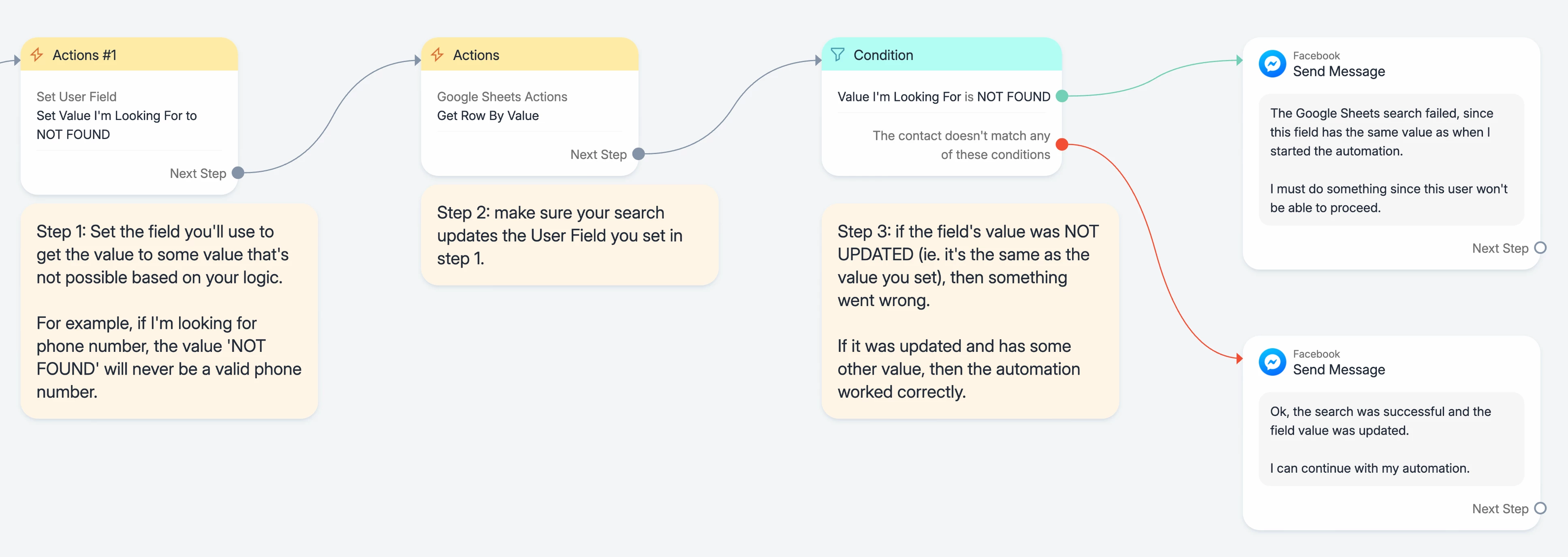
There’s a workaround for that, which is checking that the required fields that you’ll be populating have any values after the integration. If they don’t, you can safely assume it failed.

Having this feature that you mention though would save a bunch of time!


Desmond
  • Author
  • Up-and-Comer
  • March 19, 2026

There’s a workaround for that, which is checking that the required fields that you’ll be populating have any values after the integration. If they don’t, you can safely assume it failed.

Having this feature that you mention though would save a bunch of time!

Thank you for your reply. Do you have an example flow for this workaround? The support team mentioned they are currently testing a workaround using Rules, which might be the same method you mentioned.

Does the Condition block (I’m assuming the checks are done using a Condition block) come after the action? If so, I’m a bit confused about the logic. Wouldn’t the flow terminate before the condition is even triggered?


Gustavo Boregio
Forum|alt.badge.img+7
  • Community Moderator & Expert
  • March 19, 2026

@Desmond like this:


;)


Desmond
  • Author
  • Up-and-Comer
  • March 19, 2026

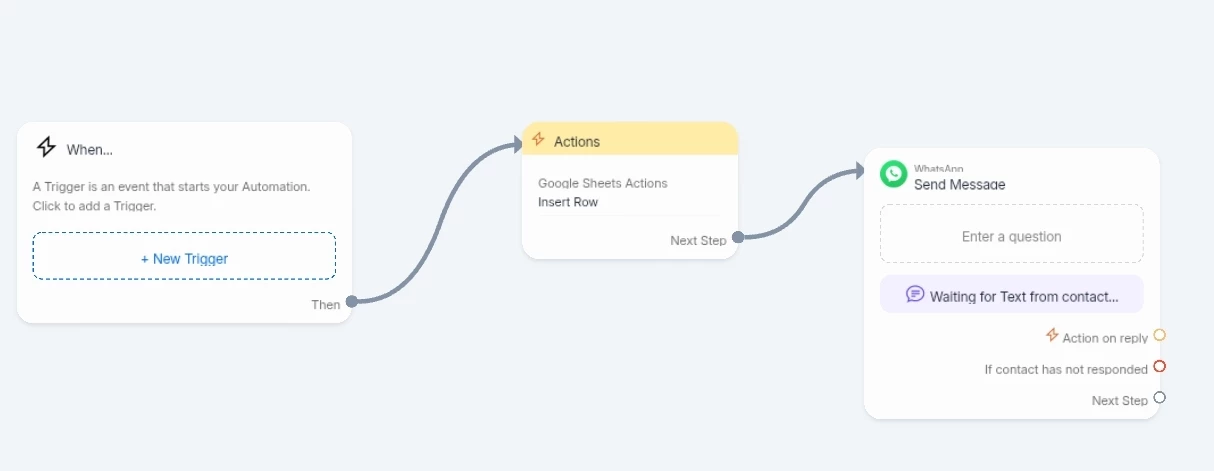
Thank you ​@Gustavo Boregio for taking the time to create this example flow! However, I don’t think it would work for my scenario, as I am using the "Insert Row" action, which does not allow assigning values to a User Field within the same step.


Also, the issue I'm encountering is that if the Insert Row request times out or fails, the entire flow stops before the first message is sent, so the above workaround might not work.

Additionally, we've also faced problems in the past with "Update" or "Get" requests to Google Sheets that often takes longer to process than "Insert", which led to constant quota limits being exceeded in the error logs.


Gustavo Boregio
Forum|alt.badge.img+7
  • Community Moderator & Expert
  • March 19, 2026

Got it!

In these cases I’ve resorted to Make.com to get more control…

It’s not ideal, but it does give me more flexibility to control the automation.

Also, I’ve used the Google Sheet action in a separate (parallel) automation.

For example, have it triggered by a rule that lives outside the main automation, and trigger the rule from the main automation (for example by tagging the person). This way, if the rule fails, the automation still runs smoothly since they’re running in parallel. ;)

Hope this helps!