Solved

[AI Step] Sending a link using AI step, but the next message reply from AI still showing the link

  • June 29, 2025
  • 4 comments
  • 71 views

raymondtan91

Hello, community, i can’t get this issue solve no matter how, i design a simple flow like the screenshot below:
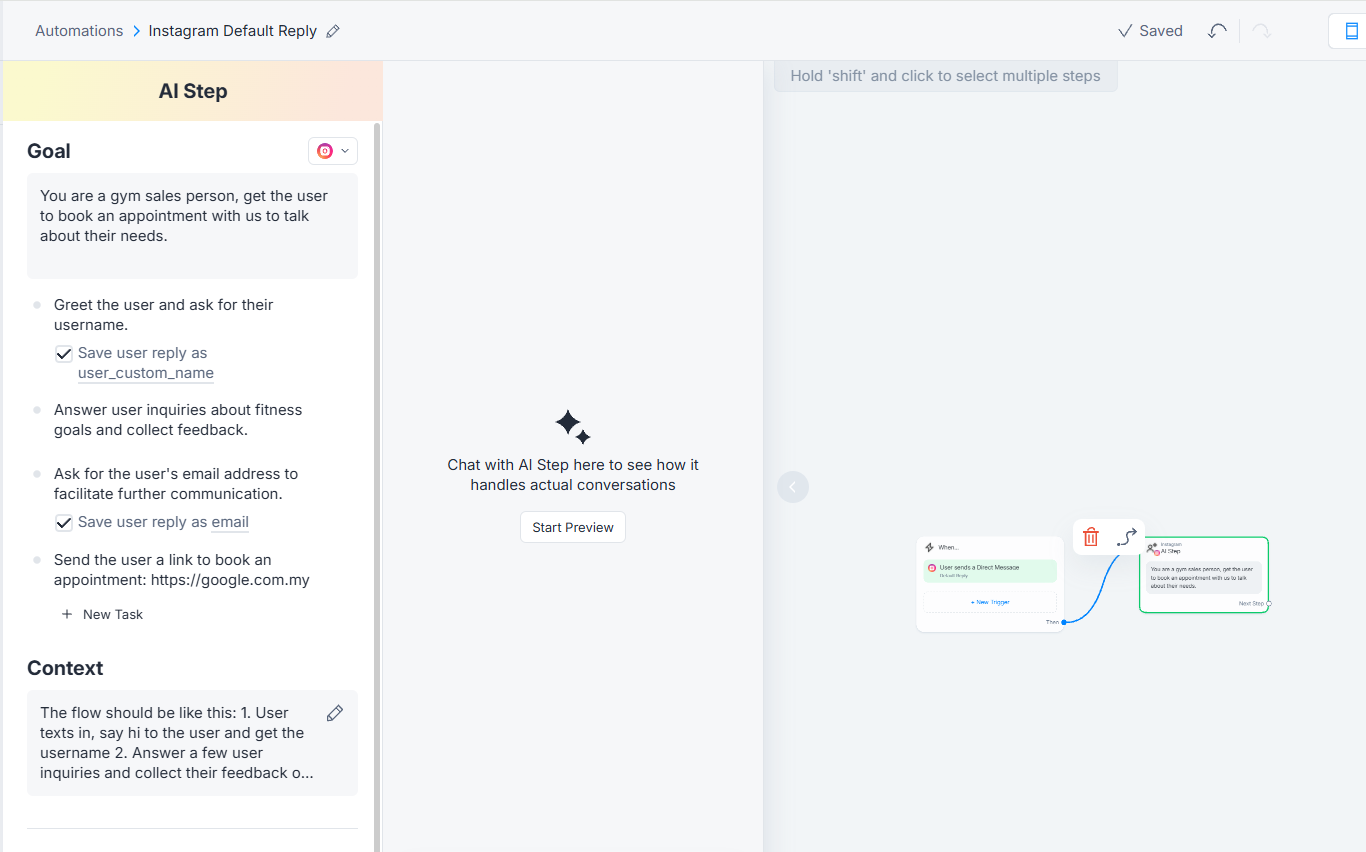
 

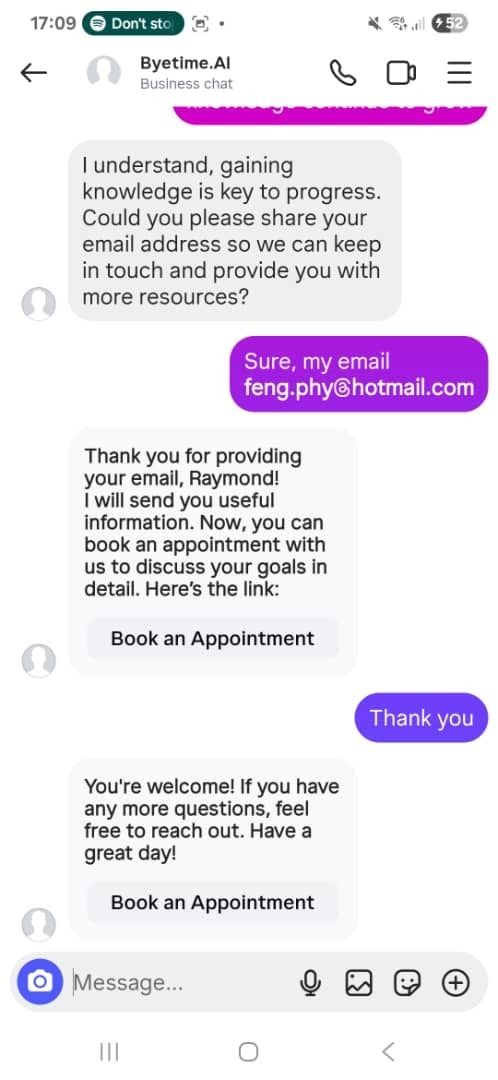
When i test this, i found that, after the AI step send the link, when i reply ‘thank you’, the AI reply ‘welcome with the link again’, how can i get this solve? i tried to prompt the AI don’t include the link in the message when saying welcome, but it doesn’t work.



Best answer by rodrigo_silvano

Hey, ​@raymondtan91 

You can add another task saying something like this: “Continue to answer the user’s questions without sharing the appointment link.”


Let me know if this helps. 🙂

4 replies

rodrigo_silvano
Forum|alt.badge.img+4
  • Community Moderator
  • Answer
  • July 19, 2025

Hey, ​@raymondtan91 

You can add another task saying something like this: “Continue to answer the user’s questions without sharing the appointment link.”


Let me know if this helps. 🙂


Humbertoduarte221
When I try this, I'm having the same problem... what I want is for it to eventually go to a menu block and keep sending that link.

Humbertoduarte221

Hey, ​@raymondtan91 

You can add another task saying something like this: “Continue to answer the user’s questions without sharing the appointment link.”


Let me know if this helps. 🙂

When I try this, I'm having the same problem... what I want is for it to eventually go to a menu block and keep sending that link.

rodrigo_silvano
Forum|alt.badge.img+4

@Humbertoduarte221  A Manychat AI step should be used for specific and simple tasks. That said, you should prompt the LLM with something like “Your goal is to collect an email and send the booking link. The correct order is: 1º collect the email, 2º send the appointment link.”

In the AI context:
“I need to collect the email before sending the booking link to add this contact to my CRM and manage follow-ups.

Do not mention you need an email to send the appointment link.
After the user provide the email, thank them and say: "Here's the appointment link 🙂" and close the chat.

The appointment link is: [appointment link]”