Solved

Automatic reply in DM

  • August 24, 2025
  • 9 replies
  • 77 views

LucaV

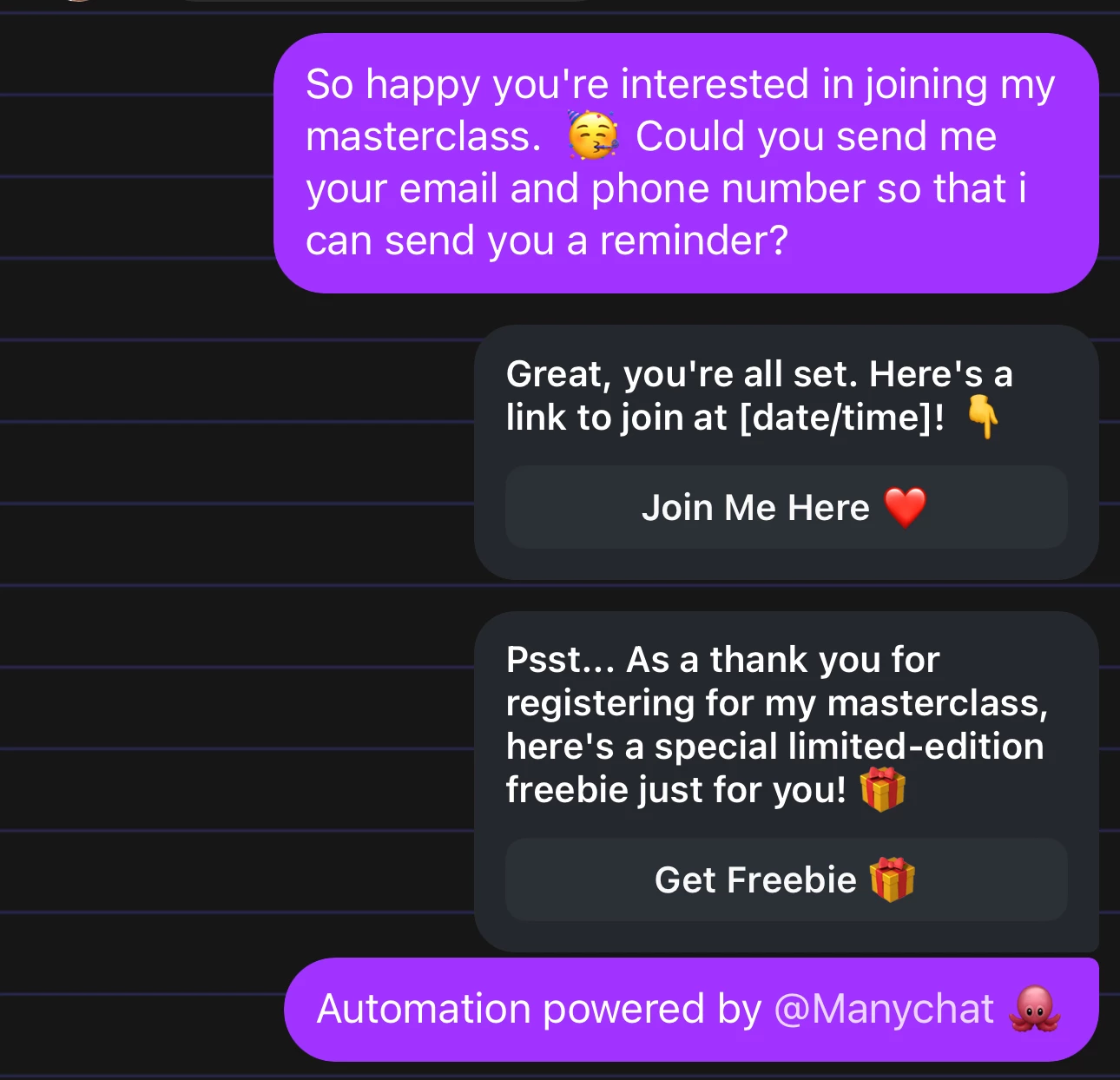
Hi, does anyone know ho to stop the automatic messages that my private messages writer receive?

They get:
Great, you're all set. Here's a link to join at [date/time]! 👇

and

Psst... As a thank you for registering for my masterclass, here's a special limited-edition freebie just for you! 🎁

And I did not set them and neither cannot find them!
Thanks

Best answer by rodrigo_silvano

Hey, ​@LucaV 
The support team found the automation that triggered that message.

Go to https://app.manychat.com/fb913947/cms/files/content20250823132847_578856 and switch it off.

Let me know if you have further questions 🙂

9 replies

rodrigo_silvano
Forum|alt.badge.img+4
  • Manychat Community Moderator
  • August 24, 2025

Hey, ​@LucaV 

If you can’t find any automation that triggers those messages, probably they are being sent from another tool.
Check your Facebook account integrations to see if there is another tool connected to your FB or IG account.


LucaV
  • Author
  • Up-and-Comer
  • August 30, 2025

Thank you so much, but… it is Manychat!

And I don’t know where!!!

luca

😳


rodrigo_silvano
Forum|alt.badge.img+4
  • Manychat Community Moderator
  • August 30, 2025

Hey, ​@LucaV 

Go to settings → Instagram channel → check if there is a Default Reply or Story Mention Reply activated.

If it’s not, go to your inbox (on Manychat) → select the conversation with the user where happened this and check if there is any information about the automation. Something like this:


LucaV
  • Author
  • Up-and-Comer
  • September 6, 2025

just this;

Check out the conversation between *** and Luca Vanin on Manychat https://app.manychat.com/fb913947/chat/1104170196?channel=instagram&messageID=24715561473


rodrigo_silvano
Forum|alt.badge.img+4
  • Manychat Community Moderator
  • September 9, 2025

Hey, ​@LucaV 

Unfortunately, I can not access that link because I don’t have the permissions to do so.

If you can’t find this particular automation, you need to contact the Manychat support team and they will look your account.

Follow this link to contact them: https://help.manychat.com/hc/en-us/p/get_support_page


LucaV
  • Author
  • Up-and-Comer
  • September 22, 2025

Unfortunately, it seems not working any kind of support from Manychat.

Can anyone help me?

Luca


Cansu
Manychat Team Member
Forum|alt.badge.img+2
  • Manychat Team Member
  • September 22, 2025

Hi ​@LucaV, may I ask if you’ve submitted a support ticket for our team? Our team is there to help troubleshoot any issues you might be facing in your Manychat account as Rodrigo mentioned above. 


rodrigo_silvano
Forum|alt.badge.img+4
  • Manychat Community Moderator
  • Answer
  • September 22, 2025

Hey, ​@LucaV 
The support team found the automation that triggered that message.

Go to https://app.manychat.com/fb913947/cms/files/content20250823132847_578856 and switch it off.

Let me know if you have further questions 🙂


LucaV
  • Author
  • Up-and-Comer
  • September 22, 2025

@Cansu Honestly? I was not able to find any kind of ticket system to write to. 

@rodrigo_silvano Thank you so much! I deleted it!