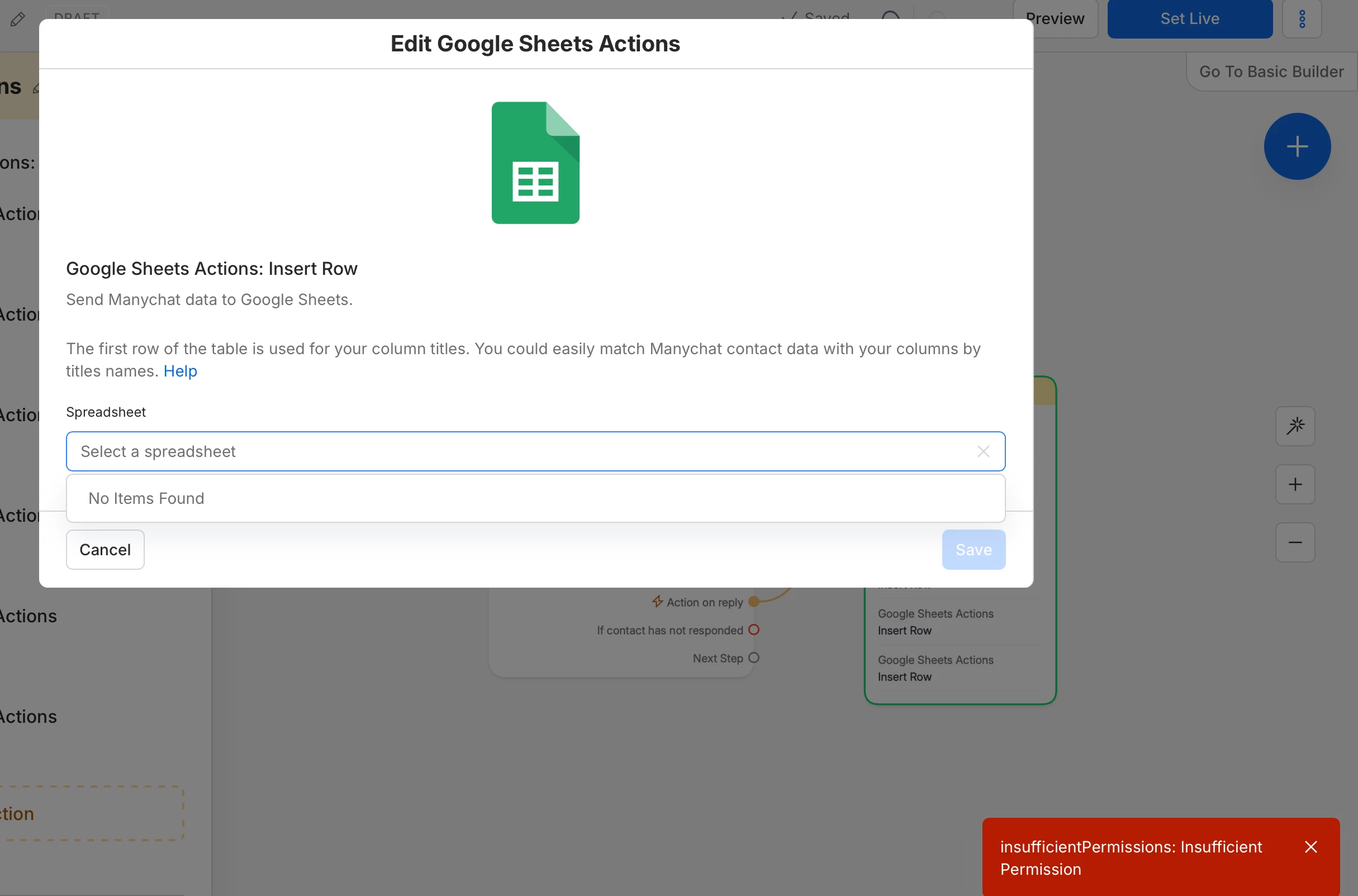
Can't find spreadsheet - Google Sheet

  • August 25, 2026
  • 1 comment
  • 5 views

Khalidaq

hey community, I have this problem I can't find spreadsheet even after connecting and create a new one please if anyone could assist


1 reply

SumGenius
Forum|alt.badge.img
  • Smooth talker
  • August 27, 2026

That red error is coming from Google, not ManyChat. insufficientPermissions means the token ManyChat holds wasn't granted enough access, so the picker has nothing to list. That's why creating a new sheet didn't change anything, the problem is upstream of which sheets exist.

The catch is that just reconnecting usually won't fix it. Google sees you've already authorized ManyChat and hands back the same permissions without showing you the checkbox screen again. You have to revoke it first so you get a fresh consent screen.

1. Go to myaccount.google.com/permissions, find Manychat in the list, and click Remove access.
2. Back in ManyChat, Settings, Integrations, Connect Google Sheets Account.
3. On Google's screen, tick Select all before you continue. ManyChat's own docs call this out, and it's the step that gets skipped, because clicking straight through leaves the boxes unchecked and you end up with a token that can't list your Drive.
4. Make sure you're authorizing the Google account that actually owns the spreadsheet. Easy to be signed into a personal account in one tab and a work one in another.

 If the picker is still empty after a clean re-auth with everything ticked, and you're on a Google Workspace account rather than a regular Gmail, check with whoever administers it. Workspace admins can restrict which third-party apps are allowed to connect, and that produces this same error no matter how many boxes you tick.

