How do I set up a comment automation so that users only receive an automated message once, rather than every time they comment on a video?
Ideally, I want to capture new followers or non-followers who comment and haven’t heard from us before.
Right now, sending a DM every time someone comments starts to feel spammy — so looking for a smarter way to handle this.
Best answer by Mel E
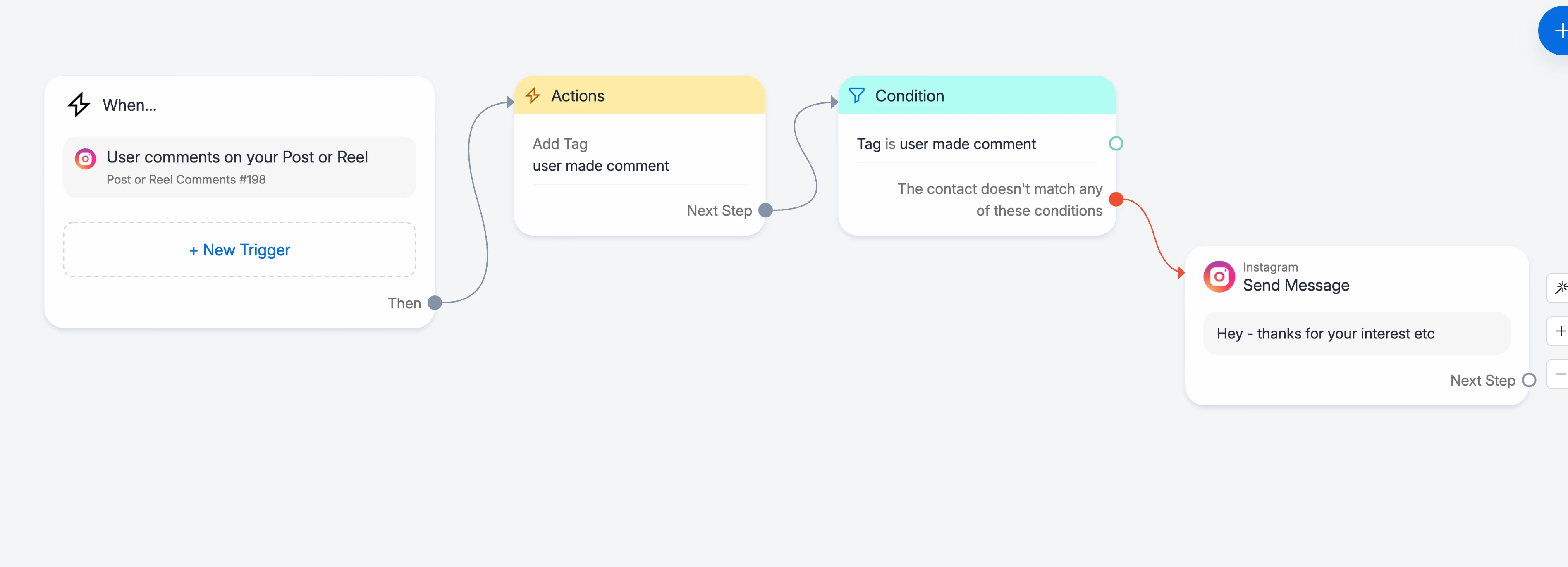
Ah ok - in that case I would set the trigger to fire on all posts/reels & where ‘any comment’ fires the automation. Then build an automation where the user is immediately that tagged they have commented, then use a condition to check for the tag, which is then followed by a welcome message if they don’t have the tag, like this:
This will filter out those who have commented before and nothing more will happen, but those who haven’t commented, (the red line), will receive your Welcome message. Beware though of two things: firstly once this is live, it will only tag going forward, not anyone who has commented historically, and secondly, users may not be expecting a DM from you just from their comment (unless this is made obvious in the content) so it ‘could’ add a little friction (but much less from them receiving a DM from every comment!)
@Chimpers make sure your trigger is set to fire on ‘specific keyword’ rather than ‘any comment’ - and then once they enter the automation tag them. Then use a condition to check whether they have this tag (from commenting previously) and filter them appropriately ie don’t send any further messages, if that is your intention.
@Gustavo Boregio - gives an useful example on this thread:
@Chimpers it’s up to you what you use for the keyword. Normally it would be relevant to what they’re commenting for ie ‘webinar’ to sign up for a webinar, or ‘freebie’, for something that’s free for example. Ideally use a keyword that is not used in common human-to-human DMs so that the bot doesn’t interrupt normal DM conversations. And make sure you give your followers the keyword in your social content, so they know what will fire the automation. ie “Comment webinar to sign up for this event”, for example.
Hey Mel — this is where the issue is. I’m not looking to use a keyword trigger. It’s meant to go out to anyone who comments on any reel, but only once per user, never again.
The idea is for it to act as a one-time intro message for new people engaging in the comments.
Ah ok - in that case I would set the trigger to fire on all posts/reels & where ‘any comment’ fires the automation. Then build an automation where the user is immediately that tagged they have commented, then use a condition to check for the tag, which is then followed by a welcome message if they don’t have the tag, like this:
This will filter out those who have commented before and nothing more will happen, but those who haven’t commented, (the red line), will receive your Welcome message. Beware though of two things: firstly once this is live, it will only tag going forward, not anyone who has commented historically, and secondly, users may not be expecting a DM from you just from their comment (unless this is made obvious in the content) so it ‘could’ add a little friction (but much less from them receiving a DM from every comment!)
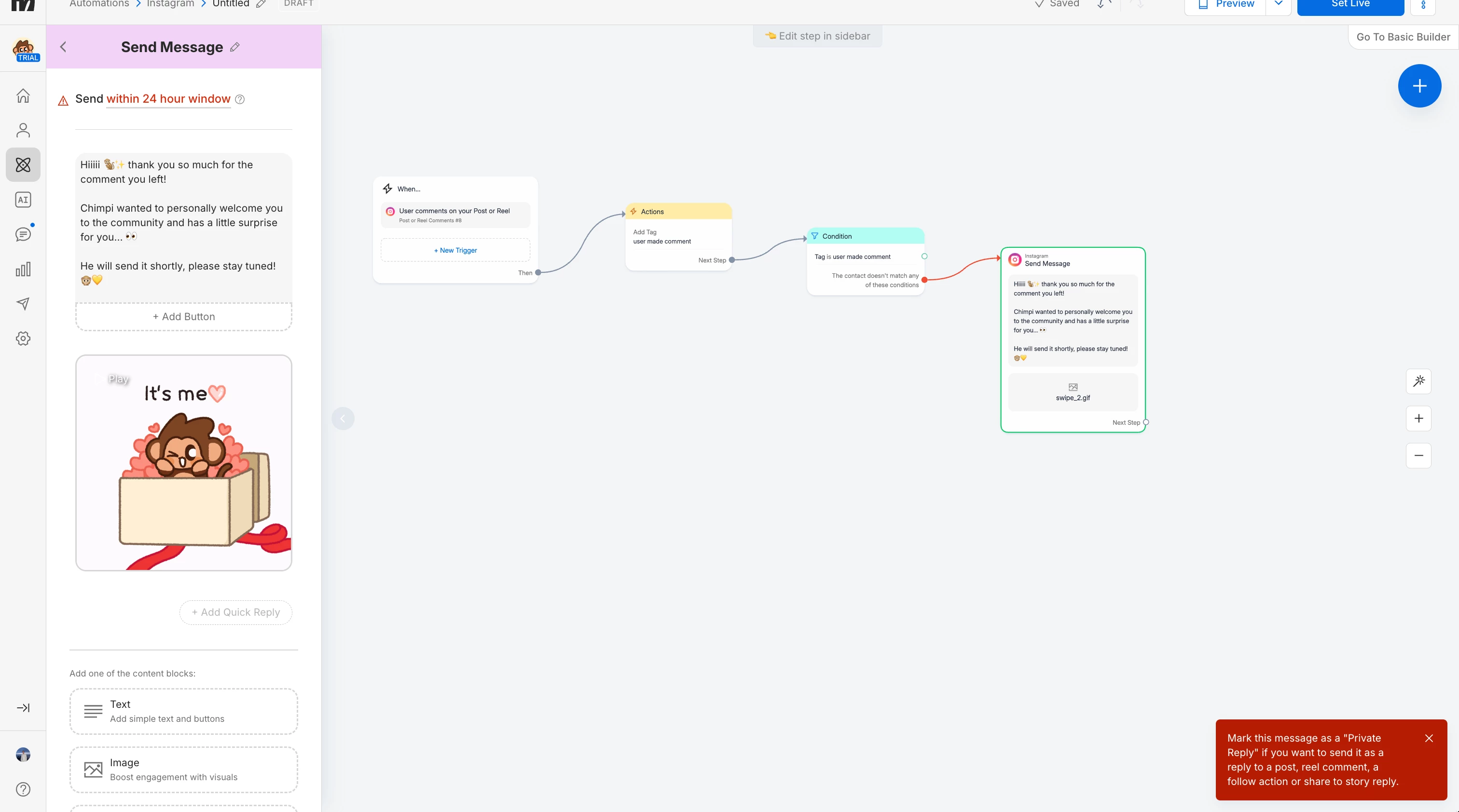
@Chimpers on the top left hand side where it says ‘within 24 hrs’ in red. Click on that and change it to private reply. Any first message sent via post/reel or IG live has to be marked as private reply. It’s a Meta compliance thing.