Solved

Comment to DM Meta ads

  • June 16, 2026
  • 5 comments
  • 40 views

Dom
  • Up-and-comer

Hi,

I created Comment to DM automation in Manychat but  I cannot choose it in Meta partner apps. I can only see flows  users clicks an instagram ad.

I have no idea how to fix this. Can  you help me? 

Best answer by cata_rendon

Hi ​@Dom, for partener app you need create first a Ads Trigger in Manychat. Comment to DM are not for Paid Adds, only organic content. You can find a guide on how to set up Ads Trigger on each channel:

https://help.manychat.com/hc/en-us/articles/14281321942428-Instagram-Ads-Trigger

https://help.manychat.com/hc/en-us/articles/14281372007196-Facebook-Ads-Trigger

https://help.manychat.com/hc/en-us/articles/17154181720476-WhatsApp-Ads-Trigger


Cheers!

Cata Rendon

5 replies

cata_rendon
Forum|alt.badge.img+5
  • Community Moderator
  • Answer
  • June 16, 2026

Hi ​@Dom, for partener app you need create first a Ads Trigger in Manychat. Comment to DM are not for Paid Adds, only organic content. You can find a guide on how to set up Ads Trigger on each channel:

https://help.manychat.com/hc/en-us/articles/14281321942428-Instagram-Ads-Trigger

https://help.manychat.com/hc/en-us/articles/14281372007196-Facebook-Ads-Trigger

https://help.manychat.com/hc/en-us/articles/17154181720476-WhatsApp-Ads-Trigger


Cheers!

Cata Rendon


Dom
  • Author
  • Up-and-comer
  • June 17, 2026

I created also separate automation for ads trigger. It doesn’t work neither. Meta shows clicks in the ad, but it doesn’t trigger anything. 


cata_rendon
Forum|alt.badge.img+5
  • Community Moderator
  • June 19, 2026

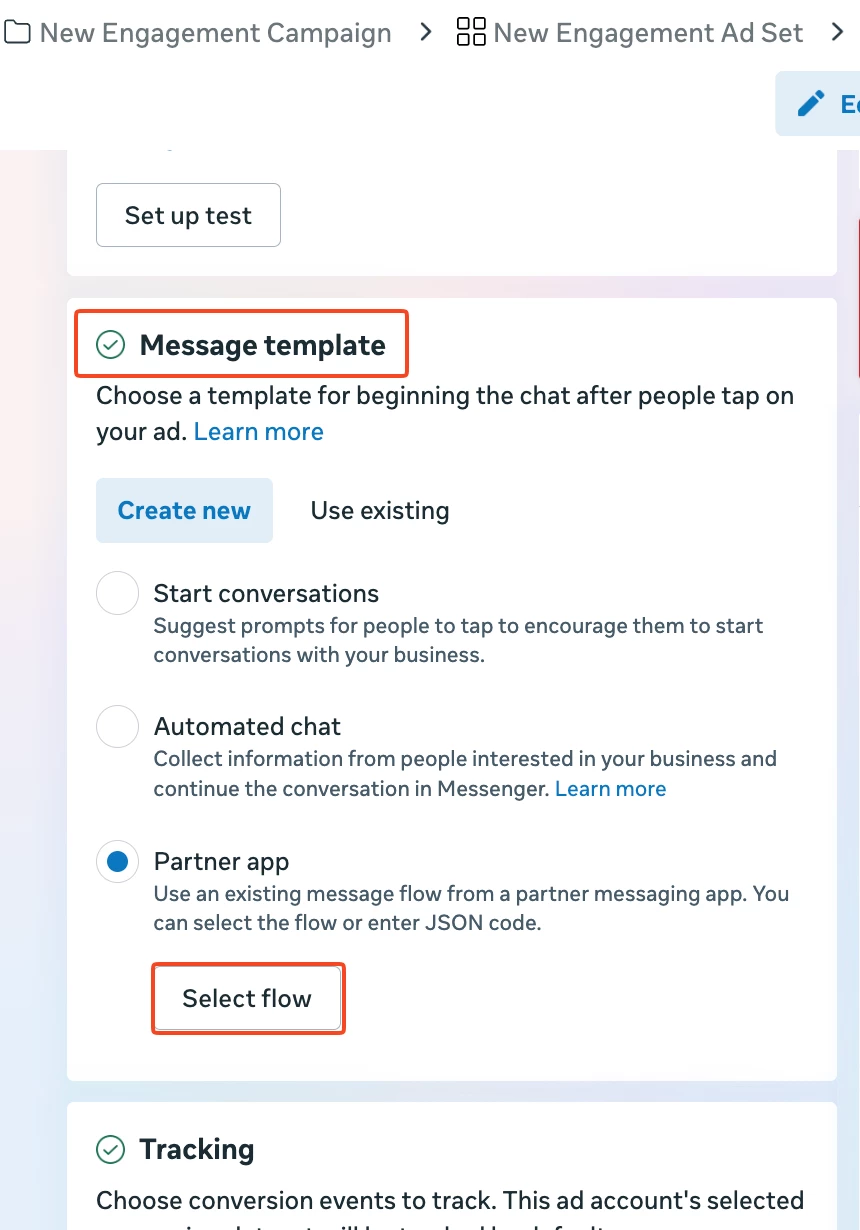
Hi ​@Dom , When creating the Ad, Select Message Template and then choose Manychat as the Partner app and the automation you’ve created earlier in Manychat from the Message flow dropdown. Once your ad is published and live, users who click your ad will receive the initial message from your automation


Dom
  • Author
  • Up-and-comer
  • June 22, 2026

They don’t receive it. 


cata_rendon
Forum|alt.badge.img+5
  • Community Moderator
  • June 22, 2026

Hi ​@Dom if its not working for you, you can try to contact Manychat Support so they can help, Please follow this link: https://help.manychat.com/hc/en-us/p/get_support_page