Question

Complete list of people who clicked on a Automation Link

  • September 24, 2026
  • 1 comment
  • 4 views

builtforadulthood

Hello, 


Can you please tell me how to get the complete list of all the people who clicked on a link. The dashboard only shows the top 25 people. Is there a way export or see a complete list?


Thanks!
 

1 reply

SumGenius
Forum|alt.badge.img
  • Smooth talker
  • September 24, 2026

The top 25 widget is all ManyChat shows you, and there's no export for it. There's no native CSV export of contacts either. What you can do is make the click tag the person, which turns clickers into a segment you can work with.

Open the flow, click the button holding the link, and add an Add Tag action alongside the URL. Then test it yourself before you trust it. There are reports that additional actions on an Open Website button don't fire on Instagram, though they work on Messenger and WhatsApp. Click your own link, then check whether you picked up the tag. If it didn't fire, change the button to Go to Flow instead, tag them in that next step, and send the link there as a message. One extra tap for them, but it fires every time on every channel.

To get the list out, use the Google Sheets integration. Put a Google Sheets action in a flow, map your fields, then send it as a broadcast targeted at that tag. A broadcast containing only an action sends no message, so nobody gets pinged. It just writes the rows.

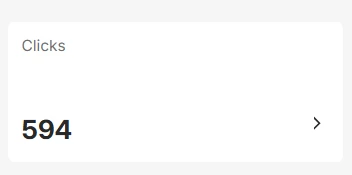
The catch is the 594 you already have. Tags only apply from the moment you add them, so that won't backfill. Ask support whether there's a contact filter for a specific link click. If there is, build the segment and run the Sheets broadcast against it once and you've recovered them. If there isn't, those stay as a number.