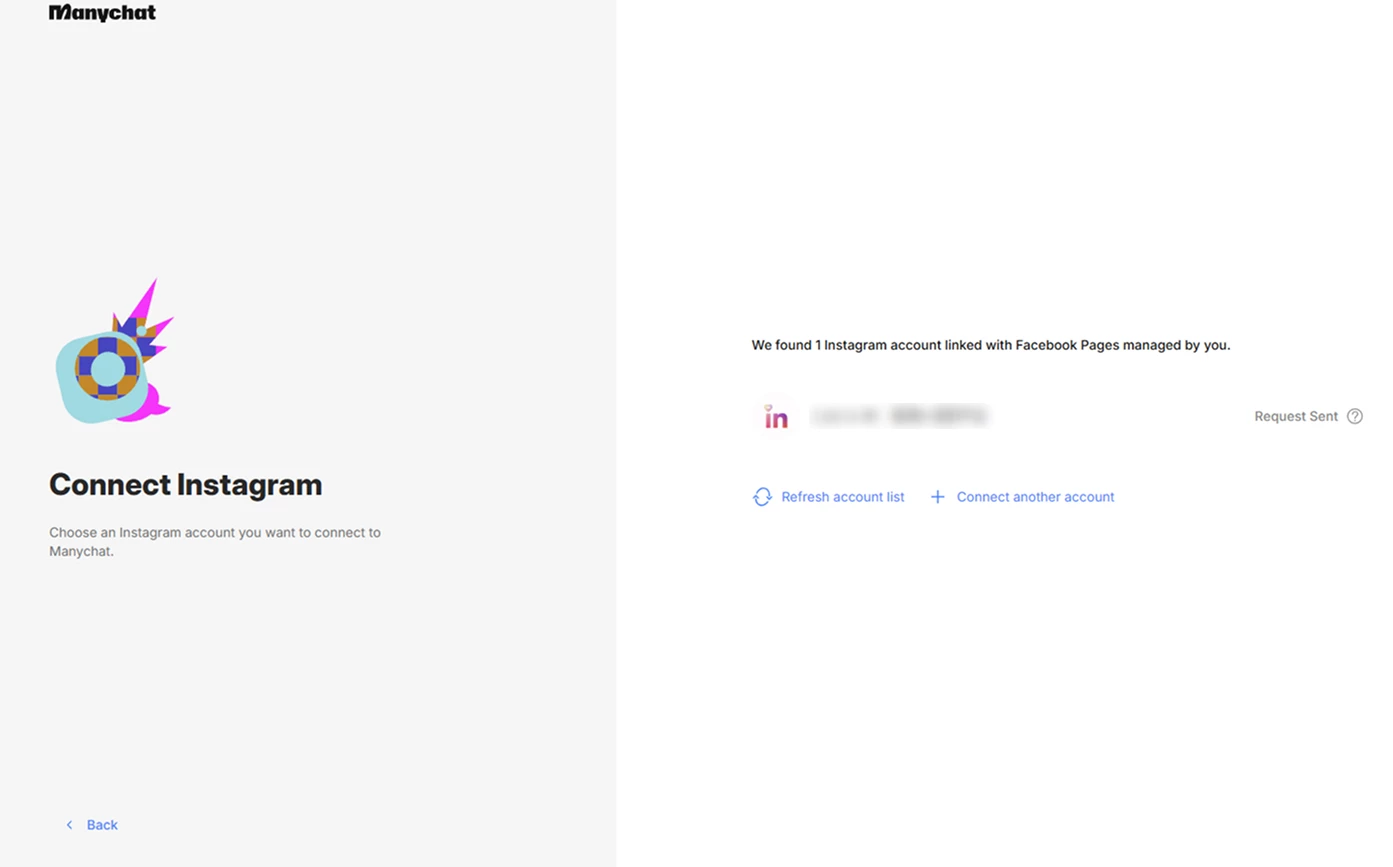
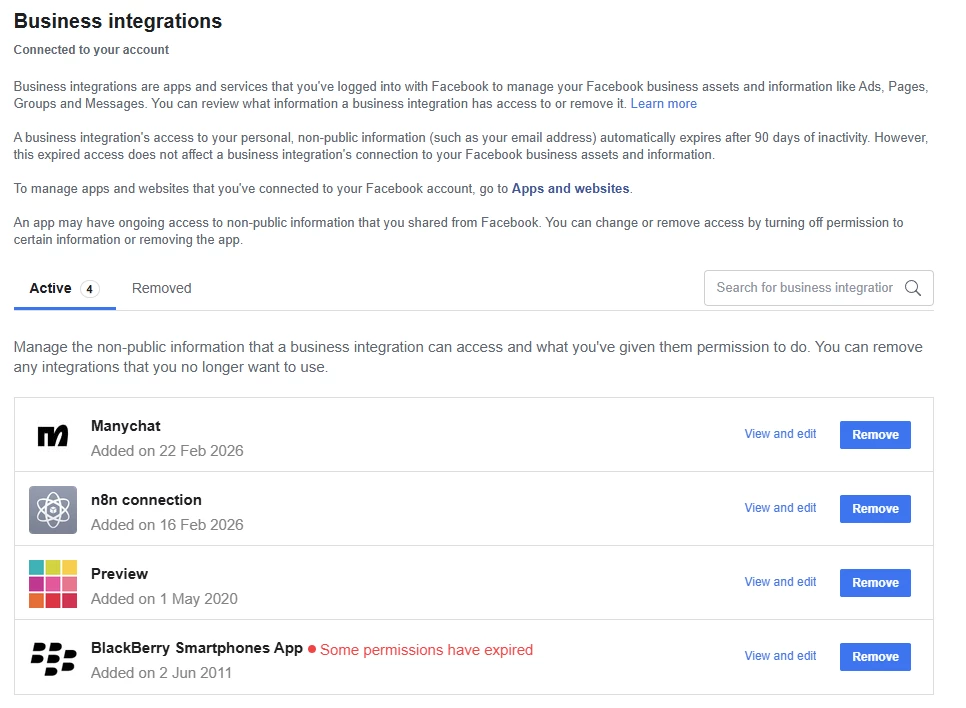
I just sign up to Manychat via Google, and tried to connect to the Instagram account.
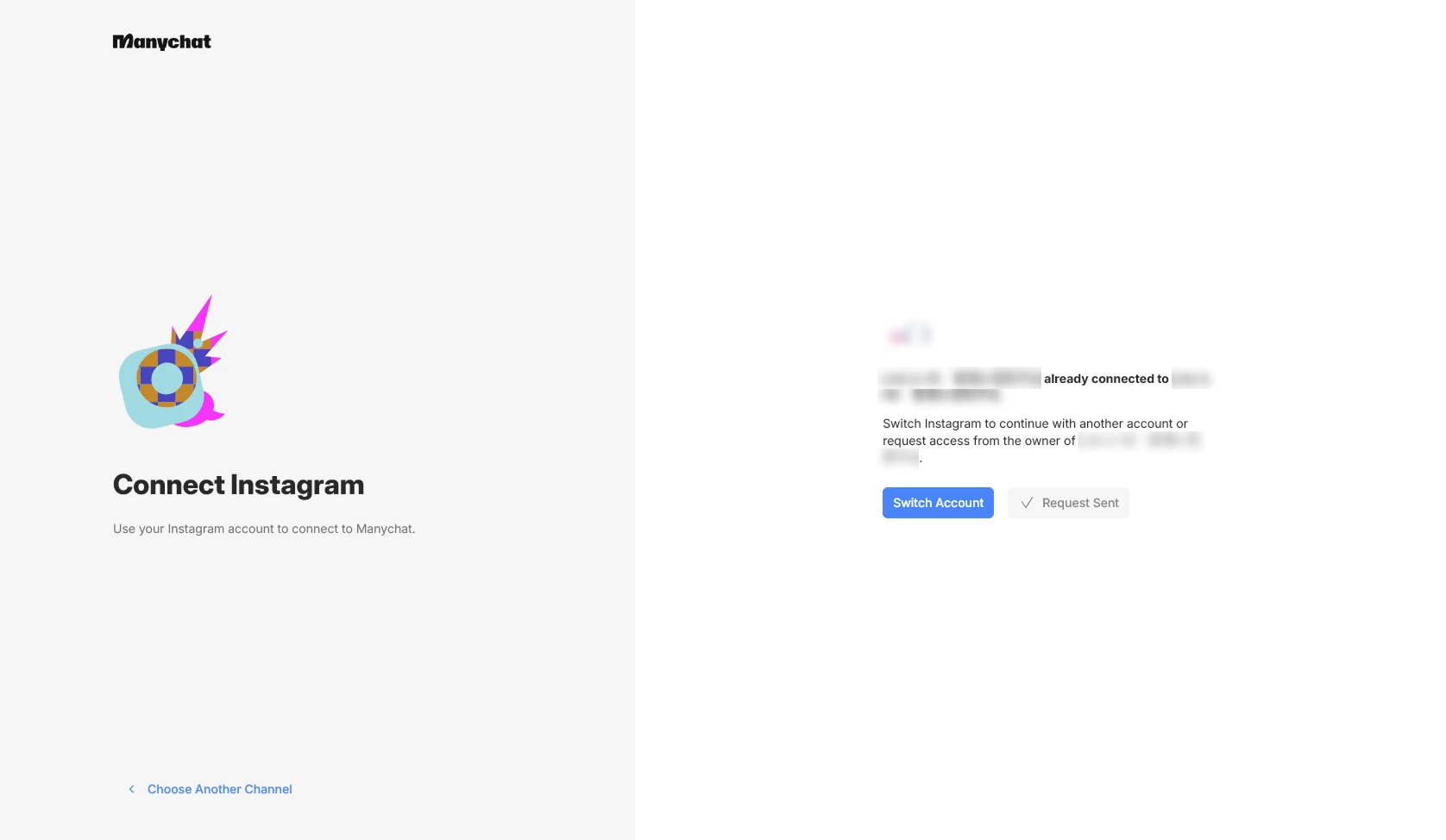
I follow the instructions until I am stuck in the page where I pressed “send request” and not sure about the next step.
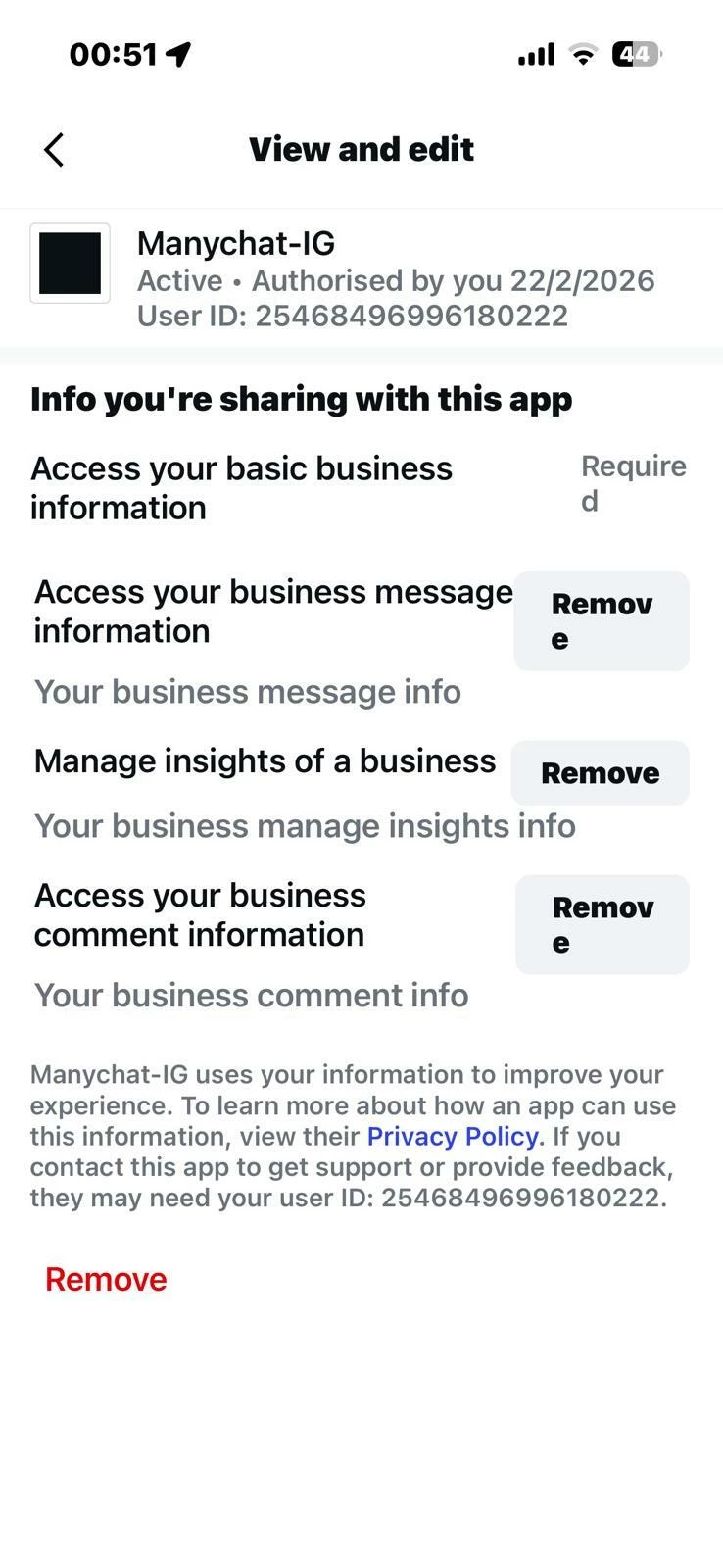
In the Instagram, it shows that it is connected to Manychat, but in Manychat dashboard it said it is not connected to any channels.
I checked this issue is due to the Instagram is already connected to another Manychat account, but I have no idea what it connected to because I just opened the account today.
Thank you and I appreciate any sort of help!
Have a nice day.
Best answer by carmentune
Hi Rex! Welcome to the community.
That "already connected to another account" error is a classic, but don't worry, it’s easy to fix. It usually happens because there’s a "ghost" connection stuck in your Facebook permissions.
Try this "hard reset" to clear it:
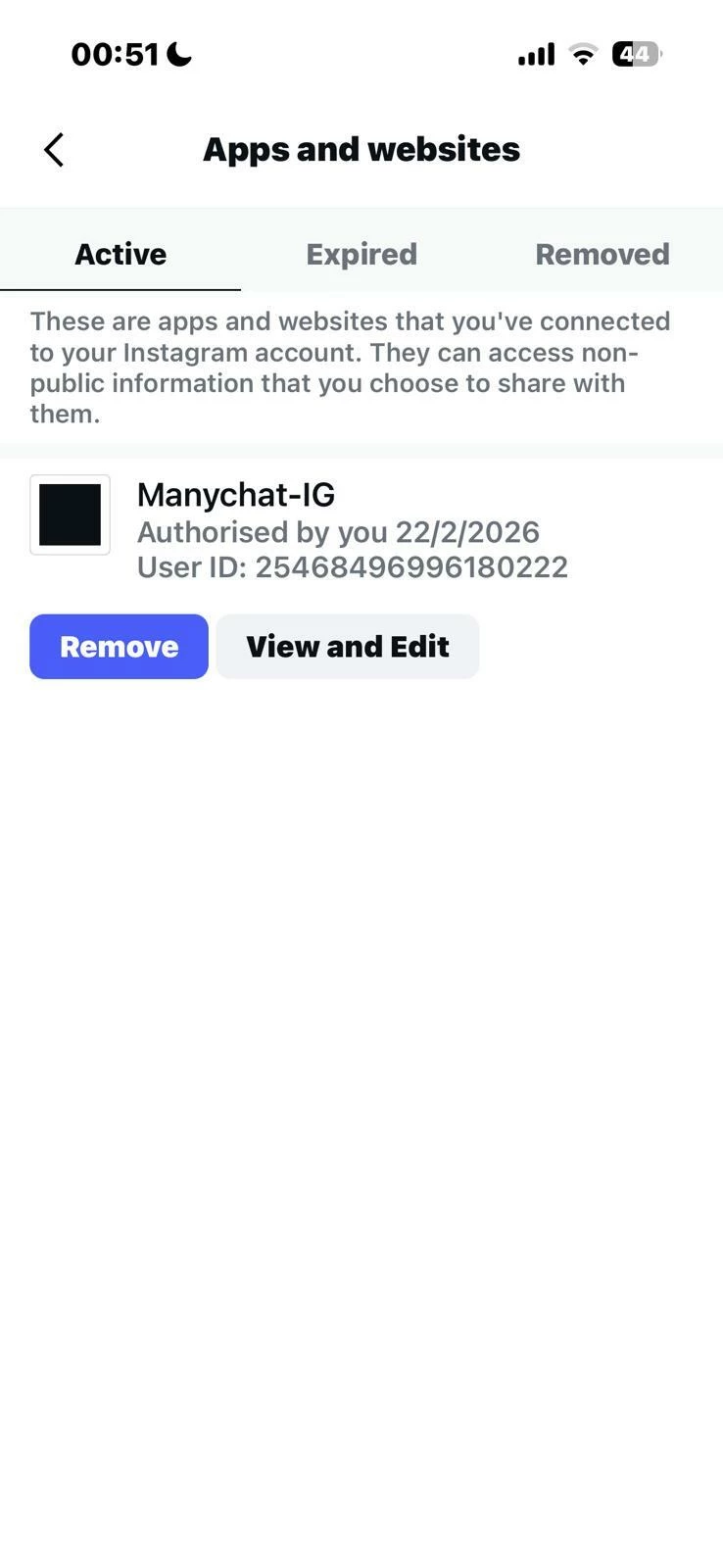
Remove Instagram connection: In that screen you showed (Instagram > Apps and Websites), click the blue "Remove" button for Manychat-IG.
Go to your Facebook Profile settings (the one that admins your IG page).
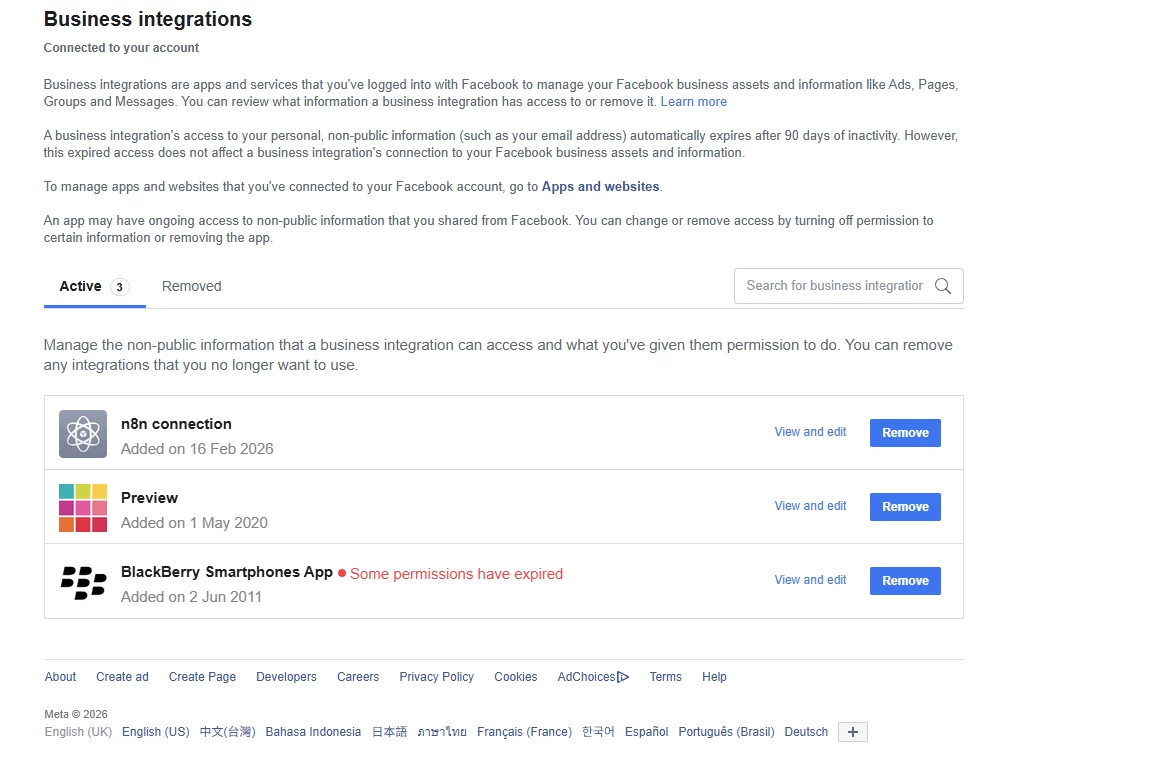
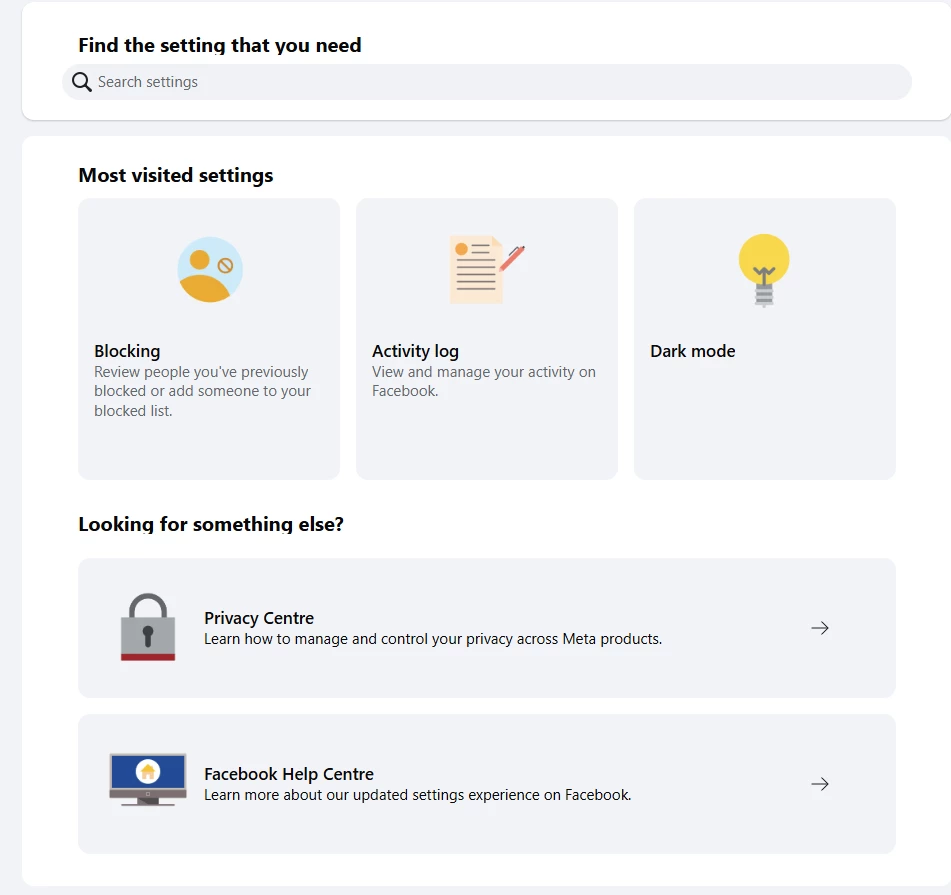
Navigate to Settings & Privacy -> Settings -> Business Integrations.
Find Manychat in the list and Remove it (don't worry, this won't delete your flows, it just resets the handshake).
Now, go back to Manychat, click the Help button (bottom left) and select "Refresh Permissions".
Try the Instagram connection again. It should now let you "re-authorize" and link it to your current account.
One tip: Since your screenshot mentions another owner, double-check if you accidentally logged in with a different email or via Facebook Login instead of Google earlier. You might have a "ghost" workspace already sitting there.
That "already connected to another account" error is a classic, but don't worry, it’s easy to fix. It usually happens because there’s a "ghost" connection stuck in your Facebook permissions.
Try this "hard reset" to clear it:
Remove Instagram connection: In that screen you showed (Instagram > Apps and Websites), click the blue "Remove" button for Manychat-IG.
Go to your Facebook Profile settings (the one that admins your IG page).
Navigate to Settings & Privacy -> Settings -> Business Integrations.
Find Manychat in the list and Remove it (don't worry, this won't delete your flows, it just resets the handshake).
Now, go back to Manychat, click the Help button (bottom left) and select "Refresh Permissions".
Try the Instagram connection again. It should now let you "re-authorize" and link it to your current account.
One tip: Since your screenshot mentions another owner, double-check if you accidentally logged in with a different email or via Facebook Login instead of Google earlier. You might have a "ghost" workspace already sitting there.
That "already connected to another account" error is a classic, but don't worry, it’s easy to fix. It usually happens because there’s a "ghost" connection stuck in your Facebook permissions.
Try this "hard reset" to clear it:
Remove Instagram connection: In that screen you showed (Instagram > Apps and Websites), click the blue "Remove" button for Manychat-IG.
Go to your Facebook Profile settings (the one that admins your IG page).
Navigate to Settings & Privacy -> Settings -> Business Integrations.
Find Manychat in the list and Remove it (don't worry, this won't delete your flows, it just resets the handshake).
Now, go back to Manychat, click the Help button (bottom left) and select "Refresh Permissions".
Try the Instagram connection again. It should now let you "re-authorize" and link it to your current account.
Let me know if that clears it up for you!
Hello Carmentune, thank you for your warm welcoming and your detailed reply! Really appreciated it
I don’t think my Instagram account is connected to Facebook. I opened it via email.
I do setup a Facebook page tho, it is created under my personal Facebook account, but I don’t it is connected to Manychat as shown below:
Thanks for the extra info, @Rex ! This actually reveals the problem.
There’s a small misunderstanding about how the connection works: To use Manychat on Instagram, your IG account must be linked to a Facebook Page.
Here is what's happening based on your screenshots:
1. The "Missing" Integration
You don't see Manychat in your Facebook Business Integrations because you likely haven't finished the "handshake" between Facebook and Manychat yet, precisely because your IG and FB Page aren't linked.
2. The "Already Connected" Conflict
Even though you don't see it on Facebook, your Instagram app does show an active connection to Manychat. This confirms that your Instagram handle is currently "locked" to a Manychat workspace.
3. The Solution
To fix this, you need to do two things:
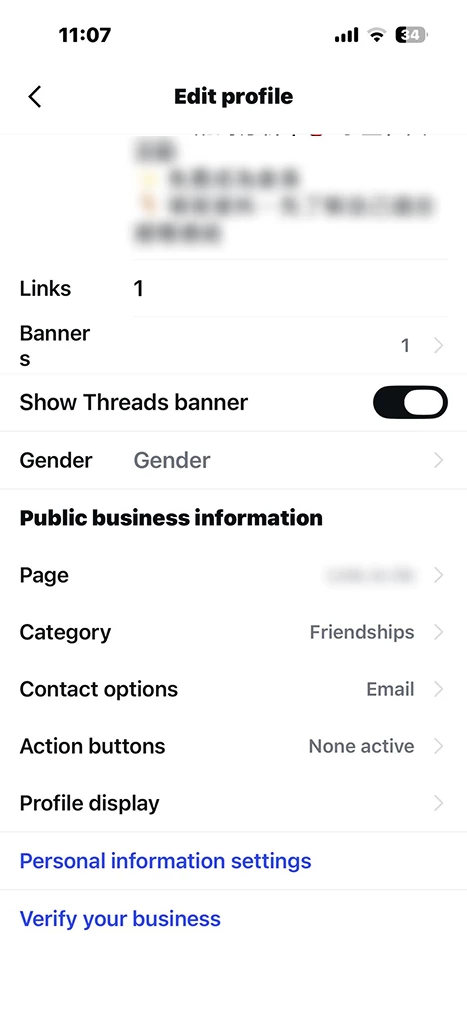
Link your IG to your FB Page: Go to your Instagram app > Edit Profile > Page (under Public Business Information) and connect your Facebook Page there. You can do this from your Facebook page too (Settings and Privacy → Settings → Linked Accounts → Instagram). Also, ensure your Instagram is set to a Business/Creator account.
Find the "Owner" account: Since Manychat says it's already connected to a workspace, try clicking the "Switch Account" button shown in your screenshot. If that doesn't work, you must have another Manychat account under a different email address.
Try linking the IG to the FB Page first, then hit that "Switch Account" button. That should show you where your IG is "hidden"!
Thank you @carmentune for explaining how the connection should works! It did helped me to understand the context better.
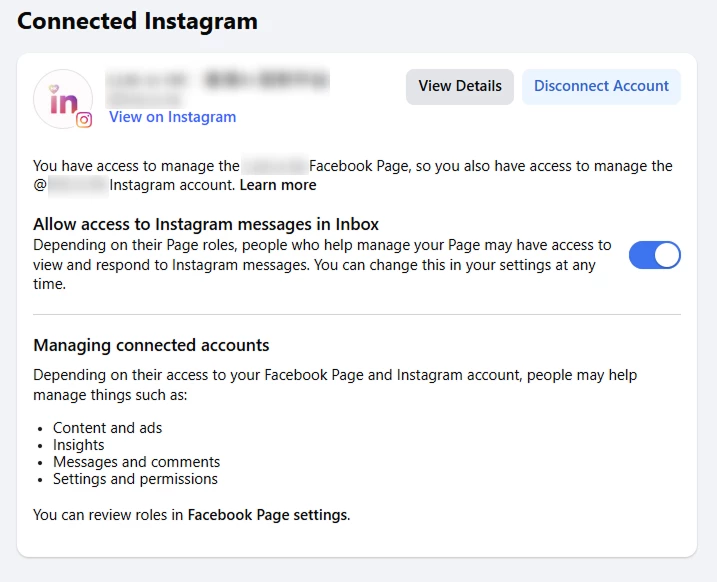
I have linked my IG to my FB Page as shown:
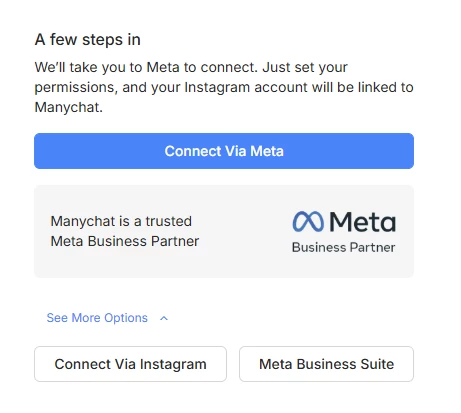
However, when clicking "Switch Account" , I don’t think I can see the hidden IG account. Besides, would you recommend to use "Connect Via Meta"or"Connect Via Instagram" or "Meta Business Suite"?
I tried all 3 options.
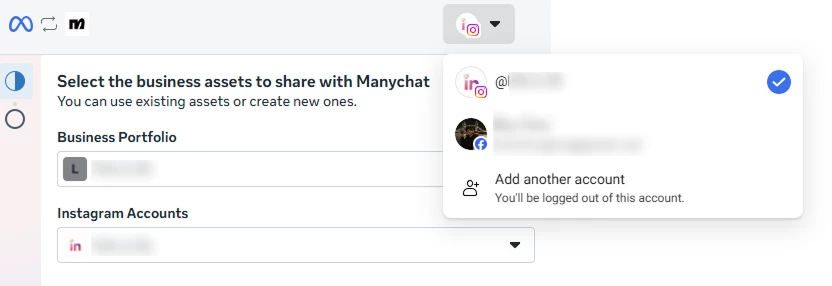
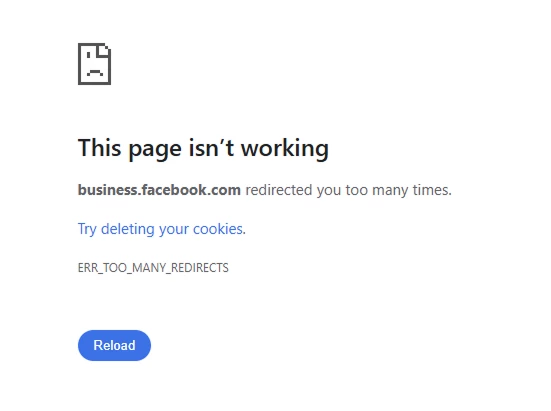
For "Connect Via Meta", there are 2 accounts under the toggle, the one with Instagram icon has 1 Business Portfolio and 1 Instagram Account. The one with Facebook icon leads to an error page
When selecting Facebook icon
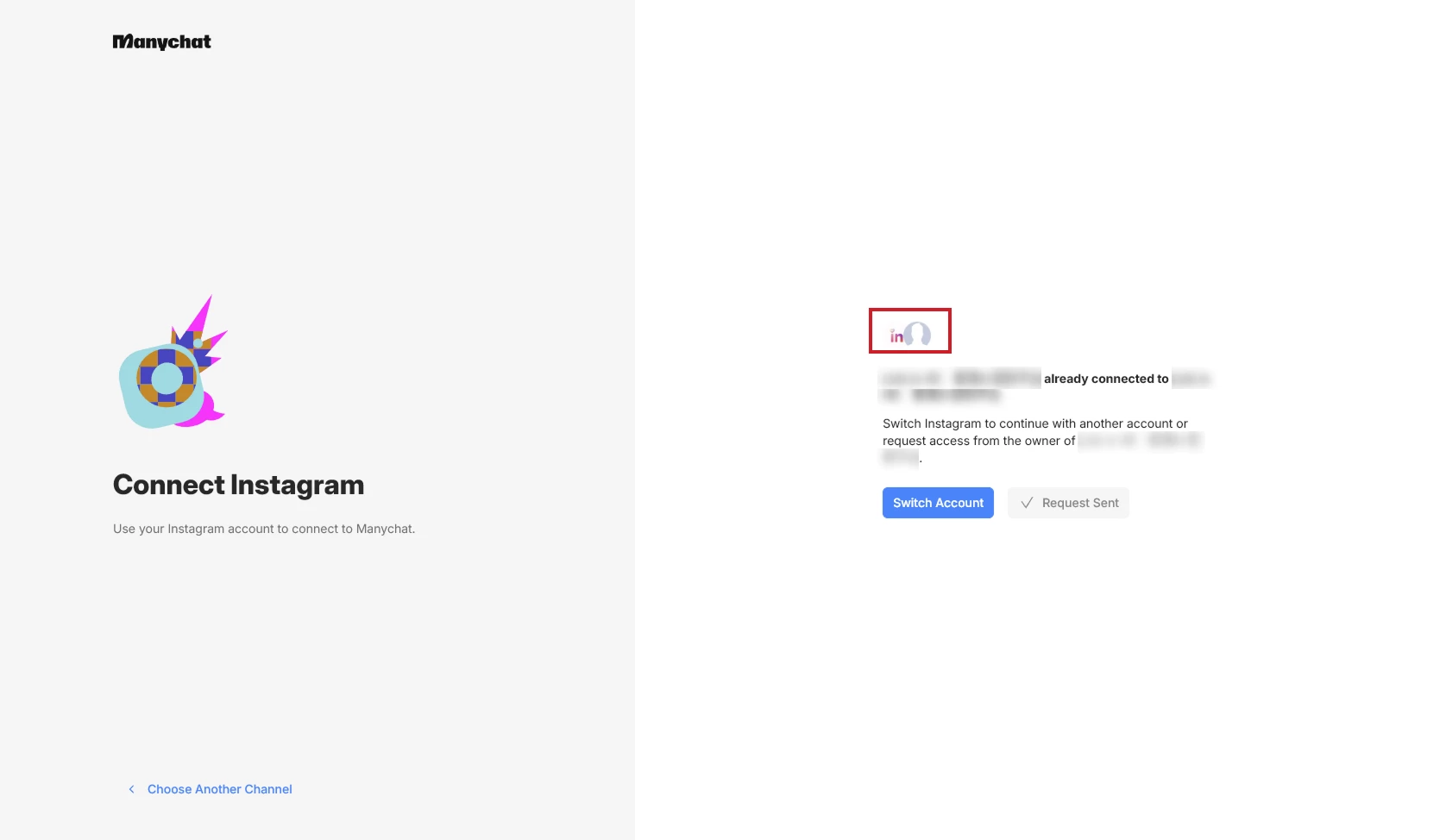
After proceeding, I see this page again. May I ask what are the 2 icons as circled in red representing respectively? I think it could help me identify which account it is connected to.
For "Connect Via Instagram", I see the exact same page as above after log-in with my Instagram account.
For "Meta Business Suite", I follow the instructions to link my Facebook page / Instagram, and see below page eventually. But I am not too sure about the next step?
I can also find Manychat in the Facebook Business Integrations page now.
I feel sorry for the back and forth and I would appreciate any sort of help or next step that would solve the connection issue. Thank again!
Great to see you've linked the accounts, @Rex ! You are almost there.
To clarify those icons you circled in red:
The Icons: The purple one is actually the Instagram logo. The one next to it is your Instagram Profile Picture or Initial. They represent the specific Instagram identity you are trying to connect.
The Redirect Error: That "Too many redirects" page is a classic browser/cache issue with Meta. Try the whole process in an Incognito/Private window—it usually bypasses that error immediately.
Connection Method: I definitely recommend "Connect Via Meta". It’s the most robust way to sync permissions now that you’ve linked your IG and FB Page.
Since it still says "already connected", I suggest you actually click "Request access from the owner". If that Instagram is connected to a "ghost" account of yours, you will receive an automated email from Manychat in your own inbox. This will reveal exactly which email address is currently "holding" your Instagram account.
In your screenshot, I see you already clicked it because it says '✓ Request Sent' next to the Switch Account button. Now, just check all your email inboxes! The one that receives an email from Manychat is the 'ghost' account you need to log into to disconnect the IG handle.
Give the Incognito window a try and let me know if the email arrives!
Thank you @carmentune for the very detailed explanation! Turns out it was because I initially login to Manychat with my another email account and it linked to the Instagram (very stupid haha). Now I have transferred the ownership back to the correct Manychat account and can finally setup! Thank you for all the guidance and support! Really appreciated it!
That’s awesome news, @Rex ! So glad to hear you're finally up and running.
Don't worry at all—it’s a super common mistake! We've all been caught in that "multiple Google/Facebook accounts" loop at least once. I'm just happy you found that ghost workspace and managed to transfer the ownership successfully.
Good luck with your first automations, and welcome to the Manychat family! 🚀