Solved

Contact for testing

  • Oct 18, 2024 8:29 PM UTC
  • 7 comments
  • 260 views

amyahlom334

Hi there!

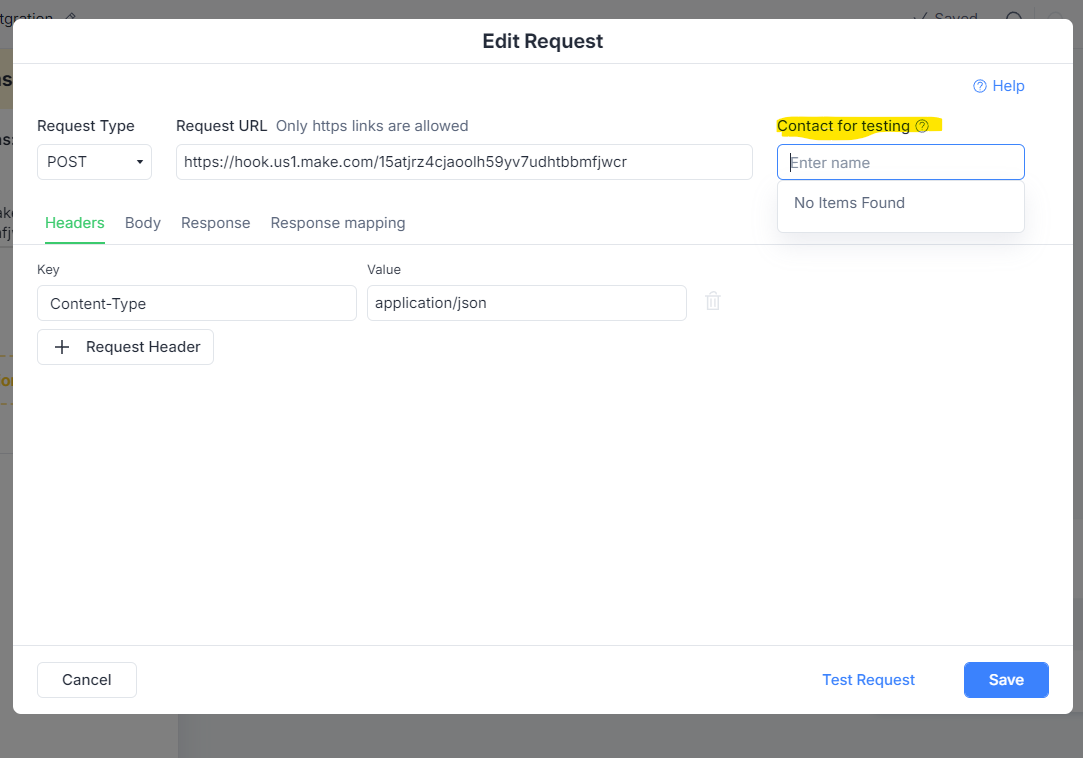
I’m trying to create an external request to make.com, and there is a field “contact for testing” .Whatever I do there are no users defined… 

What should I do?


Best answer by Fabio Gaulke

Hi, @amyahlom334!


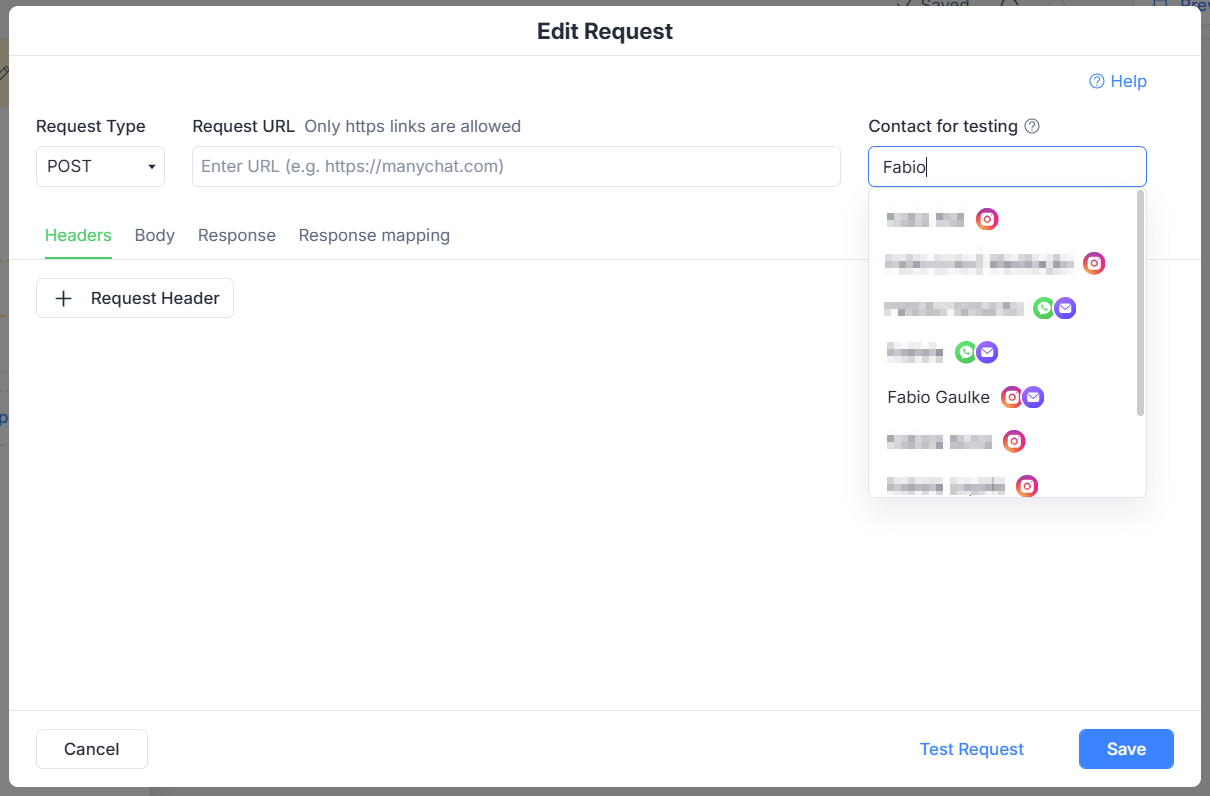
Try typing a contact name. It should than display a list of contacts to select:
 

View original

7 replies

Fabio Gaulke
Forum|alt.badge.img+3
  • Community Moderator
  • Answer
  • Oct 21, 2024 4:58 AM UTC

Hi, @amyahlom334!


Try typing a contact name. It should than display a list of contacts to select:


hade.ai
  • Up-and-comer
  • Oct 31, 2025 8:14 AM UTC

Hello,

I’m stuck on the same step. I tried using what you said but no contact is showing up, after anything I try to put in. 

​@Fabio Gaulke 


Fabio Gaulke
Forum|alt.badge.img+3
  • Community Moderator
  • Oct 31, 2025 12:08 PM UTC

Hello,

I’m stuck on the same step. I tried using what you said but no contact is showing up, after anything I try to put in. 

​@Fabio Gaulke 

That's odd… Try cleaning your browser's cache (at least for manychat.com) and try again.


PS: You have to type 3 or 4 characters in the textbox before the contact selection shows up.


hade.ai
  • Up-and-comer
  • Oct 31, 2025 12:43 PM UTC

Hello,

I’m stuck on the same step. I tried using what you said but no contact is showing up, after anything I try to put in. 

​@Fabio Gaulke 

That's odd… Try cleaning your browser's cache (at least for manychat.com) and try again.


PS: You have to type 3 or 4 characters in the textbox before the contact selection shows up.


Hello,

I just posted a post about this. I tried typing the characters but nothing


Fabio Gaulke
Forum|alt.badge.img+3
  • Community Moderator
  • Oct 31, 2025 1:05 PM UTC

Hello,

I just posted a post about this. I tried typing the characters but nothing


In that case, better seek help from Manychat's support team: How to get support from Manychat – Manychat Help


hade.ai
  • Up-and-comer
  • Oct 31, 2025 1:43 PM UTC

Hello,

I just posted a post about this. I tried typing the characters but nothing


In that case, better seek help from Manychat's support team: How to get support from Manychat – Manychat Help


I solved the issue, actually the Instagram user did not not have any named inputted on the profile, only username and the Manychat search bar was not finding it. leaving this here in case somebody else goes through this. the AI chatbot helped me figure it out. 


Fabio Gaulke
Forum|alt.badge.img+3
  • Community Moderator
  • Oct 31, 2025 4:27 PM UTC

I solved the issue, actually the Instagram user did not not have any named inputted on the profile, only username and the Manychat search bar was not finding it. leaving this here in case somebody else goes through this. the AI chatbot helped me figure it out. 


AHA!!

Good to know!