Solved

Deleted Automation Keep Sending Messages & Replies

  • August 8, 2024
  • 4 comments
  • 165 views

MandyBrookeOfficial

I automated a Comment/Reply/DM for my ebook months ago for all posts.  The Keyword was “VIBE” but it would send replies randomly to people who didn’t comment the keyword.  I ended up having to delete the automation because it began replying back to EVERY SINGLE COMMENT.  The setting was set to “message a keyword” and not “message all” so I’m not sure why that happened.  And even with the deleted automation, my followers are STILL getting replies and DM’s.   I’ve refreshed my permissions, the only thing I can think to do is delete my ManyChat altogether and start over.  But that would delete everything I’ve automated too.   Ugh, please help.  ALSO WHY IS THER NO CUSTOMER SERVICE ON MANYCHAT!?! I need to talk to a person.  

Best answer by rodrigo_silvano

Hey, ​@Sarahwilson 
I’m sorry to hear that!

If Manychat is sending a automation, the records are on the Inbox.

Go to the Inbox tab → choose the conversation with that automation → and check the records (something like this):
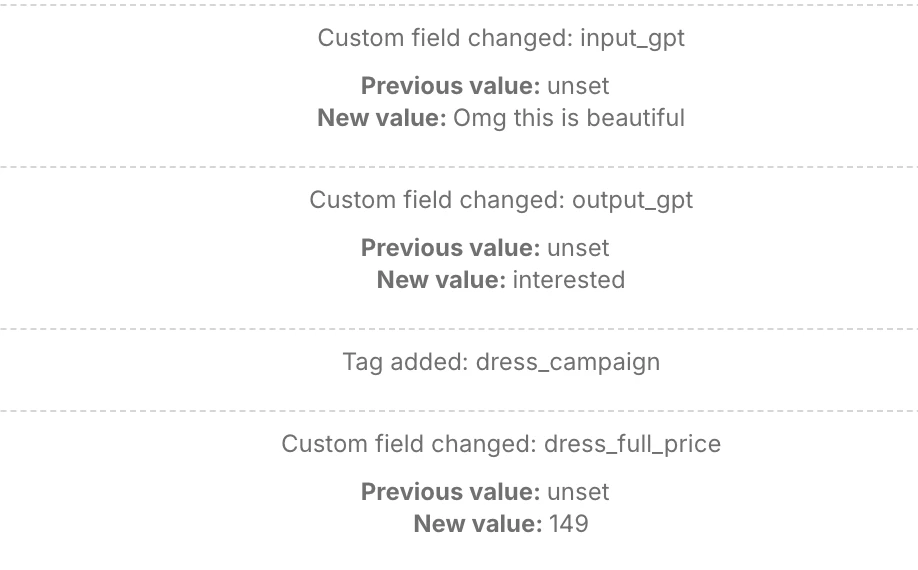

If you don’t see any stuff like this, go to your facebook page and click on settings & privacy → settings → and at the left side, click on “page setup”.

There, check this 2 settings:

→ Advanced messaging
→ Instagram conversation routing

If the Manychat app appears, delete it.

Then, on your facebook profile (the one that is connected with your page), and click on settings & privacy → settings → and at the left side, click on “Business integrations”. If you see the Manychat app, please remove it either.

If the automation keeps sending, it’s 100% sure by another app.

4 replies

Sarahwilson
  • Up-and-Comer
  • February 22, 2026

There was no support for this? This is happening to me too and ManyChat support keeps blaming me like I have another app connected.  I have only ManyChat set up and zero other automations.  Keeps sending old automations that aren’t even in my deleted folder and sends blank messages all the time.  It used to work perfectly not it’s totally screwed up and costing me time and money on a useless integration! 


rodrigo_silvano
Forum|alt.badge.img+4
  • Community Moderator
  • Answer
  • February 22, 2026

Hey, ​@Sarahwilson 
I’m sorry to hear that!

If Manychat is sending a automation, the records are on the Inbox.

Go to the Inbox tab → choose the conversation with that automation → and check the records (something like this):


If you don’t see any stuff like this, go to your facebook page and click on settings & privacy → settings → and at the left side, click on “page setup”.

There, check this 2 settings:

→ Advanced messaging
→ Instagram conversation routing

If the Manychat app appears, delete it.

Then, on your facebook profile (the one that is connected with your page), and click on settings & privacy → settings → and at the left side, click on “Business integrations”. If you see the Manychat app, please remove it either.

If the automation keeps sending, it’s 100% sure by another app.


Manaia45t
  • Up-and-Comer
  • February 23, 2026

Old ManyChat automations keep sending because they’re still active or linked via Facebook/Instagram. Check the Inbox in ManyChat for leftover messages, remove ManyChat from Facebook Page settings under Advanced Messaging and Instagram routing, and delete it from Business Integrations on your profile. This should stop the messages.


Sarahwilson
  • Up-and-Comer
  • March 4, 2026

I don’t have a Facebook page so this is unhelpful.