Solved

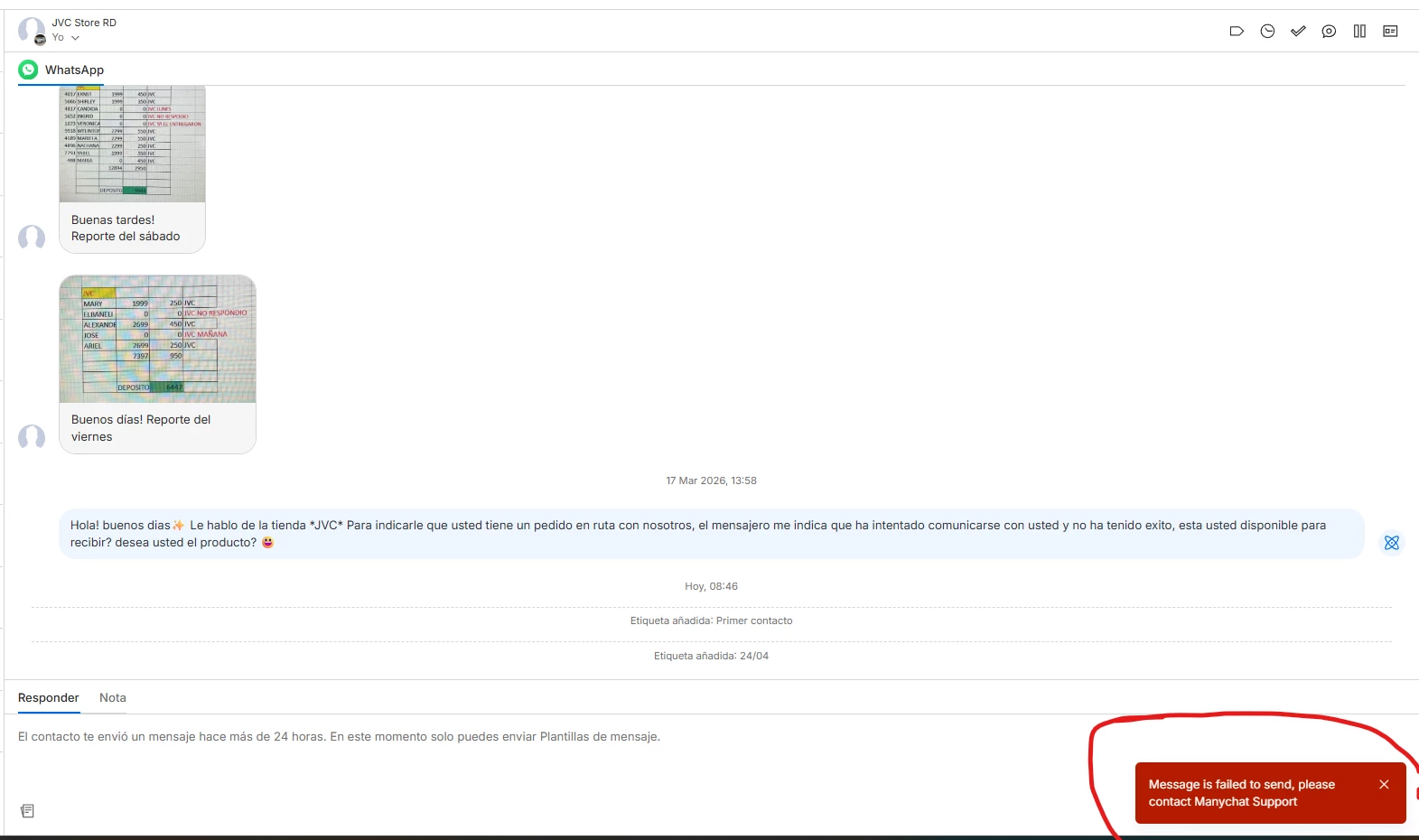
Error: "Message is failed to send, please contact Manychat Support" when sending WhatsApp Template

  • April 24, 2026
  • 1 comment
  • 17 views

JuanVega

Hi everyone, I need help with an error I'm getting when trying to send a WhatsApp Message Template.

Every time I try to send a template, I get the red alert: "Message is failed to send, please contact Manychat Support".

What I've checked so far:

  • Template Status: It is already approved by Meta.

  • Balance: I have a positive balance.

  • Opt-in: The contacts are

     subscribed.

  • Refresh: I already tried refreshing permissions in Settings.

Also I tried to send it from “broadcast” and it does not go through

Best answer by Fabio Gaulke

Hi ​@JuanVega 


It looks like you have already covered the basic troubleshooting steps, which is great. Since the template is approved, your balance is positive, and permissions have been refreshed, this error usually points to a more specific sync issue between Meta and Manychat or a restriction at the Business Manager level.


One thing to verify is if the Phone Number Quality Rating is healthy, as a "Dropped" status could block outgoing templates even if everything else seems correct. Also, ensure that the WABA (WhatsApp Business Account) is fully verified and not under any temporary restriction.


If everything looks good on the Meta side and the error persists in both Live Chat and Broadcasts, it is best to have the support team look into the specific logs for your account.

https://help.manychat.com/hc/en-us/articles/14281086345244-How-to-get-support-from-Manychat


Hope this helps!

1 reply

Fabio Gaulke
Forum|alt.badge.img+3
  • Community Moderator
  • Answer
  • May 6, 2026

Hi ​@JuanVega 


It looks like you have already covered the basic troubleshooting steps, which is great. Since the template is approved, your balance is positive, and permissions have been refreshed, this error usually points to a more specific sync issue between Meta and Manychat or a restriction at the Business Manager level.


One thing to verify is if the Phone Number Quality Rating is healthy, as a "Dropped" status could block outgoing templates even if everything else seems correct. Also, ensure that the WABA (WhatsApp Business Account) is fully verified and not under any temporary restriction.


If everything looks good on the Meta side and the error persists in both Live Chat and Broadcasts, it is best to have the support team look into the specific logs for your account.

https://help.manychat.com/hc/en-us/articles/14281086345244-How-to-get-support-from-Manychat


Hope this helps!