
Question

"Get update" not sending after 24h rule

  • December 4, 2025
  • 11 replies
  • 37 views

OliverDK
Forum|alt.badge.img

I’m running into something strange with the “Get Updated” button in Messenger.


I have a list of subscribers, and all of them have clicked Get Updates inside the bot. My understanding is that this should allow me to message them outside the normal 24-hour window.


But when I send a broadcast, it only goes out to people who have interacted within the last 24 hours.

The users who clicked Get Updates are not receiving anything at all.

It should be possible after my understanding to send them after 24h if they clicked get update 

11 replies

Gustavo Boregio
Forum|alt.badge.img+6
  • Manychat Community Moderator
  • December 4, 2025

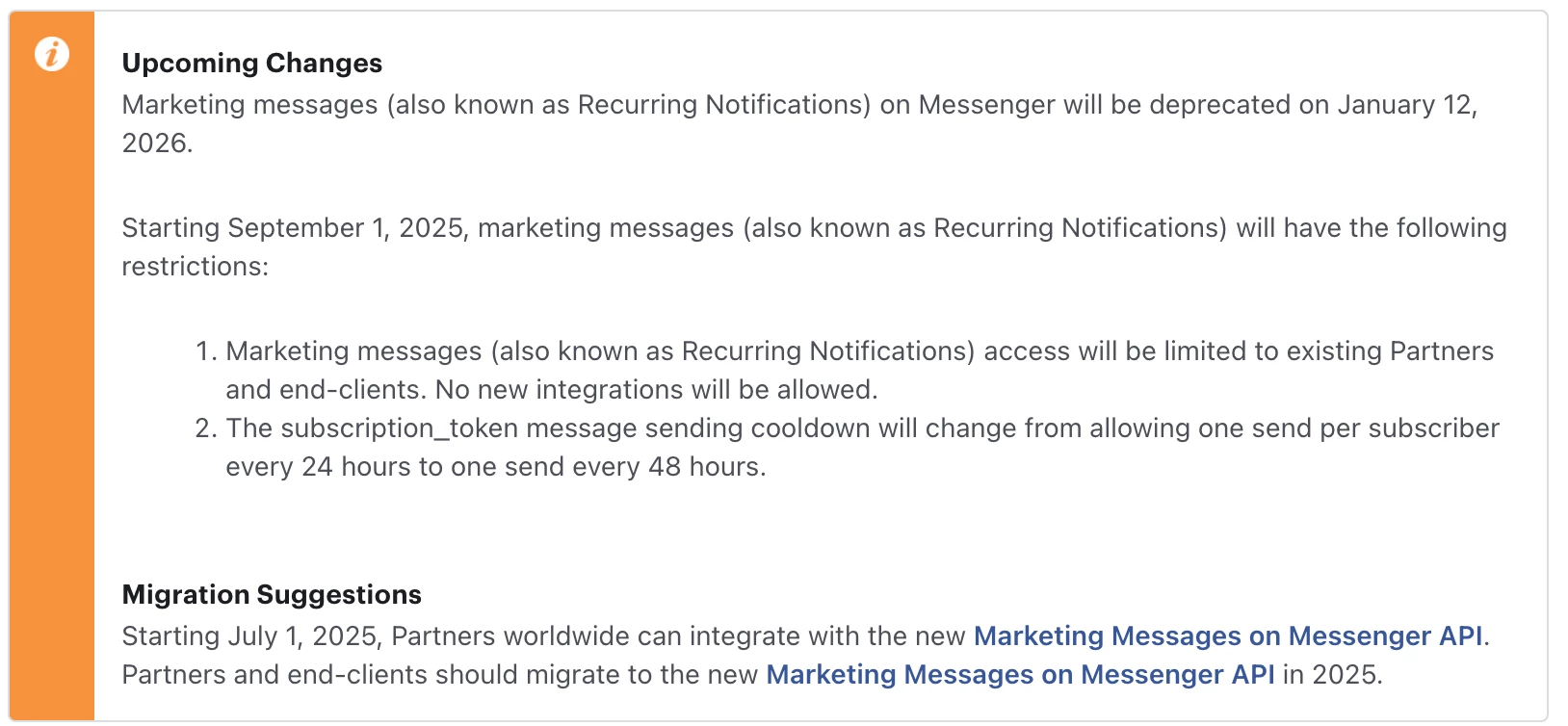
Hey ​@OliverDK Meta recently changed this, you can send users message every 48 hours, not every 24 hours as before.

Are you trying to send them messages within less than 48 hours between messages?

And when did you set this up? Did it work before?


OliverDK
Forum|alt.badge.img
  • Author
  • Channel Explorer
  • December 4, 2025

Hey ​@OliverDK Meta recently changed this, you can send users message every 48 hours, not every 24 hours as before.

Are you trying to send them messages within less than 48 hours between messages?

And when did you set this up? Did it work before?

Hi - i haven’t send them any broadcast before with this account. only the request of them signing up. Thats why i don’t understand it is not sending the broadcast, and the broadcast is only sending to the subscribers that subscribed in the last 24hours. 

I have another account (page) where there is no issue sending them broadcast. 


cata_rendon
Forum|alt.badge.img+4
  • Manychat Community Moderator
  • December 4, 2025

Hi ​@OliverDK , you might want to check a couple of things here:

Are you sending these messages using the Broadcast feature, or are you writing to users manually in Live Chat after the 24-hour window?
To use the Get Updates (OTN) permission, you must send the message through Broadcasts — manual messages in Live Chat won’t use the permission.

Before you submit the broadcast, Manychat will show you exactly who will receive the message based on your filters.
If you see a lot of contacts being excluded, double-check whether:

  • They are already included in another scheduled broadcast (Manychat will block duplicates — you can’t send multiple OTN messages on the same day).

  • You have any conditions, rules, or filters in your flow that might be enforcing the 24-hour window by mistake. This is a common issue.

Also keep in mind, as ​@Gustavo Boregio  mentioned, that Messenger’s OTN/Get Updates permission gives you a 48-hour window to send the message after the user clicks the button — not unlimited time.

Hope this helps!
Cheers,
Catalina R.


OliverDK
Forum|alt.badge.img
  • Author
  • Channel Explorer
  • December 4, 2025

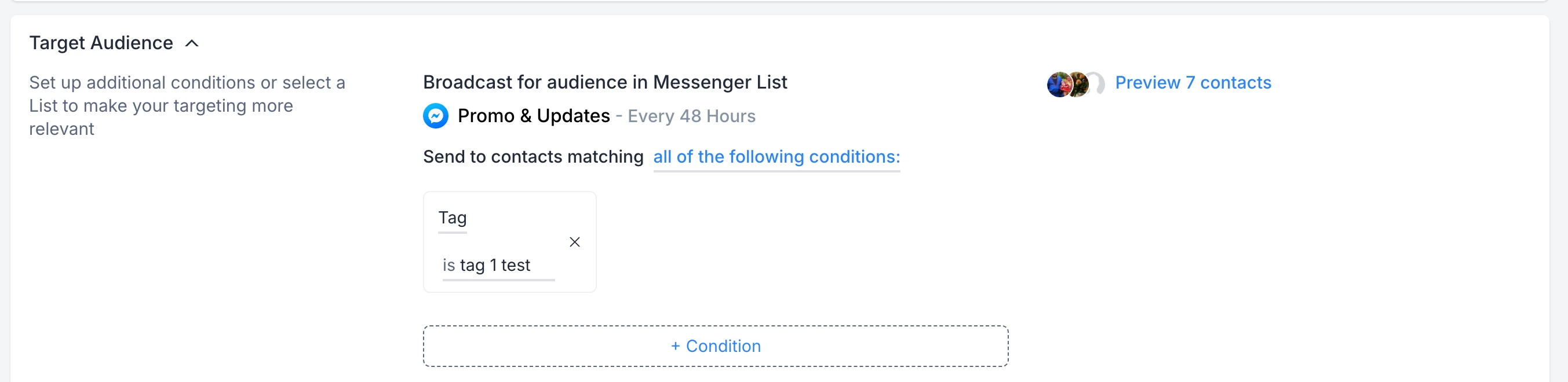
I'm using the Broadcast feature to send messages. I can see who is supposed to receive the broadcast, but they aren't receiving it. The people who opted in three days ago don’t get anything, but the people who opted in today are receiving the broadcast.


OliverDK
Forum|alt.badge.img
  • Author
  • Channel Explorer
  • December 4, 2025

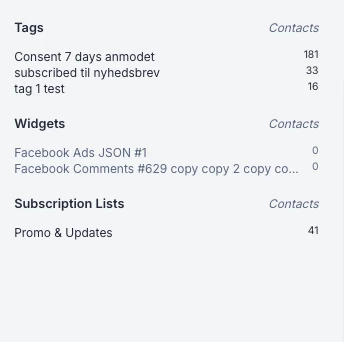
I tagged the people that opted in 3 days ago.

I click send.

Broadcast sent

Thank you! Your broadcast will be being sent to your audience within the specified sending period.”

0 msg are being sent i also check manually on the page and no message are being send out, 


OliverDK
Forum|alt.badge.img
  • Author
  • Channel Explorer
  • December 4, 2025

Hi ​@OliverDK , you might want to check a couple of things here:

Are you sending these messages using the Broadcast feature, or are you writing to users manually in Live Chat after the 24-hour window?
To use the Get Updates (OTN) permission, you must send the message through Broadcasts — manual messages in Live Chat won’t use the permission.

Before you submit the broadcast, Manychat will show you exactly who will receive the message based on your filters.
If you see a lot of contacts being excluded, double-check whether:

  • They are already included in another scheduled broadcast (Manychat will block duplicates — you can’t send multiple OTN messages on the same day).

  • You have any conditions, rules, or filters in your flow that might be enforcing the 24-hour window by mistake. This is a common issue.

Also keep in mind, as ​@Gustavo Boregio  mentioned, that Messenger’s OTN/Get Updates permission gives you a 48-hour window to send the message after the user clicks the button — not unlimited time.

Hope this helps!
Cheers,
Catalina R.

“Also keep in mind, as ​@Gustavo Boregio  mentioned, that Messenger’s OTN/Get Updates permission gives you a 48-hour window to send the message after the user clicks the button — not unlimited time.”

Hi - it used to be so “get update” you have the permission to send them promotional content after 48h until they unsubscribe. I have an account that have subscribers from 6 months ago that we still can send messages to.  He mentioned that the gap for each message is 48h and not as before 24h 


OliverDK
Forum|alt.badge.img
  • Author
  • Channel Explorer
  • December 4, 2025

Gustavo Boregio
Forum|alt.badge.img+6
  • Manychat Community Moderator
  • December 5, 2025

Hey ​@OliverDK yes, there are changes coming that are affecting how this feature works.

There’s not much information other than the technical documentation you found - so I’m still not sure how this is all going to play out.

On our clients, we’re starting to see more issues recently. Delivery rates have dropped and, although I still can’t pinpoint the problem, I get a feeling that we’re having more issues with the opt in message than we used to.


As for what ​@cata_rendon mentions:

Also keep in mind, as ​@Gustavo Boregio  mentioned, that Messenger’s OTN/Get Updates permission gives you a 48-hour window to send the message after the user clicks the button — not unlimited time.


I just want to clarify that this is not the case. We can send messages whenever we want after the person clicks the button, but now we can only send 1 message every 48 hours (instead of the 24 hours that worked previously).


OliverDK
Forum|alt.badge.img
  • Author
  • Channel Explorer
  • December 5, 2025

@Gustavo Boregio 

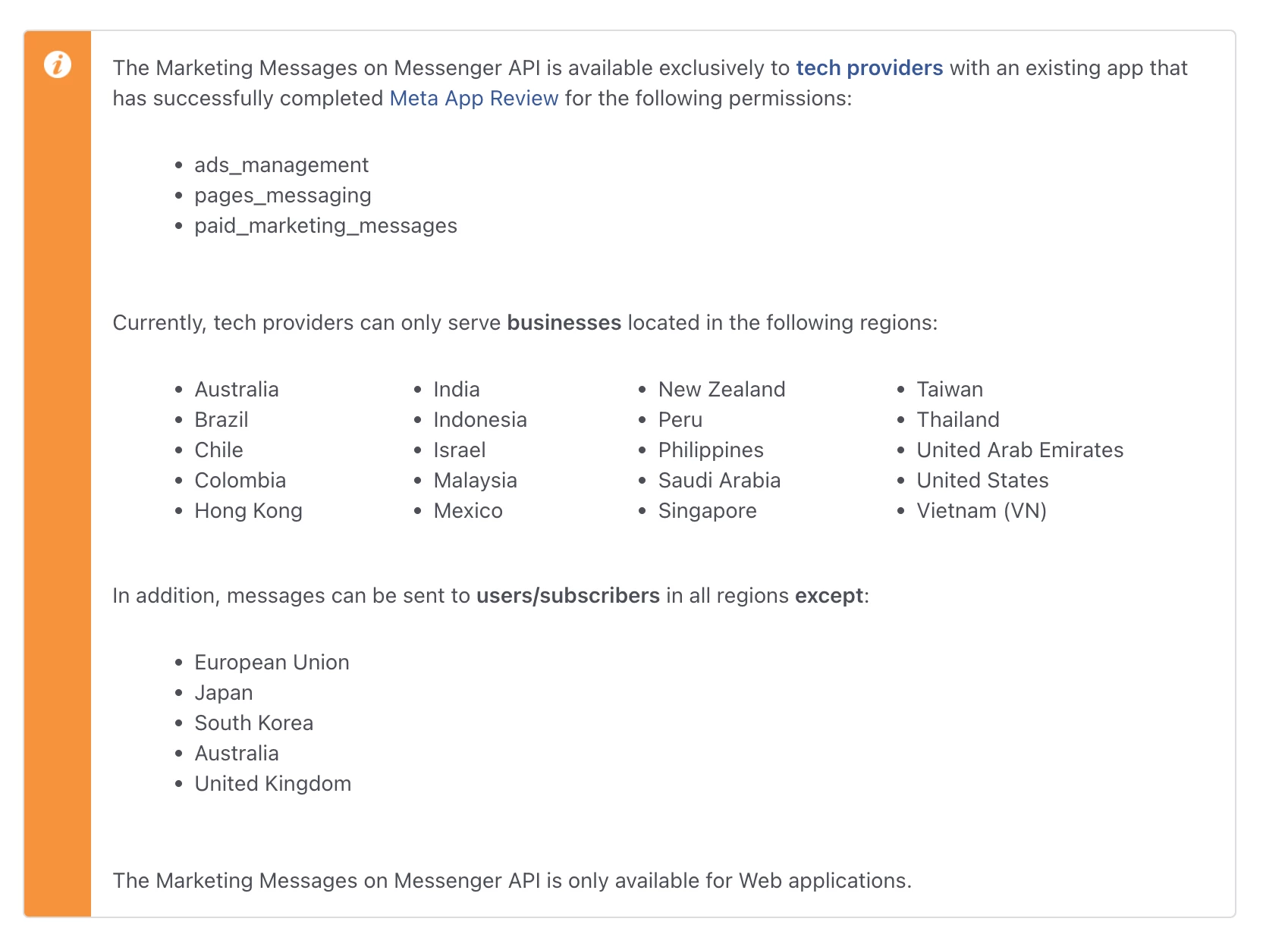
Thanks for the honest feedback. It will be interesting, but I still think this change will be better in the long run. From my understanding, it simply won’t work after January 12, and Europe will have to wait until Meta decides to roll it out here.

However, based on the developer documentation, it looks like the new system will still be available in the US. So my question is: Are you planning to implement the new Marketing Messages on Messenger API in ManyChat?

If so, should I start running ads in the US to build Messenger subscribers now, or should I wait until you’ve actually implemented the new API? Also, have you already implemented it? Will the subscribers we currently have in the US be deleted after the update, or will they automatically roll over to the new API?

I assume you have some kind of workflow or ongoing discussions with Meta about this.

I also think the ManyChat userbase needs clear instructions so we don’t end up wasting ad spend.

I do operate businesses in the US, so this is an interesting opportunity and I’ll simply have my European business wait for Marketing Messages to become available here.


Gustavo Boregio
Forum|alt.badge.img+6
  • Manychat Community Moderator
  • December 5, 2025

@OliverDK I agree 100%!

Just FYI, I’m only a power user, not an actual Manychat employee. So I don’t have inside info to share..

I know they’re working on it, but so far the info is limited, so I’m also eager to understand the path forward here!


OliverDK
Forum|alt.badge.img
  • Author
  • Channel Explorer
  • December 5, 2025

@Gustavo Boregio  Ah, my bad. I actually thought you were part of the ManyChat team 😅
Sorry about that, and thanks for clarifying!

Either way, I really appreciate your insights.

I will try to contact the support to get it clarified .