I created a ManyChat account and connected it to my Instagram. Since then, an automatic message is being sent whenever someone new follows me. I have already turned this automation off and, as far as I can see, I no longer have an active account, yet the messages are still being sent.
When I try to log in, I get a message saying that my Instagram account is already connected to another account. If I log in with a different Facebook profile, I see the message: “You don’t have a channel.”
I’m completely lost at this point. I would like to use the automation, but I can’t log in anywhere because the system says I’m already connected somewhere else.
What should I do to resolve this?
Best answer by Gustavo Boregio
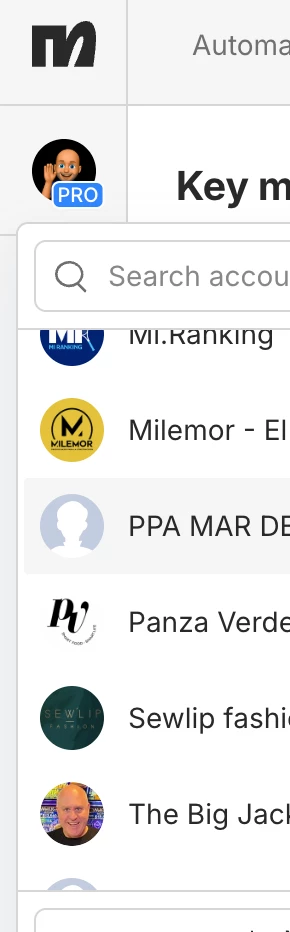
Hey @linda_verbindt click on your page’s icon on the top left and check if you have other Manychat accounts:
It’s possible that you have a 2nd Manychat account connected to Instagram, and that’s where the automation is coming from.
If you don’t see anything there, then someone else (or you in the past with another account) connected Manychat to that account. If that’s the case, talk to Manychat support so they can help you get control of that account.
Make sure you include IG handles, any previous emails you may have used, and anything else to help Manychat prove that you’re the account owner. Once they’ve done their check they’ll be able to sort you out.
Hey @linda_verbindt click on your page’s icon on the top left and check if you have other Manychat accounts:
It’s possible that you have a 2nd Manychat account connected to Instagram, and that’s where the automation is coming from.
If you don’t see anything there, then someone else (or you in the past with another account) connected Manychat to that account. If that’s the case, talk to Manychat support so they can help you get control of that account.
Make sure you include IG handles, any previous emails you may have used, and anything else to help Manychat prove that you’re the account owner. Once they’ve done their check they’ll be able to sort you out.
Exactly the same’s happening to me - haven’t deleted ManyChat (yet!), have no automations set up, people are still getting an automated line saying thanks I’ll be in touch. How the heck do I turn it off if it’s not showing?
You could be right @Gustavo Boregio - thanks for replying so quickly. I think I’ve now deleted and switched everything off although Meta says it doesn’t happen automatically. I’ve spent hours trying to sort this and would never have tried looking there. How do I know for sure there’s nothing going on with ManyChat as I did set something up a few weeks ago? I want to set up something up just for new followers