
Help with facebook comment text

  • March 3, 2026
  • 5 comments
  • 29 views

Chriscul

HI,

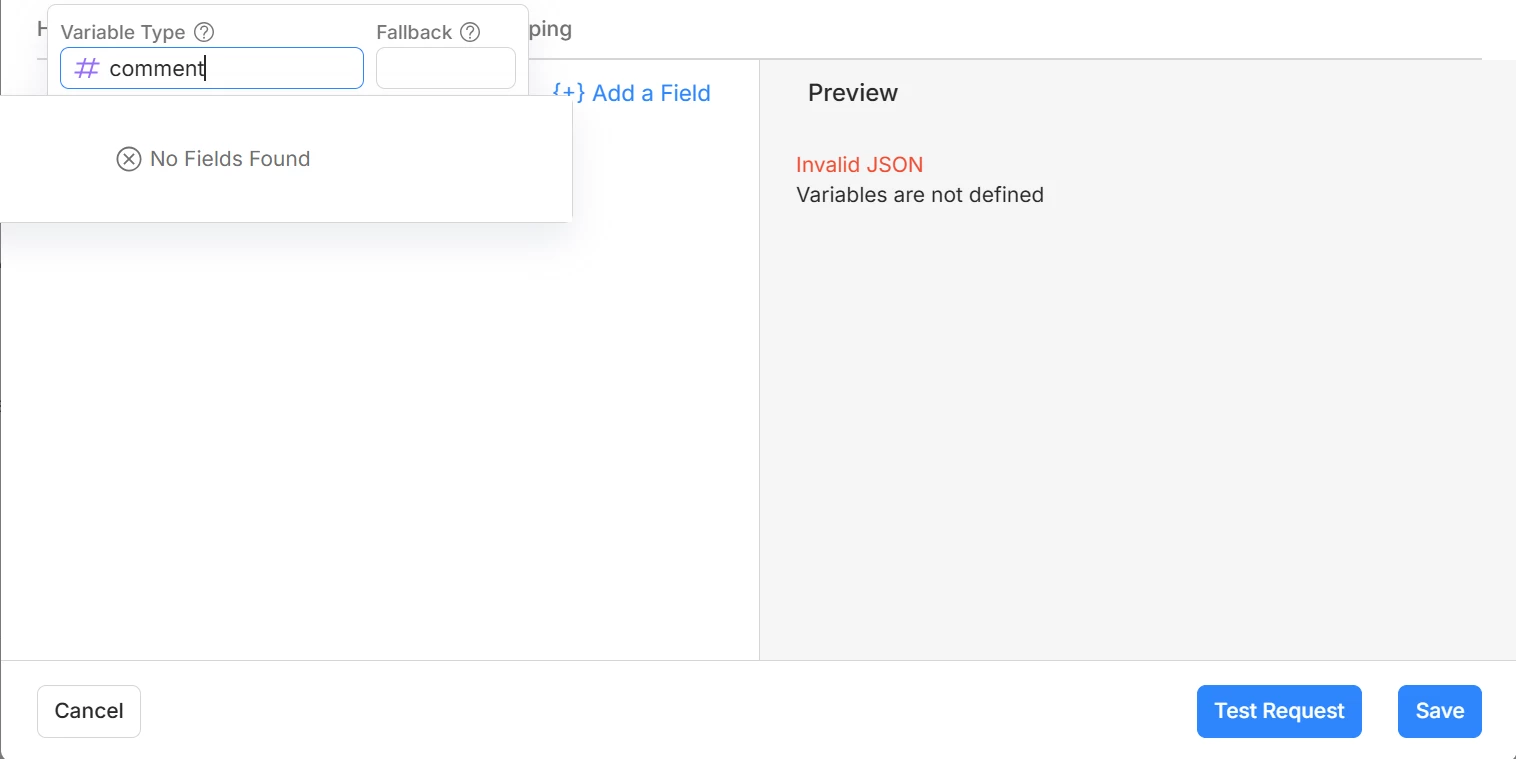
I’m a newbie and I want to create an automated reply by an AI Agent using make.com but the comment field is not showing when I tried it to Action → External Request → JSON Body.

I just want to confirm if its really impossible to do it or is there a way other than this? 

Thank you.


5 replies

Gustavo Boregio
Forum|alt.badge.img+7
  • Community Moderator & Expert
  • March 3, 2026

Hey ​@Chriscul yes, it's possible to connect an AI agent to Manychat using Make.com.

How much experience do you have with external requests and APIs?

It's a lot more complex than what you seem to be trying to do based on the screenshot….


leotulipan
  • Up-and-comer
  • September 21, 2026


I’m a newbie and I want to create an automated reply by an AI Agent using make.com but the comment field is not showing when I tried it to Action → External Request → JSON Body.

I just want to confirm if its really impossible to do it or is there a way other than this? 

I am also just discovering this and dug a little deeper. Here is what I found so far

Manychat does not expose the triggering Instagram comment's text as any variable or system field — there is no "Comment Text" / "last_comment" field. The only thing returned is the "last_input_text" which is the last DM you got from that user.


Gustavo Boregio
Forum|alt.badge.img+7
  • Community Moderator & Expert
  • September 21, 2026

Hey ​@leotulipan that is correct, unfortunately Manychat does not provide the person's comment through a usable variable.


leotulipan
  • Up-and-comer
  • September 21, 2026

Thanks ​@Gustavo Boregio, that matches what I found. ​@Chriscul, it's not possible inside Manychat directly, but with make.com you can work around it. I am testing the solution I came up with right now.

What I tested first:
- last_input_text holds the last DM, never the comment.
- The Manychat API has no endpoint for comments or conversations.
- The webhook payload does include ig_username, and that's the key.

The workaround in Make.com has three steps:
1. The Manychat comment trigger fires the webhook as usual.
2. Make uses the Instagram for Business modules to pull the comments on the recent 15 posts and picks the one from that username.
3. Make cleans the text and writes the link I want to share it into a Manychat custom field, and manychat uses that inside its flow

It works with messy input.

The known weak spot is timing: the comment has to be visible via Instagram's API when Make asks, so a short delay helps.

Would a full write-up with the blueprint help anyone here? Like or reply and I'll put it together. I'm also curious whether someone has solved this differently.


Gustavo Boregio
Forum|alt.badge.img+7
  • Community Moderator & Expert
  • September 21, 2026

​@leotulipan yeap this will work, that's an elegant workaround!

It's worth testing if it works for all comments, including Ads and boosted posts.