Question

Hey guys i need help urgently

  • Oct 29, 2026 1:41 AM UTC
  • 5 comments
  • 39 views

Candelaria

Hi Manychat Support,

I'm having an urgent issue with my WhatsApp automations. They appear to trigger correctly, but the WhatsApp messages are not being sent. Could you please help me identify the cause and find a solution?

Originally, I had several WhatsApp automations in Manychat that worked perfectly. I've also successfully created two AI chatbots using Make, OpenAI, and Manychat. However, after setting up a third AI chatbot with these tools, the issue started affecting my other automations too.

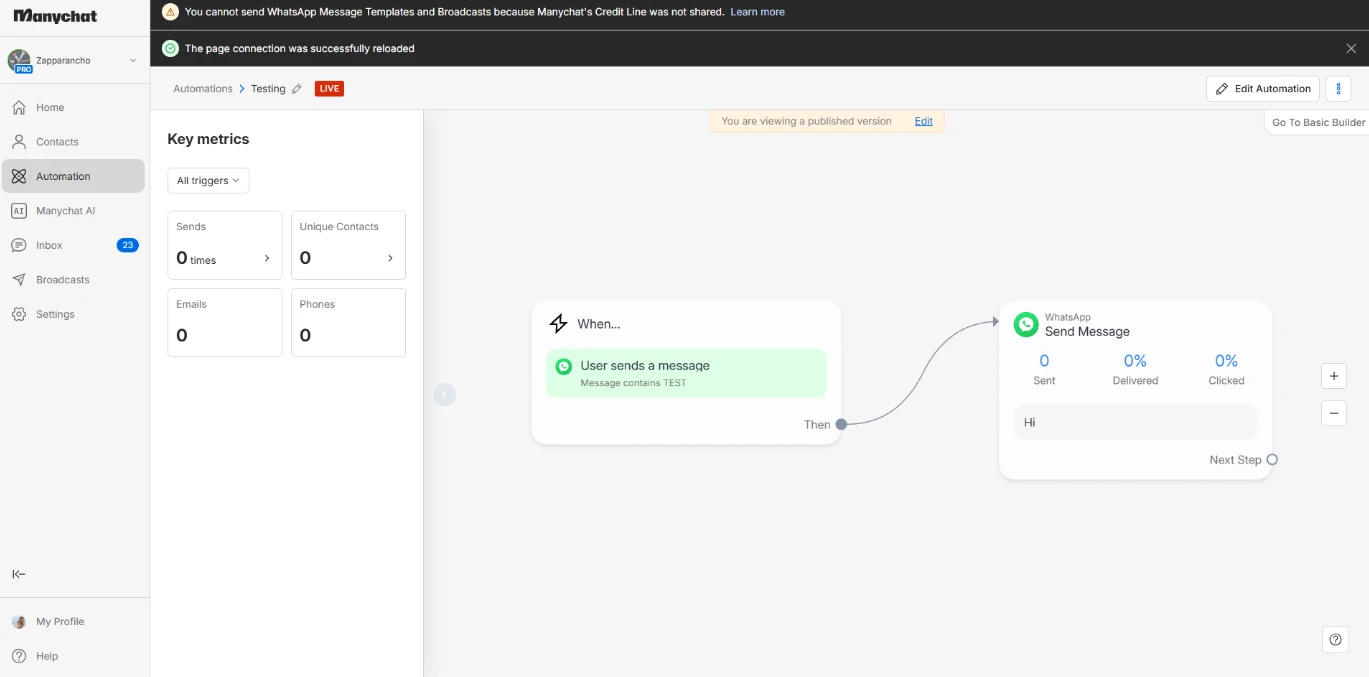
I've stopped using Make and OpenAI and now want to use Manychat exclusively for my WhatsApp automations. I've tested a simple keyword automation that should send a fixed "Hi" message, as well as a new native Manychat AI chatbot. In the Inbox, I can see that the automations are being triggered, but the WhatsApp replies don't seem to be sent.

I'm not sure whether this could be related to the WhatsApp connection, message-sending configuration, contact IDs, or something else. I'd really appreciate it if you could investigate what's happening and guide me through the steps needed to fix it.

I'm happy to provide screenshots, account information, or any other details you need, and I'll follow whatever troubleshooting steps you recommend. I'm also open to rebuilding the setup if necessary.

One important requirement is that I must keep my existing phone number and continue using it directly in the WhatsApp Business app on my phone.

Thank you for your help. I'd really appreciate resolving this as soon as possible.

5 replies

Gustavo Boregio
Forum|alt.badge.img+7
  • Community Moderator & Expert
  • Oct 29, 2026 12:55 PM UTC

Hey ​@Candelaria ! Since even the simple native “Hi” fails, I’d troubleshoot message delivery first, rather than rebuild the AI chatbot.

I’d run one controlled test:

  1. Send the keyword from a different WhatsApp number to your business number.
  2. Check that this fresh incoming message appears in Manychat’s Inbox, then let the automation send only the fixed “Hi”, without Make or AI.
  3. Check whether the outgoing message appears at all, and whether Manychat shows an error or warning. The exact error text would help much more than rebuilding everything.

Also check your Wallet balance and WhatsApp usage. Since October 1, Manychat charges for service messages after the first 1,000 free messages per number each calendar month. That doesn’t prove billing is the cause, but it’s worth ruling out. Current pricing guide.

Please don’t delete the number or disconnect it yet. Since keeping the phone app is essential, can you confirm whether you’re connected through Coexistence, and share the test result/error with personal details hidden?

And if you need help setting up with AI with Manychat let me know, we’ve done this several times for clients, have our own tested templates and tools, etc ;)


Candelaria
  • Author
  • Up-and-comer
  • Oct 29, 2026 6:29 PM UTC

Hey ​@Candelaria ! Since even the simple native “Hi” fails, I’d troubleshoot message delivery first, rather than rebuild the AI chatbot.

I’d run one controlled test:

  1. Send the keyword from a different WhatsApp number to your business number.
  2. Check that this fresh incoming message appears in Manychat’s Inbox, then let the automation send only the fixed “Hi”, without Make or AI.
  3. Check whether the outgoing message appears at all, and whether Manychat shows an error or warning. The exact error text would help much more than rebuilding everything.

Also check your Wallet balance and WhatsApp usage. Since October 1, Manychat charges for service messages after the first 1,000 free messages per number each calendar month. That doesn’t prove billing is the cause, but it’s worth ruling out. Current pricing guide.

Please don’t delete the number or disconnect it yet. Since keeping the phone app is essential, can you confirm whether you’re connected through Coexistence, and share the test result/error with personal details hidden?

And if you need help setting up with AI with Manychat let me know, we’ve done this several times for clients, have our own tested templates and tools, etc ;)

Dear Support

Im doing coexistence

I have $9.90 in my wallet balance

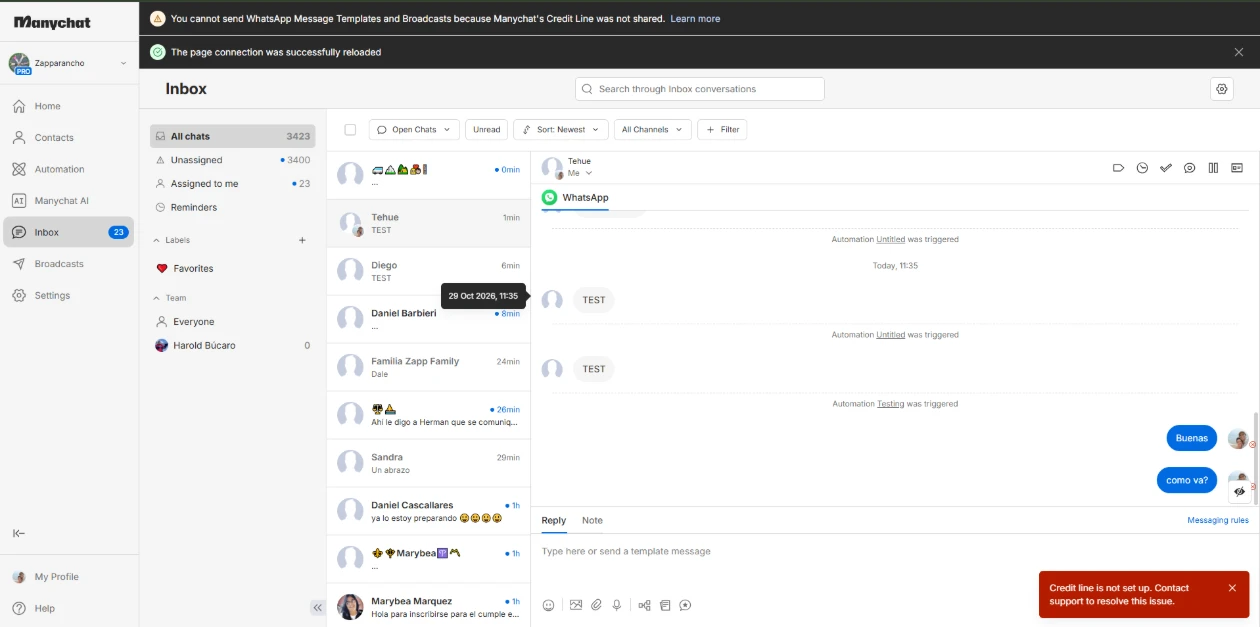
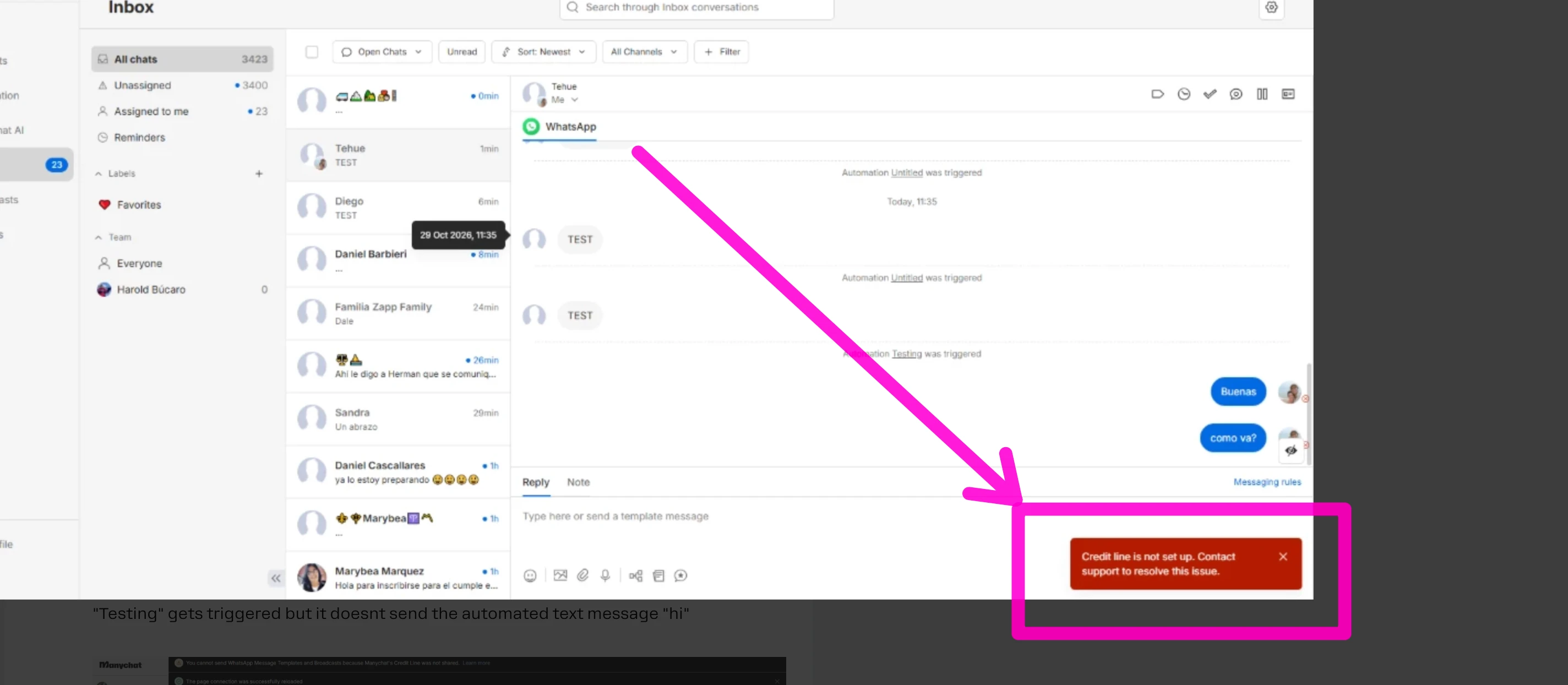
I removed all the whatsapp automations to avoid overlaping triggers. I realised that i can no longer can send  whatsapp messages from the manychat inbox, when i try to, it sends but the contact doesnt receive the message and it says credit line is not set up contact support. i used to be able to send whatsapp messages via manychat inbox even if my credit line was not shared.


As you can see on the screenshot maybe sharing the credit line would be the solution? how exactly can i do that? what tips do you suggest and as you can see the automation "Testing" gets triggered but it doesnt send the automated text message "hi"
 

I would appreciate you help

Let me know what should i do please


Gustavo Boregio
Forum|alt.badge.img+7
  • Community Moderator & Expert
  • Oct 29, 2026 8:32 PM UTC

This is your issue:


Go to Settings → WhatsApp: what exact credit line status appears in the health widget?

If it says ‘Credit Line cannot be shared’, that’s your issue.

The only solution is to:

  1. Disconnect WhatsApp
  2. Delete the WhatsApp account from Meta
  3. Reconnect from Manychat
  4. Make sure the credit line is shared in Manychat

Once you have done this, make sure you have money on Manychat’s Wallet, and try again. It should work!


Fabio Gaulke
Forum|alt.badge.img+3
  • Community Moderator
  • Nov 2, 2026 5:10 PM UTC

Hey, ​@Candelaria, ​There's something wrong with your credit line. 👆


I would try to reconnect the WhatsApp Account to Manychat and check if that error disapears.

If that doesn't happen, you'll need to open a ticket to Manychat's support team = https://help.manychat.com/hc/en-us/articles/14281086345244-How-to-get-support-from-Manychat


Candelaria
  • Author
  • Up-and-comer
  • Nov 3, 2026 2:47 PM UTC

Hey, ​@Candelaria, ​There's something wrong with your credit line. 👆


I would try to reconnect the WhatsApp Account to Manychat and check if that error disapears.

If that doesn't happen, you'll need to open a ticket to Manychat's support team = https://help.manychat.com/hc/en-us/articles/14281086345244-How-to-get-support-from-Manychat

Gotcha Thank you for your recomendation, is disconnecting whatsapp from manychat risk free?