I dont see import emails on my end I’m not sure do I go inside the automations?

Solved
How do I export contacts' emails to spreadsheet

Best answer by rodrigo_silvano
Hey,
To export contacts, open your automation (do not click on “edit”) → click on the block message that is requesting the email → click on “Show responses” → click on “export .csv” in the top right corner.
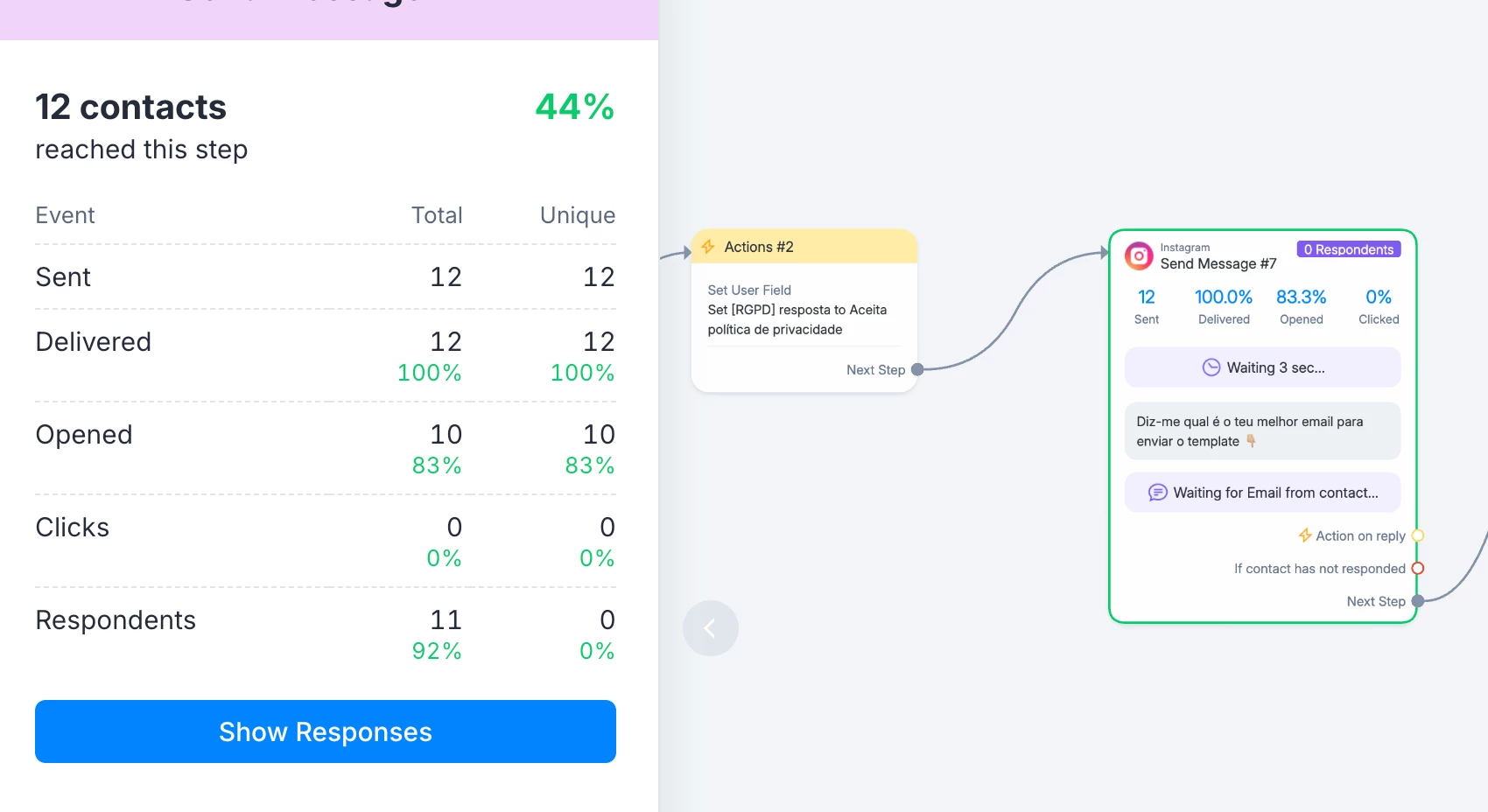

Let me know if this helps 🙂



Enter your E-mail address. We'll send you an e-mail with instructions to reset your password.