Solved

How do I pause an automation once it live

  • January 1, 2025
  • 3 comments
  • 596 views

AmirRomanov

Hi there,

I just created a simple automation for my Facebook page and set it as live, but its only a sample.

How do I simply - pause the automation?

Thanks,

Amir



Best answer by cata_rendon

Hi there,

I just created a simple automation for my Facebook page and set it as live, but its only a sample.

How do I simply - pause the automation?

Thanks,

Amir



Hi ​@AmirRomanov , Do you know which flow it is? If so, you can simply delete it or deactivate its trigger.

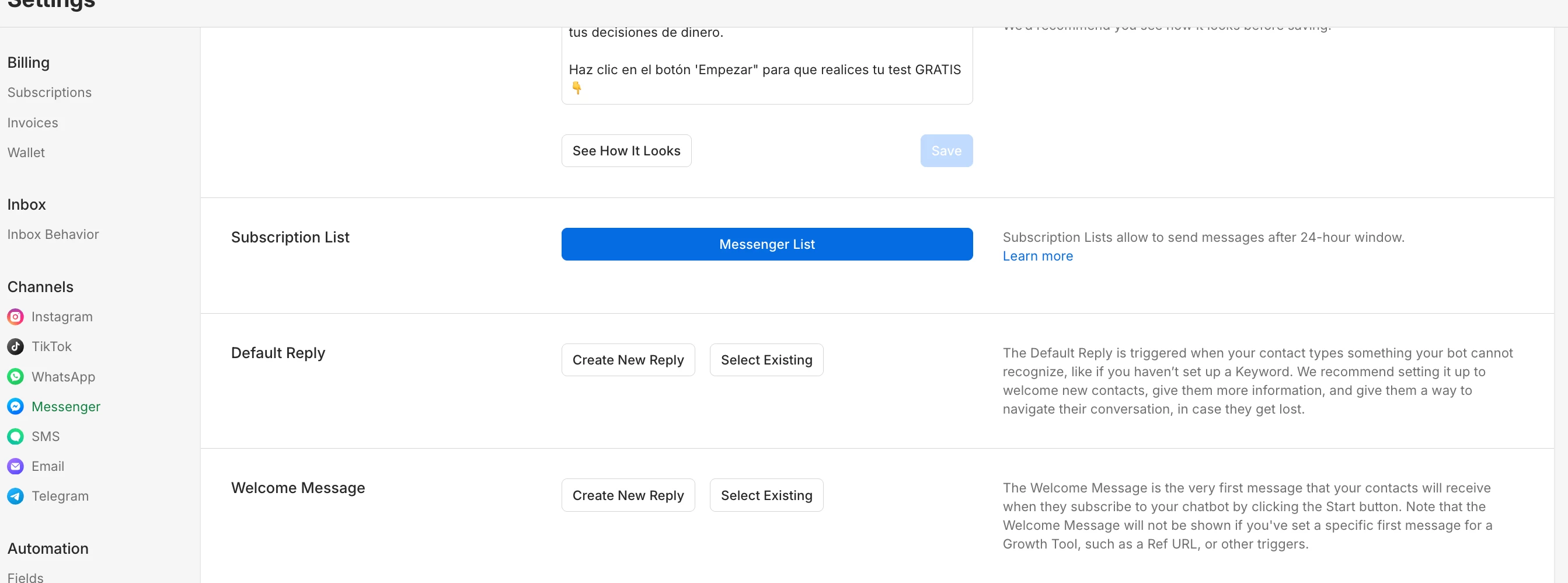
For example, if it’s triggered by a keyword, you can just remove that trigger. If it’s set as a Welcome Message, go to Messenger Settings → Welcome Message and unselect the welcome flow.

You can also unselect the default reply if needed.

Hope that helps!

Catalina Rendon
 

3 replies

rodrigo_silvano
Forum|alt.badge.img+4

Hey, ​@AmirRomanov 


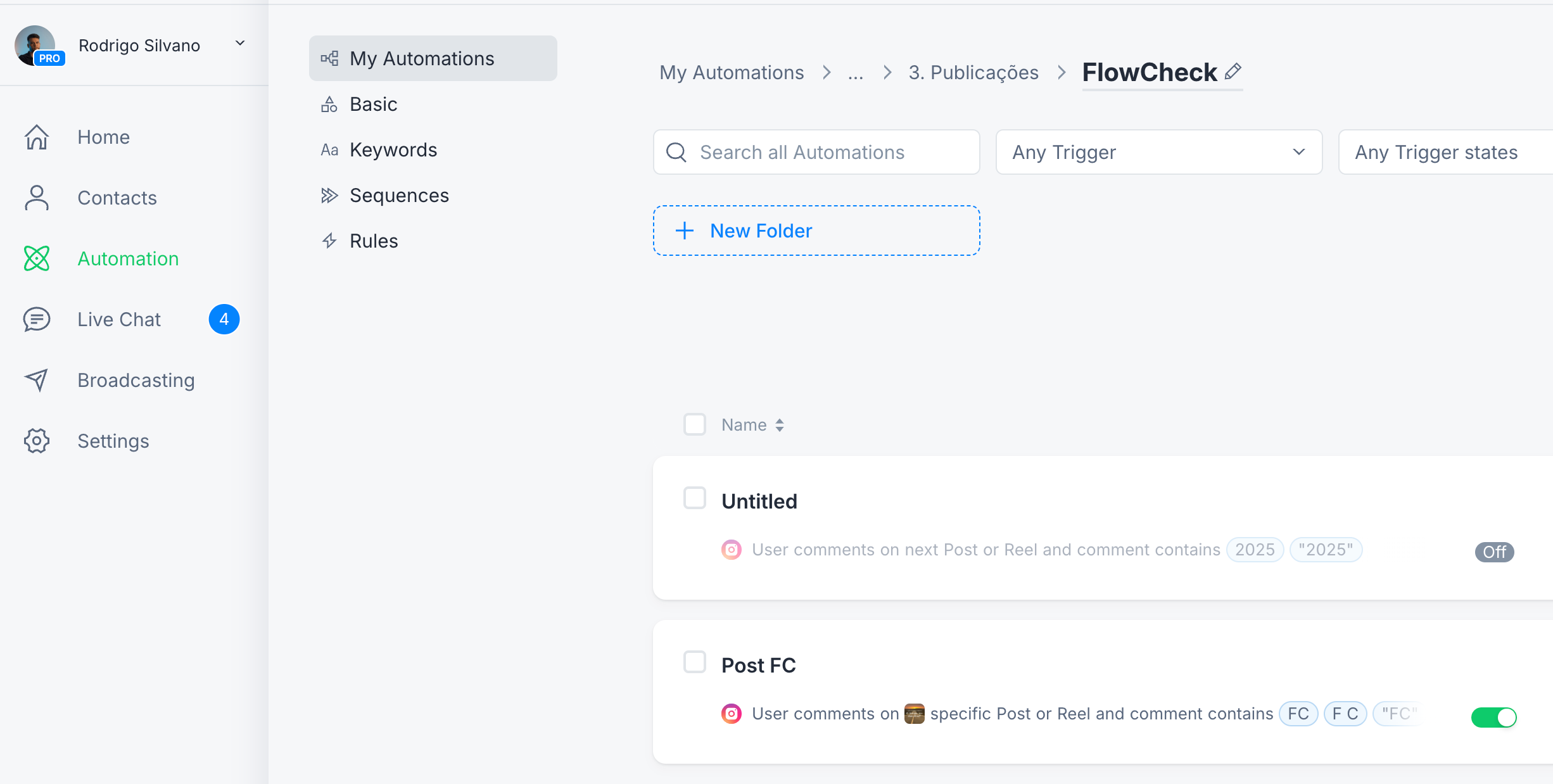
You can go to automation → My automations and click the green button to deactivate the automation you want.


jooshh
  • Up-and-Comer
  • April 6, 2026

That toggle does not exist anymore. 


cata_rendon
Forum|alt.badge.img+5
  • Community Moderator
  • Answer
  • April 6, 2026

Hi there,

I just created a simple automation for my Facebook page and set it as live, but its only a sample.

How do I simply - pause the automation?

Thanks,

Amir


Hi ​@AmirRomanov , Do you know which flow it is? If so, you can simply delete it or deactivate its trigger.

For example, if it’s triggered by a keyword, you can just remove that trigger. If it’s set as a Welcome Message, go to Messenger Settings → Welcome Message and unselect the welcome flow.

You can also unselect the default reply if needed.

Hope that helps!

Catalina Rendon