Solved

How do I turn off auto-replies for verified accounts?

  • Dec 9, 2025 4:36 AM UTC
  • 3 comments
  • 100 views

jenhamilton

I need to figure out how to deactivate auto-replies within Instagram for verified accounts. I feel like it makes people not want to reach back out to me.

Best answer by rodrigo_silvano

Hey, ​@jenhamilton 

What kind of messages you want to deactivate?

Is it when someone comment a keyword on your post/reel? Is it a direct message?

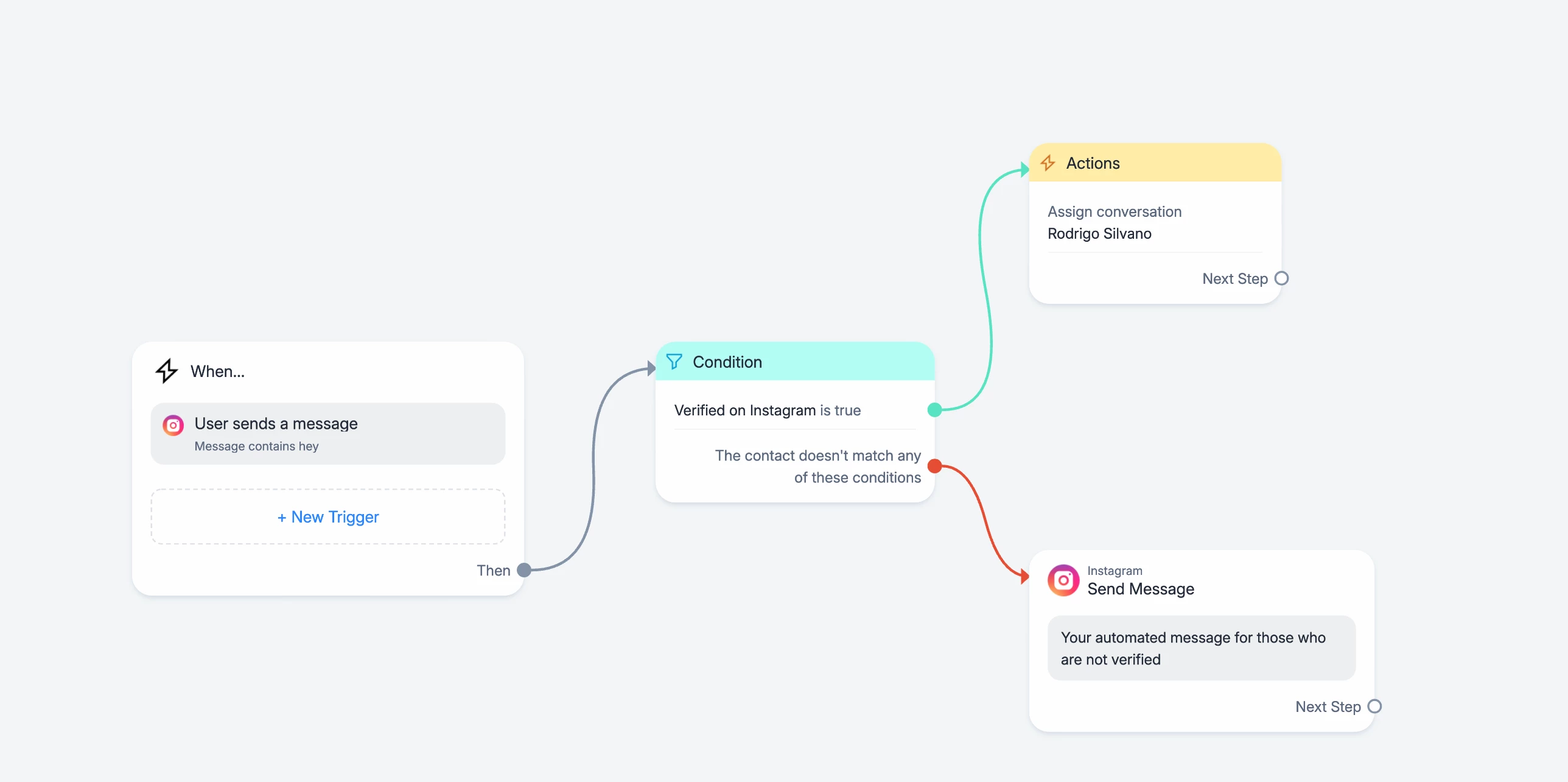
Let’s imagine that you don’t want to send an automated message for those who are verified. It should be something like this:


Let me know if this helps 🙂

View original

3 replies

rodrigo_silvano
Forum|alt.badge.img+4
  • Community Moderator
  • Answer
  • Dec 9, 2025 2:11 PM UTC

Hey, ​@jenhamilton 

What kind of messages you want to deactivate?

Is it when someone comment a keyword on your post/reel? Is it a direct message?

Let’s imagine that you don’t want to send an automated message for those who are verified. It should be something like this:


Let me know if this helps 🙂


cata_rendon
Forum|alt.badge.img+5
  • Community Moderator
  • Dec 9, 2025 2:17 PM UTC

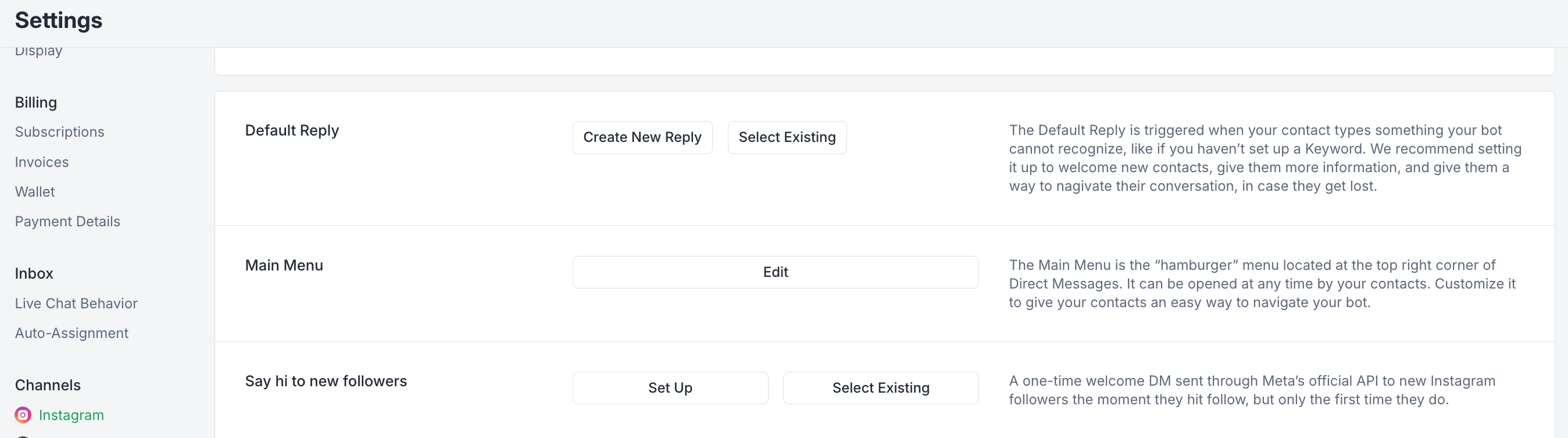
Hi ​@jenhamilton , in addition to what ​@rodrigo_silvano  mentioned, you can also disable the “Default Reply” from your IG dashboard settings 😁. I usually turn it off because it tends to interfere with my automations.

Hope this helps!
Catalina R.


jenhamilton
  • Author
  • Up-and-comer
  • Dec 11, 2025 3:44 AM UTC

​@cata_rendon - okay that must be my problem. Default replies is the first ‘automation’ I have set up, and the automation that I can’t get to turn off for verified accounts. I’ll disable the default replies and then set up a new automation for auto-replying and add the condition. Thank you both! ​@rodrigo_silvano