Question

How to Connect Facebook & Instagram to One Manychat Account

  • September 19, 2026
  • 1 comment
  • 6 views

alicelovesbreakfast

For some reason, I have two separate Manychat accounts; one connected to my Facebook Page and another connected to my Instagram account. The paid account is currently linked to my Instagram only.

I don’t want to start deleting or changing things randomly because I’m worried about breaking the automations that are already running. I want to have both my Facebook Page and Instagram account connected under a single Manychat account.

I’ve tried deleting the accounts, cloning them, and moving the accounts/connections, but nothing seems to work. When I try to add my Facebook Page to the Manychat account, it won’t let me, even though the Facebook Page and Instagram account are connected through Meta Business Suite.

Has anyone successfully combined Facebook and Instagram under one Manychat account? If so, what’s the correct way to do this without disrupting the existing Instagram automations?

Thank you in advance for any support!

1 reply

SumGenius
Forum|alt.badge.img
  • Smooth talker
  • September 19, 2026

That block usually means the Page is still held by your other ManyChat account. A Facebook Page can only be connected to one account at a time, so the paid one won't take it until the old one lets go. If you see a "Request Access" button when you try to add it, that's confirmation it's still attached over there.

The sequence that works for most people:

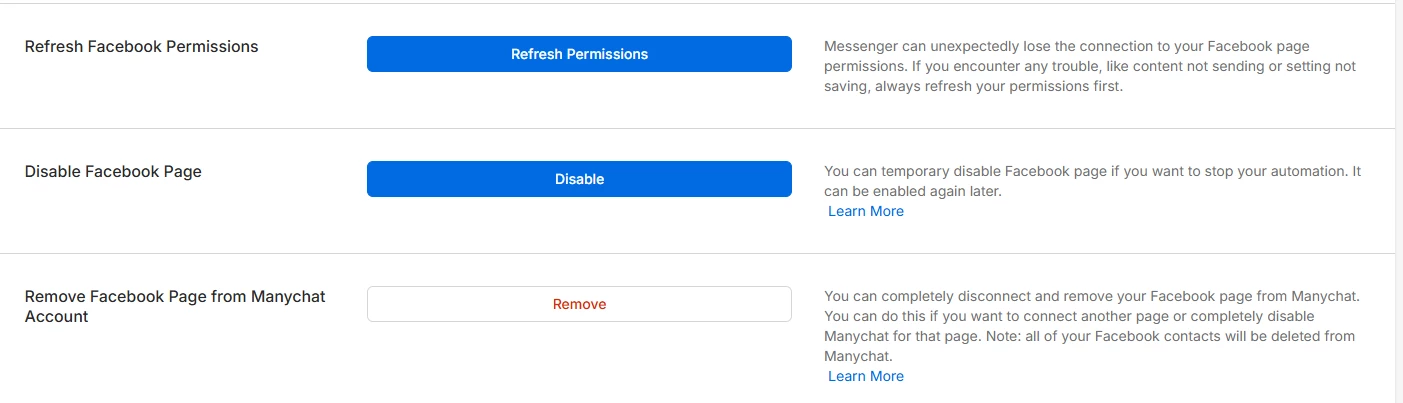
1. Log into the ManyChat account that currently has the Page and disconnect Facebook there, in Settings > Facebook.
2. Clear the leftover permission on Facebook's side. On your Facebook profile go to Settings and Privacy > Settings > Business Integrations, find ManyChat and remove it. This step is the one people skip, and a stale integration keeps the Page looking connected even after you disconnect it in ManyChat.
3. Back in your paid account, use Help > Refresh Permissions, then add Facebook.

On your Instagram automations: adding a Facebook channel to that account doesn't touch them, so they'll keep running. The thing that won't survive is whatever you built on the Facebook side in the old account, since flows don't move between accounts. Screenshot those before you disconnect anything.

If step 3 still won't let you select the Page, it means something still holds it, and that's the point to open a ticket rather than keep retrying.

Hope you get it sorted.