Solved

HOW TO ONLY RESPOND COMMENTS?????????????

  • December 9, 2025
  • 4 comments
  • 144 views

Rafael B
How do I set up an automation to ONLY respond to comments and not send DMs?

Best answer by cata_rendon

Hi ​@Rafael B 

ManyChat is primarily a conversation-driven tool, so by design most automations aim to start a chat in the DMs to collect lead data or deliver more value. However, if your goal is to reply ONLY publicly to comments without sending a DM, you can use a small workaround:

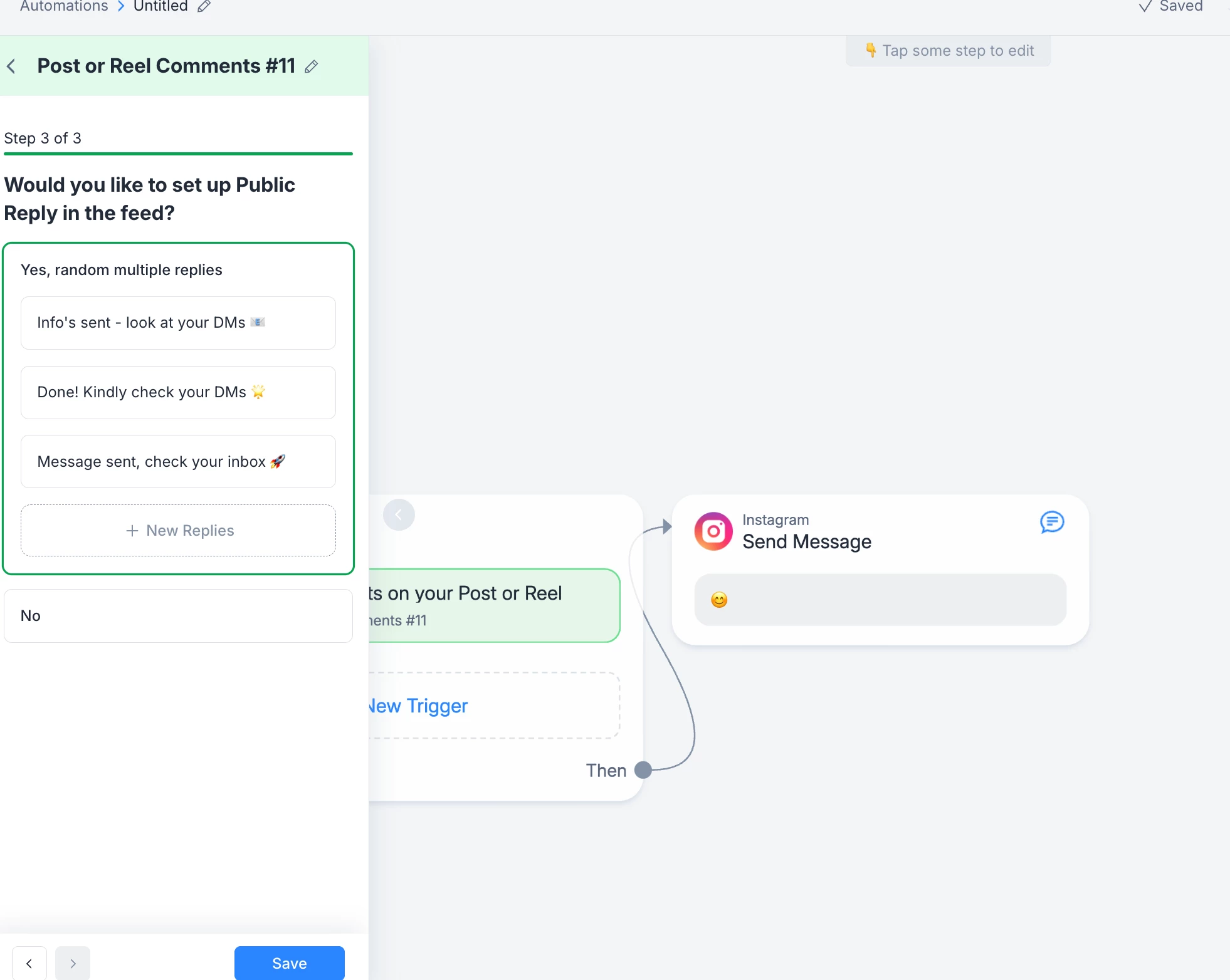
  1. Set up the trigger “User comments on your Instagram Post or Reel.”

  2. Inside the automation, go to the Reply section and enable:
    “Would you like to set up a Public Reply in the feed?”

  3. Add a simple public reply — even something minimal like an emoji or short message.

  4. Just leave no DM messages in the flow. If there’s no message block after the comment trigger, ManyChat won’t send anything to the inbox.

It’s not the most common use case for ManyChat, but this setup should work as a workaround if you want to avoid DMs completely.

Hope this helps!
Cata R.


4 replies

cata_rendon
Forum|alt.badge.img+5
  • Community Moderator
  • Answer
  • December 9, 2025

Hi ​@Rafael B 

ManyChat is primarily a conversation-driven tool, so by design most automations aim to start a chat in the DMs to collect lead data or deliver more value. However, if your goal is to reply ONLY publicly to comments without sending a DM, you can use a small workaround:

  1. Set up the trigger “User comments on your Instagram Post or Reel.”

  2. Inside the automation, go to the Reply section and enable:
    “Would you like to set up a Public Reply in the feed?”

  3. Add a simple public reply — even something minimal like an emoji or short message.

  4. Just leave no DM messages in the flow. If there’s no message block after the comment trigger, ManyChat won’t send anything to the inbox.

It’s not the most common use case for ManyChat, but this setup should work as a workaround if you want to avoid DMs completely.

Hope this helps!
Cata R.



mf273
  • Up-and-comer
  • May 6, 2026

Hi ​@cata_rendon thanks for your reply.

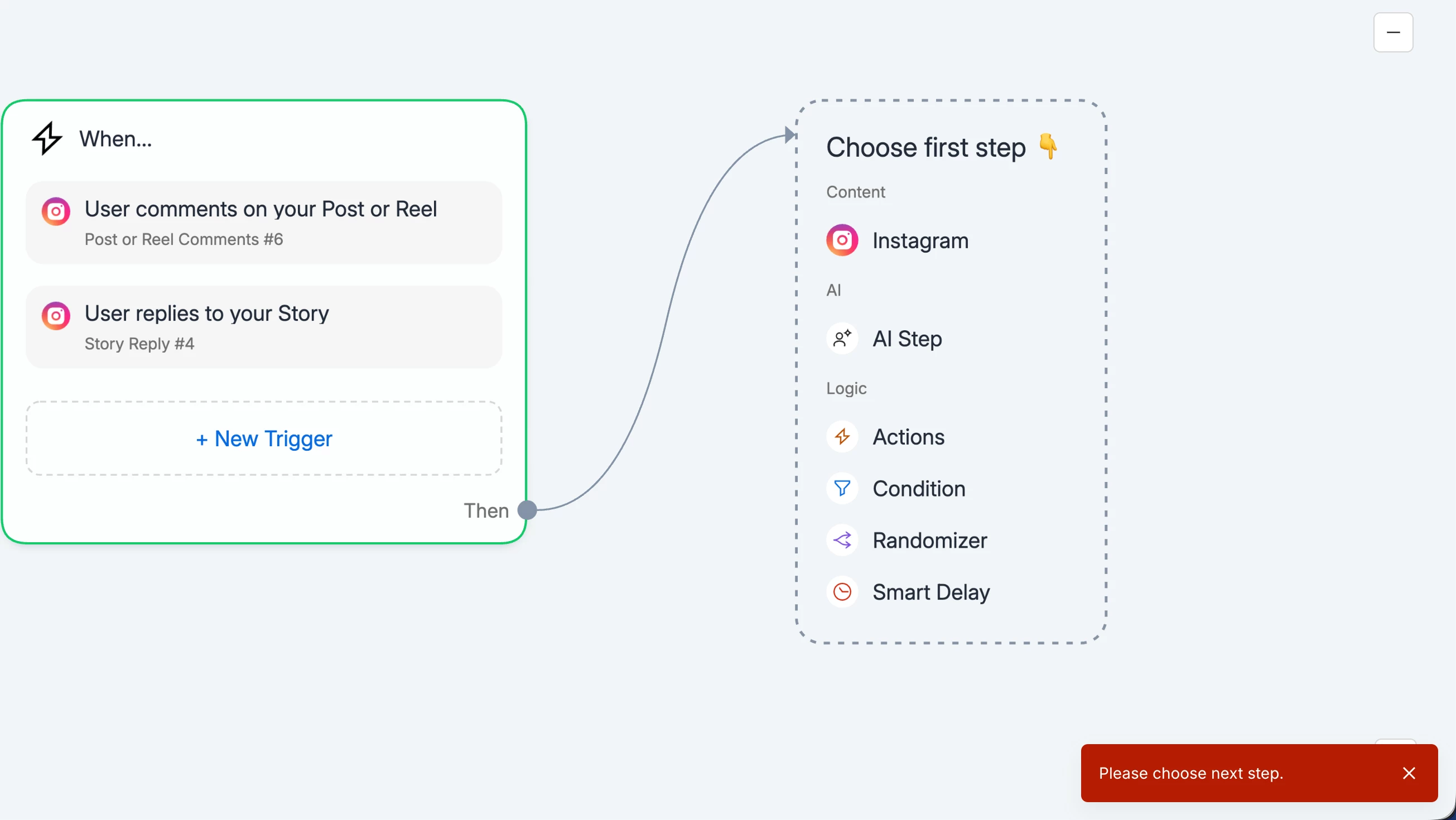
I tried following your instructions but i see that when i dont add the “Instagram - Send Message” box, Manychat doesn’t allow me to set the flow live…
Below is what i would like. I do have public replies set up as well.


many thanks for your help in advance.


cata_rendon
Forum|alt.badge.img+5
  • Community Moderator
  • May 7, 2026

Hi ​@mf273 as I showed you in the example above, you should include one message (if not, you wont be able to pusblish your flow) but it could be something really simple like an emoji face, - sometingh that does not invite the user to start a conversation - I know this is not ideal, but at the end manychat is a conversation tool, and will always start a conversation. 


santi
  • Up-and-comer
  • May 8, 2026

Hi ​@mf273 , you can try tagging the contact as your next action