Solved

How to turn off “We will get back to you during our working hours — our team is …”

  • September 21, 2024
  • 4 replies
  • 140 views

Aishat

I use the free version of manychat. I would appreciate advise on how to turn this auto response off “We will get back to you during our working hours — our team is always online during this time.”

thank you

Best answer by rodrigo_silvano

Hey, ​@Aishat and ​@Michelesg 

After the message, there is another message that says something like “Powered by Manychat”?
→ If so, go to your setting → select the channel where this is happening → check if the default reply has something.
→ If not, this was sent from another tool. Check the Meta business suite (https://business.facebook.com/latest/inbox/all) → Inbox → Automations → Check if there is any automation set (probably the “Away message”)
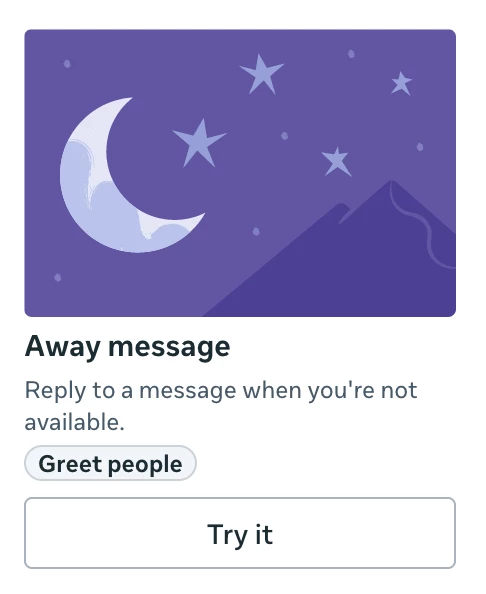
 

Let me know if this helps 🙂

4 replies

Michelesg
  • Up-and-Comer
  • September 11, 2025

Has anyone been able to disable this automatic reply?
We will get back to you during our working hours — our team is always online during this time.


rodrigo_silvano
Forum|alt.badge.img+4
  • Manychat Community Moderator
  • Answer
  • September 12, 2025

Hey, ​@Aishat and ​@Michelesg 

After the message, there is another message that says something like “Powered by Manychat”?
→ If so, go to your setting → select the channel where this is happening → check if the default reply has something.
→ If not, this was sent from another tool. Check the Meta business suite (https://business.facebook.com/latest/inbox/all) → Inbox → Automations → Check if there is any automation set (probably the “Away message”)


Let me know if this helps 🙂


Michelesg
  • Up-and-Comer
  • September 14, 2025

Hey, ​@rodrigo_silvano. Thank you for your reply!

The message “Powered by Manychat” doesn’t appear after the text. Only: “We will get back to you during our working hours — our team is always online during this time.”

I thought it might be a setting in Meta Business Suite, but when I checked Inbox → Automations, there are no automations active (everything is off). And the default away message there is: “Thanks for your message. We're away and can't respond right now. We appreciate you reaching out.” So it’s a different message, which shows it’s not coming from Meta Business Suite.

When I go to Manychat → Settings → Channel → Instagram, there is no default reply created either.

I’ve checked everything in my Manychat account, but I still can’t figure out where this message comes from. It’s quite frustrating.


rodrigo_silvano
Forum|alt.badge.img+4
  • Manychat Community Moderator
  • September 14, 2025

@Michelesg if you’re using the free plan, that message is not from Manychat, because it always sends a message at the end saying “Powered by Manychat”. 
 

That said, you have to check which tools you have connected to your Instagram/Facebook to be able to understand where is the source.