Hi,
I am brnad new to many chat and need some help + guidance on setting up the whole hubspot forms email addresses going into crm.
I have the two connected - now what???
Thanks Karina


Hi,
I am brnad new to many chat and need some help + guidance on setting up the whole hubspot forms email addresses going into crm.
I have the two connected - now what???
Thanks Karina
Best answer by rodrigo_silvano
Hey,
When you are using the HubSpot’s integration, you can choose one of the 3 options:
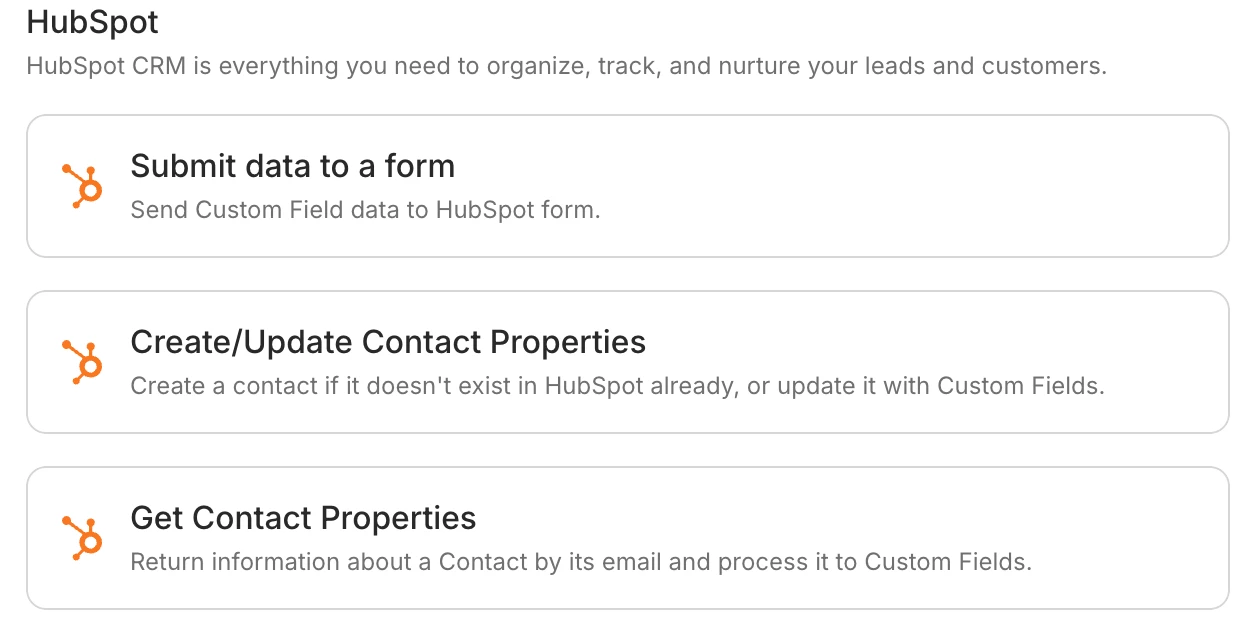
To send the contact from Manychat to HubSpot, you need to use the option “Submit data to a form”.
Then, you’ll be able to choose which form you want to use, and you can search them by name or id:
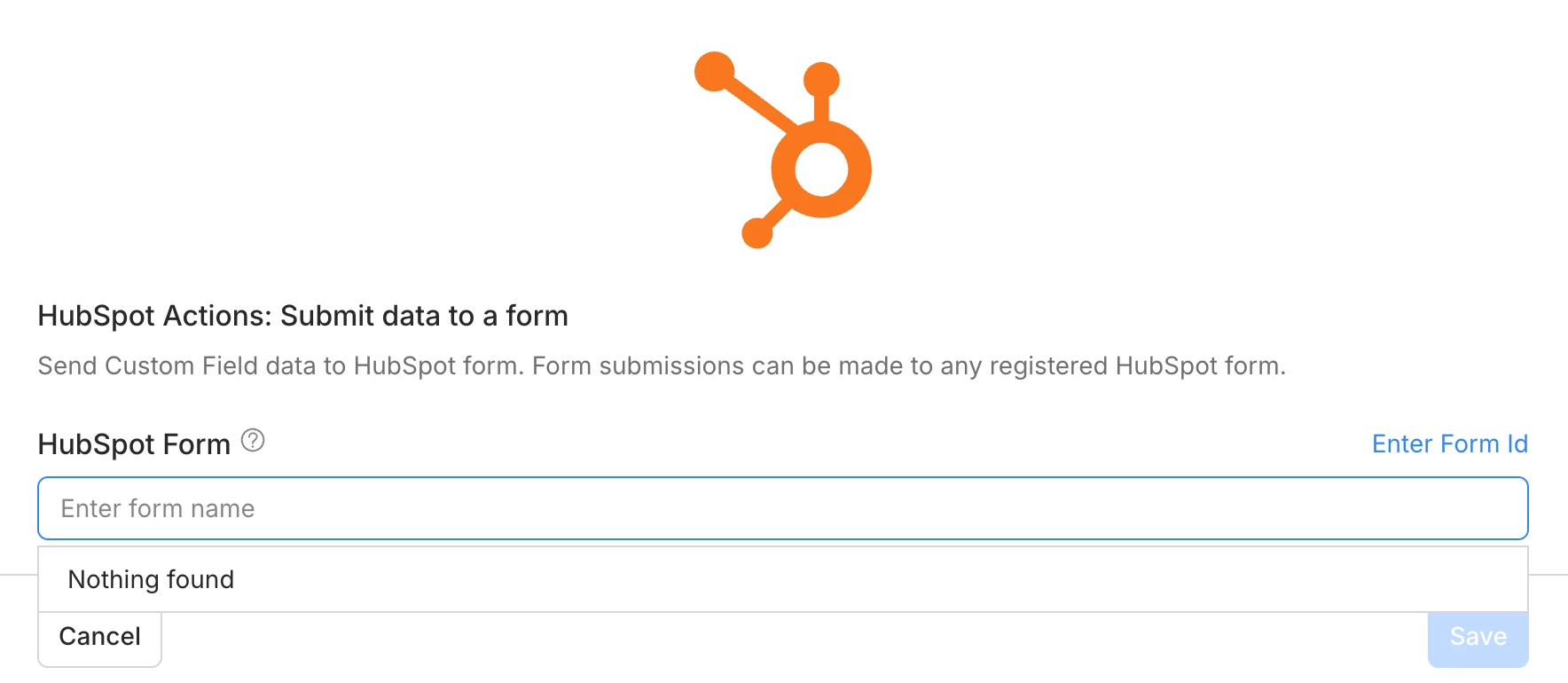
The full step by step can be found here: https://help.manychat.com/hc/en-us/articles/14281295968668-HubSpot-CRM-integration
If you need help to understand how to build and/or edit a form, you can follow this guide: https://knowledge.hubspot.com/forms/create-and-edit-forms
Let me know if you have further questions 🙂
Enter your E-mail address. We'll send you an e-mail with instructions to reset your password.