Solved

Instagram Automation Error

  • May 23, 2026
  • 7 comments
  • 56 views

Reclaim Your Health

I am unable to create an IG automation.  Never had a problem with the feature before but I am getting the message, "Couldn't create automation.  Try again later". I've been trying for hours, signed out, signed back in, redid the whole automation - nothing has worked so now I have to manually send links to those commenting on my IG reel!  Any ideas?? Thanks!

Best answer by Reclaim Your Health

I used the New Automation, Start from Scratch option and that worked - thank you!

 

7 replies

cata_rendon
Forum|alt.badge.img+5
  • Community Moderator
  • May 24, 2026

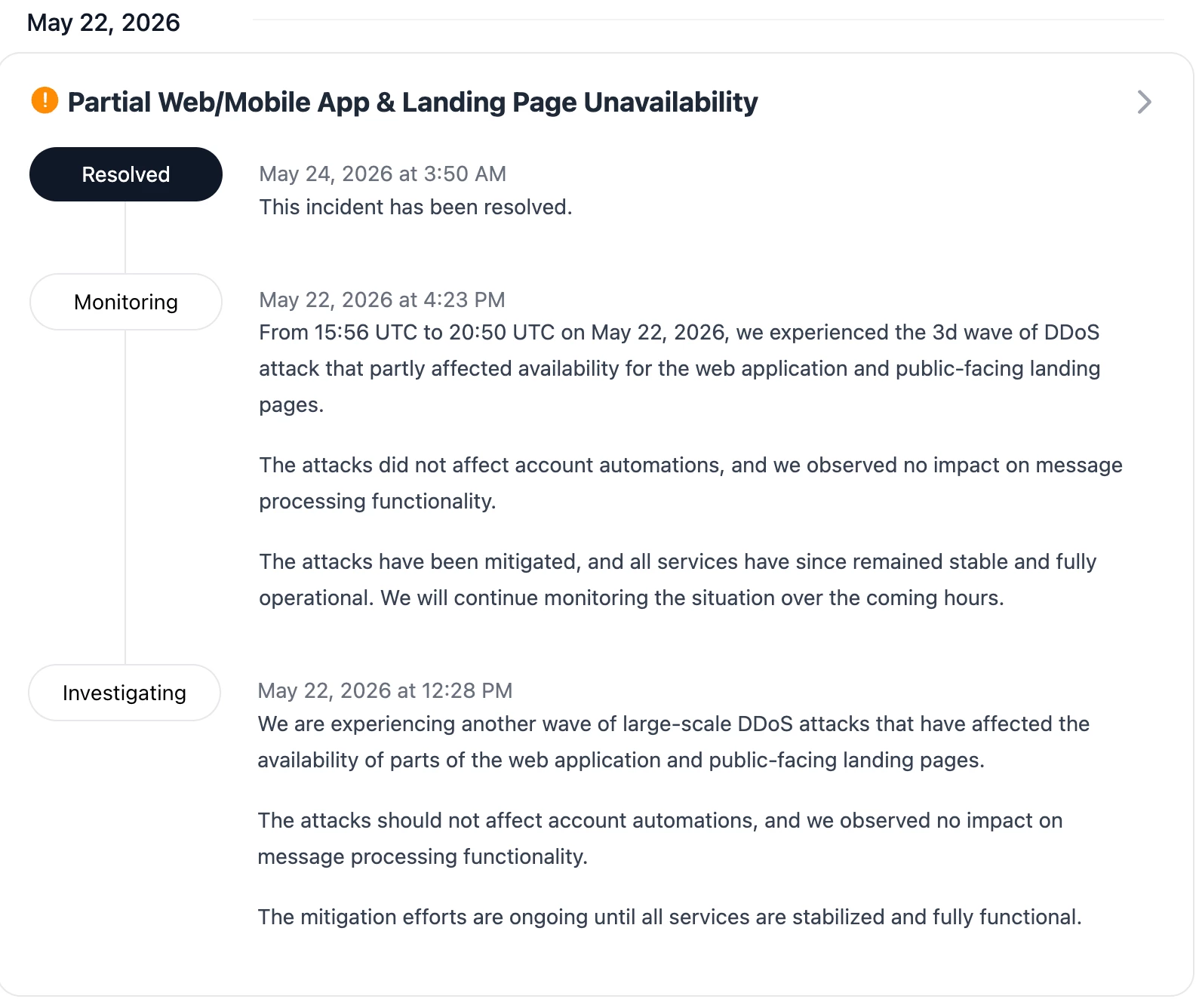
Hi ​@Reclaim Your Health , has your service been reconnected? Keep in mind that Manychat experienced some issues with their web app and landing pages this weekend, which in theory are now resolved. You can check the details here: https://status.manychat.com/

If you still can't access your account, we recommend contacting support. Here is a guide on how to get help: How to get support from Manychat – Manychat Help


XOXOJENNA
  • Up-and-comer
  • May 26, 2026

I am not able to create new automations and some of mine aren’t sending. I’ve tried everything. Very frustrated as I rely heavily on this service and pay for Pro.


tiffysolo
  • Up-and-comer
  • May 26, 2026

It is not resolved. I am still having issues. Reconnected everything. Still not working. 


Rahima
  • Up-and-comer
  • May 26, 2026

the same problem


Fabio Gaulke
Forum|alt.badge.img+3
  • Community Moderator
  • May 26, 2026

@XOXOJENNA / ​@tiffysolo / ​@Rahima 


There is an official status update regarding this exact issue (https://status.manychat.com/cmpmq6f3o0dhvnrm0y76x6gxc). Manychat is currently investigating a bug where publishing a quick Automation with a Comment Trigger connected to a specific Post or Reel causes a "Couldn't create Automation" error message to pop up.


While the team works on a definitive fix, there are two workarounds you can use right now to bypass this:

  1. Switch the trigger settings from a specific post to "Any post or reel".

  2. In the Automations tab, follow this path: "+ New Automation" -> "+ Start From Scratch" -> "Start from a blank canvas" -> "+ New Trigger" -> select the "User comments on your Post or Reel" Trigger. From there, you can choose the "Specific Post or Reel" option without experiencing the issue.


If the workarounds do not work for you, it will be necessary to open a ticket with the Manychat support team: https://help.manychat.com/hc/en-us/articles/14281086345244-How-to-get-support-from-Manychat


Hope this helps! 🙌


cata_rendon
Forum|alt.badge.img+5
  • Community Moderator
  • May 27, 2026

@XOXOJENNA / ​@tiffysolo / ​@Rahima 


There is an official status update regarding this exact issue (https://status.manychat.com/cmpmq6f3o0dhvnrm0y76x6gxc). Manychat is currently investigating a bug where publishing a quick Automation with a Comment Trigger connected to a specific Post or Reel causes a "Couldn't create Automation" error message to pop up.


While the team works on a definitive fix, there are two workarounds you can use right now to bypass this:

  1. Switch the trigger settings from a specific post to "Any post or reel".

  2. In the Automations tab, follow this path: "+ New Automation" -> "+ Start From Scratch" -> "Start from a blank canvas" -> "+ New Trigger" -> select the "User comments on your Post or Reel" Trigger. From there, you can choose the "Specific Post or Reel" option without experiencing the issue.


If the workarounds do not work for you, it will be necessary to open a ticket with the Manychat support team: https://help.manychat.com/hc/en-us/articles/14281086345244-How-to-get-support-from-Manychat


Hope this helps! 🙌

Thanks ​@Fabio Gaulke for sharing this workaround.

In theory the failure has been already solved. 🙃


Reclaim Your Health

I used the New Automation, Start from Scratch option and that worked - thank you!