Solved

Instagram Include Facebook?

  • May 12, 2026
  • 3 comments
  • 22 views

Dtberry

I am using IG with ManyChats. If I post in Facebook with Keyword responses, will the automations work with Facebook or do I have to have separate automations?

Best answer by cata_rendon

Hi ​@Dtberry welcome to Manychat. Yes, for organic posts, you need to create flows for each channel. i.e for facebook post use Facebook Messenger, and for IG post use IG Messanger. Please be sure you have a Manychat account that allows you to have both channels before you start.😉

On the other hand, however, for pay adds (not organic), you can publish the same add both in Facebook and IG social networks and then the conversation can happend in either channel  (IG or FB Messenger)


Hope this helps!

Cheers!

Catalina Rendon

3 replies

cata_rendon
Forum|alt.badge.img+5
  • Community Moderator
  • Answer
  • May 13, 2026

Hi ​@Dtberry welcome to Manychat. Yes, for organic posts, you need to create flows for each channel. i.e for facebook post use Facebook Messenger, and for IG post use IG Messanger. Please be sure you have a Manychat account that allows you to have both channels before you start.😉

On the other hand, however, for pay adds (not organic), you can publish the same add both in Facebook and IG social networks and then the conversation can happend in either channel  (IG or FB Messenger)


Hope this helps!

Cheers!

Catalina Rendon


Dtberry
  • Author
  • Up-and-comer
  • May 13, 2026

Thanks. I got my channel for Facebook setup. You said I will have to automation flows for each channel. I see and using IG automation but I cannot seem to locate the Facebook automation flows. Can you help?


cata_rendon
Forum|alt.badge.img+5
  • Community Moderator
  • May 13, 2026

Hi ​@Dtberry , happy to help!

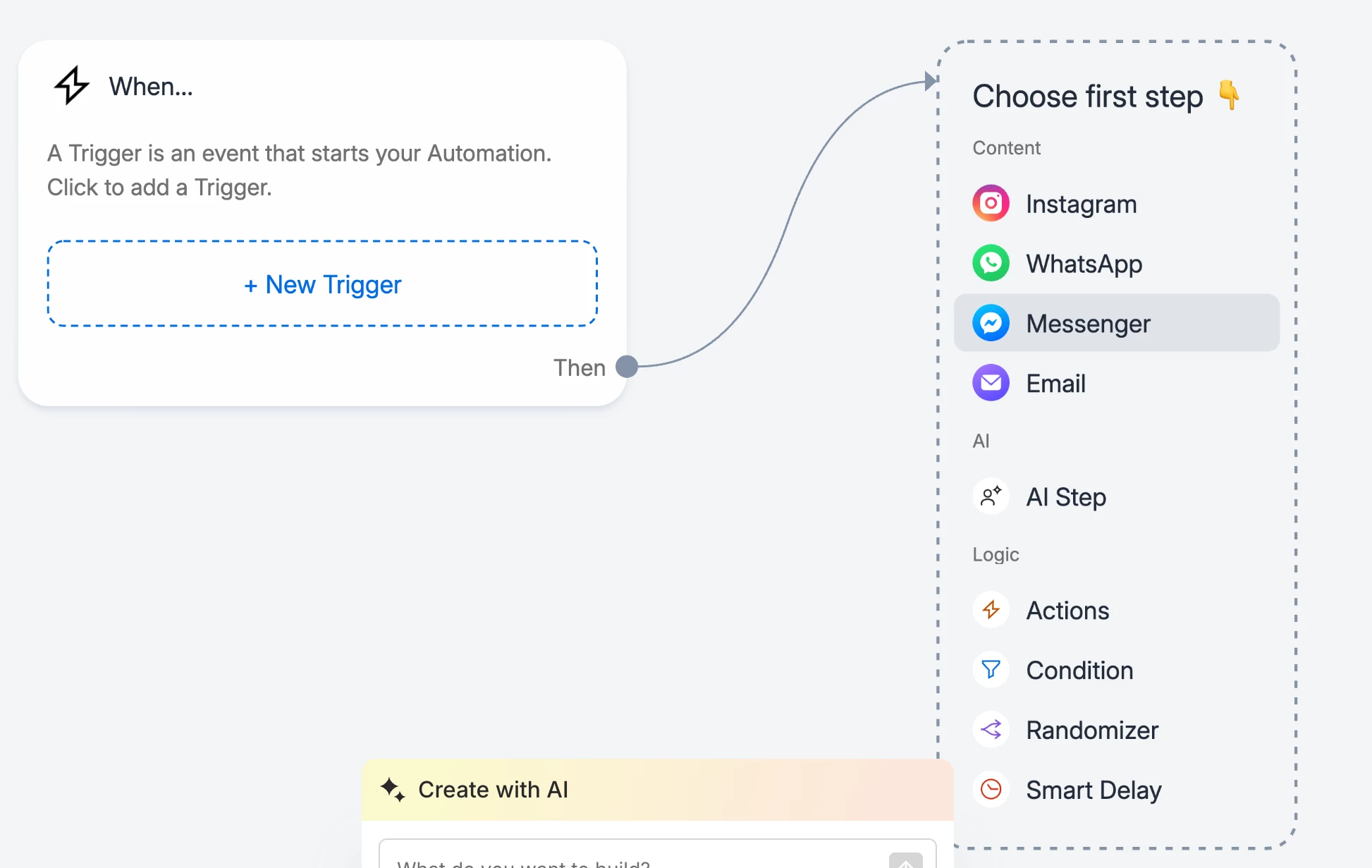
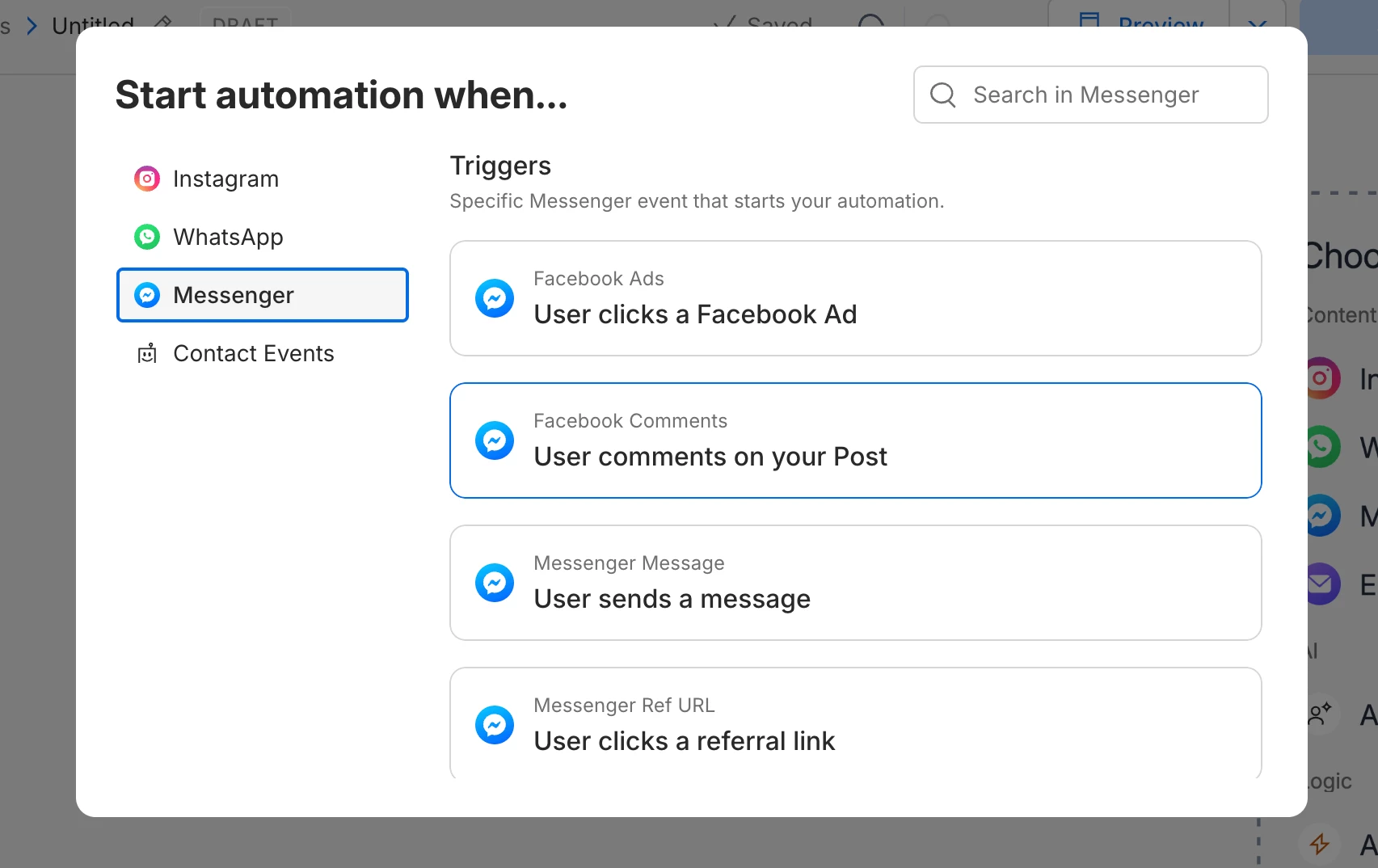
To set up Facebook and IG automation flows in ManyChat, here's a step-by-step guide:

1. Connect your ManyChat account to each channel in Meta Make sure both Instagram and Facebook are properly connected:

2. Create a new flow for one channel (e.g. Messenger) When building your flow, make sure every block belongs to the same channel. Do not mix blocks from different channels in the same flow.


3. Set up triggers for that flow Choose triggers that match the channel you're building for. For example, if it's a Messenger flow, select Messenger triggers only.


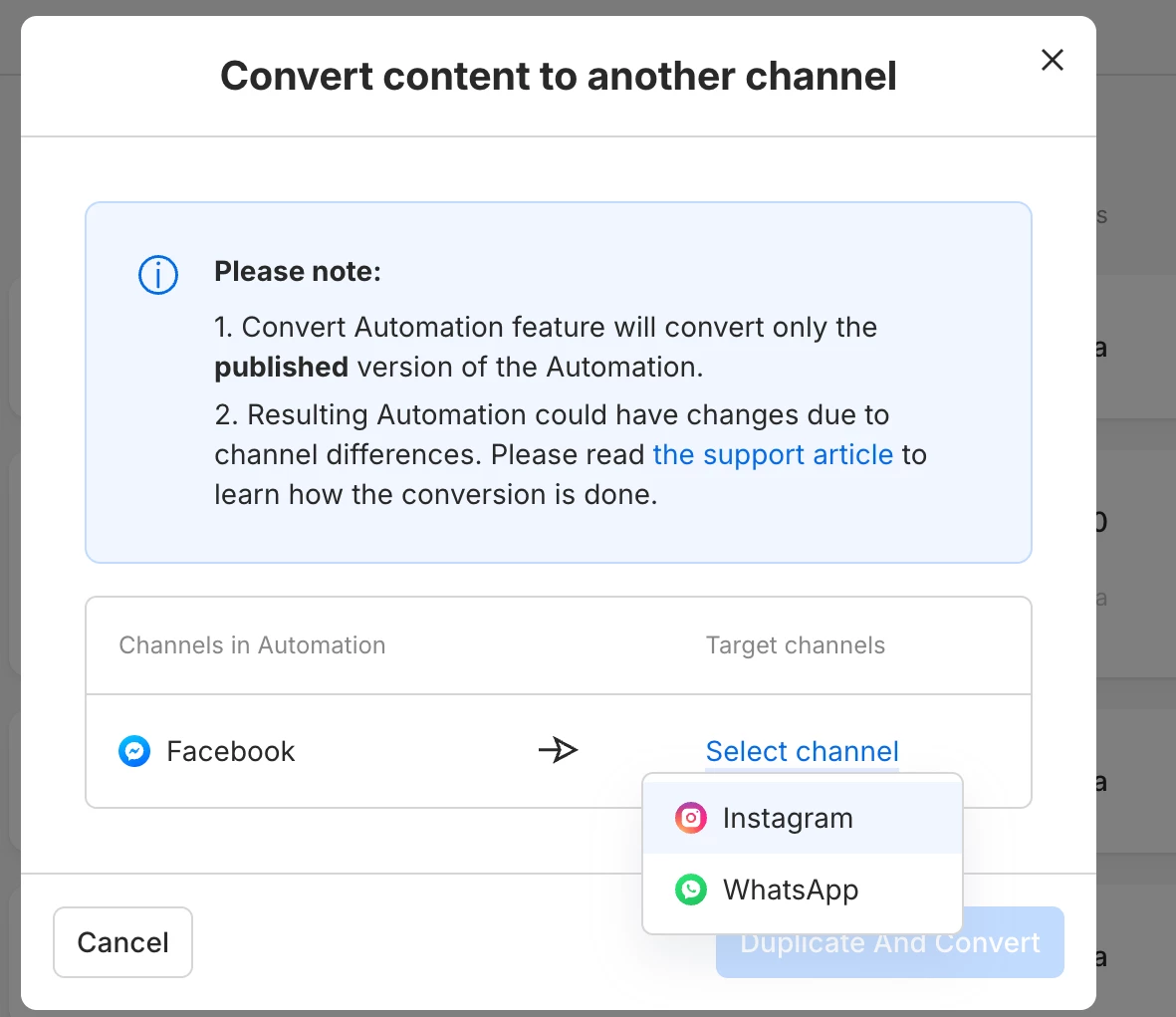
4. Duplicate and convert the flow to another channel (e.g. Instagram) Instead of building from scratch, you can duplicate your existing flow and convert it. Here's how: https://help.manychat.com/hc/en-us/articles/14281167702428-How-to-convert-automation-to-another-channel


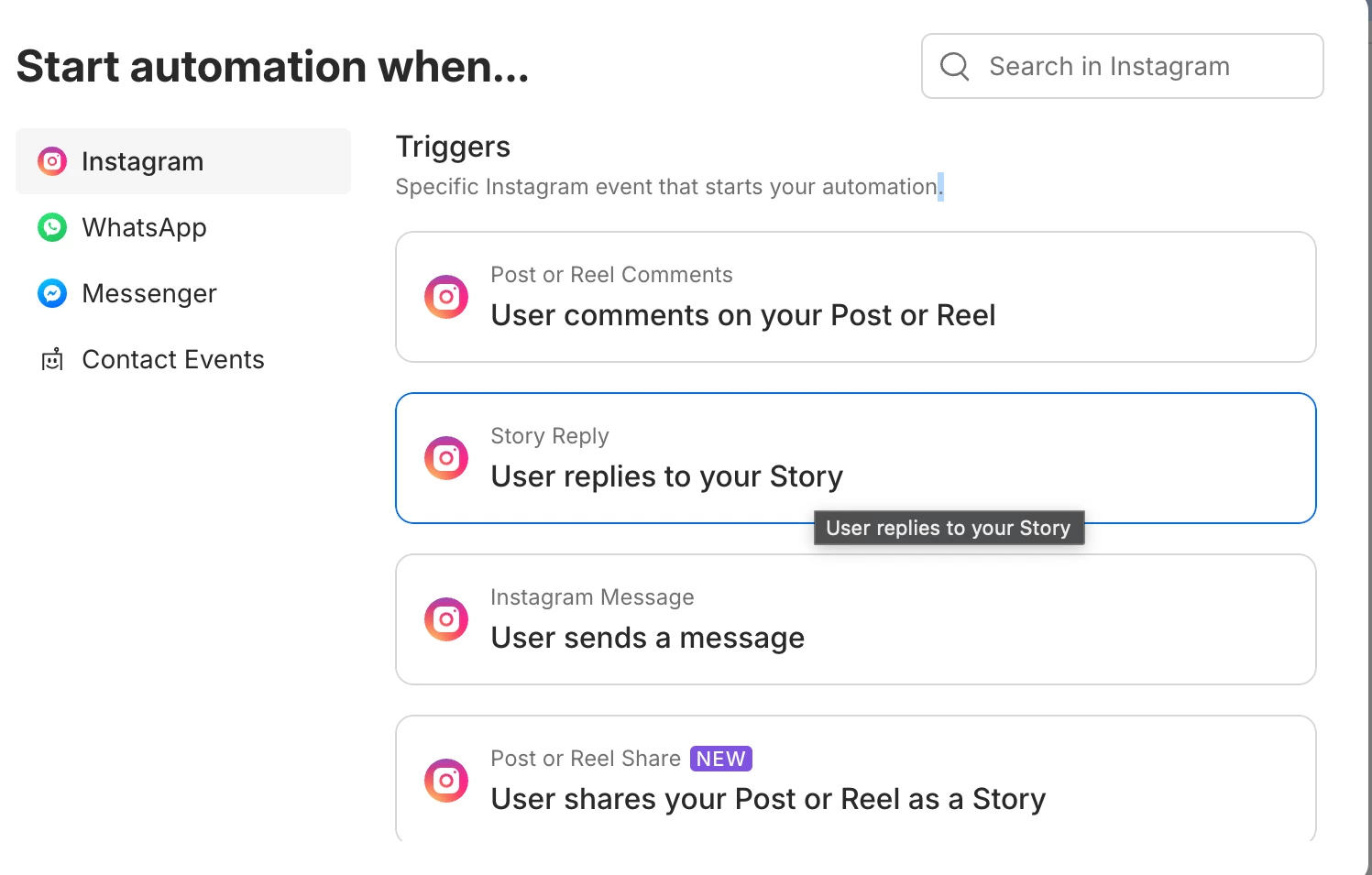
5. Assign new triggers for the converted flow After converting, go to the Triggers menu and select triggers that match the new channel. Then publish the flow.

Hope this clears things up!

Cheers, Catalina Rendon