Instagram Messages Issue – Messages Cut Off and Missing Content

  • March 24, 2026
  • 2 comments
  • 27 views

TinDang

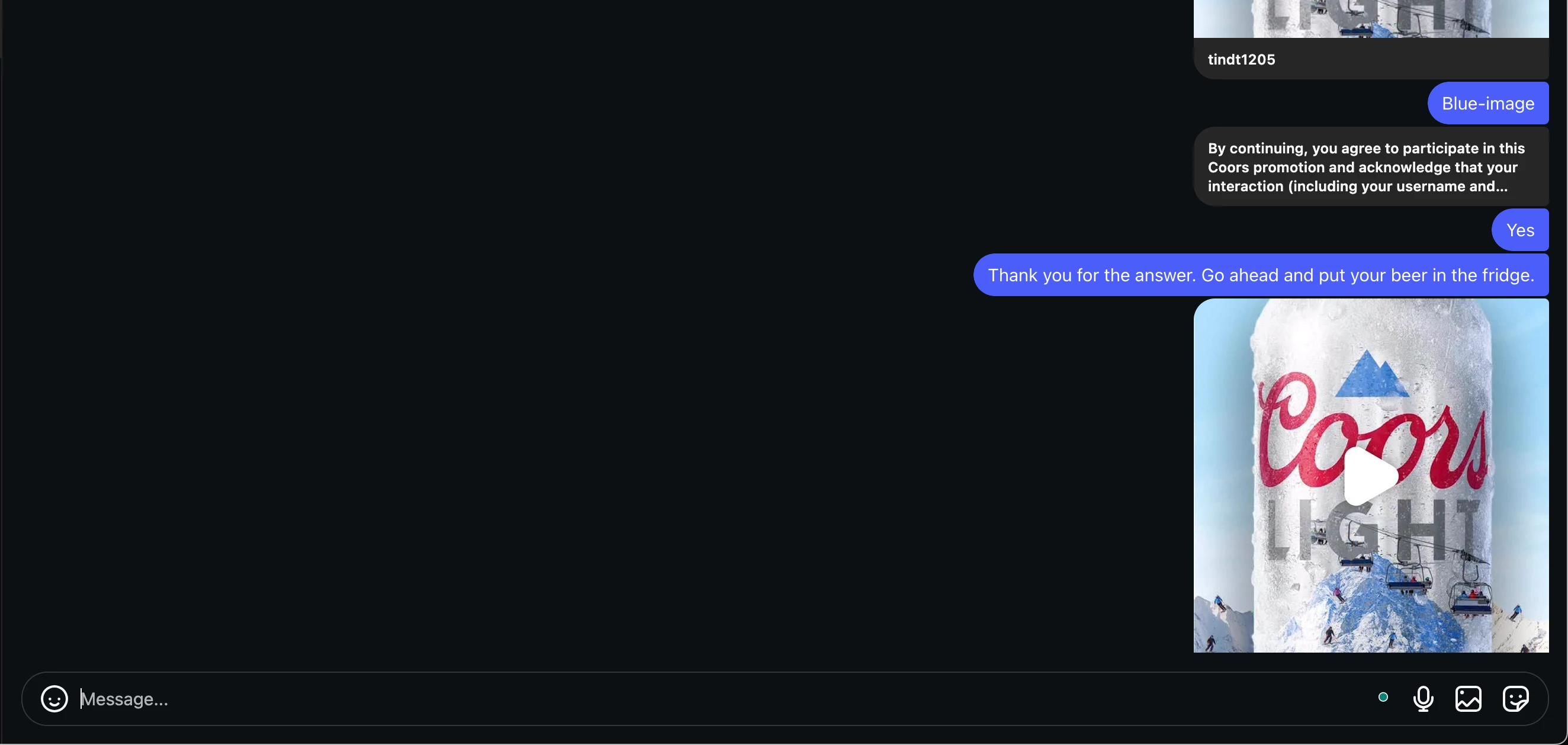
I’m currently experiencing an issue with Instagram Messages on the web version.

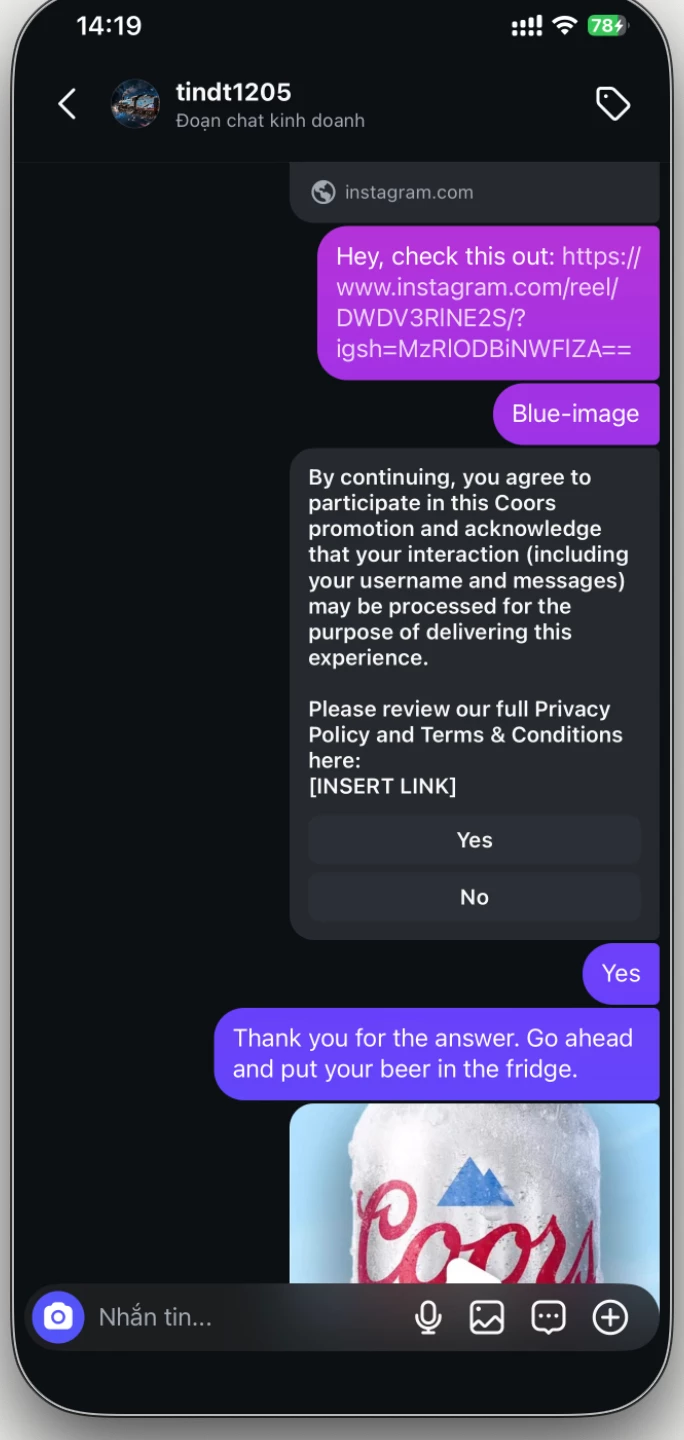
When I add a button to a message (via tools like ManyChat or similar), the message content gets cut off and does not display fully. Some parts of the text are missing, which makes the message unclear or incomplete.

However, this issue seems to only happen on the web version. On mobile devices, the message still displays correctly and works as expected.

Has anyone else encountered this issue or found a workaround?
 

2 replies

Fabio Gaulke
Forum|alt.badge.img+3
  • Community Moderator
  • April 13, 2026

Hi, ​@TinDang!


Is it still happening?

It seems more to be some kind of bug at Meta's side.


cata_rendon
Forum|alt.badge.img+5
  • Community Moderator
  • April 13, 2026

Hi ​@TinDang as ​@Fabio Gaulke mentioned this seems to be a bug. Also take into account IG is mainly made for Mobiles, no for desktop version,  so many features does not work properly on it.

Just in case try the following:


  1. Instagram permissions A quick fix that often helps is refreshing your Instagram permissions in ManyChat.
    You can do this by going to your ManyChat account and clicking Help → Refresh Permissions.
  2. Follow the official IG automation troubleshooting guide
    This step-by-step guide covers several edge cases that can cause comment automations to stop firing and is very helpful for diagnosing issues like this:
    https://help.manychat.com/hc/en-us/articles/14281308423452-Instagram-automation-troubleshooting
  3. You can also try to clear cache and cookies from the browser. If that doesn´t  work, you can open a Manychat Support ticket. Here is a guide on how to do it: How to get support from Manychat – Manychat Help

Cheers1

Catalina Rendon