Solved

instagram post comment flow doesnt run

  • January 10, 2026
  • 5 replies
  • 45 views

zane

Now, practically, what I want from the flow is I want to create a flow that I can then reuse, and that if a person sends a specific keyword that I set up previously, then it will ask him, hey, do you want to download it? where ? do you want it to your inbox or email?

Practically, and I want from them their email address. That's the main goal. And no matter how we do it, it sends only the first initial message and then it stops. 

I used the prerdesigned simple commnt to DM flow and it doesnt work. 

I tried this for the entire day since morning, probably about 15 hours  - but its not firing away the entrire flow. Anyone can tell me why ius that? 

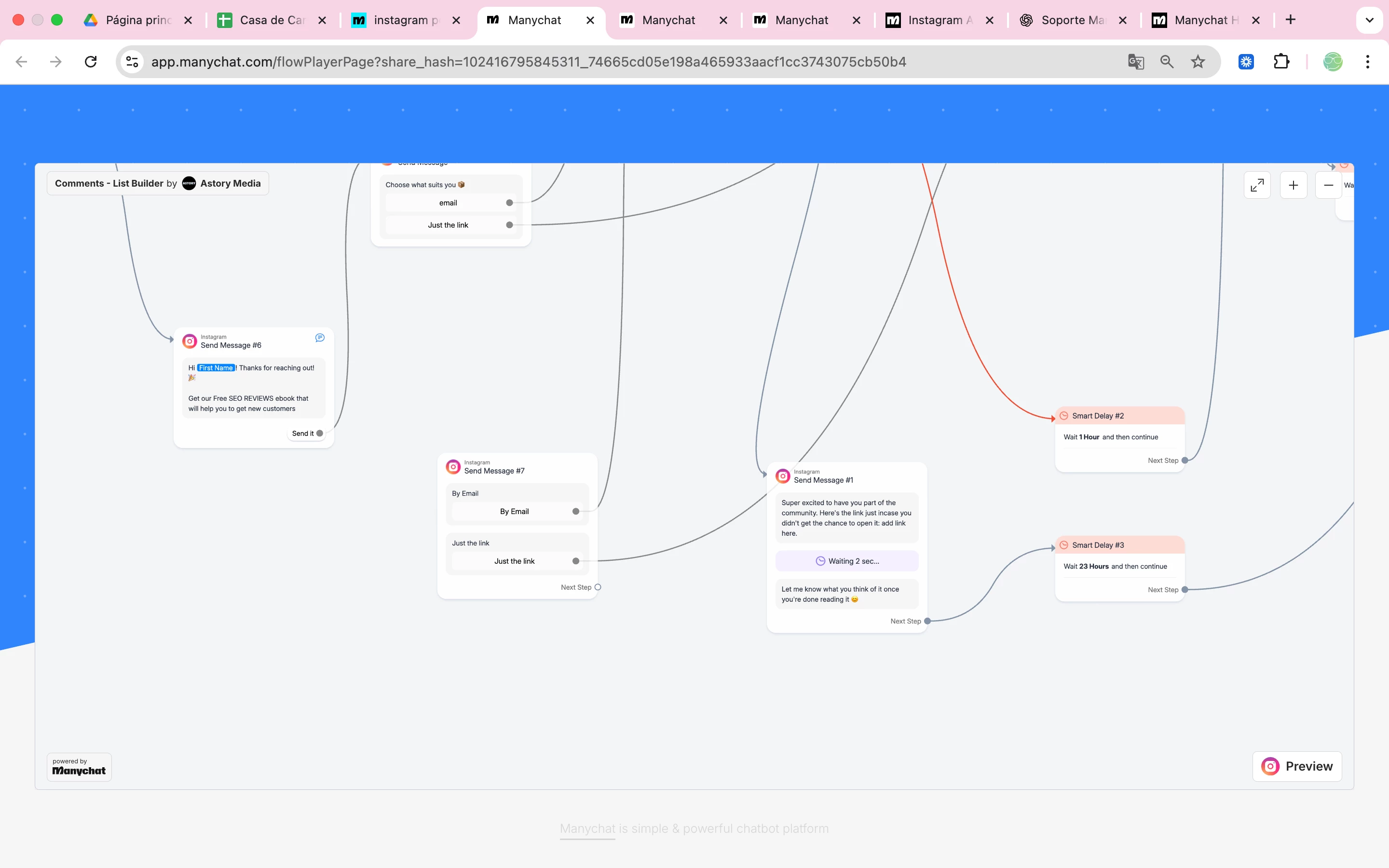
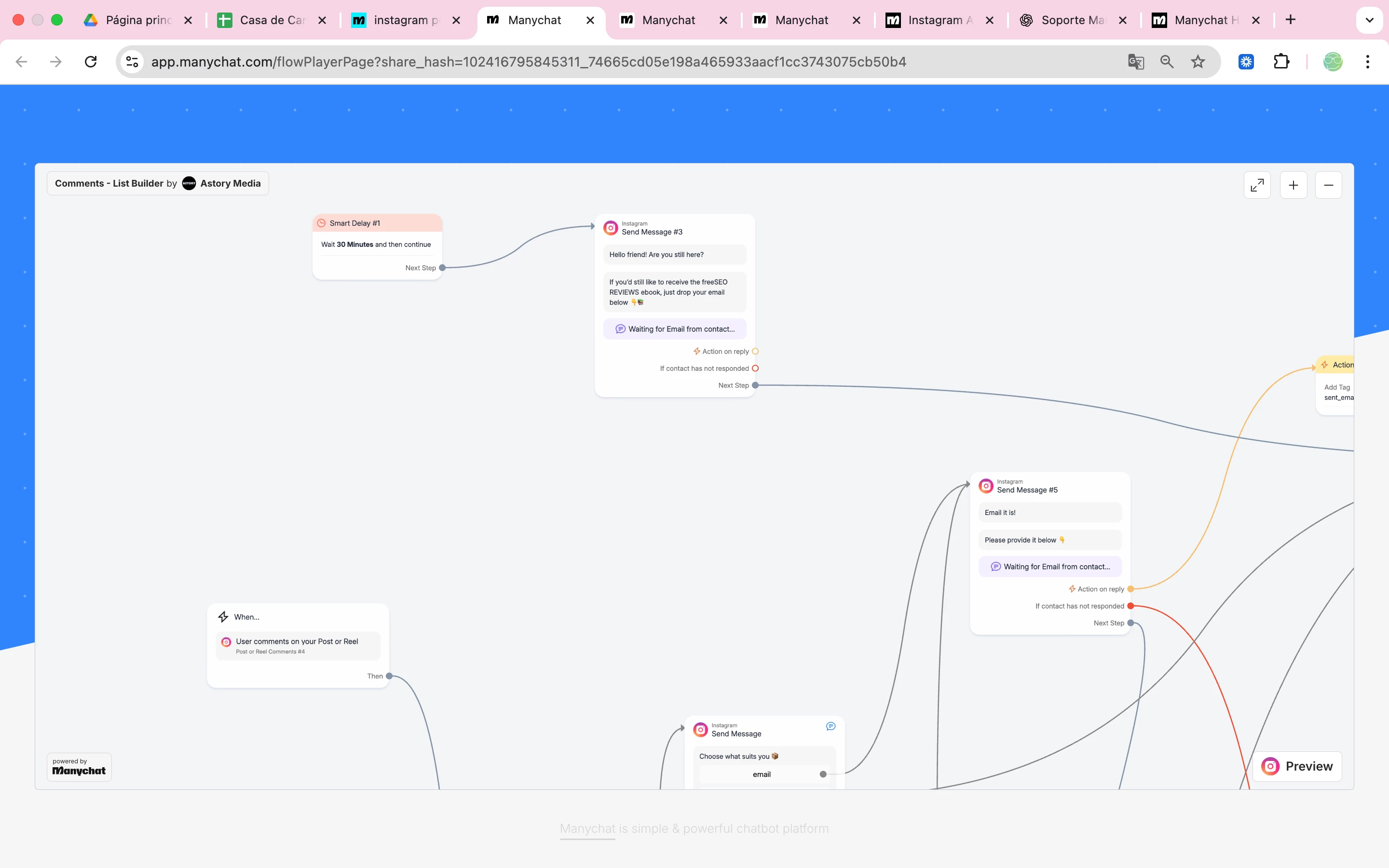
here is the flow:
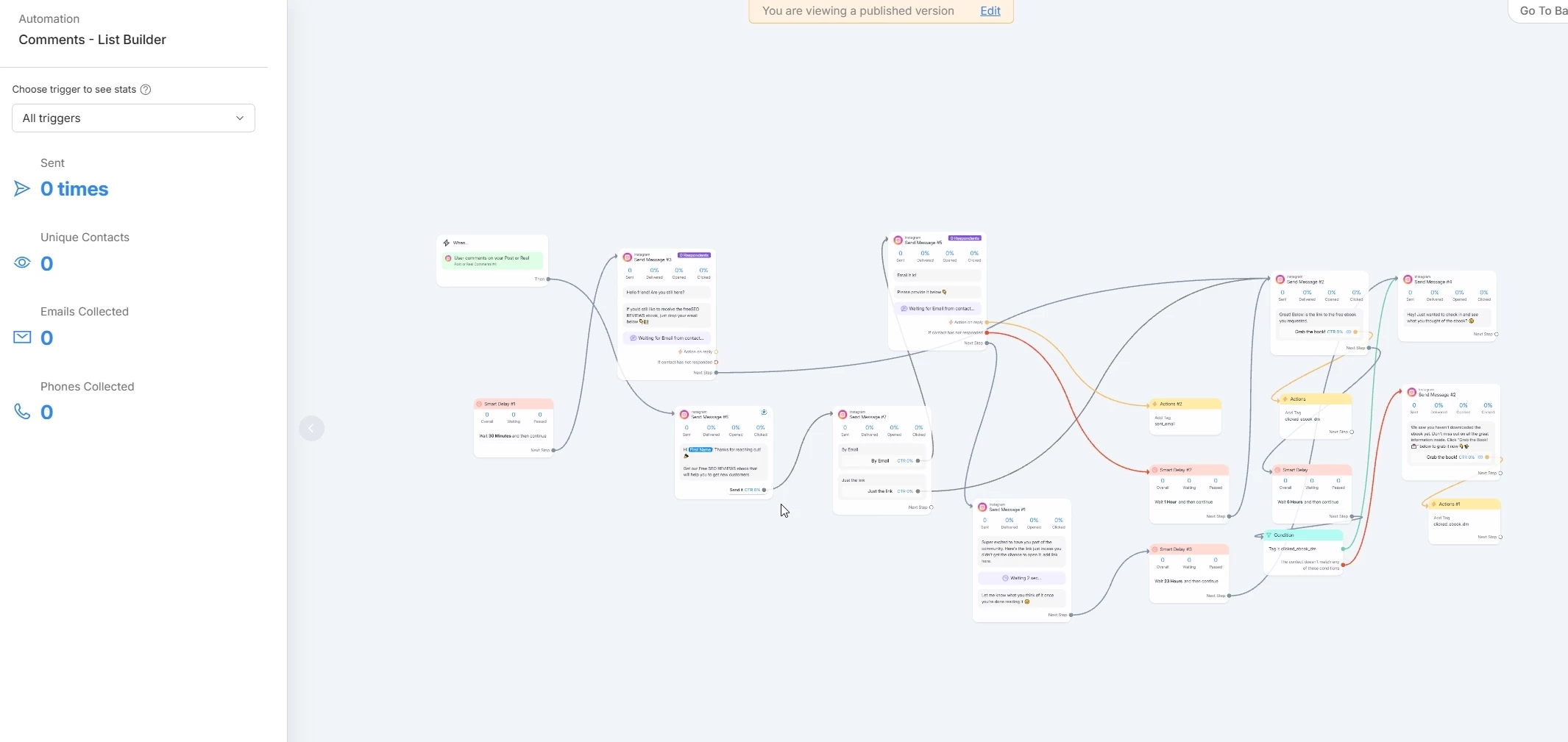
https://app.manychat.com/flowPlayerPage?share_hash=102416795845311_74665cd05e198a465933aacf1cc3743075cb50b4


Best answer by Mel E

Hi ​@zane.. assume you’ve Refreshed Permissions just in case the connection with Meta has dropped? And also turned on the trigger? (Sounds daft.. trust me it happens!) I can see in the Community that there are a few people with a similar issue, so there could be a wider issue.

Also in your original flow - yes, as said above, all the message nodes need to stem from the trigger. You also had the second message node marked as Comment Reply, which is not necessary, this only needs to be on the first node after the Post/Reel trigger. 

You may have deleted this flow now - but do share your second flow and I’ll happily take a look?

5 replies

zane
  • Author
  • Up-and-Comer
  • January 10, 2026

cata_rendon
Forum|alt.badge.img+4
  • Manychat Community Moderator
  • January 11, 2026

Hi ​@zane 

I think there are a couple of different issues happening here that are affecting your main goal.

1. One-time trigger behavior (Instagram comments)
Just as a reminder, Instagram comment automations only trigger once per user per post. If the same user comments again on the same post, the automation will not fire a second time.
So if you’re testing by commenting multiple times from the same Instagram account, it won’t trigger again. You’ll need to test using a different IG account each time.

2. Steps in your flow without a previous trigger
In your flow, there are several message steps that don’t have a previous step connected to them, so they will never execute.
Also, keep in mind that Smart Delays must always be placed between two steps. If a Smart Delay is set as the first step (without a message or trigger before it), the flow won’t start.

I’d recommend double-checking that every message has a clear previous step and that delays are only used in between steps.

Hope this helps clarify what’s happening!

Cheers,
Cata Rendon


zane
  • Author
  • Up-and-Comer
  • January 15, 2026

Thank you for your answer. I deleted this flow and used basic manychat flow that is predesigned and yet it doesnt work. 


zane
  • Author
  • Up-and-Comer
  • January 15, 2026

If anyone could actually help me, it would be great. 


Mel E
Forum|alt.badge.img
  • Channel Explorer
  • Answer
  • January 15, 2026

Hi ​@zane.. assume you’ve Refreshed Permissions just in case the connection with Meta has dropped? And also turned on the trigger? (Sounds daft.. trust me it happens!) I can see in the Community that there are a few people with a similar issue, so there could be a wider issue.

Also in your original flow - yes, as said above, all the message nodes need to stem from the trigger. You also had the second message node marked as Comment Reply, which is not necessary, this only needs to be on the first node after the Post/Reel trigger. 

You may have deleted this flow now - but do share your second flow and I’ll happily take a look?