Question

Instagram: Someone comments X times, they get automated message X times with no way to stop it

  • April 9, 2026
  • 7 comments
  • 54 views

Ice White

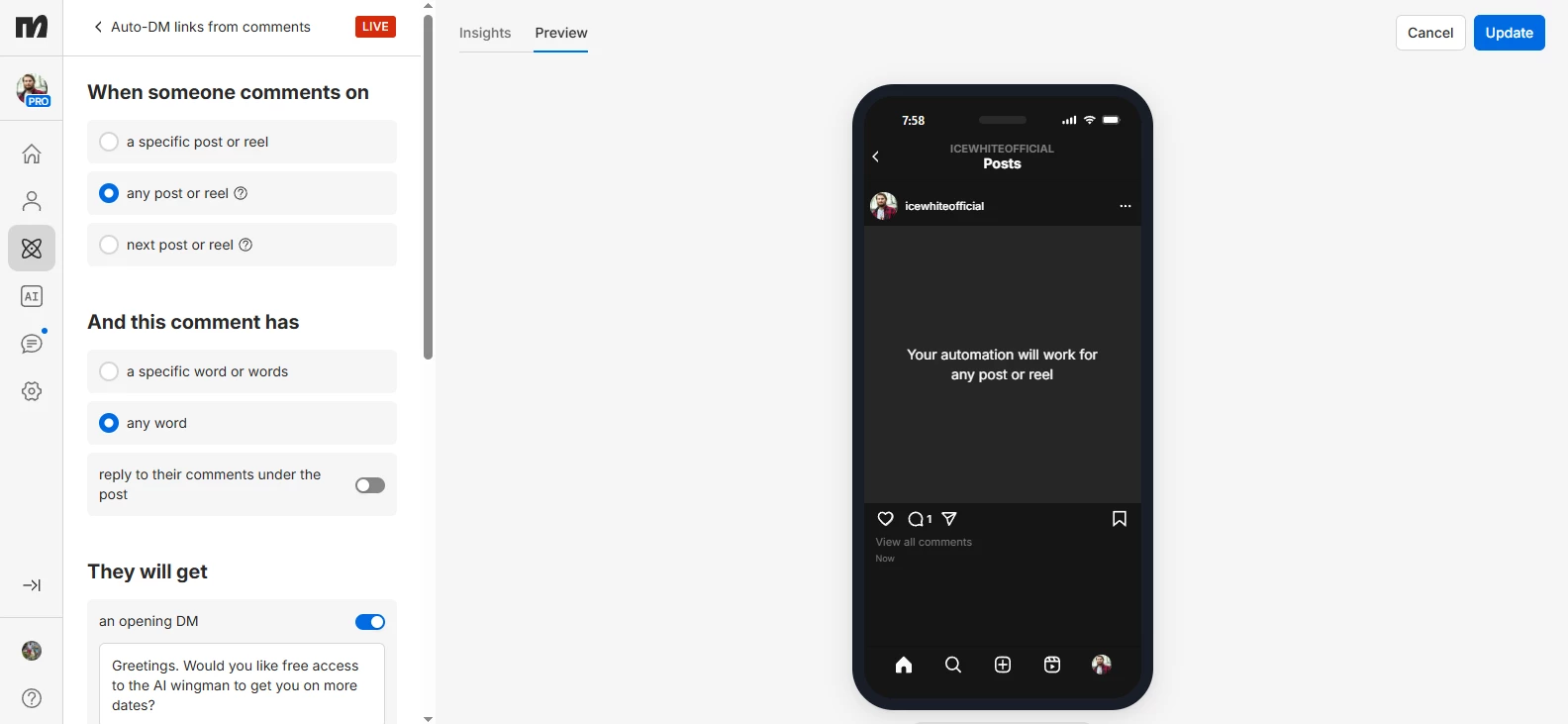
I have certain followers on Instagram who comment on my posts regularly, and the automation keeps sending the comment-DM automated message EVERY TIME. The same happens to non-followers who just happen to have commented on multiple posts. 

HOW DO I STOP THIS MADNESS?

It comes across as extremely spammy when someone gets THE SAME message every single time they comment on any post I have ever published instead of only ever doing it once.

7 replies

Gustavo Boregio
Forum|alt.badge.img+7
  • Community Moderator & Expert
  • April 9, 2026

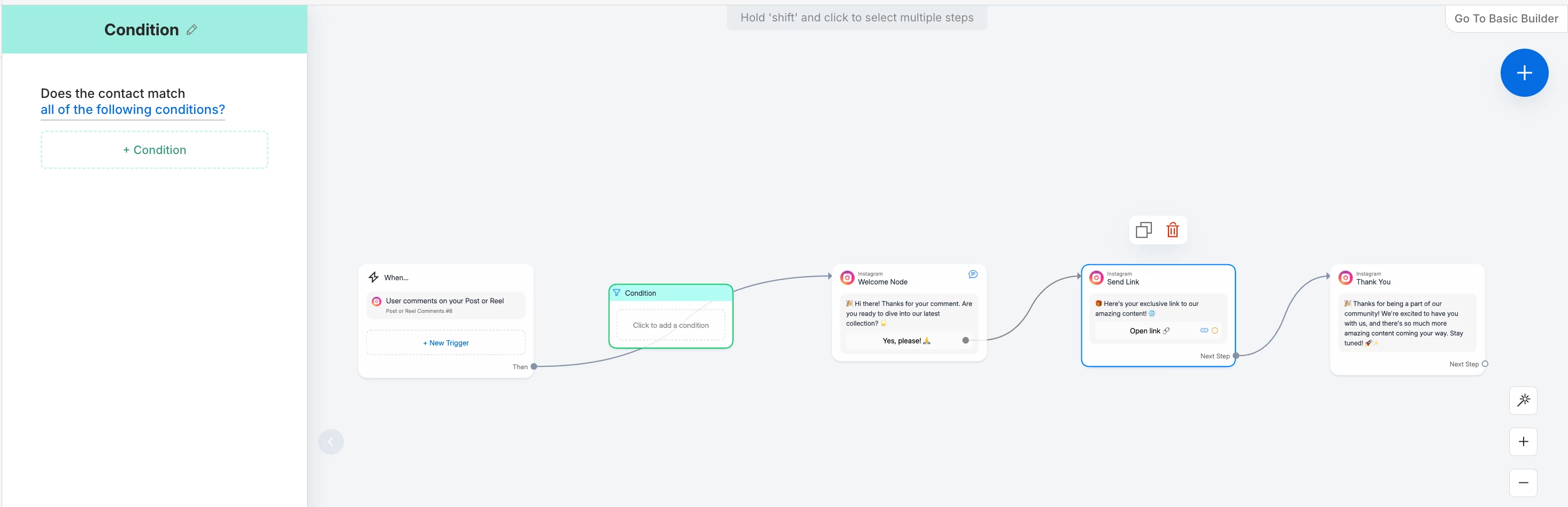
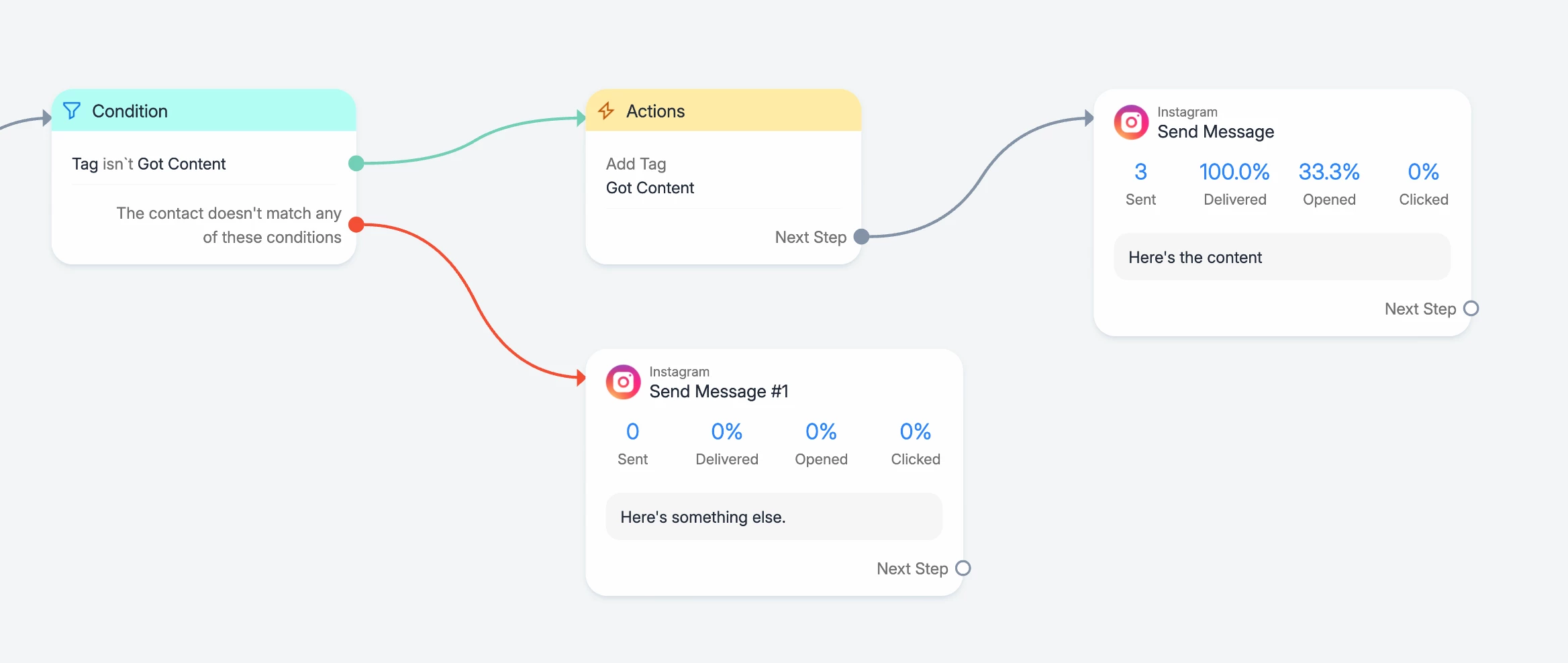
@Ice White you can add conditions + tags before sending the message, to make sure the person only gets the message once or every so many times.

You need something like this:


With this setup you make sure that the person only gets the ‘Here’s the content!’ message once.


Mel E
Forum|alt.badge.img+2
  • Manychat Community Expert
  • April 10, 2026

@Ice White - also check that your trigger is set to only fire for specific keywords, rather than ‘any comment’ - and then use a flow set-up like Gustavo has recommended above


Chimpers
  • Up-and-comer
  • April 10, 2026

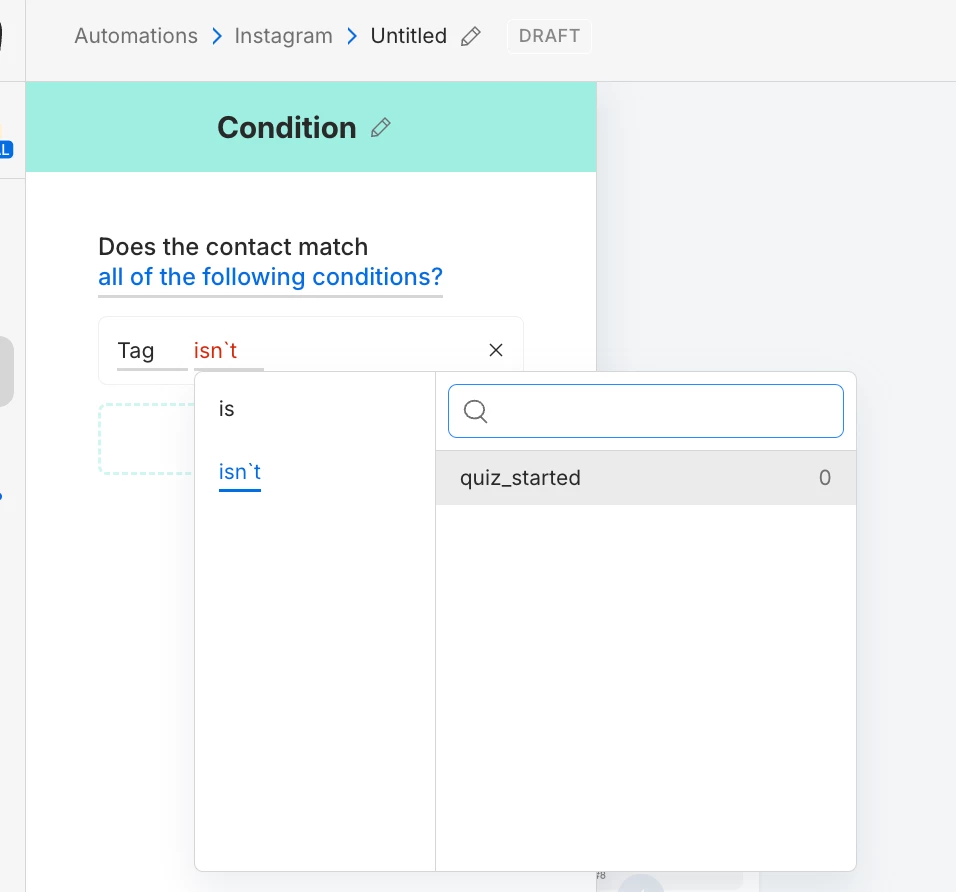
How do you create the condition as described above? 

I do not see an option other than quiz started.


Gustavo Boregio
Forum|alt.badge.img+7
  • Community Moderator & Expert
  • April 10, 2026

@Chimpers you have to create the corresponding tags before setting up the conditions.


Ice White
  • Author
  • Up-and-comer
  • April 13, 2026

@Gustavo Boregio 

Uh… Where even is that?


Ice White
  • Author
  • Up-and-comer
  • April 13, 2026

@Mel E 

I don’t want specific words. I want all comments.


Gustavo Boregio
Forum|alt.badge.img+7
  • Community Moderator & Expert
  • April 13, 2026

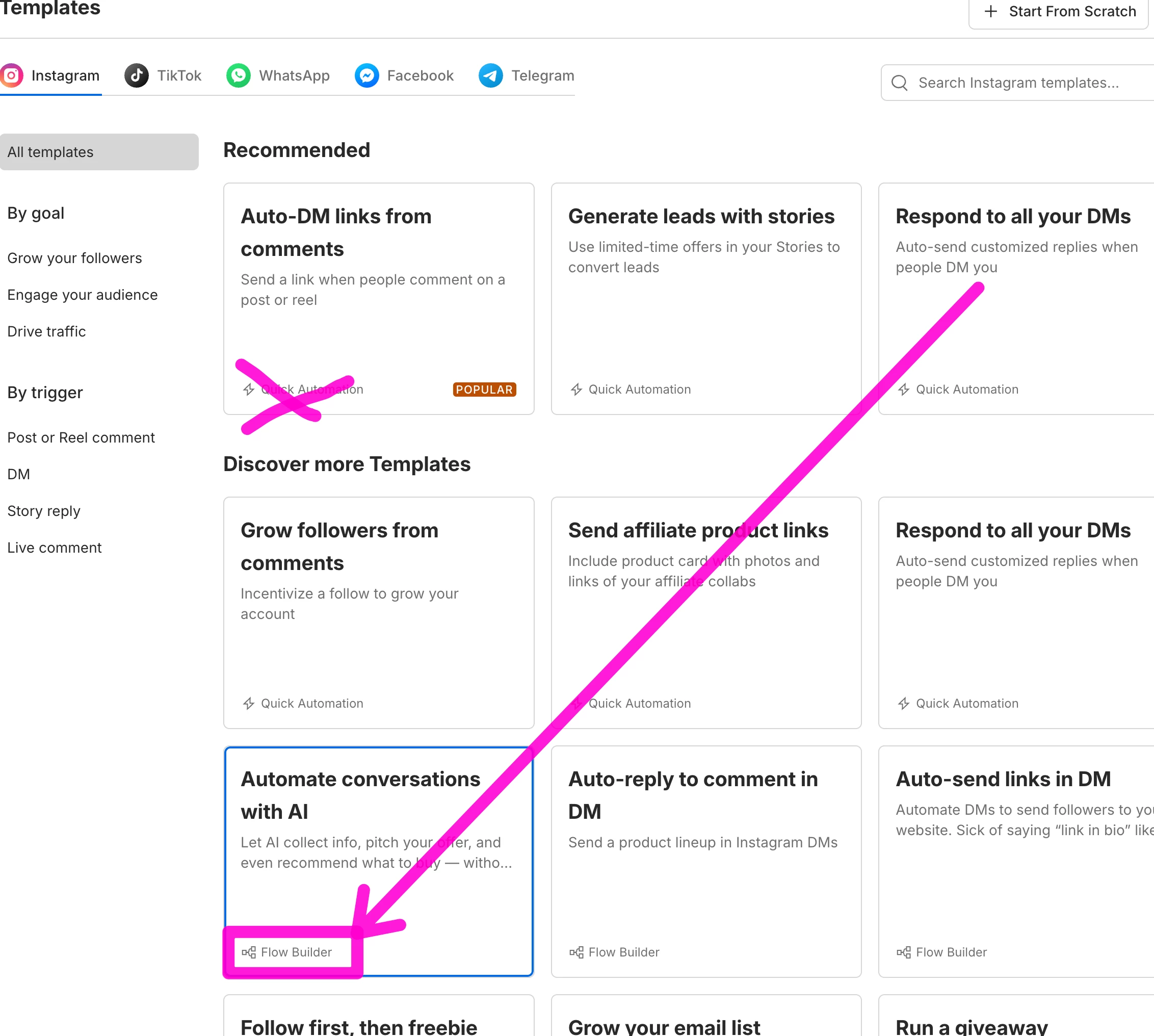
@Ice White you need to create automations using the Flow Builder to have these options.

When you’re creating an automation from a template, make sure the template is on ‘Flow builder’ and not ‘Quick Automation’