Question

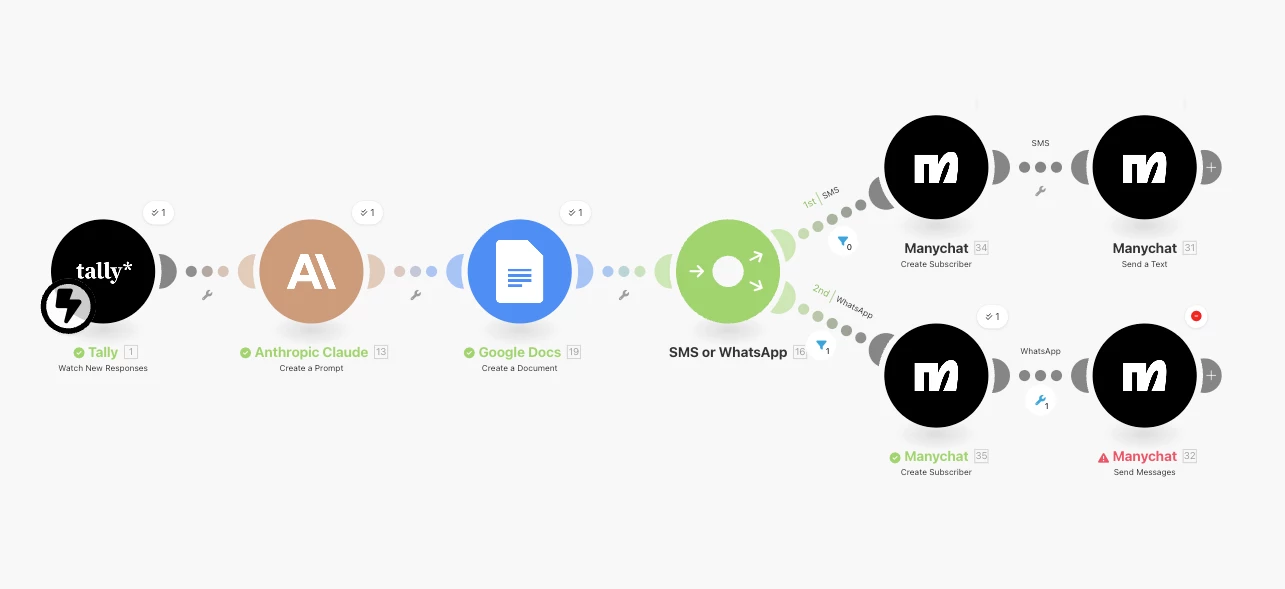
Make.com Cannot send whatsapp message [400] Channel is disabled

  • December 10, 2025
  • 3 replies
  • 16 views

hoyinc

I keep getting a [400] Channel is disabled for the Send message Manychat node. Help please!


I have checked all the other posts and could not get an answer to this.

  1. I have whatsapp funds
  2. I am on the Pro plan
  3. I know whatsapp account works because I tested it in the Live Chat with my own Whatsapp account
  4. Subscriber node works because I see the contact is created

Make.com flow and where it get stuck at
 

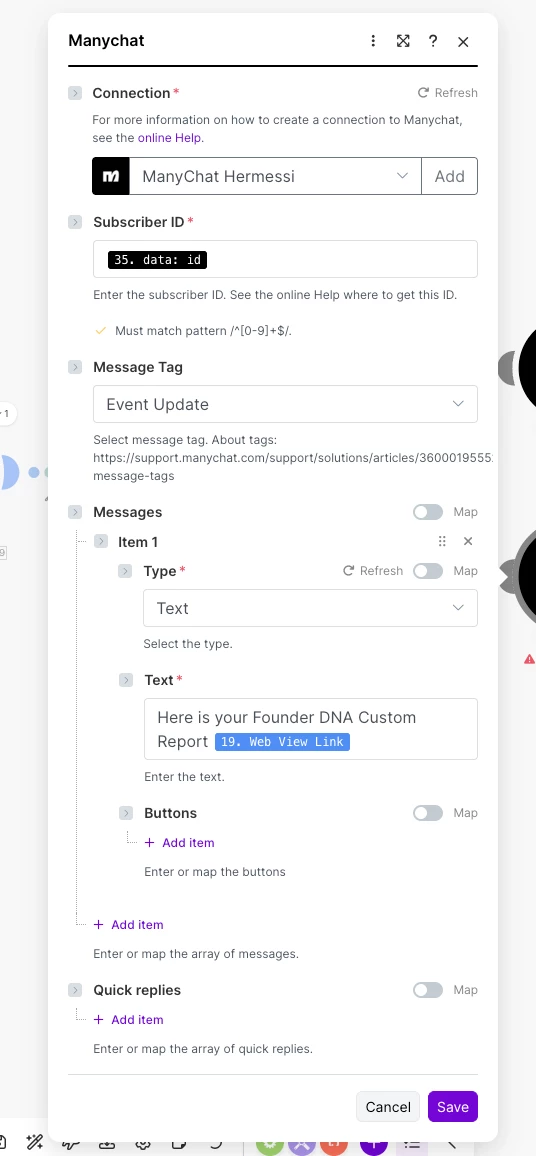
Here is what the node looks like:


3 replies

Gustavo Boregio
Forum|alt.badge.img+6
  • Manychat Community Moderator
  • December 10, 2025

@hoyinc the native Make / Manychat app works only in Messenger for sending contact.

To send WhatsApp messages you need to use the API https://api.manychat.com 

You’ll need to use the ‘sendFlow’ endpoint to trigger the automation, along with a previous ‘setCustomField’ action to set the field with the specific link.

And on the flow that you send, you’ll configure your WhatsApp template message.

If you need further help let me know, we have troubleshooting calls options that would be perfect to get this going for you in no time!


hoyinc
  • Author
  • Up-and-Comer
  • December 11, 2025

Thanks ​@Gustavo Boregio you are the master at this!!! I did what you said. I got the two HTTP nodes working now it is sending the message I received it, but I don’t see the value of the custom field “doc_url” in there.


The message I receive is this:

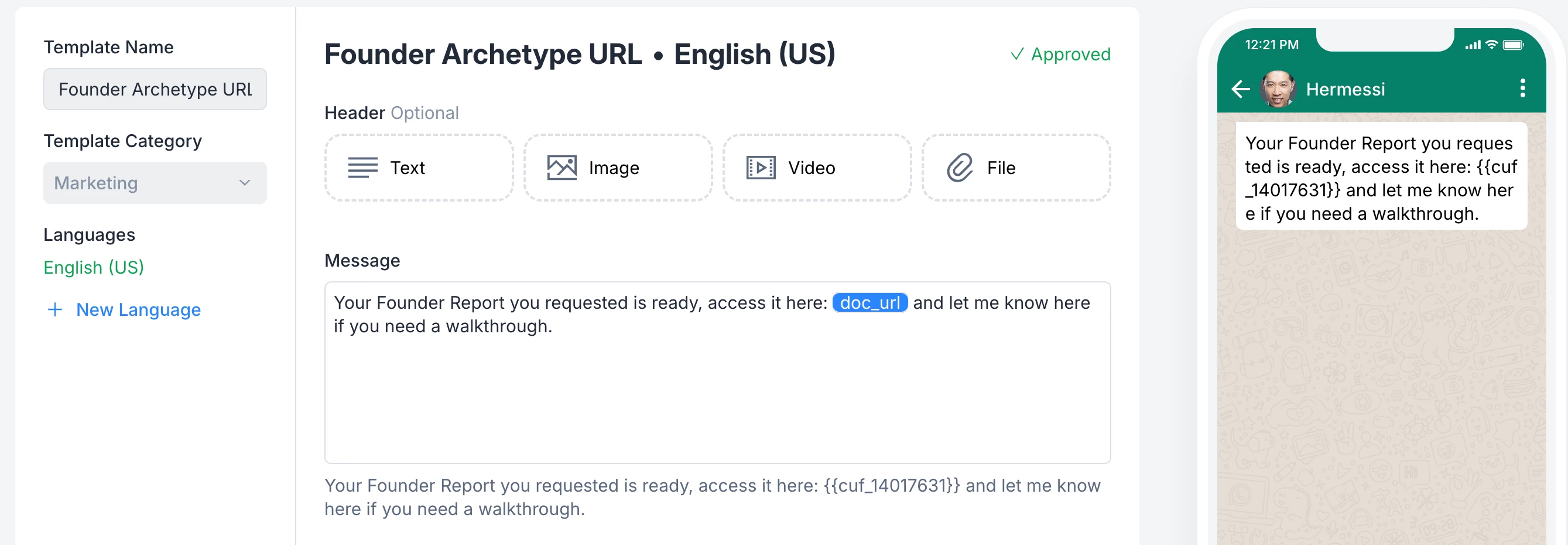
Your Founder Report you requested is ready, access it here:   and let me know here if you need a walkthrough.

But it is missing the URL to the google doc which is the “doc_url” variable.


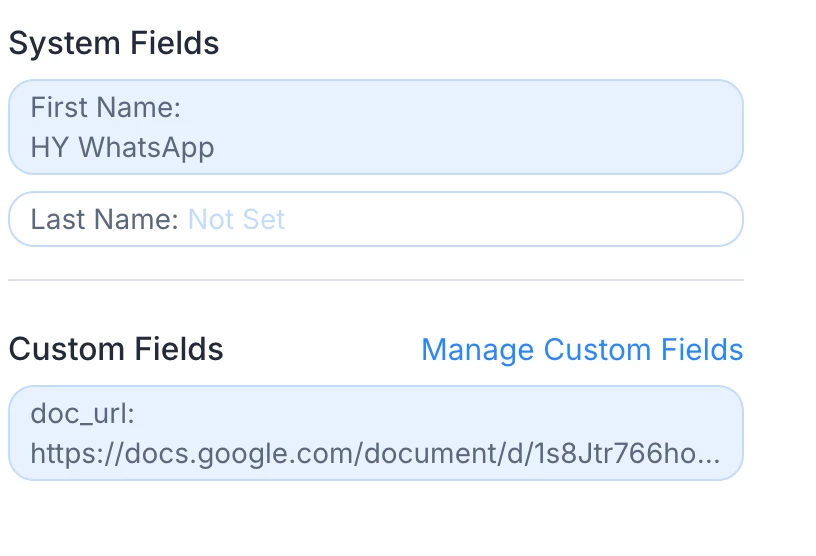
I see the field is inside ManyChat when I look at the profile, the google doc link is there.


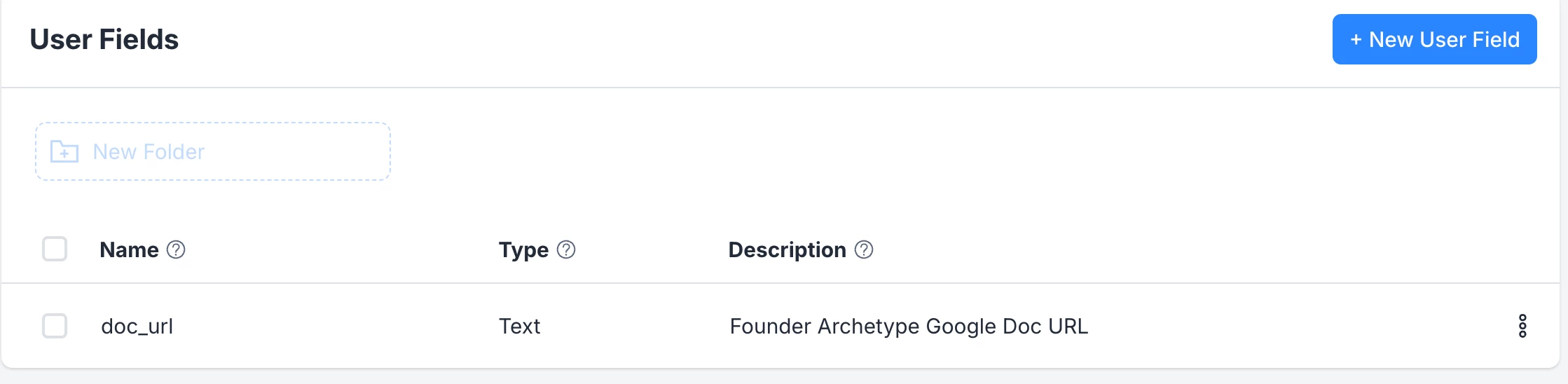
I created the custom field as doc_url


I got the message template approved and the doc_url field is in the template.


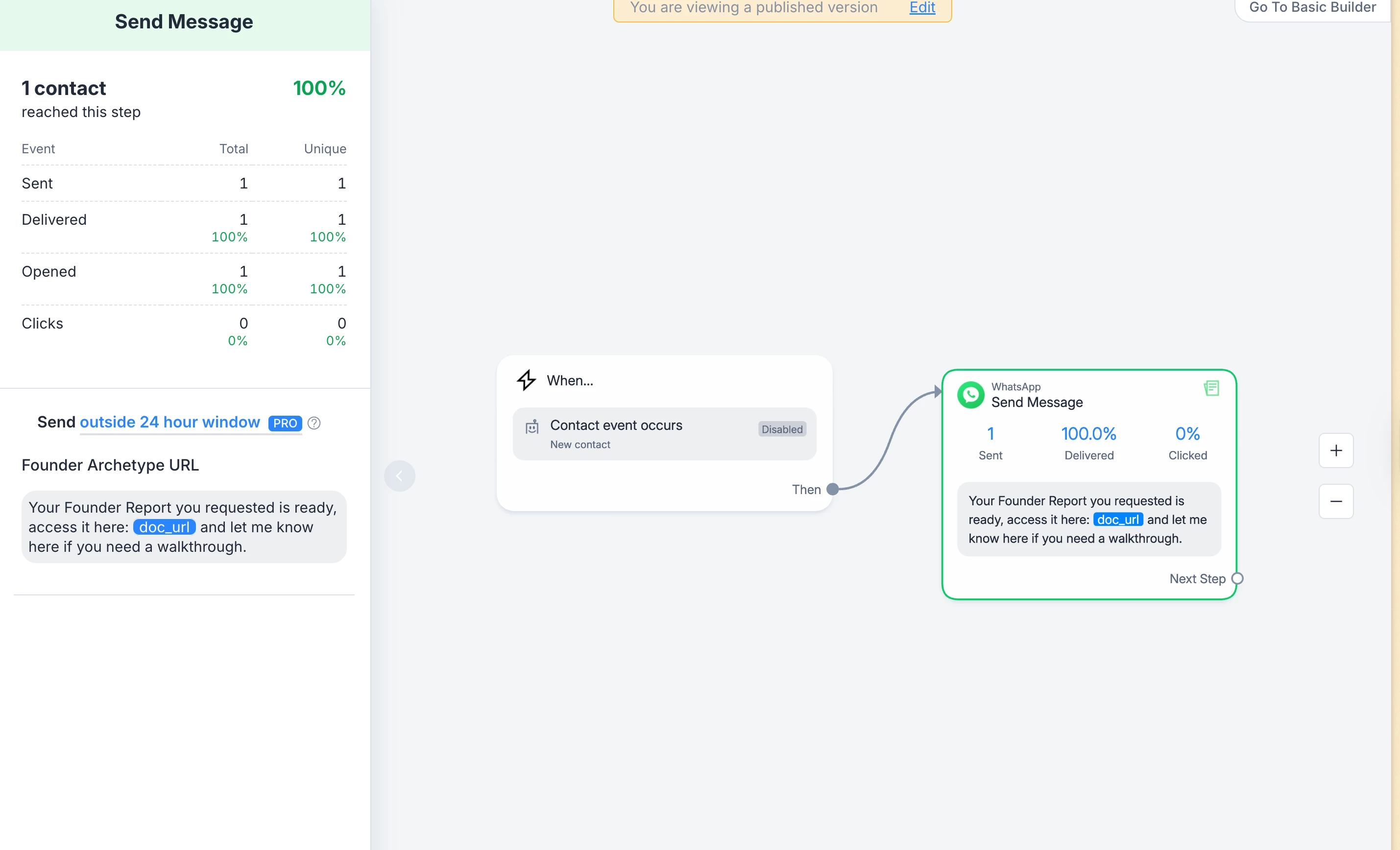
And the workflow uses outside 24 hour and selected the template.


I am at the last stage it seems like I almost got it!


Gustavo Boregio
Forum|alt.badge.img+6
  • Manychat Community Moderator
  • December 11, 2025

Check the sequence of events.

First set the doc_url variable.

Then send the flow.

Check the Live Chat to make sure things are happening in the right order.

If necessary add a 10 seconds delay to the beginning of your flow to give time for the field to populate.