Solved

Manage and Filter Labels

  • March 7, 2026
  • 4 comments
  • 29 views

henriquearsenio
How can I manage labels? Edit, delete…And how do we filter conversations by label?

Best answer by Fabio Gaulke

Thanks ​@Fabio Gaulke , but I’m talking about this new Label system to ‘categorize’ conversations 🙏🏻
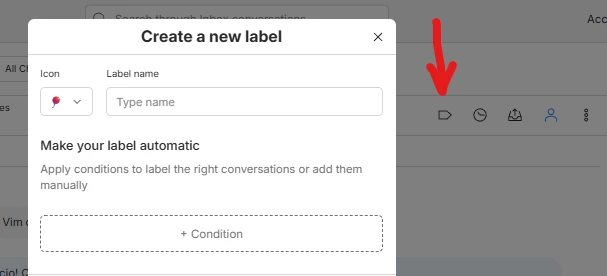


I can create and use labels, but I can't edit, delete, or filter conversation view by label on desktop.
 

On mobile, filtering is fine; the tabs for each label are already displayed.
 

But in any case, I haven't found where to edit the labels; it only allows me to create them.


Oh, sorry.

Not all accounts have this new Tags available, so I’ve talked about the “normal” ones. 😅


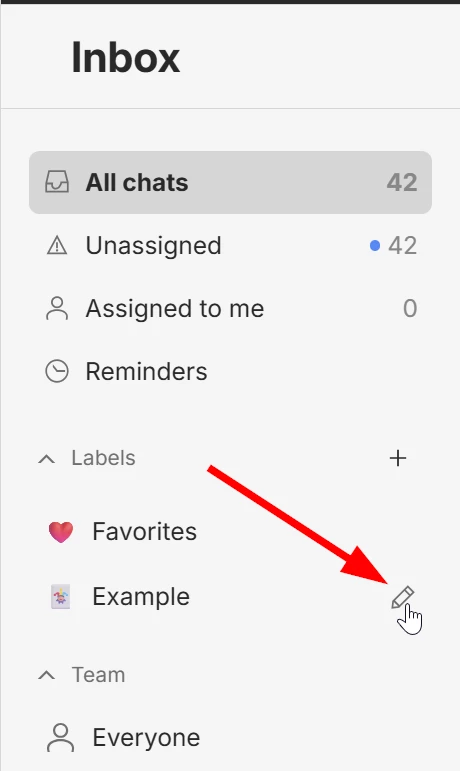
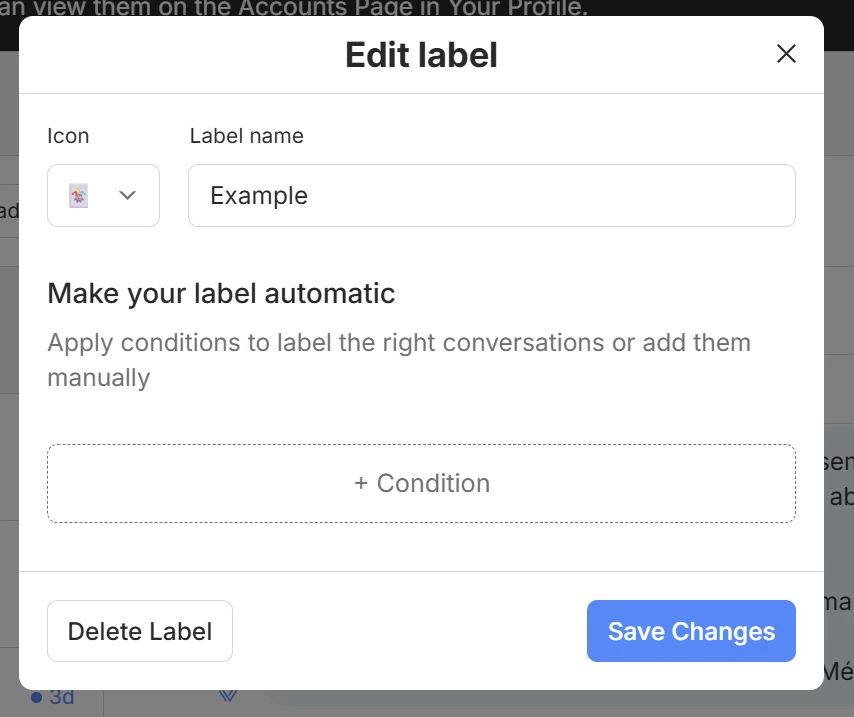
These new Inbox Tags you create at the button and you can manage existing ones at your side menu.

Just hover the tag you wish to edit/delete and click the pencil icon:
 

4 replies

Fabio Gaulke
Forum|alt.badge.img+3
  • Community Moderator
  • March 9, 2026

 Hi, ​@henriquearsenio!


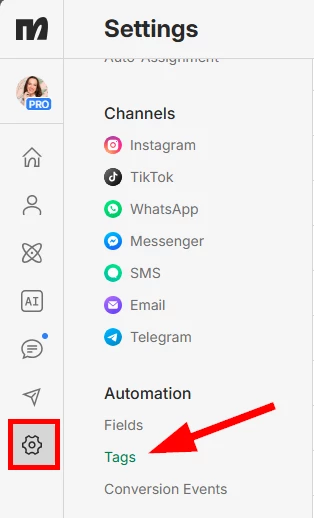
You can manage your tags at Settings/(Automation) Tags:


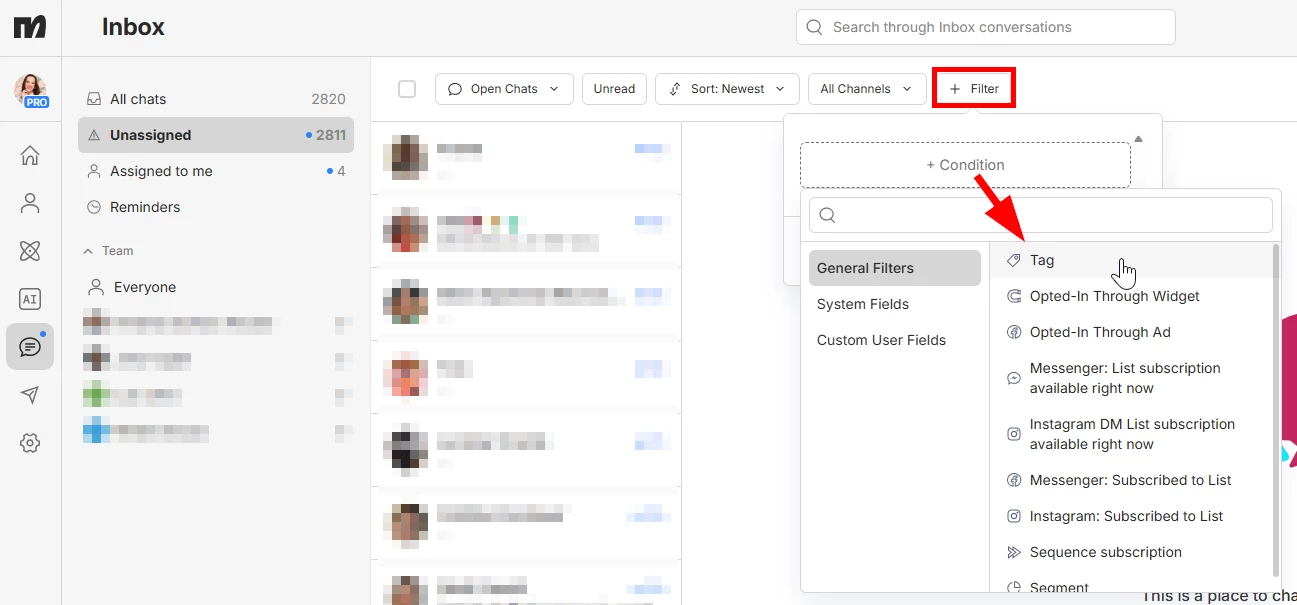
And to filter conversations in the new Inbox, use the filter button and add a Tag Condition:

Hope this helps!


henriquearsenio
  • Author
  • Channel Explorer
  • March 9, 2026

Thanks ​@Fabio Gaulke , but I’m talking about this new Label system to ‘categorize’ conversations 🙏🏻


I can create and use labels, but I can't edit, delete, or filter conversation view by label on desktop.
 

On mobile, filtering is fine; the tabs for each label are already displayed.
 

But in any case, I haven't found where to edit the labels; it only allows me to create them.


Fabio Gaulke
Forum|alt.badge.img+3
  • Community Moderator
  • Answer
  • March 9, 2026

Thanks ​@Fabio Gaulke , but I’m talking about this new Label system to ‘categorize’ conversations 🙏🏻


I can create and use labels, but I can't edit, delete, or filter conversation view by label on desktop.
 

On mobile, filtering is fine; the tabs for each label are already displayed.
 

But in any case, I haven't found where to edit the labels; it only allows me to create them.


Oh, sorry.

Not all accounts have this new Tags available, so I’ve talked about the “normal” ones. 😅


These new Inbox Tags you create at the button and you can manage existing ones at your side menu.

Just hover the tag you wish to edit/delete and click the pencil icon:


henriquearsenio
  • Author
  • Channel Explorer
  • March 9, 2026

Oh, I couldn't find my side menu, it was collapsed 😅 thanks ​@Fabio Gaulke