Solved

Manychat isn't transferring email to Kit (ConvertKit)

  • June 2, 2025
  • 9 replies
  • 159 views

justineleconte

Hi.

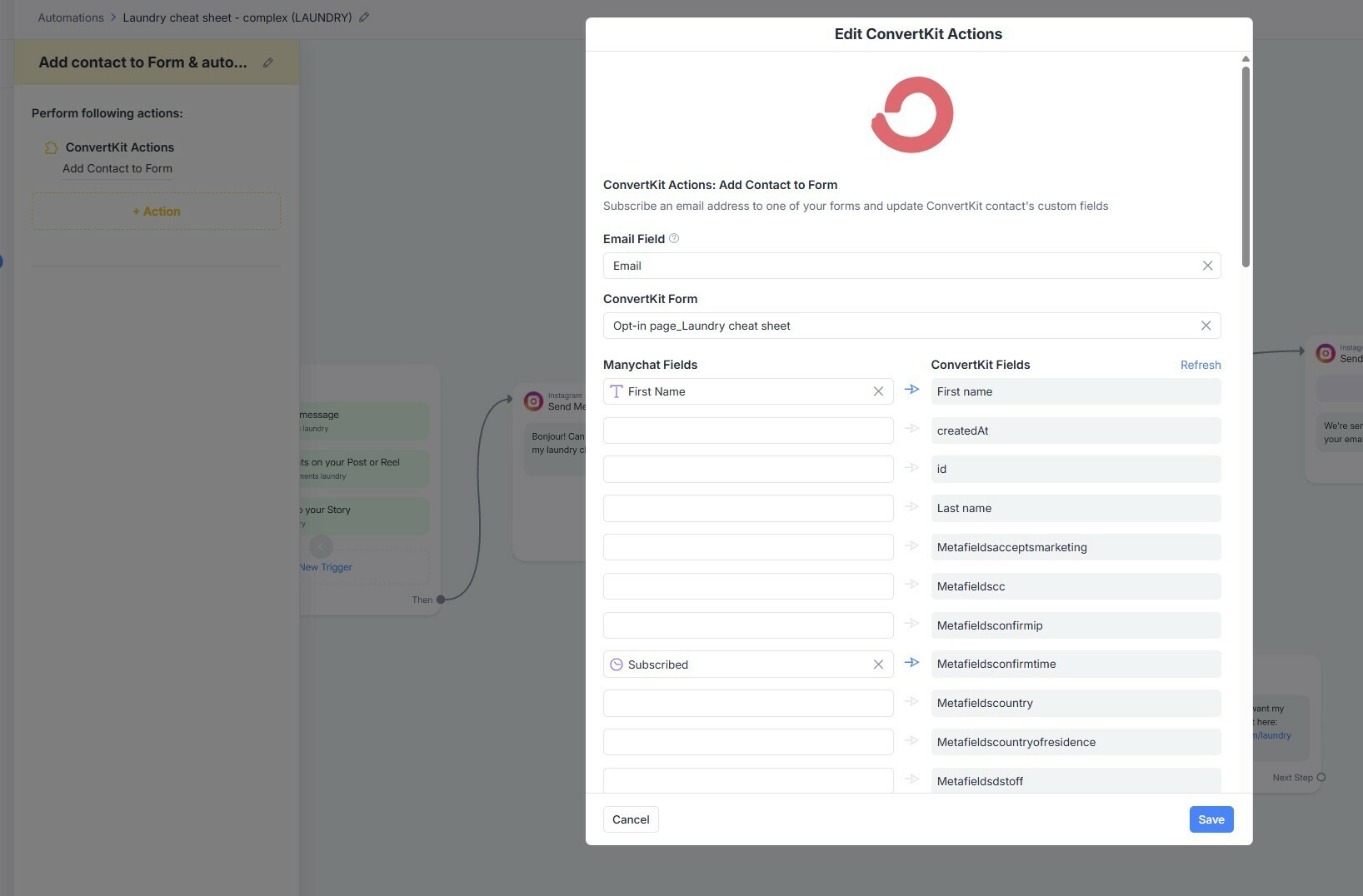
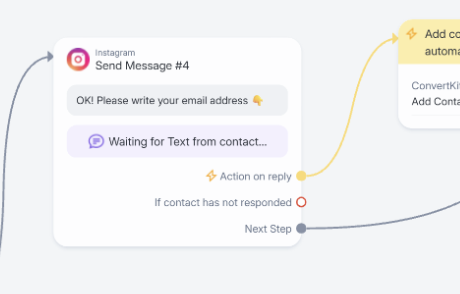
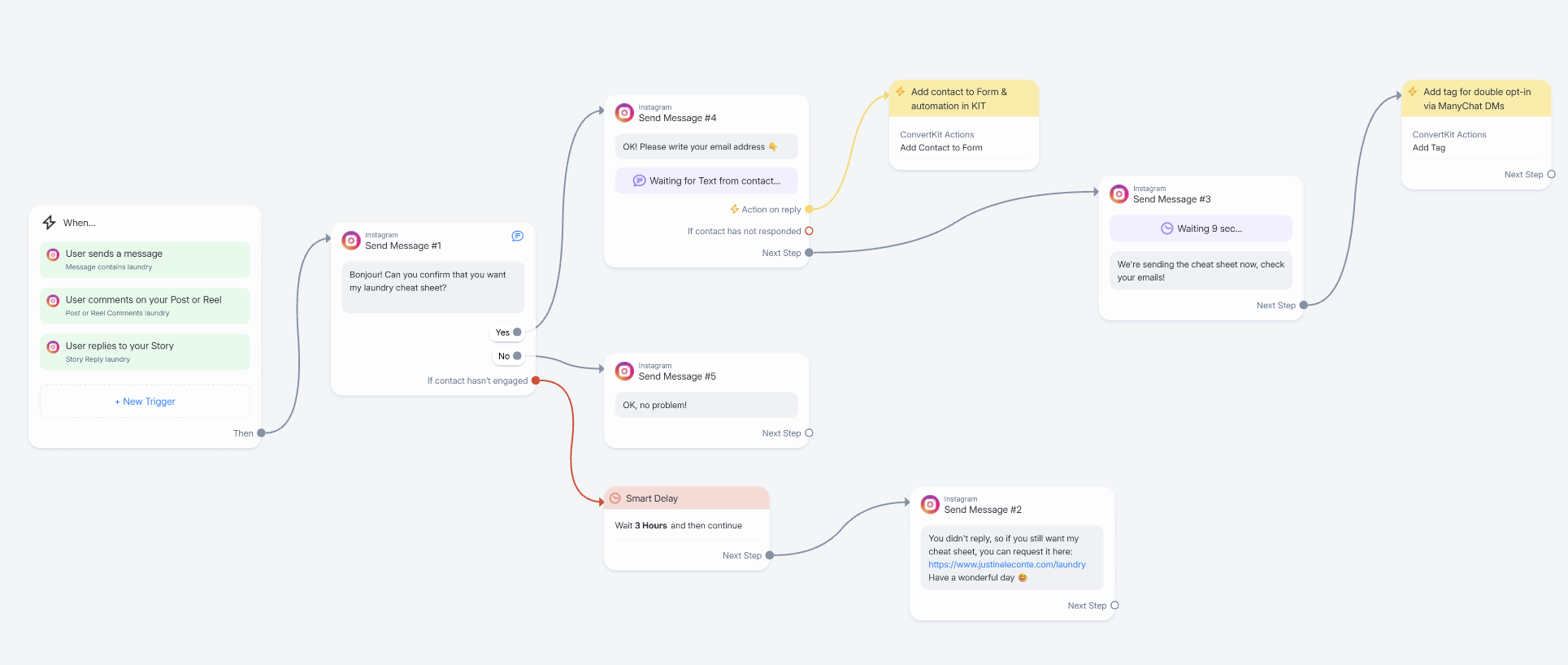
I have an issue with an integration from ManyChat to Kit. Here is the ManyChat automation: cf. screenshots.

The part happening in the ManyChat DMs is working, but then my test contact (email) isn't being added to the Kit form and my Kit integration doesn't start.
Meanwhile, when I opt-in directly via the Kit form, the automation starts and runs normally.

So the issue seems to be in the connection between Manychat and Kit.

Any advice? 
 

Best answer by Fabio Gaulke

Hi, ​@justineleconte!


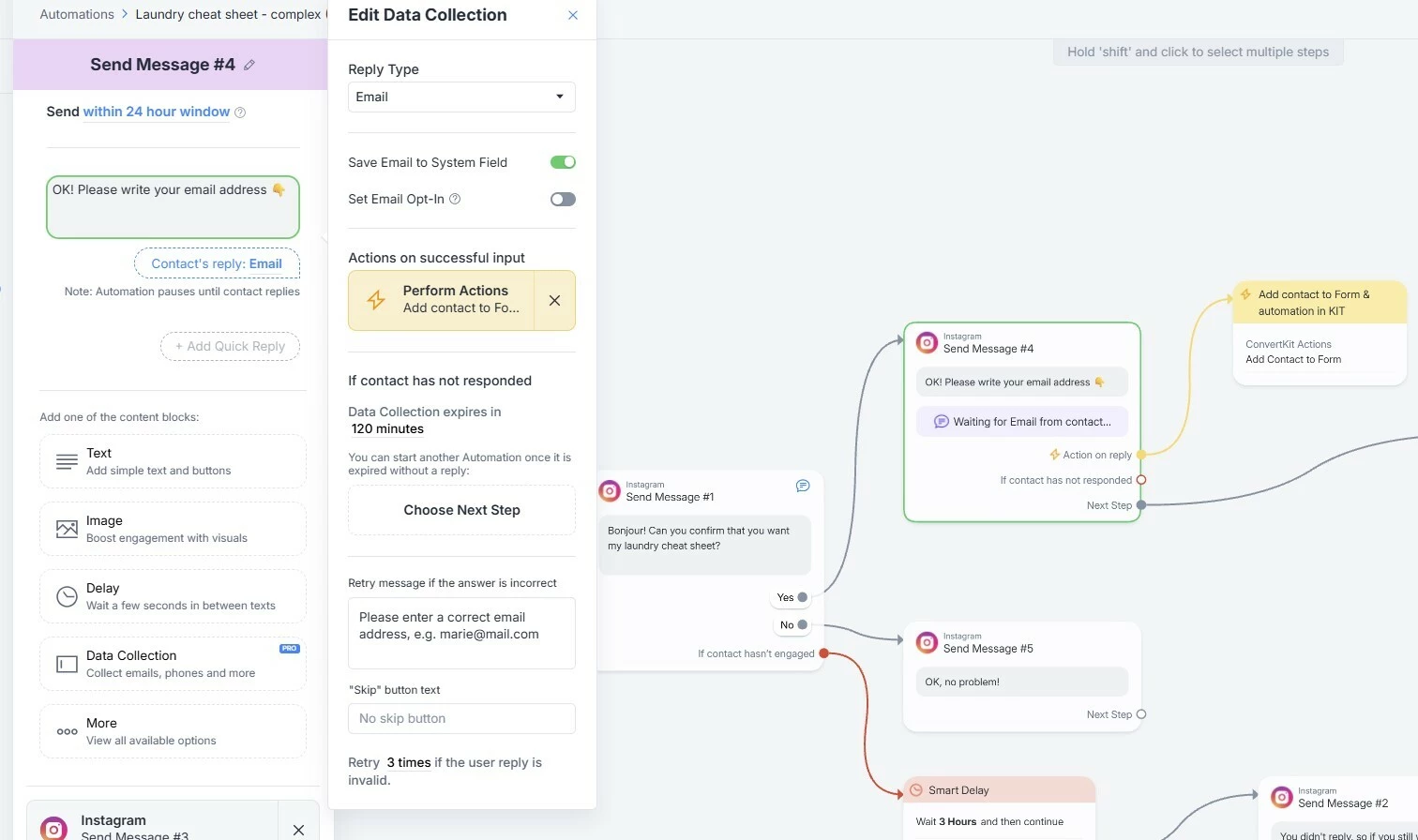
Is the email address being saved to the contact’s system field?


I would also test if creating a Custom Field and populating it with the email address works (using the custom fiel at your ConvertKit integration).

9 replies

Fabio Gaulke
Forum|alt.badge.img+3
  • Manychat Community Moderator
  • Answer
  • June 3, 2025

Hi, ​@justineleconte!


Is the email address being saved to the contact’s system field?


I would also test if creating a Custom Field and populating it with the email address works (using the custom fiel at your ConvertKit integration).


justineleconte
  • Author
  • Up-and-Comer
  • June 3, 2025

OK, the mistake was at the step Send Message #4: the blue field was “Text” instead of “Email”. I’m attaching a screenshot of the corrected setup for anyone else who might have that problem too.
Thanks for your help ​@Fabio Gaulke


julie77
  • Up-and-Comer
  • July 1, 2025

I just made that same mistake ---thanks ​@Fabio Gaulke 


neilptaylor
  • Up-and-Comer
  • January 16, 2026

I’ve set up my 1st automation, so when someone comments ‘XX’ i have a little chat, and collect their email

I’ve done Kit integration. 

But I cannot connect the automation/linking to Kit “Adding a Kit action to your automation”
I’m not even seeing this visual map. so I cannot add Action and do these instructions. 
HELP!


Fabio Gaulke
Forum|alt.badge.img+3
  • Manychat Community Moderator
  • January 16, 2026

Hi, ​@neilptaylor!


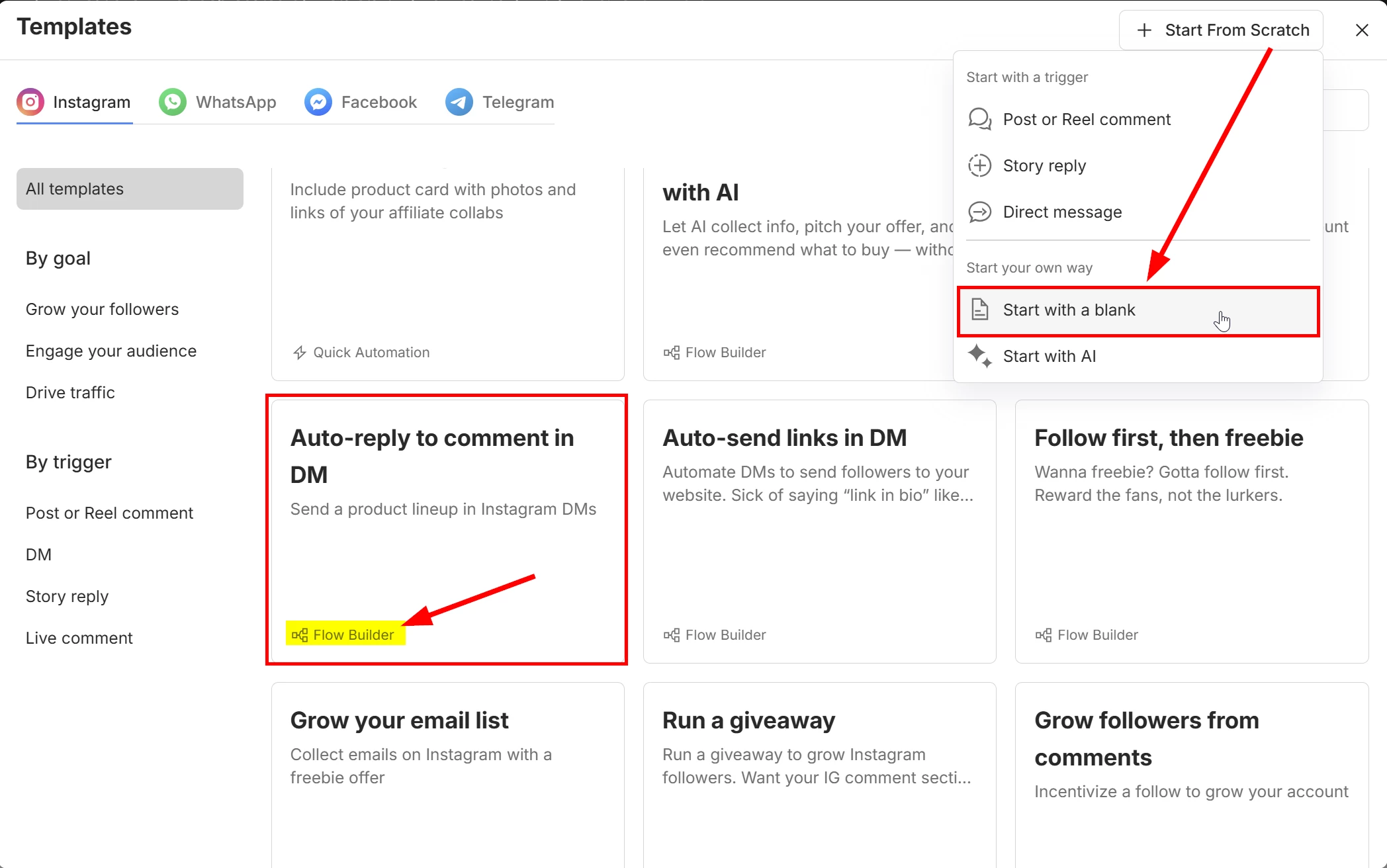
I’m 99,99% sure you’re using the “Quick Automation” template to build your automation. 😁 You need to select the "Flow Builder” template or even start from scratch to get to the classic builder and get access to actions, conditions and other advanced nodes.


neilptaylor
  • Up-and-Comer
  • January 16, 2026

thanks ​@Fabio Gaulke you were right!


I’m not struggling to ‘set live’ this flow builder automation. 

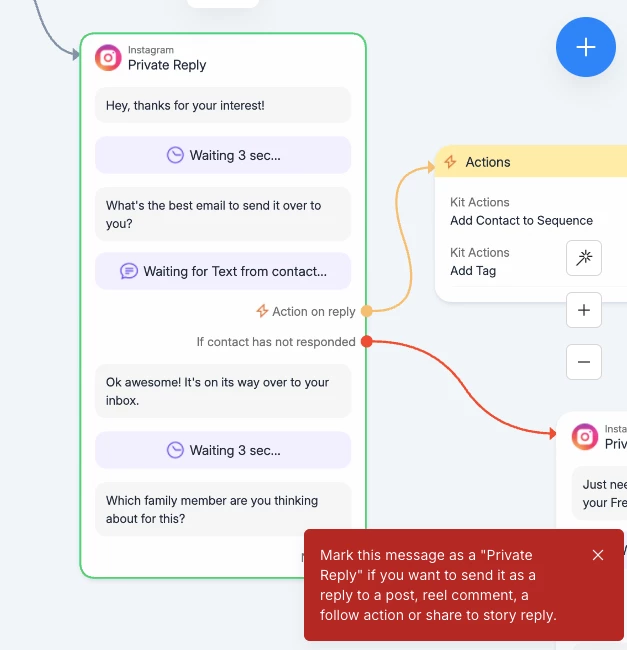
How do i mark this message as private reply - i retitled it which isn’t and can’t be right?!


Fabio Gaulke
Forum|alt.badge.img+3
  • Manychat Community Moderator
  • January 16, 2026

thanks ​@Fabio Gaulke you were right!


I’m not struggling to ‘set live’ this flow builder automation. 

How do i mark this message as private reply - i retitled it which isn’t and can’t be right?!


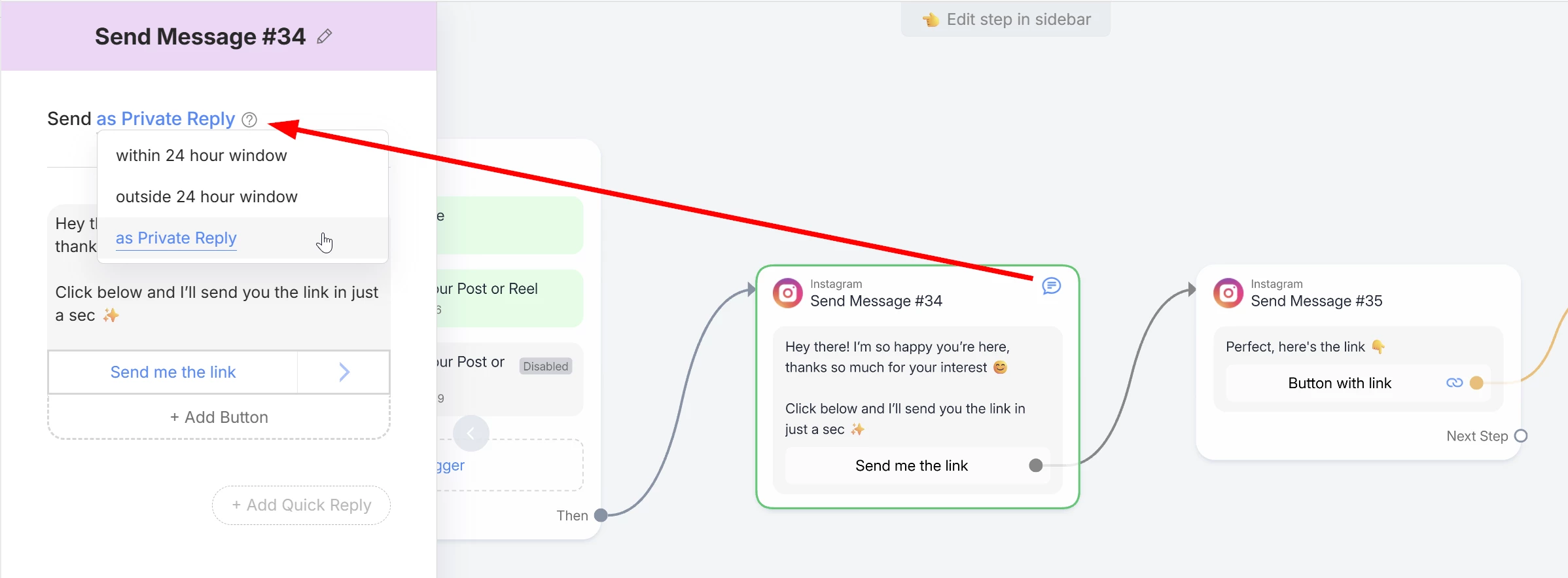
When you use the Post/Reel trigger, the first message right after the trigger must be set as Private Reply:

⚠️ And you can only set one text block with buttons in a Private Reply node.


Why?? Let’s talk about some Meta restrictions… 😅😂

This happens because Meta only allows you to send ONE message + button or quick reply after a comment trigger.

The user needs to interact with the button/quick reply in order to open a “Message Window”.

Only after the window is open, you’re allowed to send additional messages and continue the within the automation flow.


Therefore, with Post/Reel triggers, you need to build something like the flow in the image above. 😉


Hope this helps!


neilptaylor
  • Up-and-Comer
  • January 17, 2026

Thanks ​@Fabio Gaulke i think i’ve cracked it now - i’m pretty adept at these things but did not find that very intuitive. I feel like there should be an awesome loom video explaining the steps. 


neilptaylor
  • Up-and-Comer
  • January 17, 2026

one more for your wizardry skills ​@Fabio Gaulke 


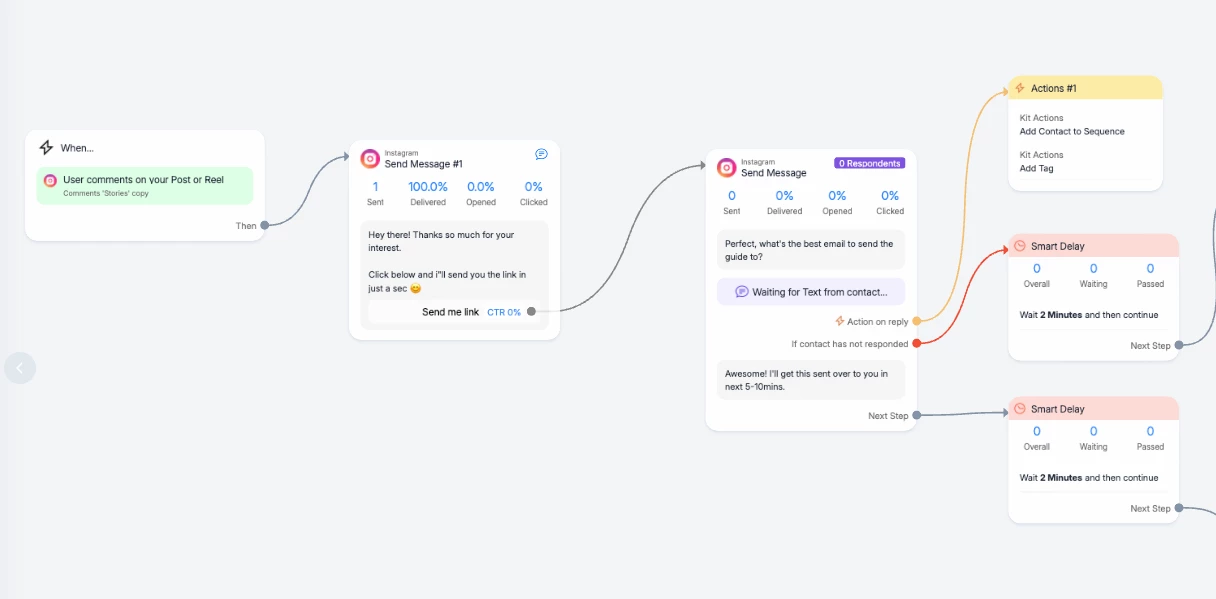
someone has come into the funnel, the link has been sent as per the automation - step 2 below, but they haven’t clicked it. 

Is there anything automate here with ManyChat so that I follow-up and get them into the flow? 
I can’t seem to link another action from that Step 2 to say ‘if they don’t click send them another message’

Appreciate your help!