Question

ManyChat keeps interrupting the flow

  • April 23, 2026
  • 3 comments
  • 27 views

misaoleo

Hello everyone,

I'm having the following problem.
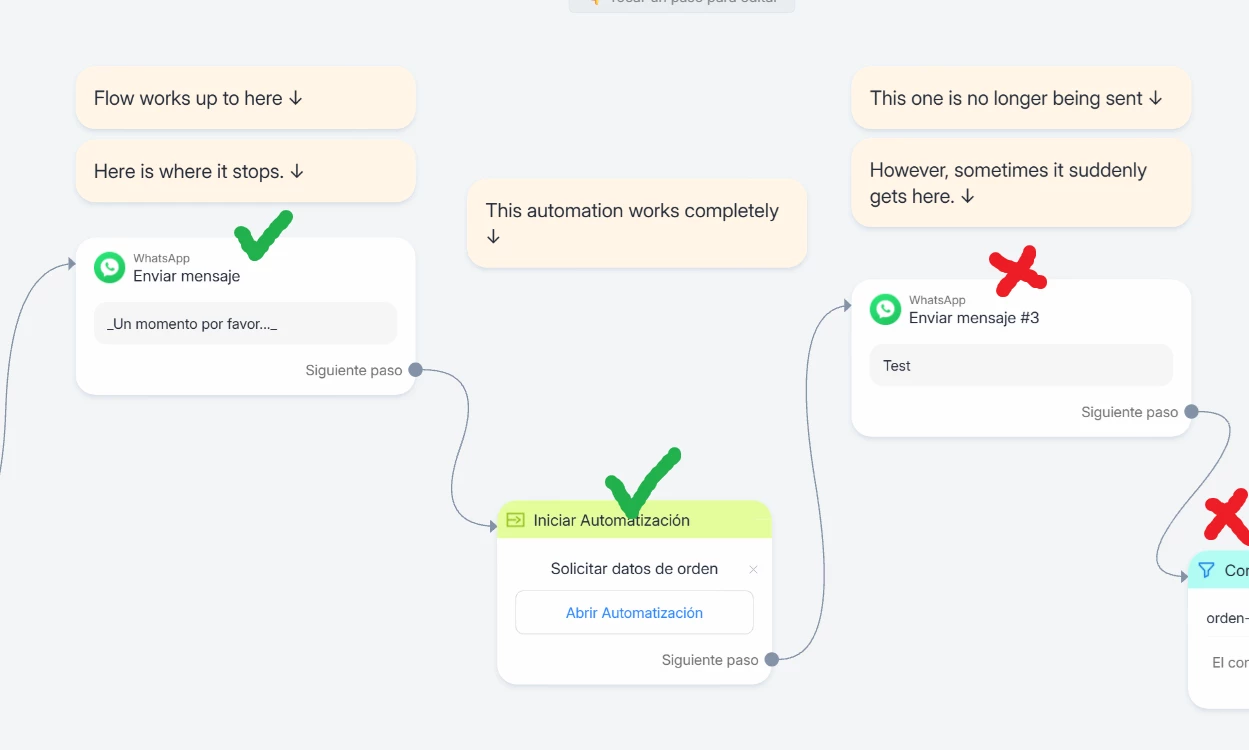
ManyChat keeps interrupting the flow for no apparent reason, at least not one I can understand after a thorough review.

As you can see in the screenshots, the system messages show exactly how far the flow has progressed. After that point, there's nothing to stop it; there's simply a message that needs to be sent, but it doesn't.

So, it seems to be some kind of bug. This is quite discouraging, as there's no solution to apply in this case, and it's worrying that the system is failing like this.

I hope I'm overlooking something and that you can help me fix it.

Thanks in advance.

Leo.
 

3 replies

Gustavo Boregio
Forum|alt.badge.img+7
  • Community Moderator & Expert
  • April 23, 2026

Hey ​@misaoleo how big is the automation in ‘Solicitar datos de orden’?

Manychat has a 30-steps limit. If the automation goes more than 30 steps without a pause or user interaction then it just stops. This is to avoid loops.

As a test, add a 10-seconds smart delay somewhere in the middle of your ‘Solicitar datos de orden’ automation and see if that works.

My bet is that this will solve it ;)


misaoleo
  • Author
  • Up-and-comer
  • April 23, 2026

Hi Gustavo!

You know, actually, while testing, I excluded a "Start Automation" block that's inside "Request Order Data," and the problem was solved.

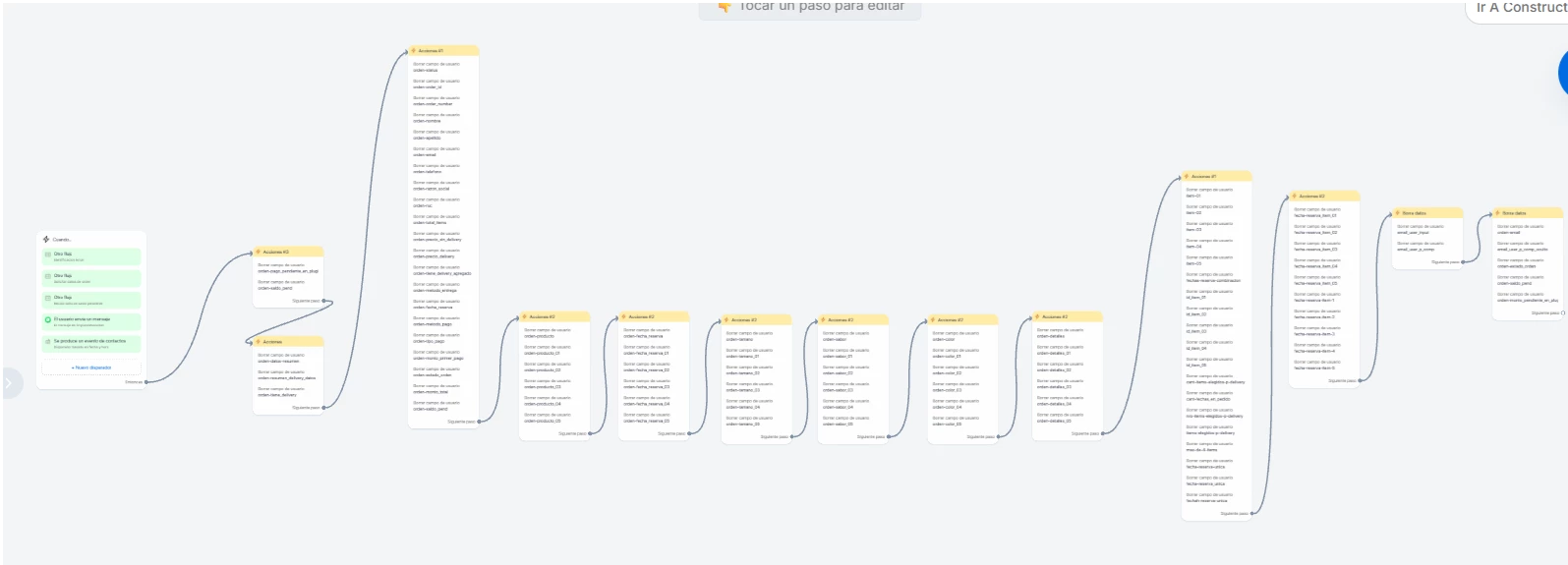
This block I excluded has several steps inside (see attached). So that's the answer... but let me see if I understand correctly, we shouldn't have too many steps consecutively within the same block?

If I need to add it back, would the best option be to insert a smart delay in between? Or split all that content into two separate blocks?

Thanks so much for your help.


Gustavo Boregio
Forum|alt.badge.img+7
  • Community Moderator & Expert
  • April 23, 2026

@misaoleo it’s 30 steps in total…

In your screenshot you have 13 steps (each rectangle is a step).

If you get to 30 consecutive steps, it stops!

The steps that reset the count are:

  • Smart Delays
  • Steps that stop and wait for user action (Data Collection, Quick Replies, Button Clicks to continue the automation)

If you have this problem, you have 2 fixes:

  • Optimize your automation to make it less than 30 steps
  • Add a smart delay somewhere in the middle to reset the count

Hope this helps!