Question

manychat whatsapp google sheet integration :(

  • December 9, 2025
  • 4 replies
  • 26 views

CIP82

Hi community,

New user here 😀

It’s been the second day I am still trying to integrate manychat, whatsapp and google sheets.

probably the problem is super easy for you gents, but anyway. I have now built event a one block flow, just to see some data being populated in Google sheets … but still no luck.

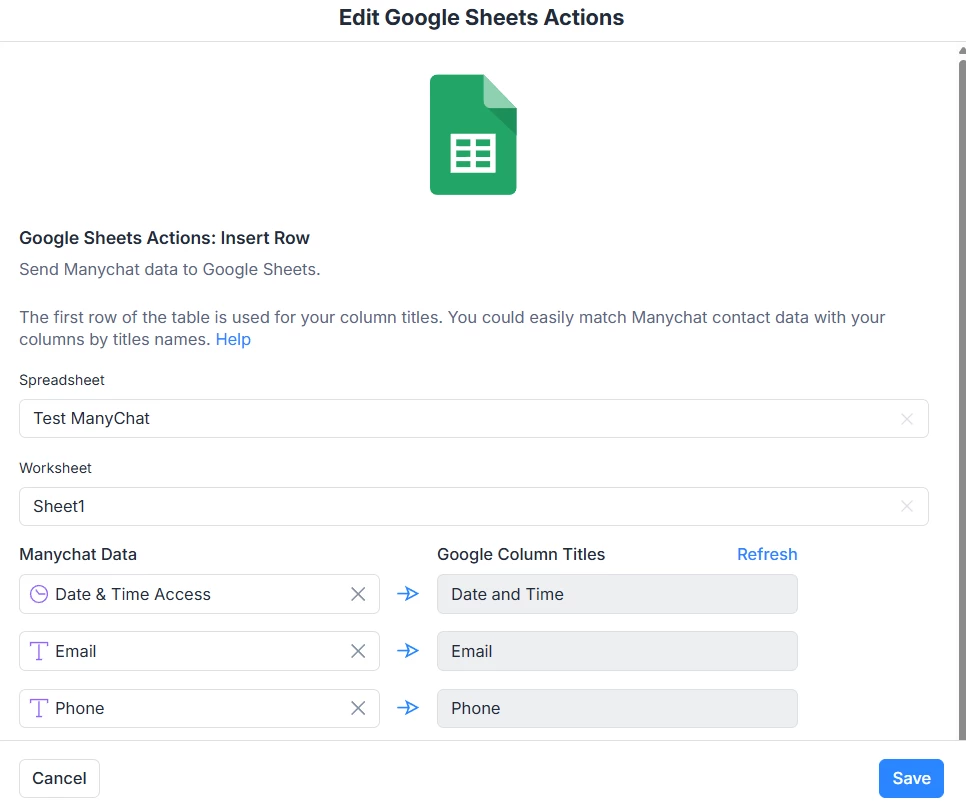
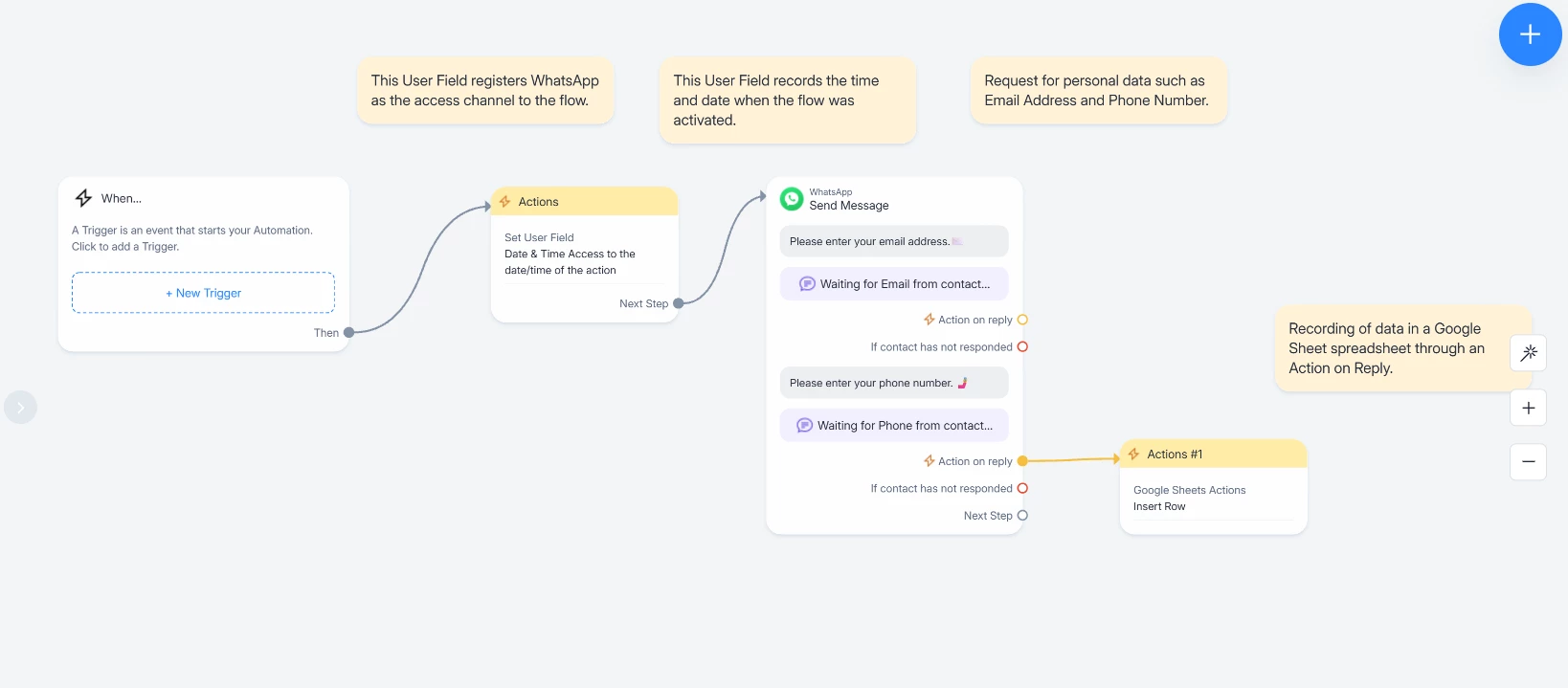
I have attached the flow and actions configuration. 

Really, where is the problem?

Thank you very much,

Cip
  

4 replies

Gustavo Boregio
Forum|alt.badge.img+6
  • Manychat Community Moderator
  • December 9, 2025

@CIP82 what’s the issue you’re having? No info being sent to the Google Sheet?

The setup looks ok.

Make sure the automation is published with no errors and try running it on a real scenario (you can setup a keyword trigger for example).

Also make sure you’re storing the Email and Phone data in the right fields (the same you’re using to upload to Google Sheets).


cata_rendon
Forum|alt.badge.img+4
  • Manychat Community Moderator
  • December 9, 2025

Hi ​@CIP82  welcome to Manychat and to the community! 😊
We’re happy to help.

From your screenshots, it’s not fully clear what the exact issue is — could you please specify what data you want to send to Google Sheets and what is not working on your side? For example:

  • Is the row not being created at all?

  • Or is it created but without data?

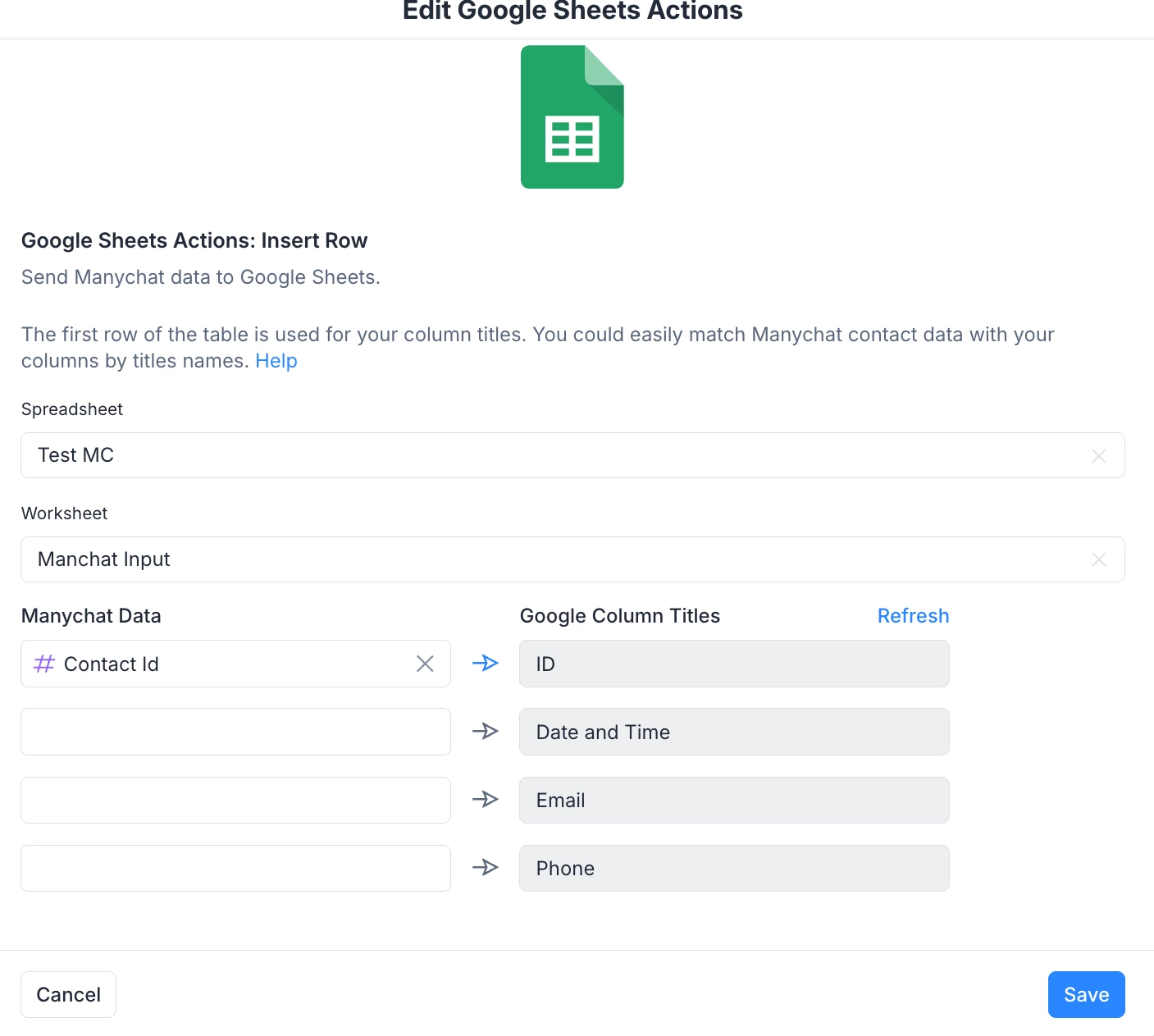
If your goal is simply to record every user who interacts with that flow, then you need to make sure your Google Sheet has a first column called “ID” (or any name you want), and inside that column you must send the Manychat system field #Contact ID.

This ensures that each new user generates a new row in Google Sheets with their unique ID and any other fields you map (email, phone, etc.).

I’m attaching an example configuration so you can compare it with yours.
Hopefully this helps you get it working!

Let me know if you need more help 🤗
Cheers,
Catalina R.


CIP82
  • Author
  • Up-and-Comer
  • December 9, 2025

Hi ​@CIP82  welcome to Manychat and to the community! 😊
We’re happy to help.

From your screenshots, it’s not fully clear what the exact issue is — could you please specify what data you want to send to Google Sheets and what is not working on your side? For example:

  • Is the row not being created at all?

  • Or is it created but without data?

If your goal is simply to record every user who interacts with that flow, then you need to make sure your Google Sheet has a first column called “ID” (or any name you want), and inside that column you must send the Manychat system field #Contact ID.

This ensures that each new user generates a new row in Google Sheets with their unique ID and any other fields you map (email, phone, etc.).

I’m attaching an example configuration so you can compare it with yours.
Hopefully this helps you get it working!

Let me know if you need more help 🤗
Cheers,
Catalina R.


Hi guys,

This Contact ID did the trick for my easiest example I was trying to replicate. Pretty awesome! 

Now, question … can I start this conversation … when a user clicks on a button or a link on my website? 

If I use the whatsapp link … then I arrive in whatsapp, but it seems that the conversation starts only after that “user” is sending me a message or smth.

How can I start / trigger this somehow automatically when a real user, this time, clicks a link on my website or a button ??

Thank you so very much,

Cip


cata_rendon
Forum|alt.badge.img+4
  • Manychat Community Moderator
  • December 9, 2025

Hi ​@CIP82 I am glad we could help! 😀

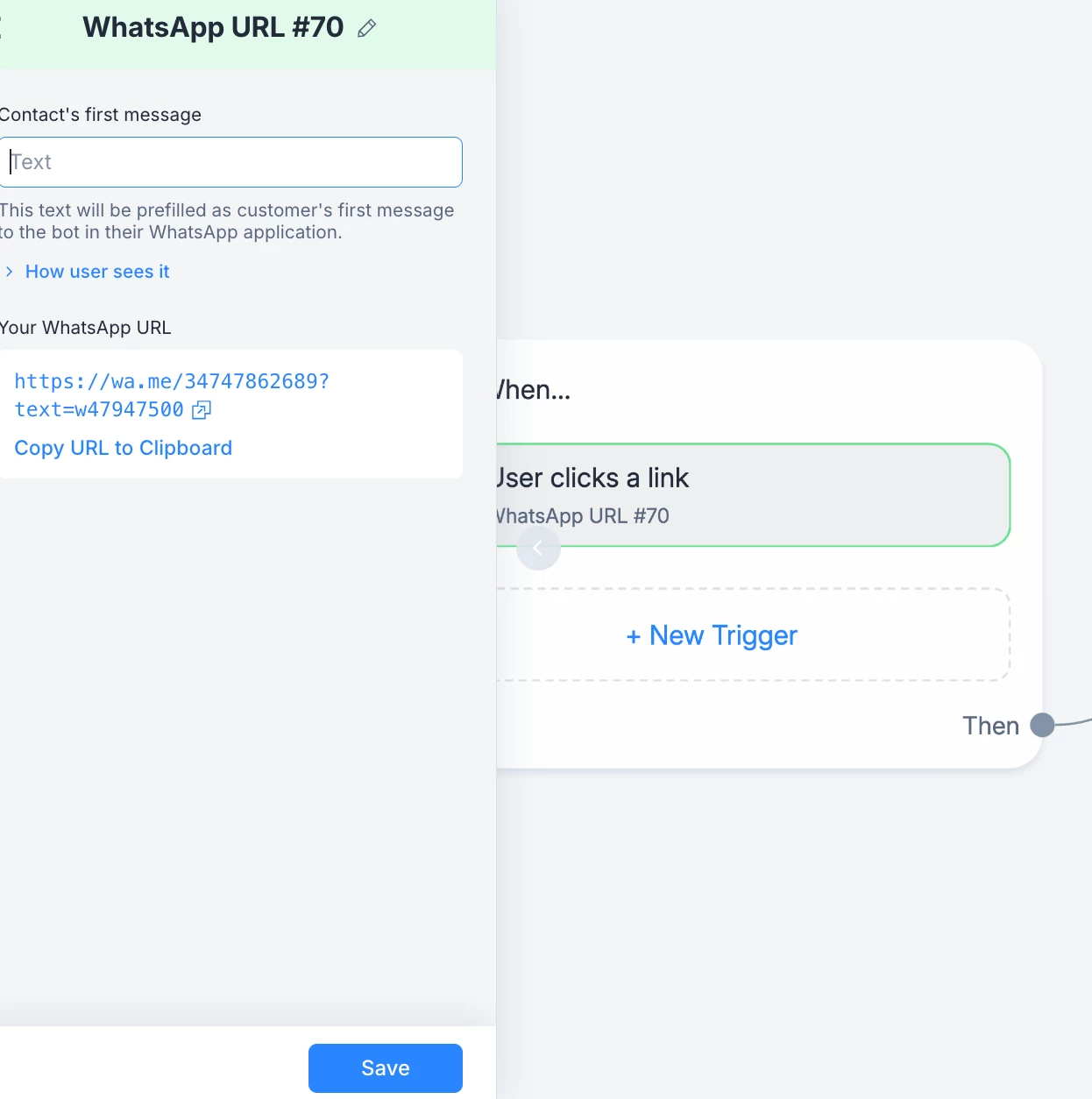
Regarding WhatsApp links - they don't automatically start conversations. Users must “send a message” first to trigger your automation.  What you can do is to create a WhatsApp Ref URL with a prefilled message that contains a keyword to activate an automation. (See image below) 

You can also set up the Manychat Pixel on your site to track website clicks and trigger actions based on user behavior. This lets you fire conversion events when users click buttons on your site.

Here's the setup guide: https://help.manychat.com/hc/en-us/articles/14281244168476-Manychat-Pixel

Hope this helps!

Catalina R"