

Met ads problems -messenger answear

  • March 13, 2026
  • 3 comments
  • 27 views

SKIEPKO

Hello, I have a problem. I have connected my meta business site to manychat, but in the message templates on meta, I can't find the message template from manychat. Partners app not appearing. Free version, does it matter? 


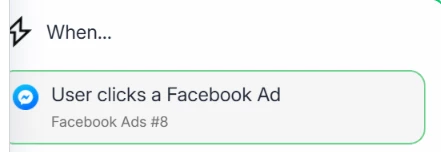
Sequence: Facebook ad redirects to Messenger, you have three questions to choose from. Depending on which one you click, ManyChat will send the answer.

3 replies

Devtrest
  • Up-and-Comer
  • March 13, 2026

I don’t think this is because you’re on the free plan.

Usually with Click-to-Messenger ads, you don’t pick a Manychat message template inside Meta. The normal setup is to create the Facebook Ads Trigger inside Manychat and connect the ad there.

I’d check these first:

  • make sure you created a Facebook Ads Trigger in Manychat and linked the correct ad

  • make sure Manychat is set as the default Messenger app for that Facebook Page

  • make sure the right Facebook Page is connected to Manychat

So basically, you usually won’t see a “Manychat template” inside Meta message templates. The flow is normally set up from the Manychat side, not directly inside Meta.


SKIEPKO
  • Author
  • Up-and-Comer
  • March 13, 2026

Select this automation in Ads Manager. - I don't have this option in Ads Manager. My trigger is as in the screenshot.


cata_rendon
Forum|alt.badge.img+5
  • Community Moderator
  • April 13, 2026

Hello, I have a problem. I have connected my meta business site to manychat, but in the message templates on meta, I can't find the message template from manychat. Partners app not appearing. Free version, does it matter? 


Sequence: Facebook ad redirects to Messenger, you have three questions to choose from. Depending on which one you click, ManyChat will send the answer.

Hi ​@SKIEPKO, I had had the same issue myself, probably due to Meta´s bug. However try to refresh your connection, and follow the instructions for Ads Triggers:

https://help.manychat.com/hc/en-us/articles/14281372007196-Facebook-Ads-Trigger

https://help.manychat.com/hc/en-us/articles/14281321942428-Instagram-Ads-Trigger

https://help.manychat.com/hc/en-us/articles/17154181720476-WhatsApp-Ads-Trigger


Here is guide on how to refresh IG connection:

  1. Instagram permissions A quick fix that often helps is refreshing your Instagram permissions in ManyChat.
    You can do this by going to your ManyChat account and clicking Help → Refresh Permissions.
  2. Follow the official IG automation troubleshooting guide
    This step-by-step guide covers several edge cases that can cause comment automations to stop firing and is very helpful for diagnosing issues like this:
    https://help.manychat.com/hc/en-us/articles/14281308423452-Instagram-automation-troubleshooting

Also try to do the trigger configuration and testing from Manychat´s business owner account and Meta´s business owner account. Sometimes this helps, specially with WhatsApp channel.

Cheers,
Cata Rendon
