Question

My Pro Account is since 2 months inactive....no comments or reaction.

  • May 15, 2026
  • 7 comments
  • 22 views

fossi75

My Insta account @christian_forstner had in the last week more then 10 Mio. Views and thousends of comments.
But no comments from Manychat...everthing is fully set up in Manychat.

Please help!
Thank you!

7 replies

SumGeniusAI
Forum|alt.badge.img
  • Smooth talker
  • May 15, 2026

Hey Christian, with 10M views and zero Manychat runs, this is almost always an Instagram connection issue on Meta's side. A few things to check in order:

1. Reconnect Instagram inside Manychat. Settings → Channels → Instagram → Disconnect and reconnect. Meta has been pushing scope refreshes throughout 2025 and 2026, and old connections silently stop receiving comment events. Your last working automation was 2 months ago, which lines up almost perfectly with one of those refreshes.

2. Verify Manychat is still authorized on Instagram's side. Open Instagram app → Settings → App Website permissions→ Apps and websites. Manychat should be listed with full access. If it's missing or shows "limited", that's your problem.

3. Confirm your account is still Business or Creator. Personal accounts can't run automations. If something flipped, nothing works.

4. Check for hidden comments. Instagram's spam filter gets aggressive when posts go viral (10M views will trigger it hard). Pick a top reel, scroll to the bottom, tap "View hidden comments". If the ones containing your keywords are getting filtered, Manychat never sees them.

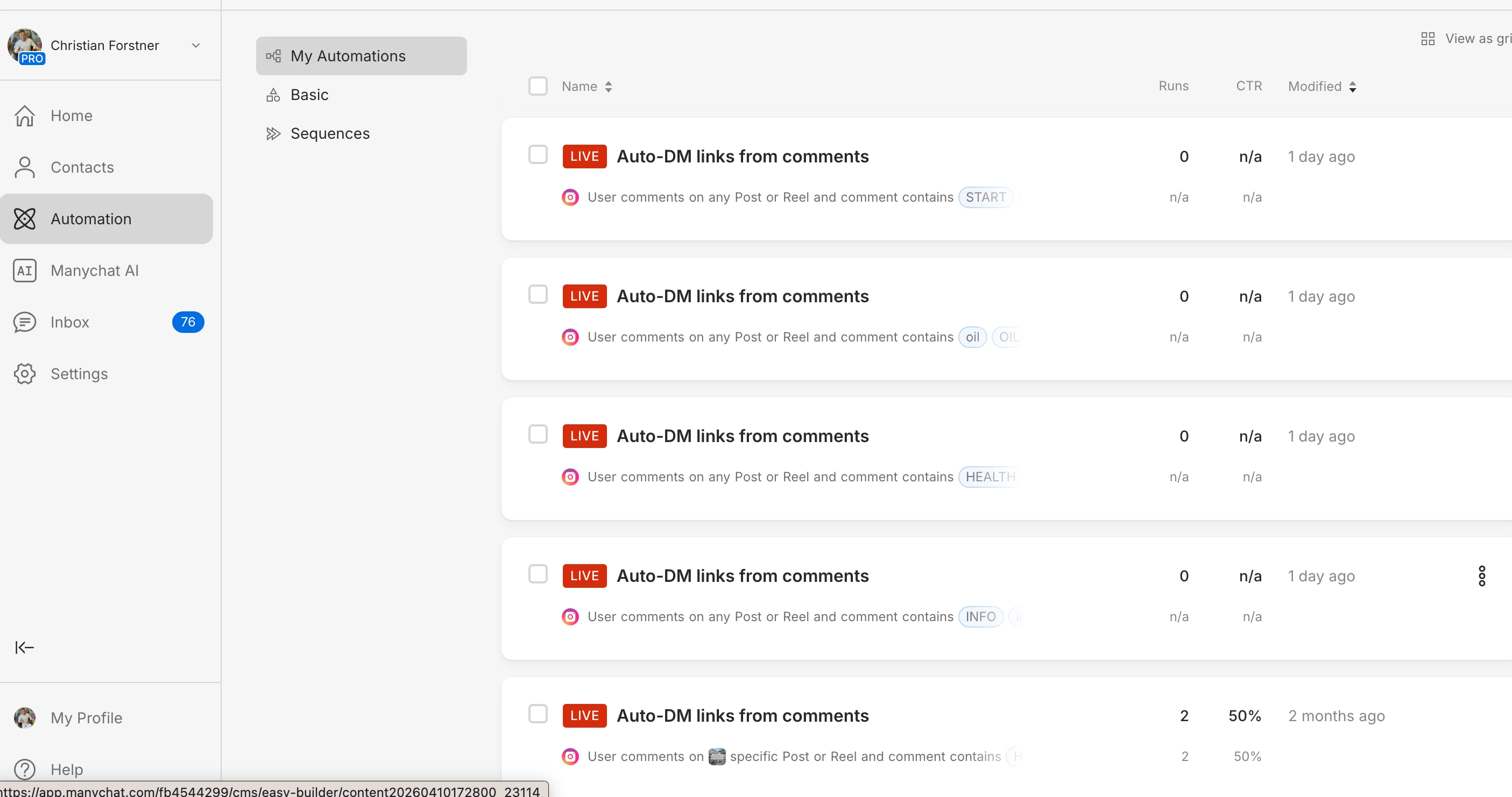
5. You have 5 separate automations all listening on "any Post or Reel". When a comment comes in, only the first matching automation per user fires. If two keywords overlap (or even share letters in some setups), the rest go silent. Worth consolidating into 1 or 2 automations with multiple keyword routes.

Step 1 fixes this 80% of the time. Reconnect, drop a test comment on a recent reel with one of your keywords, and watch the runs counter.


fossi75
  • Author
  • Up-and-comer
  • May 15, 2026


fossi75
  • Author
  • Up-and-comer
  • May 15, 2026


fossi75
  • Author
  • Up-and-comer
  • May 15, 2026

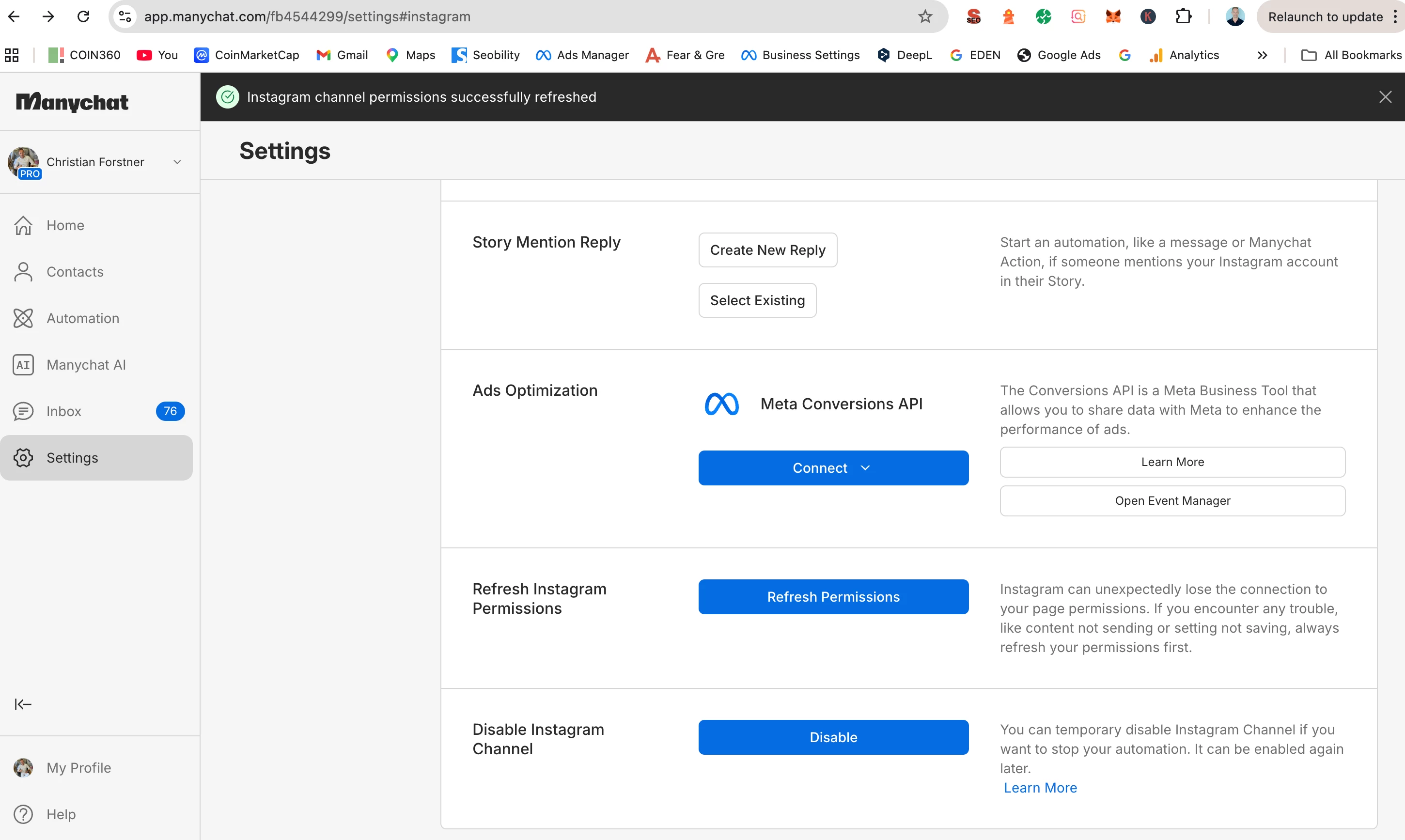
i can only find disable and the enable  is DONE
Refresh Premission DONE! See screenshot


fossi75
  • Author
  • Up-and-comer
  • May 15, 2026

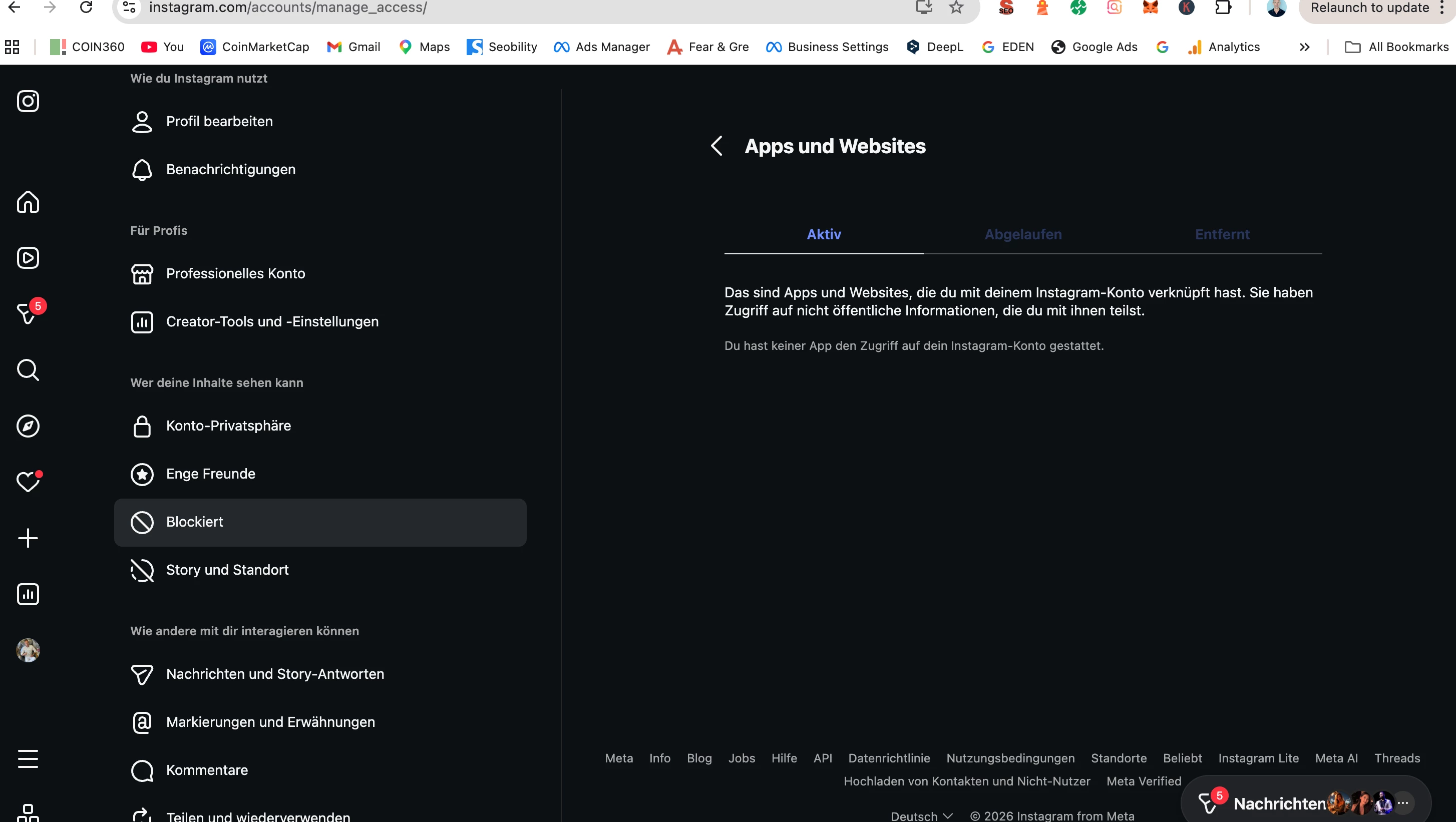
Creator Account in instagram but in APPS and Website is nothing NO MANYCHAT!!


fossi75
  • Author
  • Up-and-comer
  • May 15, 2026


same in my iphone App !!! 


SumGeniusAI
Forum|alt.badge.img
  • Smooth talker
  • May 15, 2026

There are three different ways to connect Instagram to ManyChat, and each stores authorization in a different place. Check all three to figure out which one applies to you:


1. Connect Via Meta → Meta Business Settings → Integrations

2. Connect Via Instagram (direct IG OAuth) → Instagram → Settings → Apps and Websites

3. Connect Via Meta Business Suite (through Facebook Page) → Facebook → Settings → Business Integrations


If ManyChat is missing from the spot that matches your connection method, the authorization is fully dead and Refresh Permissions won't bring it back.

If your connection is genuinely missing AND Refresh Permissions doesn't fix it, the only real reset is removing ManyChat from all relevant Meta surfaces (Facebook Business Settings, Instagram app permissions, etc), clearing browser cache, then reconnecting. If even that fails, ManyChat support has to reset the connection from their backend.