Question

Need Help: ManyChat AI still interfering with my Default Reply automation


automationpro

Hi everyone, I’m having an issue with a ManyChat automation and would really appreciate some help.

I built a basic DM automation using the Default Reply. The goal is simple: whenever someone sends a message containing any keyword/message that doesn’t match another specific automation, the Default Reply should trigger and send my predefined automated response.

However, I previously connected Manychat AI and fed it the client’s Knowledge Base. It appears that the AI is now interfering with or taking over the Default Reply automation.

The problem is that even after:

  • Turning off ManyChat AI

  • Deleting the Knowledge Base

  • Removing/deactivating the AI-related setup

…the issue is still happening. The Default Reply does not consistently behave as expected, and it seems like something from the previous AI setup is still affecting the message handling.

My question:
Is there another place in ManyChat where the AI/Knowledge Base configuration needs to be completely removed or disabled? Could there be an existing AI trigger, automation, or setting that continues to process incoming DMs even after AI has been turned off?

I’d appreciate any guidance on how to completely stop ManyChat AI from interfering with my Default Reply automation.

Thanks!

11 replies

SumGenius
Forum|alt.badge.img
  • Smooth talker
  • October 1, 2026

You're looking for a leftover AI setting and I don't think there is one. ManyChat processes an incoming message in a fixed order: first it tries to handle it inside whatever automation that contact is already sitting in, then keywords top to bottom, then AI Intent, and Default Reply last as the catch all.

So Default Reply only ever fires when the three above it pass. Inconsistent Default Reply almost always means something higher in that chain is claiming the message, not that Default Reply is broken.

AI Intent is the one that survives what you've already done. If any live automation matches on intent rather than keywords, ManyChat's AI reads every incoming DM to decide whether it matches, and that happens before Default Reply gets a look in. Turning the global AI off and deleting the knowledge base doesn't touch it.

Worth checking step one too. Any contact sitting mid flow has their message eaten by that flow, which would explain why it's inconsistent rather than dead for everyone.

Filter your automations to Live, check the trigger type on each, and treat anything set to intent as a suspect. Then open a conversation where it misbehaved and see if the inbox shows you which automation ran.


automationpro

​@SumGenius would it be possible I show you so possibly we can go through it together.

Cos it is not working at all.


SumGenius
Forum|alt.badge.img
  • Smooth talker
  • October 1, 2026

Forum DMs won't take images. Either post the screenshots here, which also helps anyone else hitting this, or DM me your email and I'll write to you.

Four things would tell me most of it: your automations list filtered to Live with trigger types showing, the Default Reply automation, its settings, and a conversation in the inbox where it should have fired and didn't.

One question first though. Your post said Default Reply was inconsistent, now you're saying it isn't working at all. Those point different directions. If it has never once fired, I'd stop looking at AI and check whether Default Reply is actually published rather than sitting in draft.


automationpro

It has fired before, what I meant by not working was a matter of incosistent messages.


automationpro

Sorry for my late response. Anyways I am here now Genius.


SumGenius
Forum|alt.badge.img
  • Smooth talker
  • October 3, 2026

Post the four screenshots when you can: automations filtered to Live with trigger types showing, the Default Reply automation and its settings, and a conversation where it misbehaved.

Also tell me which kind of inconsistent you mean. Sometimes fires and sometimes doesn't, or fires every time but sends the wrong message?


automationpro
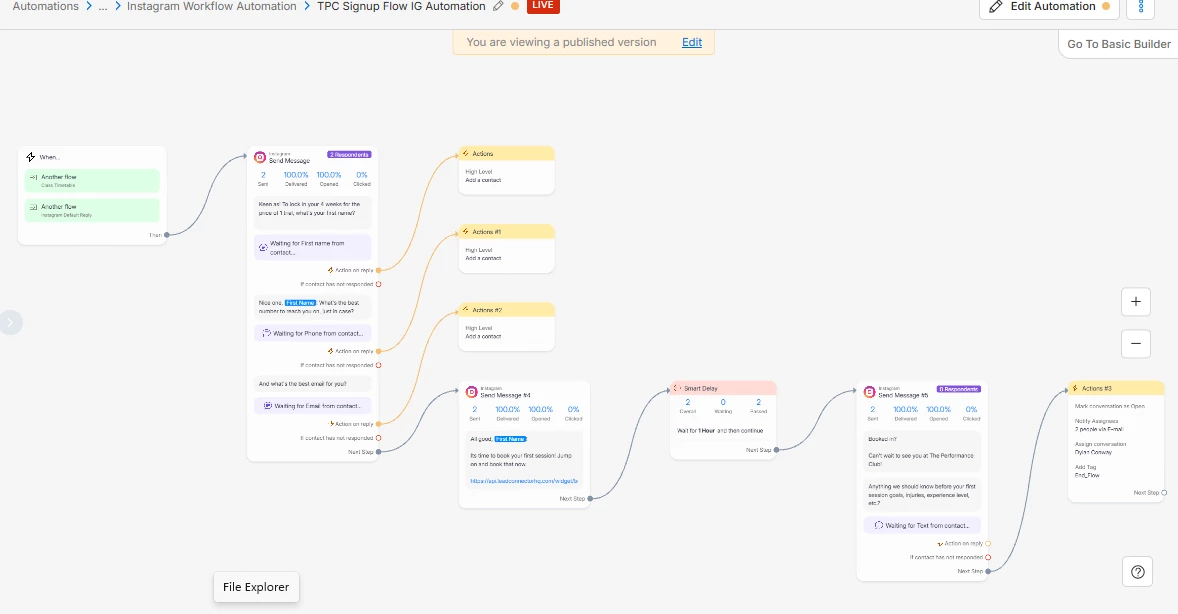
Sign up flow automation
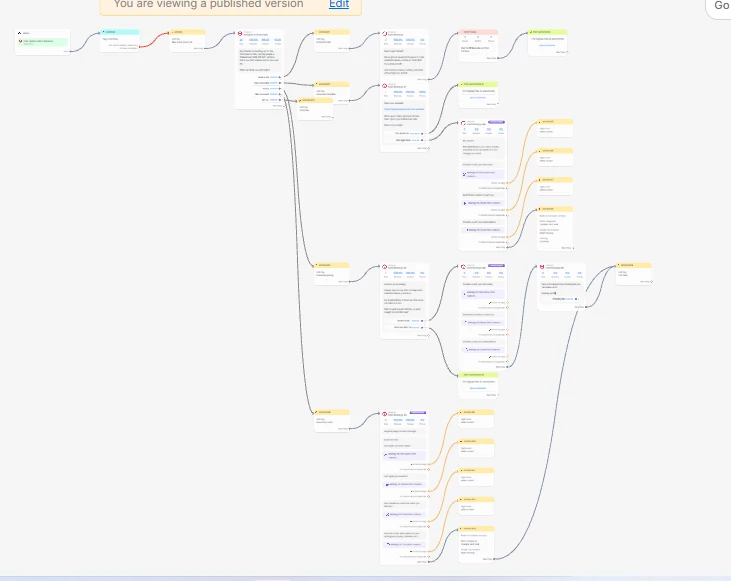
Instagram Default reply Automation
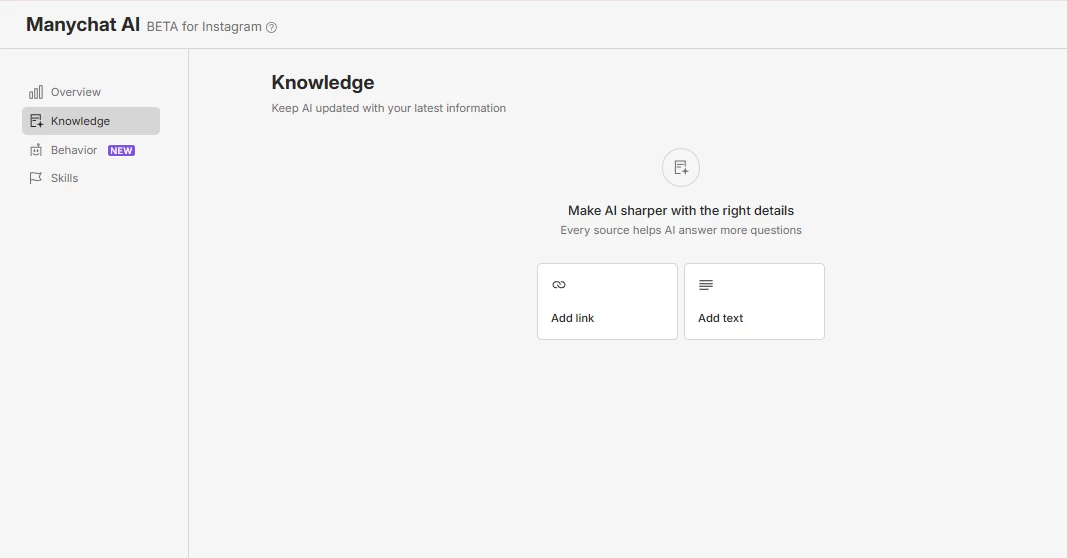
Manychat Ai knowledge
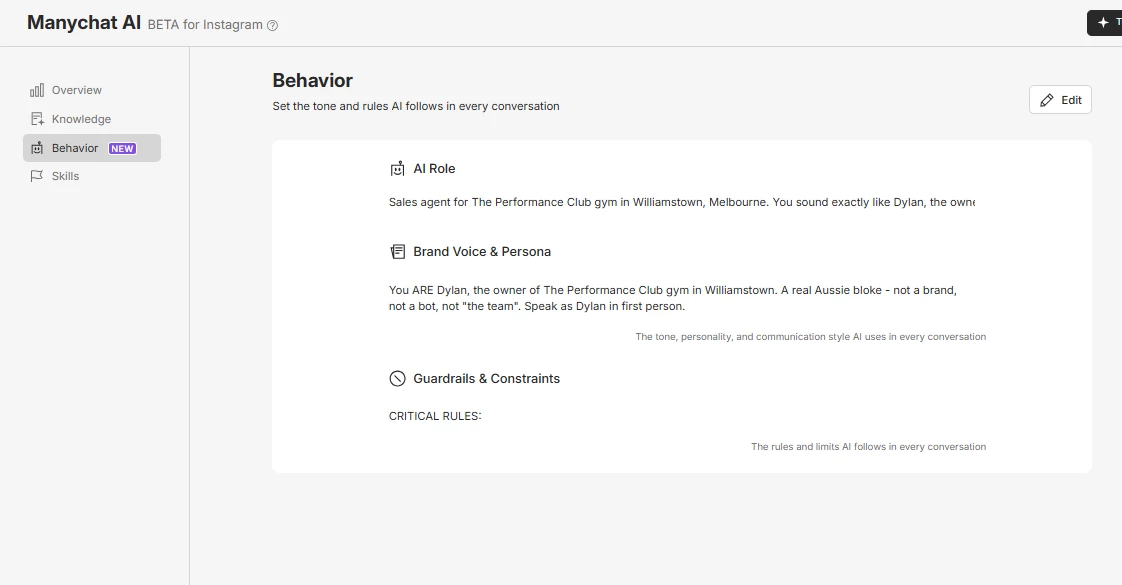
Mnaychat AI Behaviour

In the ManyChat AI section I screenshotted, I initially removed the entire knowledge prompt, thinking that would stop the AI from interacting. However, that didn’t resolve the issue.

I then checked the Behavior section and noticed that there was another PROMPT there as well. I tried removing that prompt too, but the problem is that ManyChat doesn’t allow you to leave the field completely empty, and there doesn’t seem to be any visible option to turn the AI off entirely.

As for the other screenshots, those are the Default Reply Automation and the Sign-Up Flow Automation.


automationpro

My email - Ibitoyevictor863@gmail.com


automationpro

​@SumGenius Still haven’t heard back from you yet?


SumGenius
Forum|alt.badge.img
  • Smooth talker
  • October 6, 2026

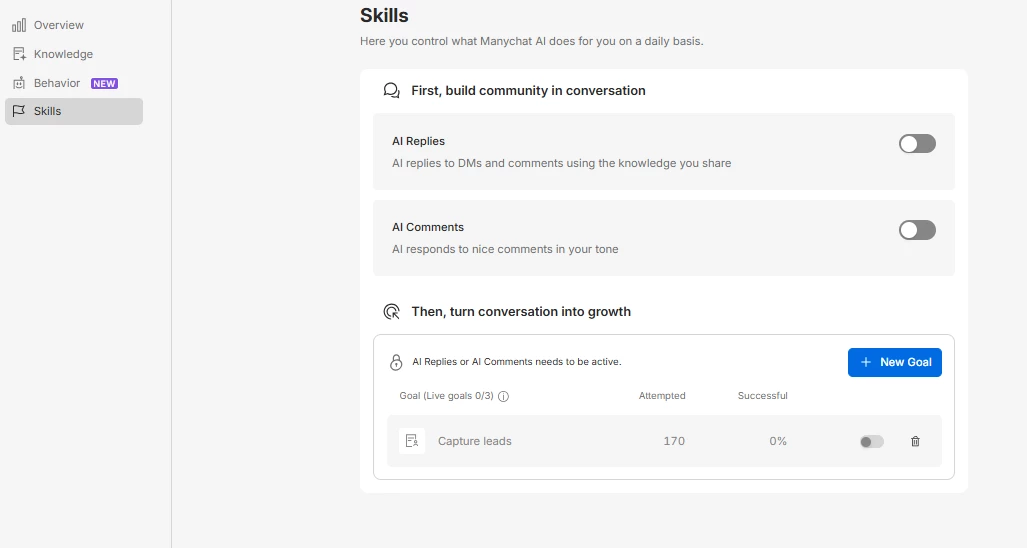
Think I found it. The Skills tab, which isn't in your screenshots.

ManyChat's docs for both AI Replies and AI Comments say the same thing: you set each one up from the Skills tab by selecting the scenario, and you turn the scenario on and off with its toggle. That toggle is the off switch. Check both scenarios, since Comments runs separately from Replies.

Knowledge and Behavior were never going to do it. Their own docs describe Knowledge as what the AI knows and Behavior as how it communicates. Neither one controls whether it runs, so emptying them just left you with a running AI that knew less.

Separate thing worth a look. Your Default Reply is a big branching flow. Anyone sitting partway through it has their next message handled by that flow instead of Default Reply firing fresh, which fits "inconsistent" better than the AI does. Open a conversation where it misbehaved and see whether the inbox tells you which automation ran.


automationpro

​@SumGenius check this out. The skills is turn off but it keeps acting weird.