Question

PLEASE HELP- Mistakenly Deleted the User follows your account instagram trigger

  • February 26, 2026
  • 4 comments
  • 25 views

uche

Hi everyone,

I was setting up the “Say Hi to New Follower” automation and accidentally deleted the “User Follows Your Account” trigger for Instagram.

I checked the list of available triggers to try to add it back, but I can’t find it. Please how can I get it back. Thank you very much 

4 replies

Joren Wouters
Forum|alt.badge.img+7
  • Manychat Community Expert
  • February 26, 2026

@uche Go to Settings > Instagram > Say Hi to new followers. Here, you can click on “Select Existing” and connect it to the automation you already have.


Manaia45t
  • Up-and-Comer
  • February 26, 2026

In ManyChat, go to Settings > Instagram > Say Hi to New Followers, then click Select Existing to reconnect the “User Follows Your Account” trigger to your automation. This restores the deleted trigger without recreating it.


uche
  • Author
  • Up-and-Comer
  • February 26, 2026

Hi ​@Joren Wouters  ​@Manaia45t  thank you so much for replies!!


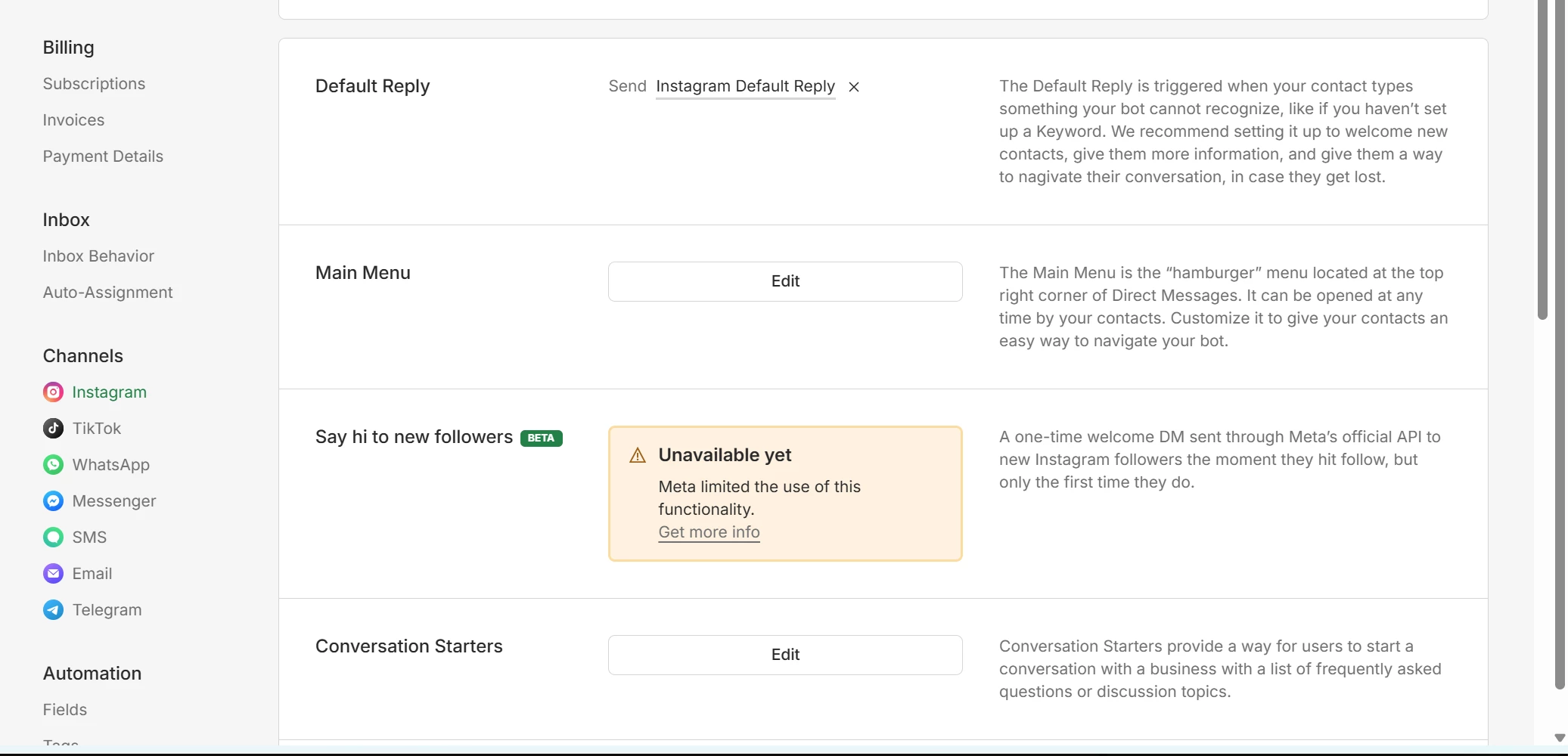
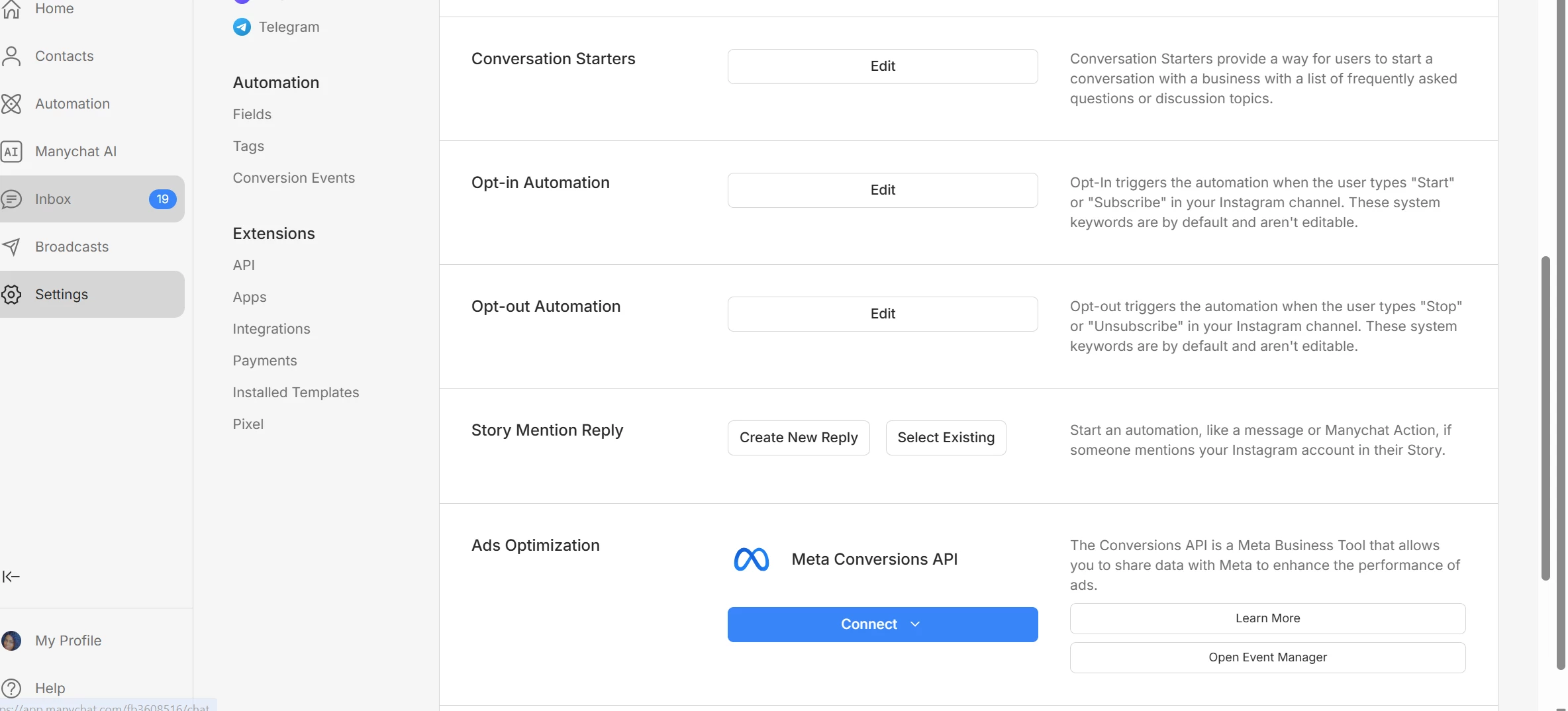
I checked but I can’t see it, I added the screenshot of what I am seeing 


cata_rendon
Forum|alt.badge.img+4
  • Community Moderator
  • February 26, 2026

Hi everyone,

I was setting up the “Say Hi to New Follower” automation and accidentally deleted the “User Follows Your Account” trigger for Instagram.

I checked the list of available triggers to try to add it back, but I can’t find it. Please how can I get it back. Thank you very much 

Hi ​@uche , A quick fix that often helps is refreshing your Instagram permissions in ManyChat.
You can do this by going to your ManyChat account and clicking Help → Refresh Permissions.

If it does not work, it would be good for you to contact support team, here is a guide on how to get help:  How to get support from Manychat – Manychat Help


Best Regards,

Catalina Rendon