Say hi to new followers issue

  • November 18, 2025
  • 5 replies
  • 281 views

AndreFilipe

I just went live with this new feature, and I feel something isn’t right.



As you can see, there are 376 executions but only 20 sends. 


Can someone explain this to me?

5 replies

maggie.karantonakis

I can’t properly update permissions to use mine :( They said there is an on-going issue and it is being resolved! 


AndreFilipe
  • Author
  • Up-and-Comer
  • November 19, 2025

Thanks. Do you know where they said that? 


Fabio Gaulke
Forum|alt.badge.img+3
  • Manychat Community Moderator
  • November 19, 2025

Hi, ​@AndreFilipe!


I’ve been seeing some accounts with the same or similar issues with the New Follower DM feature.

Manychat seems to be working with Meta to address all these issues. It is a super new feature and even the beta phase was very fast with some users. Now that it is available to all Manychat users, new issues will appear. 🙃


With some clients, we tried disconnecting the IG channel and reconnecting it from scratch and it worked better, but all we can do is test some things. 

IMPORTANT: if you remove any channel from your Manychat account, the contacts created through them will be deleted, but the automations remain untouched.


And you can always open a ticket to Manychat’s support team. They will be able to investigate it further: How to get support from Manychat – Manychat Help


And ​@maggie.karantonakis… This problem to connect via IG is a Meta known issue and they are working on it. Unfortunately, there's no estimate date for a solution.


However, there’s a workaround that is working for some users so far:

  1. When you click the “Update Permissions” button, you’re redirected to business.facebook.com.

  2. Copy the URL from your browser and paste it into a text editor (like Notepad.

  3. Replace every occurrence of “IG” in the URL with “FB”

    • default_business_login_option=IG → default_business_login_option=FB

    • login_options[0]=IG → login_options[0]=FB

    • (except for the part that contains “config” - don’t change that one!)

  4. Remove this entirely: is_ig_oidc_with_redirect=1

  5. Copy your new modified URL and paste it back into your browser.

That’s it! You can now connect to Facebook, and everything should work perfectly!

Hope this helps.

🙌


LouiseG
  • Up-and-Comer
  • February 11, 2026

@Fabio Gaulke This workaround worked for me, thanks! I was able to login to Meta for Business, integrate Manychat with my Instagram account there, and was redirected back to Manychat where I received a success banner that says “Instagram channel permissions successfully refreshed” 🎉

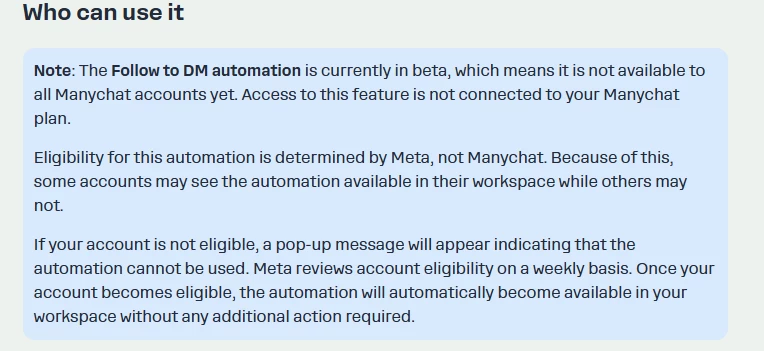
Update: A message then appeared to say “Since Follow to DM is in Beta, Meta limited access and your Instagram isn’t eligible right now.” I’ll have to come back to this when it’s available to me.


Fabio Gaulke
Forum|alt.badge.img+3
  • Manychat Community Moderator
  • February 11, 2026

@Fabio Gaulke This workaround worked for me, thanks! I was able to login to Meta for Business, integrate Manychat with my Instagram account there, and was redirected back to Manychat where I received a success banner that says “Instagram channel permissions successfully refreshed” 🎉

Update: A message then appeared to say “Since Follow to DM is in Beta, Meta limited access and your Instagram isn’t eligible right now.” I’ll have to come back to this when it’s available to me.


oh, I see… Meta is in fact rolling this out very slowly. Unfortunately, you'll need to wait until Meta enables it to your account.


I have some clients that also are waiting to get access to it… 🫠