Solved

Second smart delay not working

  • January 3, 2026
  • 6 replies
  • 54 views

Bossfemme

Hi

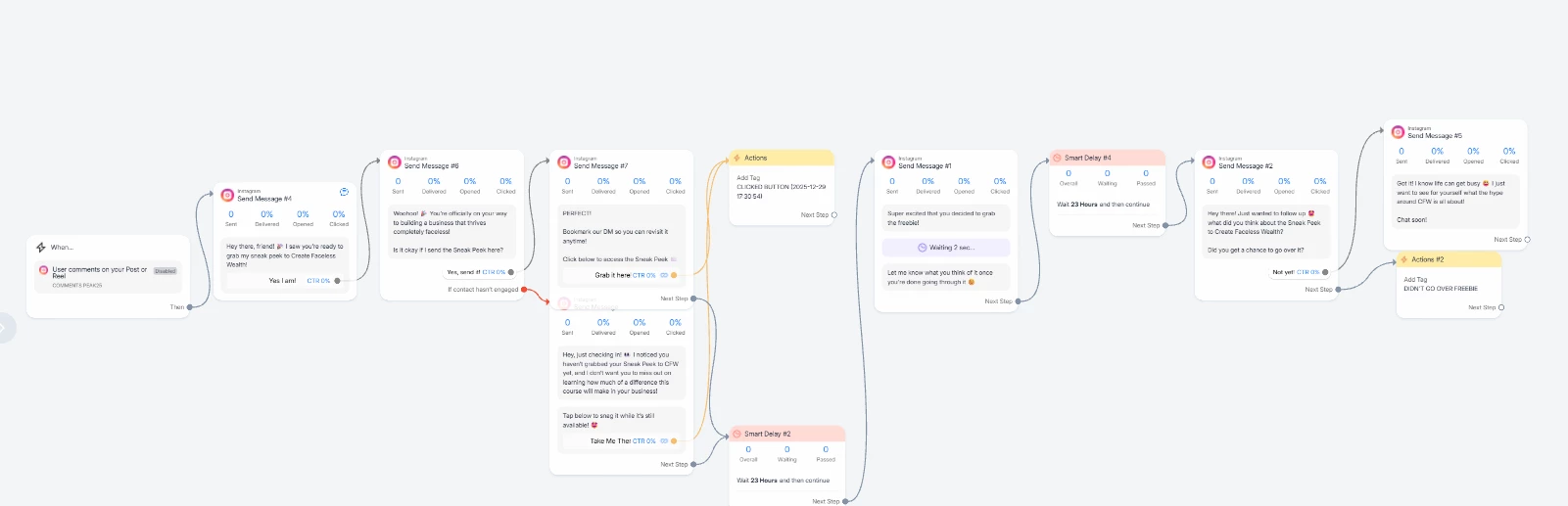
I have an issue I had not had before with smart delays.

I have message sequences with several smart delays. All work but not the last. It was working but since my last update of the sequence (just message content changes) I get an error messages.

I set the smart delay to 23 hours and it tells me it need to be below 24 hours (???). Even if I put one hour I get an error. Then I tried minutes and it also only accepts if it is 23 minutes or below.

I really think this is some kind of glitch. It was working before without any issue.
 

Best answer by Gustavo Boregio

@Bossfemme you’re going over the 24 hours, so this message is not sending.

Here’s some more information on the 24 hours rule:

https://help.manychat.com/hc/en-us/articles/14281199732892-How-to-send-messages-outside-the-24-hour-and-7-day-windows-in-Messenger-and-Instagram

6 replies

Gustavo Boregio
Forum|alt.badge.img+7
  • Manychat Community Moderator & Expert
  • Answer
  • January 5, 2026

@Bossfemme you’re going over the 24 hours, so this message is not sending.

Here’s some more information on the 24 hours rule:

https://help.manychat.com/hc/en-us/articles/14281199732892-How-to-send-messages-outside-the-24-hour-and-7-day-windows-in-Messenger-and-Instagram


Bossfemme
  • Author
  • Up-and-Comer
  • January 5, 2026

Hi Gustavo
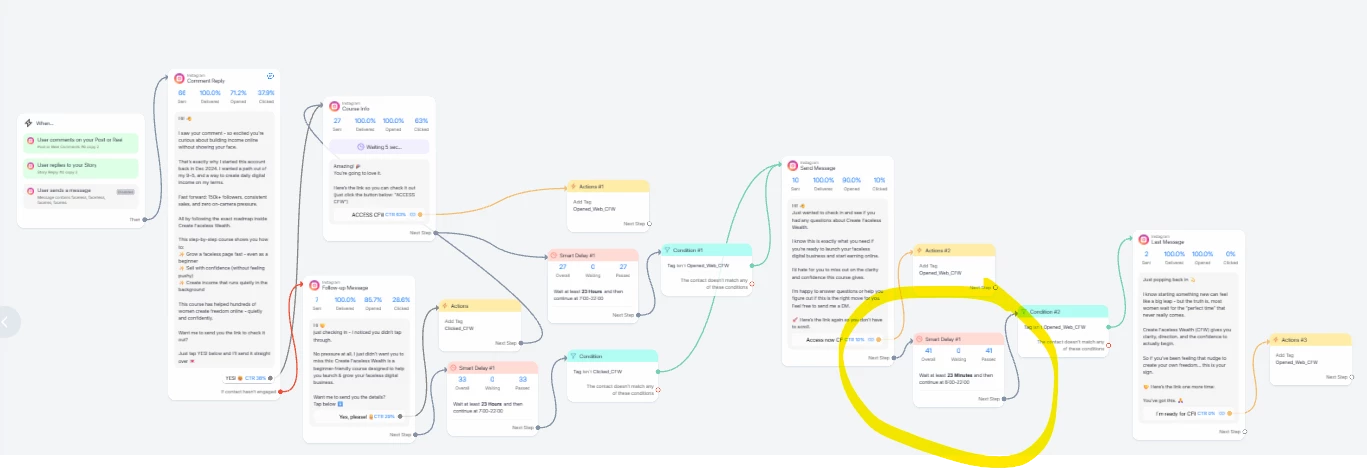
I don´t understand the feedback. I have another where it works. there is a second delay set to 23 hours and no error.


Fabio Gaulke
Forum|alt.badge.img+3
  • Manychat Community Moderator
  • January 5, 2026

Hi Gustavo
I don´t understand the feedback. I have another where it works. there is a second delay set to 23 hours and no error.


Gustavo is 100% correct. The second delay will only work if the contact sends you any DM in the last 24h.

If someone doesn't reply to you after 24h, Meta won't allow any message to be sent via automation. If any message is sent, it means that there was an DM interaction from that user/contact in the last 24h.


Gustavo Boregio
Forum|alt.badge.img+7
  • Manychat Community Moderator & Expert
  • January 5, 2026

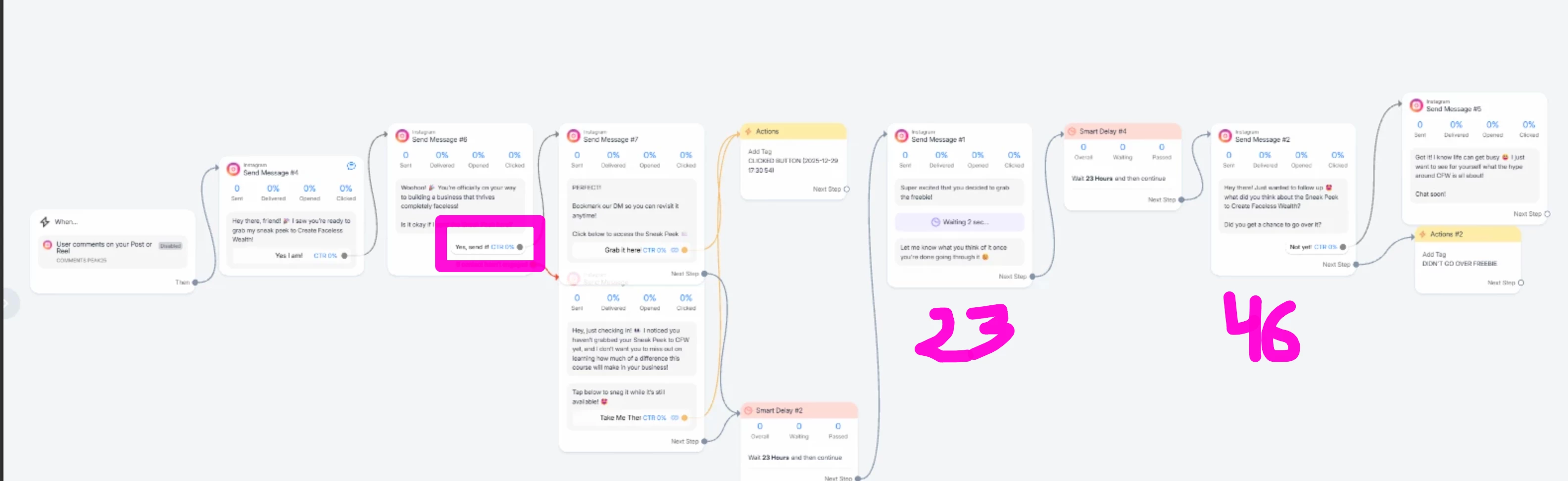
@Bossfemme the 24 hours rule says that you can send messages to your users up to 24 hours after their last interaction (which is either a button click that triggers a message, or that they type something).

In your case, the last interaction is when they click the quick reply (marked with the square.

The first follow up message is 23 hours after that last interaction → no issues here.

The 2nd follow up is 46 hours after the last interaction. This is outside the 24 hours, so it will not be delivered.

To make this work, you have to either get the user to engage or keep your interactions all within the 24 hours.


Bossfemme
  • Author
  • Up-and-Comer
  • January 6, 2026

Gustavo
understood but then why in the first example I sent, does the flow builder not let me set the 2nd delay to 24 hours?
In the second example the builder lets me build the complete flow including the 2nd delay, but the second delay won´t work under certain conditions (this clear).

But in the first example flow I sent, I am not even able to set the second delay beyond 23 min.
Still do not understand why.

I am overseeing something?


Gustavo Boregio
Forum|alt.badge.img+7
  • Manychat Community Moderator & Expert
  • January 13, 2026

@Bossfemme it’s because the 23 min extra is already outside the 24 hours window.

Manychat is checking that all messages are within 24hrs from the last engagement. If they aren’t, it’ll let you know with the error.