Question

Setup Uncertainity

  • March 11, 2026
  • 43 comments
  • 232 views

Show first post

43 replies

Bar Bits
  • Author
  • Rising Conversationalist
  • March 20, 2026

Need a little help. I am testing my automation. The problem I ran into is how the ebook was delivered. The user on the DM received a Google Drive link which they couldn't open because they dont have account. How can I deliver a PDF on the DM. 

I read this...”ManyChat recently added native PDF attachment support for Instagram, so you can attach the PDF directly in the DM.

Can someone explain how I do this? 

I see the Add Link button when clicked, Button Label and URL for Link pop up. My ebook resides on Google Drive. So I shared this link along with the button label, Access Guide. 
The user received the actual Google Drive link via his DM not the PDF?


Thanks!


Bar Bits
  • Author
  • Rising Conversationalist
  • March 20, 2026

Please see attached Why don’t I see the lines that you drag around, which connect to boxes? I can only see the left panel which is where I enter all the info. I just see a phone image 


Bar Bits
  • Author
  • Rising Conversationalist
  • March 20, 2026

Hello…

Two questions. 
When a user enters their email address via the IG automation I set up, a link is then sent for them to Acess My Ebook. I know this email address shows up in ManyChat, but what about my Mailer Lite account that I have working in sync with ManyChat. I dont see the email address in Mailer Lite?

Secondly, because I am asking for an email address before I send the Guide, does an email go out to the user with the guide link, as well as a link sent through IG DM? 


Bar Bits
  • Author
  • Rising Conversationalist
  • March 20, 2026

Oh, I forgot one more question.
After the user receives the Guide, which is a freebie, my plan is to have another message go out the following day with a link to buy the entire guide. This link goes to a landing page. Can I set up this next day automation through ManyChat, or is this not possible? Just trying to send the upsell out 24 hours later. 

If I can configure ManyChat to send out another message 24 hours later, please guide me through this. 

Thanks, Steve 


rodrigo_silvano
Forum|alt.badge.img+4

Ok great. I assume I can switch back n forth to make changes, etc.,..?


You won’t need to go back and forth because you will have two identical automation (one for each channel you choose).


rodrigo_silvano
Forum|alt.badge.img+4

Need a little help. I am testing my automation. The problem I ran into is how the ebook was delivered. The user on the DM received a Google Drive link which they couldn't open because they dont have account. How can I deliver a PDF on the DM. 

I read this...”ManyChat recently added native PDF attachment support for Instagram, so you can attach the PDF directly in the DM.

Can someone explain how I do this? 

I see the Add Link button when clicked, Button Label and URL for Link pop up. My ebook resides on Google Drive. So I shared this link along with the button label, Access Guide. 
The user received the actual Google Drive link via his DM not the PDF?


Thanks!
 

Regarding this question, if you want to share the link, on google drive you need to check if the sharing permissions are ok.

If you prefer to send a PDF directly, now you can do it on Manychat:

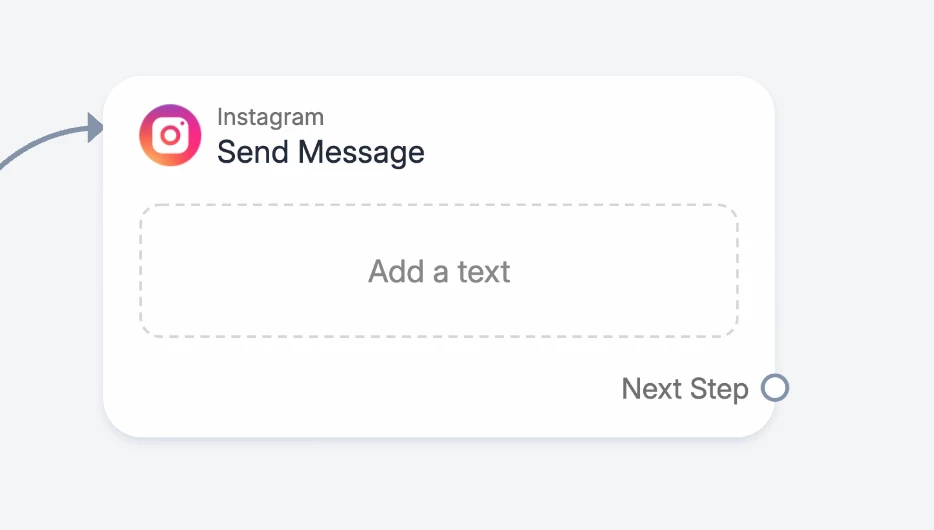
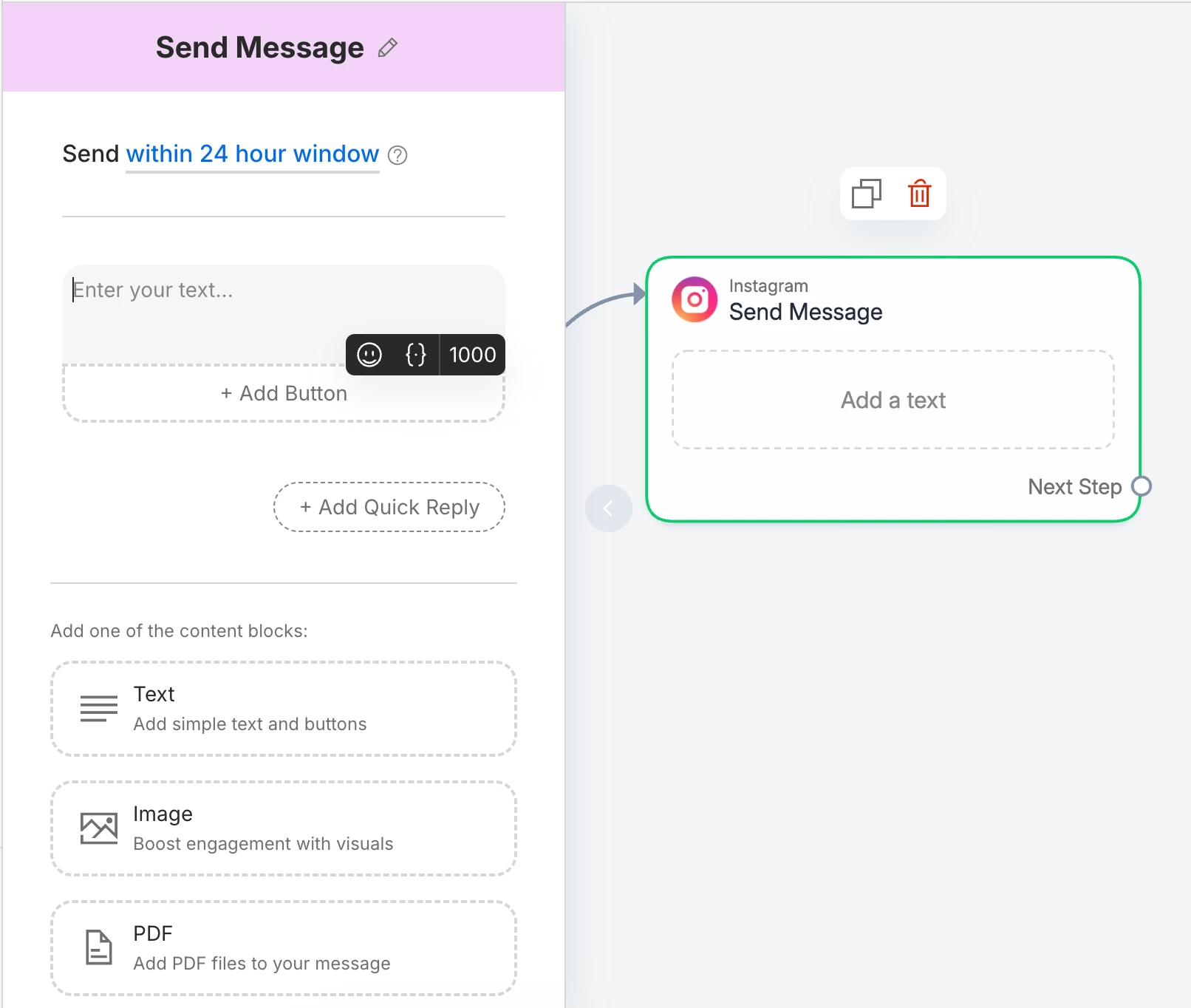
1- choose the block “send message”


2- Click on the block and select the option “PDF”


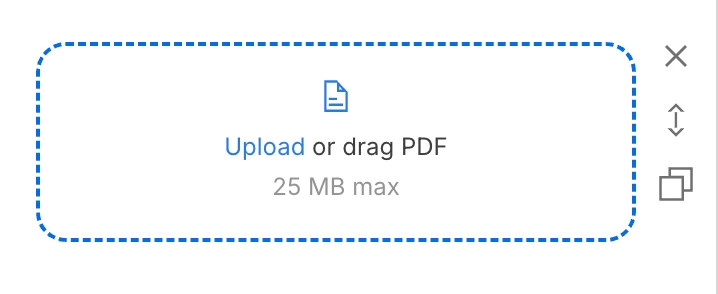
3- Upload or drag your PDF file


rodrigo_silvano
Forum|alt.badge.img+4

Please see attached Why don’t I see the lines that you drag around, which connect to boxes? I can only see the left panel which is where I enter all the info. I just see a phone image 


I’m sorry, but I didn’t understand te question 😕

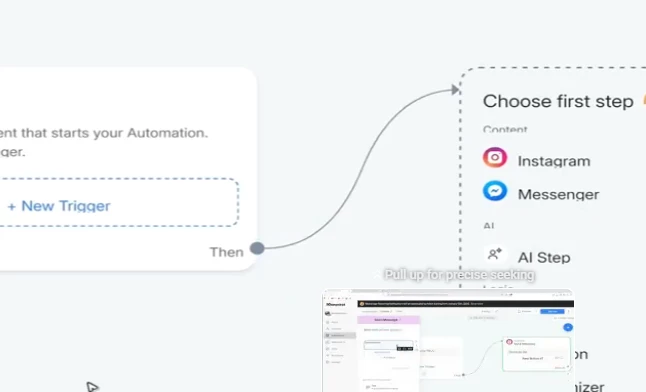
I assume you want to connect the trigger to the next block. If so, you just need to select your first step and the line will be there 🙂


rodrigo_silvano
Forum|alt.badge.img+4

Hello…

Two questions. 
When a user enters their email address via the IG automation I set up, a link is then sent for them to Acess My Ebook. I know this email address shows up in ManyChat, but what about my Mailer Lite account that I have working in sync with ManyChat. I dont see the email address in Mailer Lite?

Secondly, because I am asking for an email address before I send the Guide, does an email go out to the user with the guide link, as well as a link sent through IG DM? 

Regarding the connection between Manychat and MailerLite, you need to create the connection using the external request block or make.com or zapier.

You can send the guide using a link or using a PDF, it is up to you and how you want to set your automation/funnel.


rodrigo_silvano
Forum|alt.badge.img+4

Oh, I forgot one more question.
After the user receives the Guide, which is a freebie, my plan is to have another message go out the following day with a link to buy the entire guide. This link goes to a landing page. Can I set up this next day automation through ManyChat, or is this not possible? Just trying to send the upsell out 24 hours later. 

If I can configure ManyChat to send out another message 24 hours later, please guide me through this. 

Thanks, Steve 


You can send them a message before the 24-hour window close. On Instagram, Meta doesn’t allow to send messages after the 24-hour window being closed.

Check more info here: https://help.manychat.com/hc/en-us/articles/14281199732892-How-to-send-messages-outside-the-24-hour-and-7-day-windows-in-Messenger-and-Instagram


Bar Bits
  • Author
  • Rising Conversationalist
  • March 22, 2026

Pertaining to my earlier message about sending a PDF - where is the Block that says Send Message. 
Here is what I seeing.
 

Scrolling down more, here is what I see


Bar Bits
  • Author
  • Rising Conversationalist
  • March 22, 2026

Is there any way to connect ManyChat automation to a FB group. I have over 7500 members and want to do what I am doing on IG - to set up a trigger when they comment. 


Bar Bits
  • Author
  • Rising Conversationalist
  • March 23, 2026

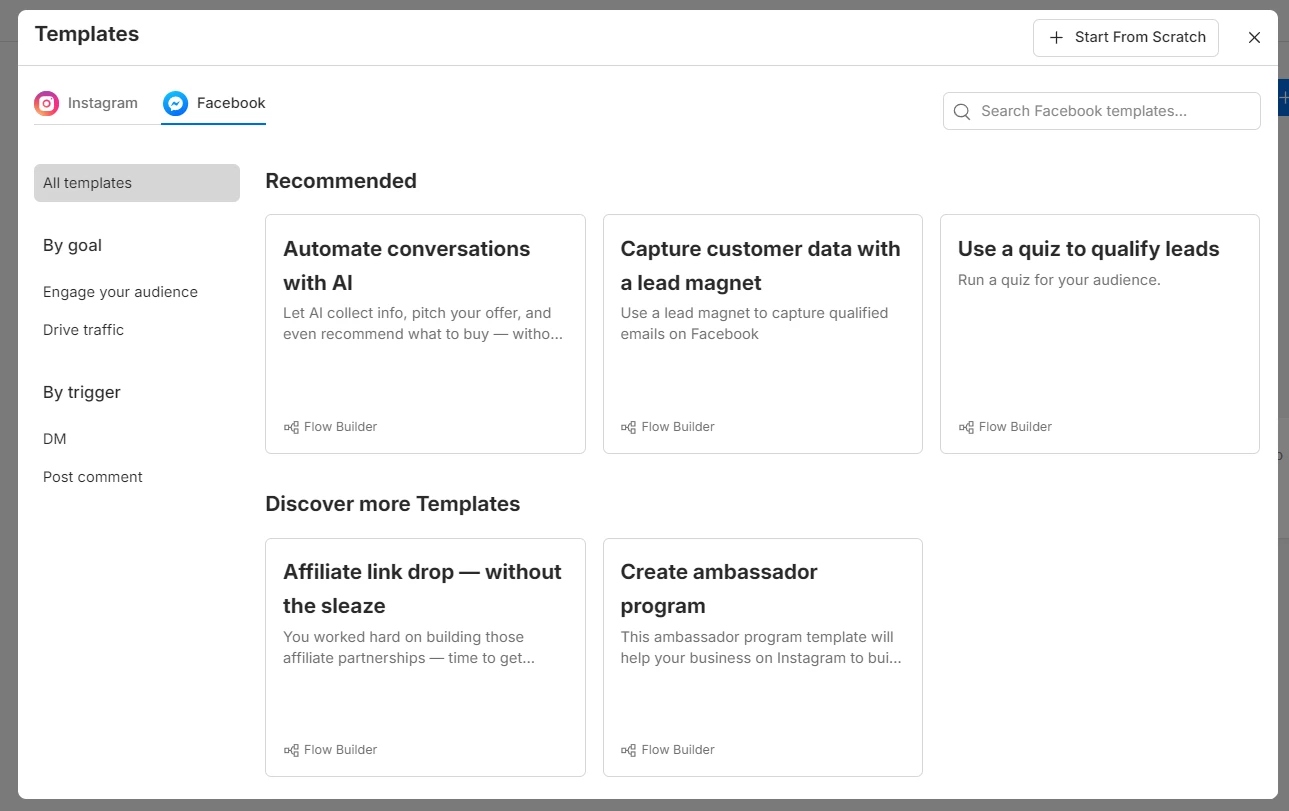
So I am trying to setup new automatcion for comments on FB. I have an Instagram and FB channel, but when I select Facebook, I no longer see the option, “Auto DM-links from comments 
I am confused on how to setup an automation?


Bar Bits
  • Author
  • Rising Conversationalist
  • March 23, 2026

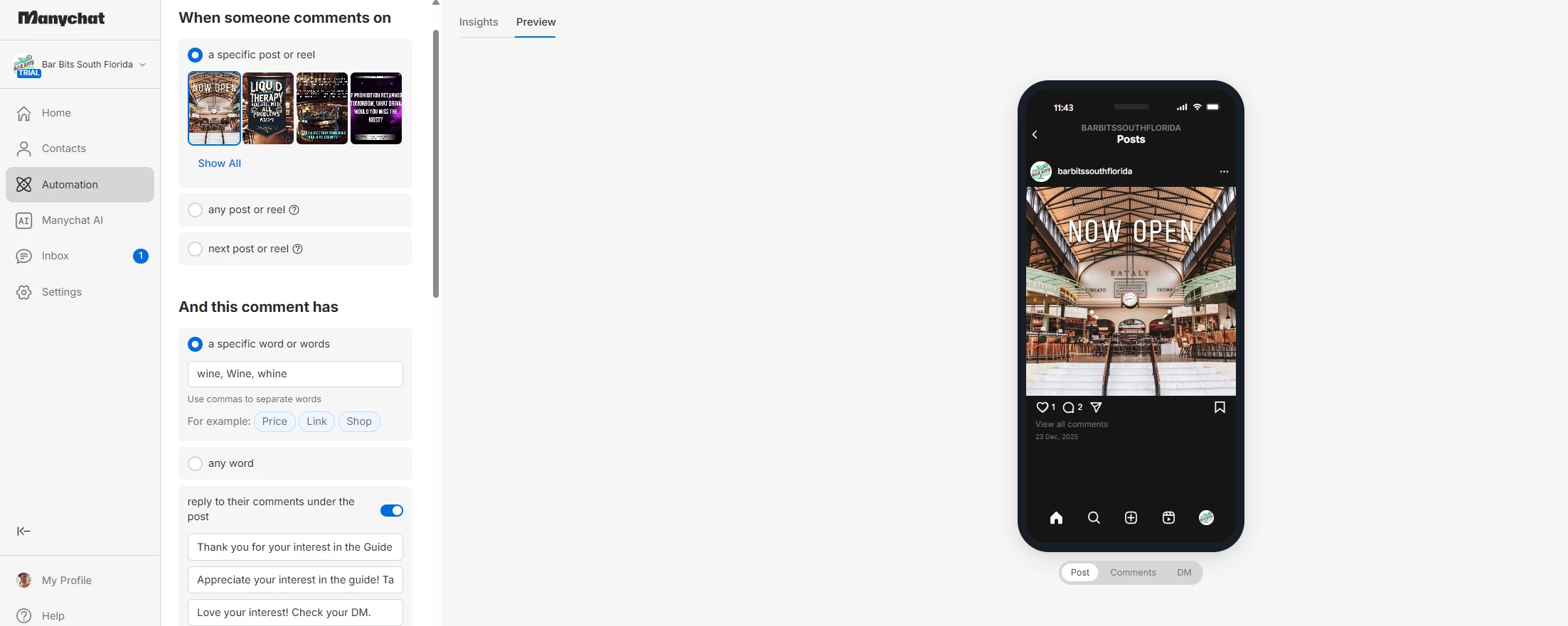
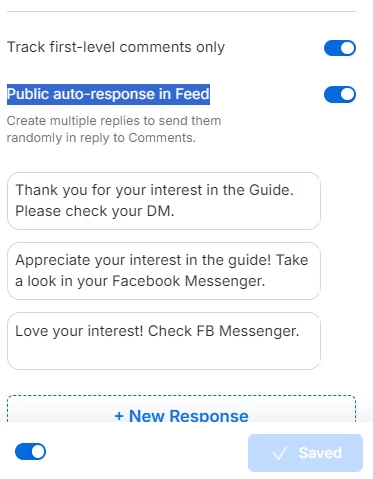
Hopefully someone can help me. When I set up my automation, the Public auto-response is not working. Below you can see my three responses, yet when I test and enter the word “wine” (which is the word I chose), none of these three messages appear as a reply to the comment on my FB page post. I refreshed the permission, but it did not help. I cannot get it to work.  Thanks!


rodrigo_silvano
Forum|alt.badge.img+4

@Bar Bits Oh, I see the “issue” here.

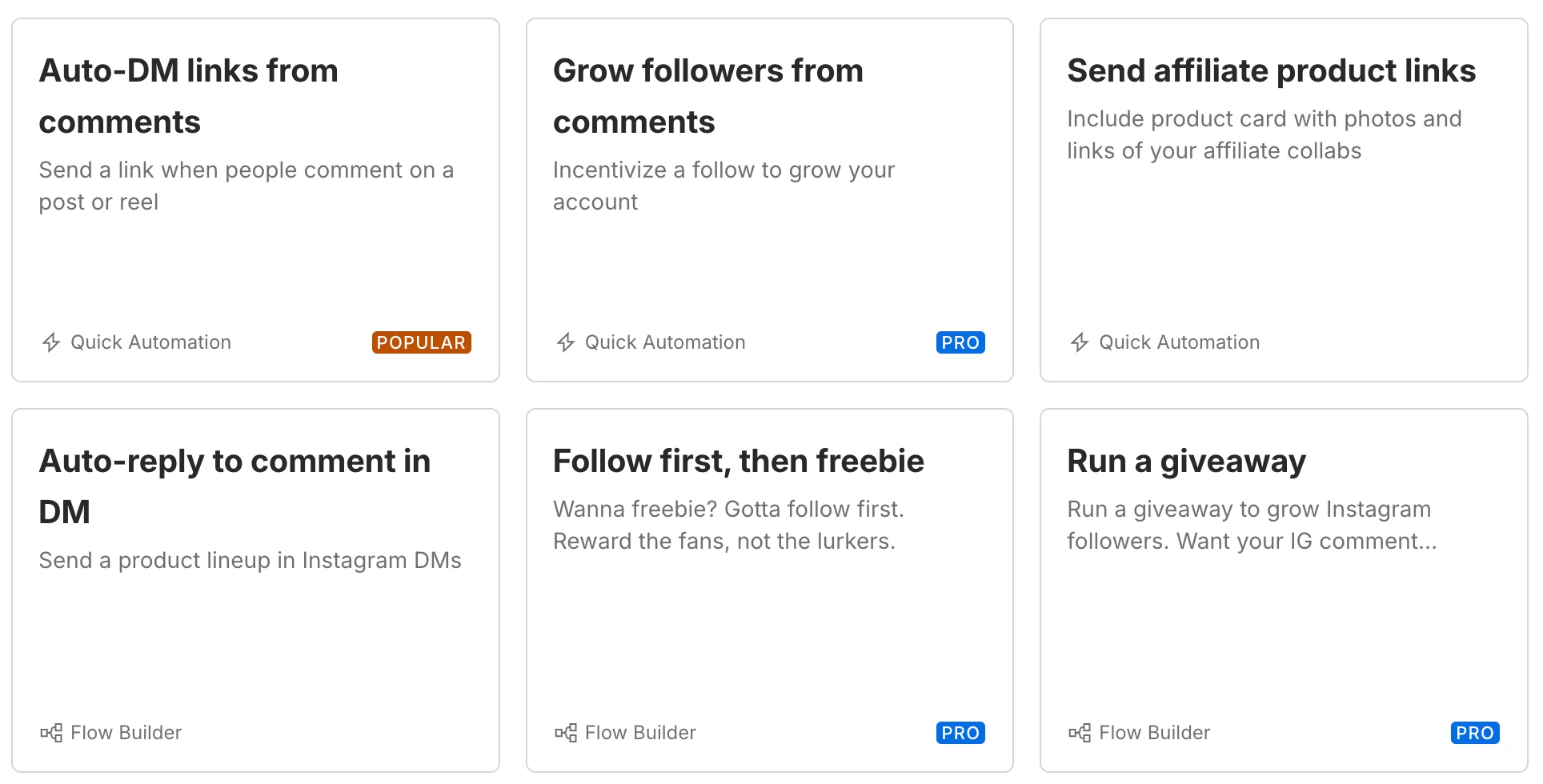
There are 3 ways to create an automation on Manychat:

1- You can create in a blank space 

2- You can create using a template (flow builder)
3- You can create using the quick automations (what you’re using at the moment)

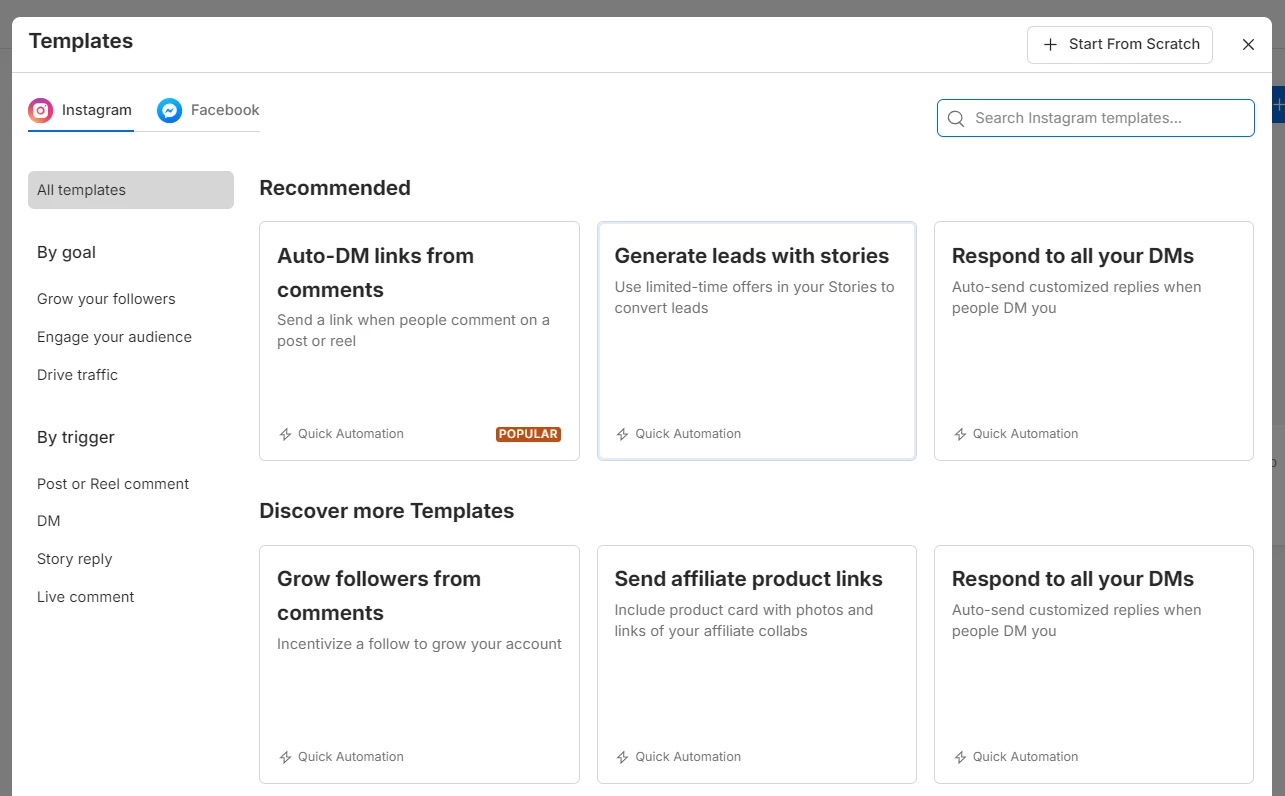
When you click the button “+ New Automation”, it will show some template that you can use:
 

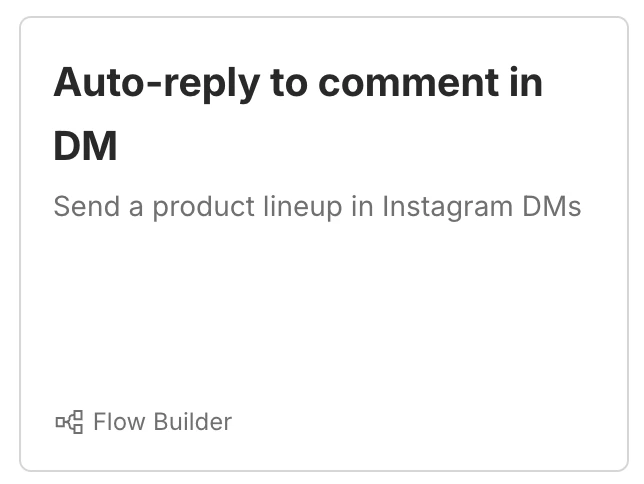
At the moment, you are using the one that says “Quick automation”, but to be able to send PDF’s, you need to select one that says “Flow builder”.

​​​​​​​


Bar Bits
  • Author
  • Rising Conversationalist
  • March 24, 2026

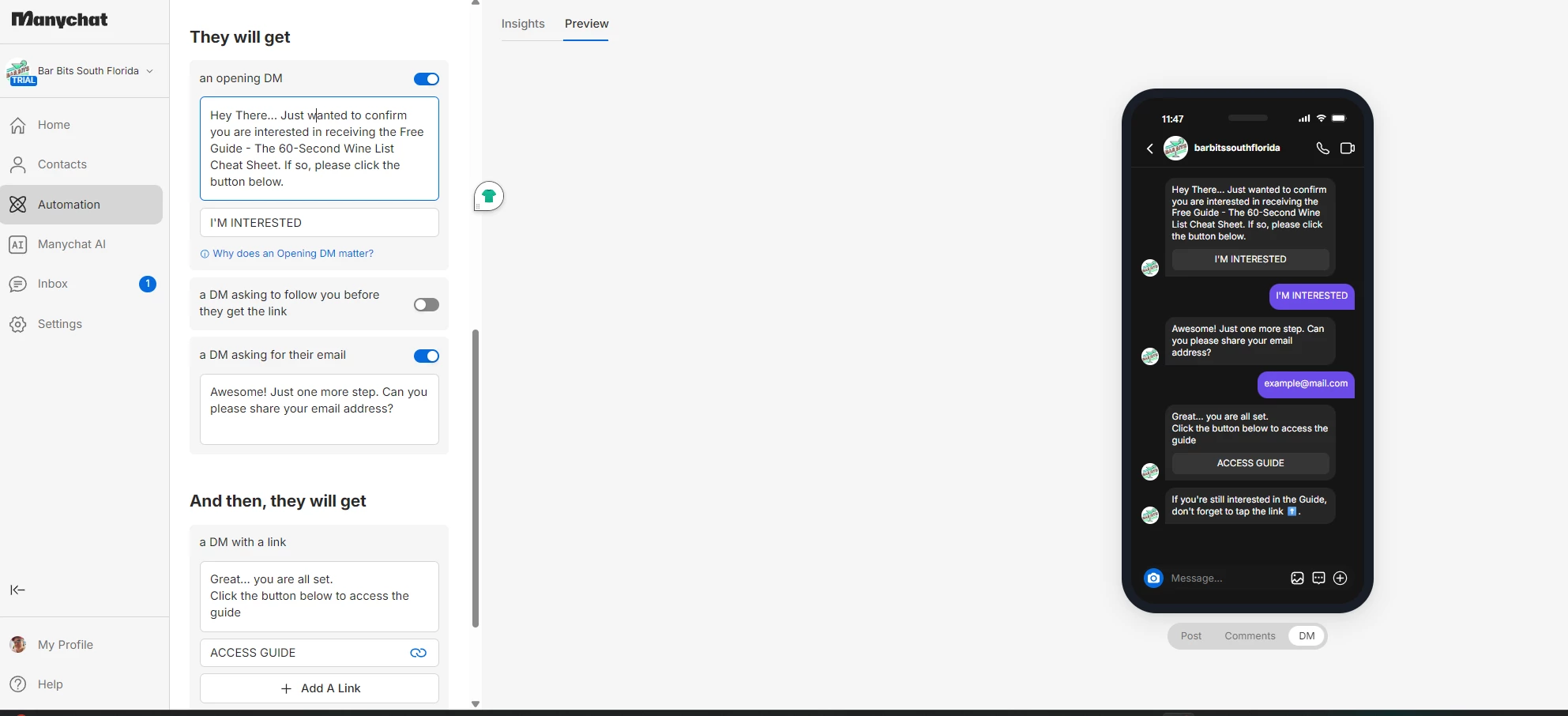
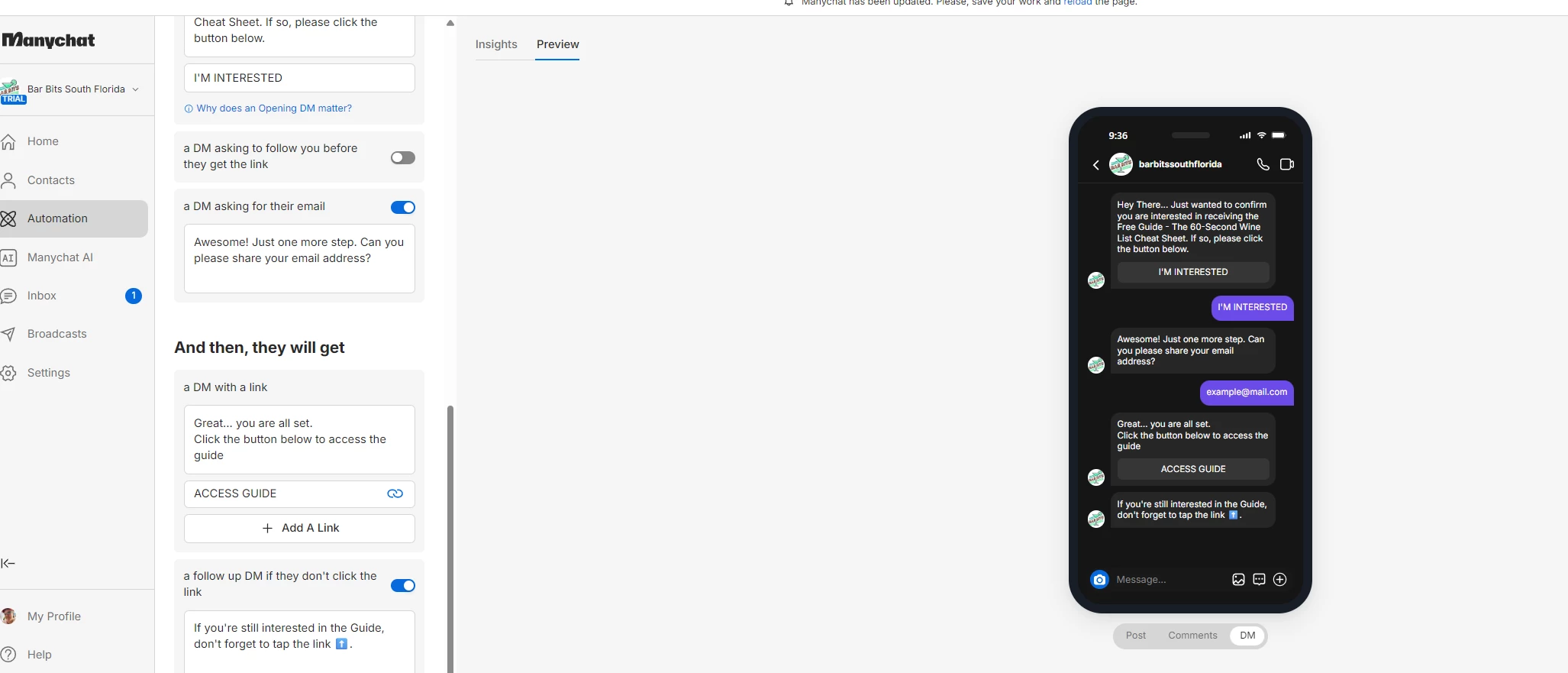
I have an IG automation setup. See attached. 
how do I create a Delay after the user clicks on the Access Guide button in my last response? I want to delay for 12 hours and then send them another DM telling them about the full guide. I don’t see any feature/section for Smart Delay. 


Full Guide. 


rodrigo_silvano
Forum|alt.badge.img+4

@Bar Bits 

This kind of automations are used for simple automations. If you want to create more complex ones, you’ll need to use the flow builder, not the quick automations.


You can use this template:


Devtrest
  • Up-and-Comer
  • March 25, 2026

You can set this up pretty simply:

  1. Create an Instagram Comments automation on that specific post

  2. Add the keyword “Wine”

  3. Set a public reply like: “Sending it now, check your DMs”

  4. Then add an Instagram DM step with your free guide

The main thing: people do not need to follow you first for this kind of comment-to-DM setup. The comment itself can trigger the private DM flow in ManyChat.

Also, ManyChat supports sending PDF files in messages, so you can send the guide directly or just send a link if you prefer.

For the next-day upsell:

  • if you send it manually, that is fine

  • if you want it automated, keep in mind Instagram has messaging window limits, so next-day automated follow-up may need special care and is usually safest within about 24 hours of their last interaction.

So the proper setup is basically:

Comment keyword → public reply → DM with free guide → manual follow-up later

That’s probably the easiest clean version for what you want.


Bar Bits
  • Author
  • Rising Conversationalist
  • April 1, 2026

Hello..

I realized I have the wrong Instagram account linked to ManyChat. How can I change to the correct account. 

Also, I assume I can’t create automations for two separate IG accounts unless I have two accounts with ManyChat? 

Steve