Question

Smart Delay Not Working for FB and IG messages

  • August 3, 2026
  • 4 comments
  • 14 views

reh4354

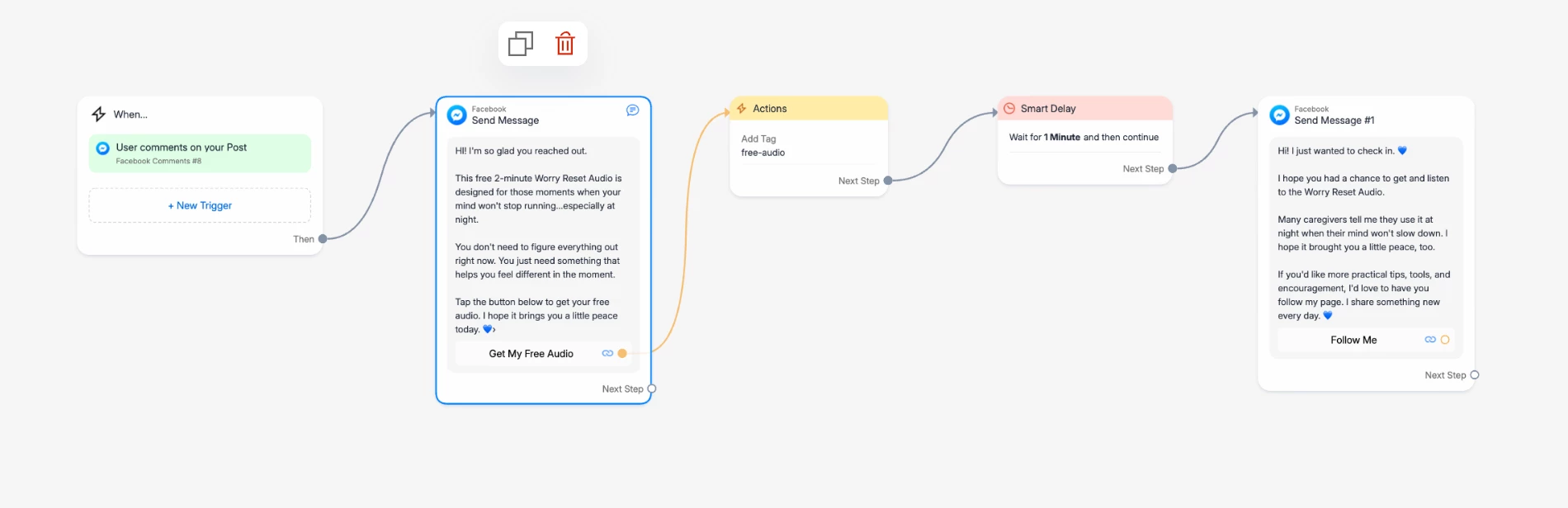
Hi, I had a friend use two different FB accounts and two different IG accounts. The triggers all showed up immediately, but the Smart Delay messages didn't show up at all. We tried two different tests:


Test 1- Click on the link to the landing page in the trigger message but don't fill anything out. After 30 minutes there still wasn't any Smart Delay message.


Test 2- Do not click on the link to the landing page in the trigger message and just wait. After 30 minutes there still wasn't any Smart Delay message.


Is it possible that there is something wrong with the timing code in the Smart Delay message? 
4 replies

Gustavo Boregio
Forum|alt.badge.img+7
  • Community Moderator & Expert
  • August 4, 2026

Hey ​@reh4354 what was the original trigger that started the automation?

Could you share a screenshot of your setup to help us understand what you were trying to do and what the issue might be?


reh4354
  • Author
  • Up-and-comer
  • August 4, 2026

Thank you. for helping. I appreciate it.


reh4354
  • Author
  • Up-and-comer
  • August 4, 2026

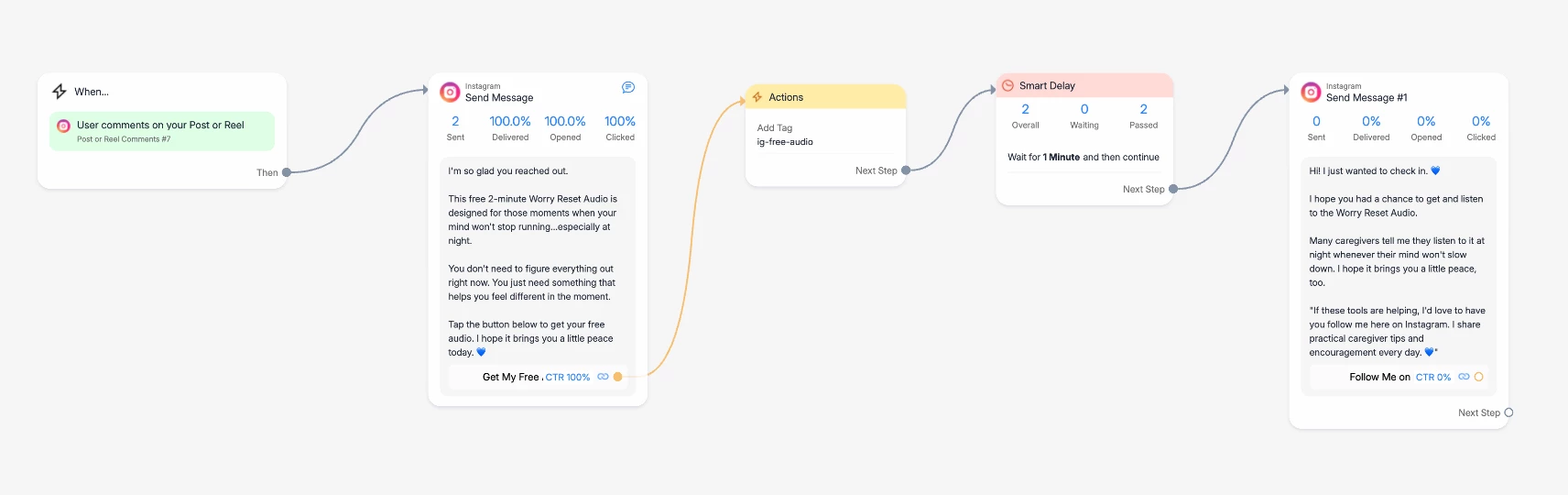
Here’s a screenshot of the IG automation.


SumGenius
Forum|alt.badge.img
  • Smooth talker
  • August 4, 2026

Your screenshots actually show the answer. Look at the numbers: Smart Delay says 2 passed, but Send Message #1 says 0 sent. The delay fired fine, Meta refused the message.

Here's the mechanic nobody tells you: a comment trigger gives you exactly one private reply, and it does not open a messaging window. A link-button click doesn't open one either, tapping out to a webpage isn't an inbound message. So when your delay finishes, there's no window to send into, and the follow-up gets dropped. That happens at any delay length, it's not your timing code.

The fix is to earn a reply before the sequence continues. Instead of only a URL button in message 1, add a quick-reply button ("Send me the audio") or ask them to reply with a word. A tap on a quick reply counts as the person messaging you, that opens the window, and then your Smart Delay and follow-up will send. Your delivery stats will flip from 0 the moment the sequence starts requiring that interaction first.