Question

the automation doesn't work

  • June 30, 2026
  • 5 comments
  • 40 views

liwia

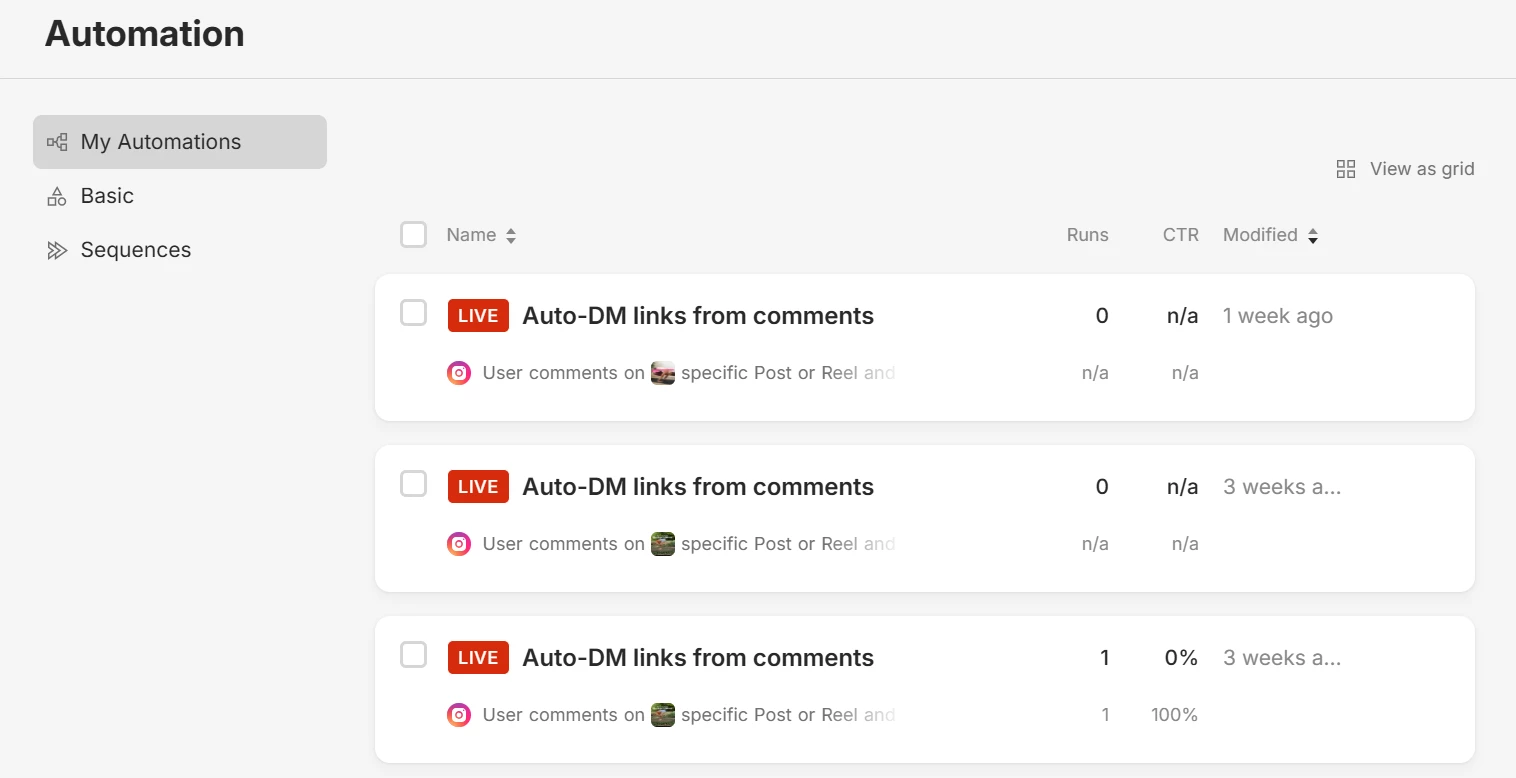
Hi. I have set up manychat dm-atomation for couple of my IG reels, but neither of them actually works. I have no clue why the trigger word is not working? there is nothing happening although the automations are ‘LIVE’. Many thanks for your help!

5 replies

SumGenius
Forum|alt.badge.img
  • Smooth talker
  • June 30, 2026

When it is firing zero times across multiple reels like this, it is almost always one of these, in order of how often it is the culprit:

1. Allow access to messages is off. On the Instagram app: Settings, Messages and story replies, Connected tools, and make sure Allow access to messages is on. If this is off, nothing triggers at all, which matches exactly what you are seeing.
2. You are testing from your own account. Instagram will not trigger on comments from the account owner or accounts you are logged into. Test by commenting from a totally separate account.
3. Keyword mismatch. If the trigger is set to exact match, the comment has to contain that word exactly. Try switching it to contains instead of is, and avoid very common words.
4. Top-level comment only. It fires on a fresh comment on the reel, not on a reply to another comment. Make sure your test is a brand new comment.
5. First reply node rules. The first private reply can only be a single block with a button or quick reply, no typing delays or extra steps, or ManyChat will not send it.

Run them top down. Number 1 stops everything when it is off, so start there.

If it is still dead after all that, it can also be Instagram dropping the comment webhook on its side, which has been flaky lately. DM me if you want a second set of eyes and I will help you narrow it down.


Mel E
Forum|alt.badge.img+2
  • Manychat Community Expert
  • July 1, 2026

@liwia - there could be a number of reasons as mentioned above. Can you drop a screenshot of your flow and we can take a look to see if there’s anything obvious in the build?


liwia
  • Author
  • Up-and-comer
  • July 5, 2026

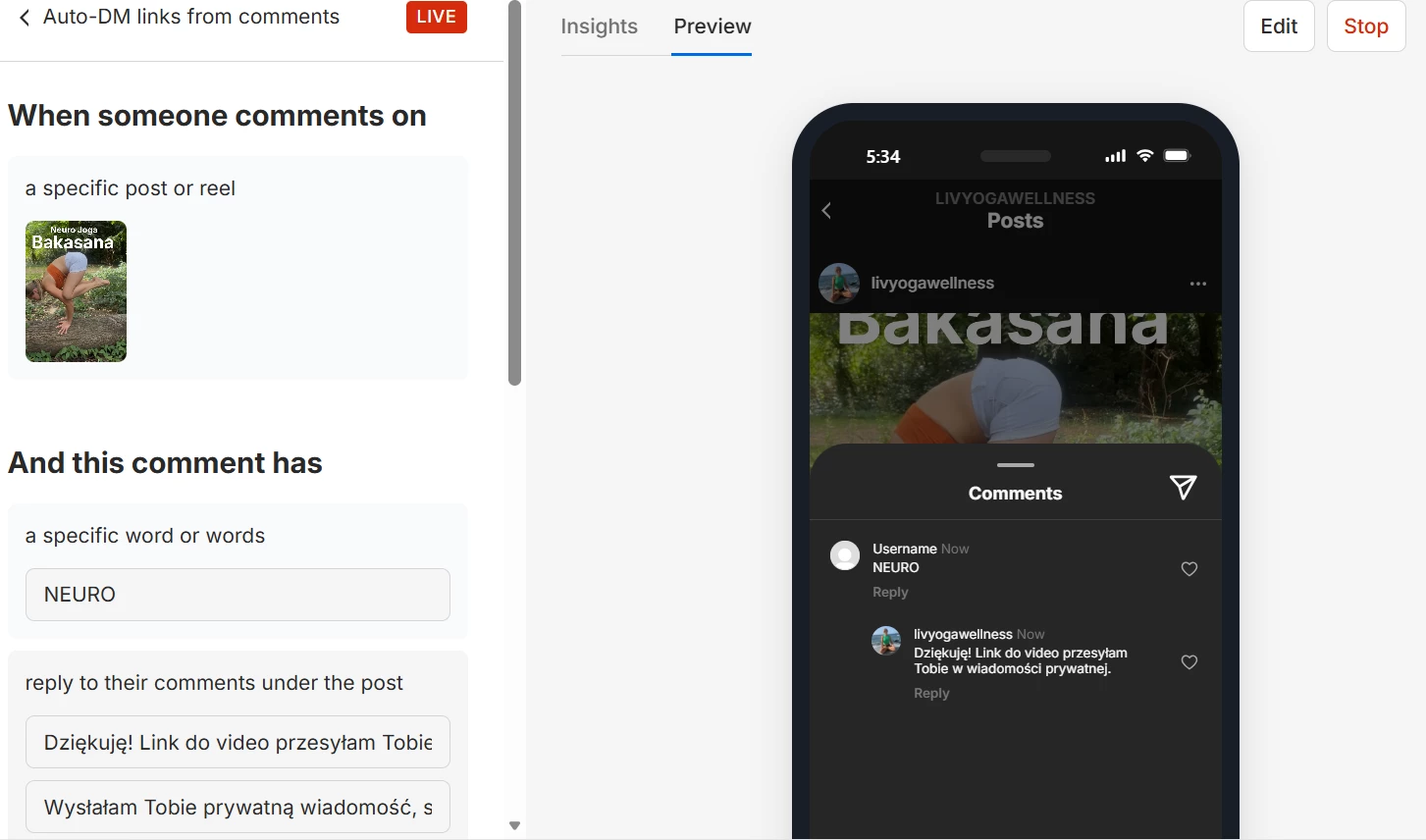
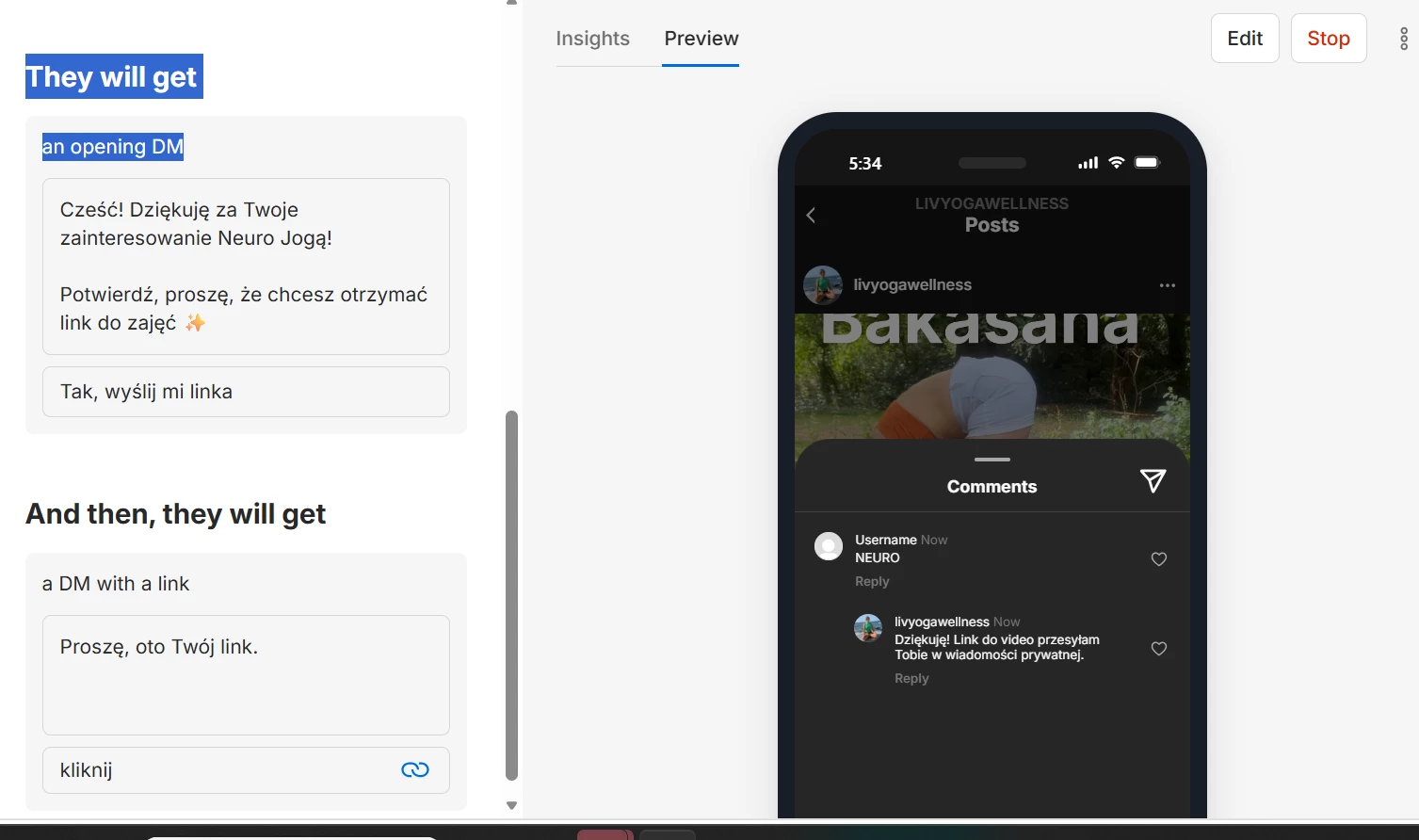
Hi Mel, I’ve tried everything from ​@SumGenius and its neither of those options. I’ll paste screen shots below, maybe you’ll see something


Let me know what exactly you’d like to see and I’ll send more printscreen


many thanks <3

Liwia


Forum|alt.badge.img+1
  • Smooth talker
  • July 6, 2026

@Liwia, please refresh the permissions. Sometimes that can resolve the issue.


Mel E
Forum|alt.badge.img+2
  • Manychat Community Expert
  • July 7, 2026

Hey ​@liwia - I just tested this on your accounts and it now seems to work! I couldn’t see anything immediately obvious in your set up above, so maybe Refreshing Permissions did the trick! 😄