I'm trying to connect this new automation on Instagram, but it's not working.
A window pops up saying “Update your Instagram permissions to say hi to new followers.” When I click on the “Update Permissions” button, the business.facebook.com login page opens. I can't log in through Instagram; it kicks me out and says “You cannot log in to Instagram using this account.” Logging in via Facebook simply redirects me to the page I was on before. Please advise how I can grant permission and connect this automation.
PS: This is a Meta company page, and I am the manager. All other Manychat features work without any problems.
Best answer by Fabio Gaulke
Hi, folks!
This is Meta known issue and they are working on it. Unfortunately, there's no estimate date for a solution.
However, @Moz shared a workaround that is working for some users so far:
When you click the “Update Permissions” button, you’re redirected to business.facebook.com.
Copy the URL from your browser and paste it into a text editor (like Notepad.
Replace every occurrence of “IG” in the URL with “FB”, (except for the part that contains “config” - don’t change that one!)
Copy your new modified URL and paste it back into your browser.
That’s it! You can now connect to Facebook, and everything should work perfectly!
I’m having a similiar issue, when I click on Update Permissions, it redirects me to business.facebook.com but the only option to log in is via Instagram, when I do it, a message pops up saying I need to log in with facebook. But when using the redirect button there is no “log in with facebook”. Side not, If I visit just the business.facebook.com, both option appears. It seems the link manychat provides is kinda bugged.
Also, I spent 2 hours with Meta Support via phone call, trying several ways to fix it, but their conclusion was “talk to manychat”. I already sent a support ticket to manychat this morning (12 hours ago), but so far no reply. So, here I am to check if someone from the community solved this issue.
I also have this issue. I have a ticket in with Manychat support that apparently has been escalated to high priority. I’ve not heard anything back yet. It’s so frustrating!
Same, I have refreshed permissions multiple times, followed all the help articles, and am stuck in the same loop as well. How can we fully resolve this? The required permission that it is making us add is not expressed so I don’t know how to research this any further.
I'm trying to connect this new automation on Instagram, but it's not working.
A window pops up saying “Update your Instagram permissions to say hi to new followers.” When I click on the “Update Permissions” button, the business.facebook.com login page opens. I can't log in through Instagram; it kicks me out and says “You cannot log in to Instagram using this account.” Logging in via Facebook simply redirects me to the page I was on before. Please advise how I can grant permission and connect this automation.
PS: This is a Meta company page, and I am the manager. All other Manychat features work without any problems.
Same exact problem. Its been 4 days trying to solve it.
I may have a solution or at least get you on the right path. I’m in the same boat. I can connect clients Facebook and Instagram and run automations. I can’t use the new “say hi to followers” feature with getting stuck in the login loop.
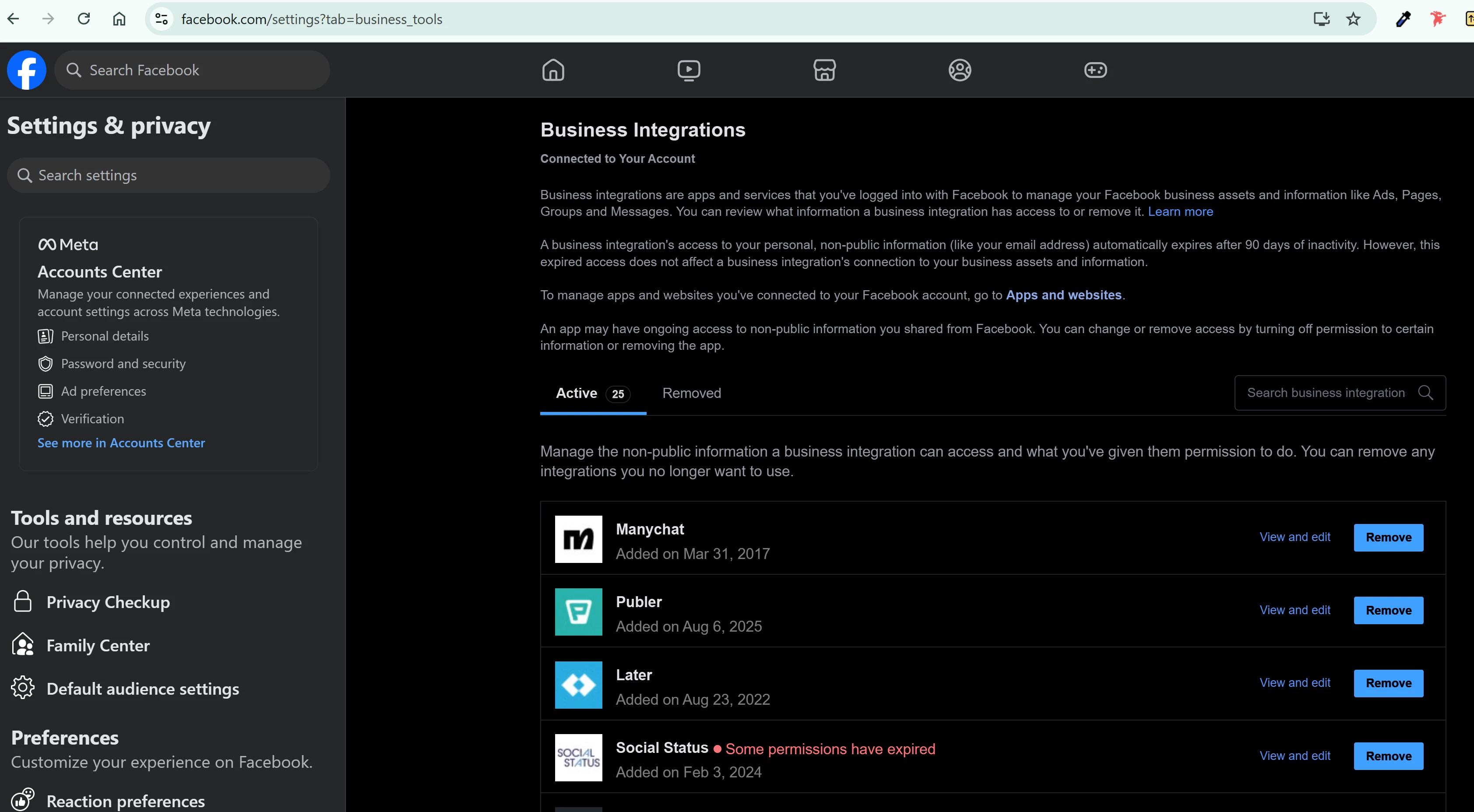
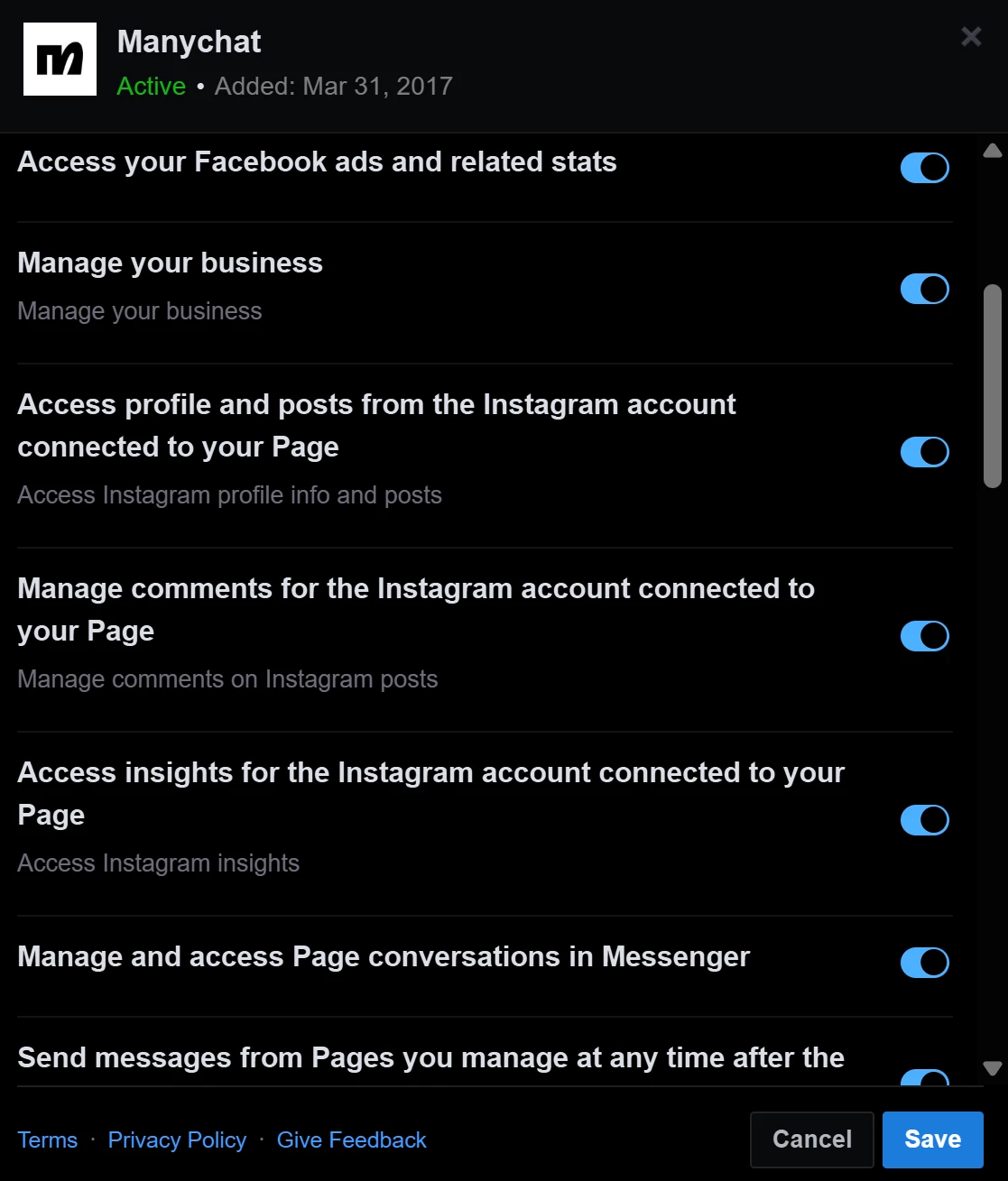
What i found is that this looks like a Meta issue. Manychat permissions run at the user level. For instance my personal Facebook account settings effect all the pages I own. Even if my business portfolio has “partner access” the new Manychat features are using the Meta API. You can see it in image 1. These are my global settings. Even when I switch to a page I own, these settings disappear. The same happens when I try a clients page. So whoever has the main permissions or is also business manager admin may be able to go to this business tools and update permissions within manychat provided it’s connected. Will try with client tomorrow and report back.
@manychat pls fix this issue, this is super demotivating to be stuck in this loop and seems like a lot of people are interested in this new feature but are all having this issue. thanks!
Have tried everything to fix this as well, including going into Facebook but nothing works. Have been waiting for Manychat to get back to me as well - does ANYONE have a fix for this?
This is Meta known issue and they are working on it. Unfortunately, there's no estimate date for a solution.
However, @Moz shared a workaround that is working for some users so far:
When you click the “Update Permissions” button, you’re redirected to business.facebook.com.
Copy the URL from your browser and paste it into a text editor (like Notepad.
Replace every occurrence of “IG” in the URL with “FB”, (except for the part that contains “config” - don’t change that one!)
Copy your new modified URL and paste it back into your browser.
That’s it! You can now connect to Facebook, and everything should work perfectly!
Hope this helps.
🙌
The workaround above is close, but there’s one more parameter that needs to be removed.
Here’s what I did to make the “Log in with Facebook” option finally appear and connect correctly:
What needs to change ( red remove / green replace):
default_business_login_option=IG→ default_business_login_option=FB login_options[0]=IG→ login_options[0]=FB (Remove this entirely)is_ig_oidc_with_redirect=1
That last one (is_ig_oidc_with_redirect=1) forces Instagram by default, even if you change it to FB, it’s not a valid value. Removing it completely allows the page to load the proper Facebook login.
After doing that, refresh the url, you should now see “Log in with Facebook” and the connection will go through (It took me two tries as there was a server error on the last step of the connection process, but after retrying, it worked correctly.)
This is Meta known issue and they are working on it. Unfortunately, there's no estimate date for a solution.
However, @Moz shared a workaround that is working for some users so far:
When you click the “Update Permissions” button, you’re redirected to business.facebook.com.
Copy the URL from your browser and paste it into a text editor (like Notepad.
Replace every occurrence of “IG” in the URL with “FB”, (except for the part that contains “config” - don’t change that one!)
Copy your new modified URL and paste it back into your browser.
That’s it! You can now connect to Facebook, and everything should work perfectly!
Hope this helps.
🙌
The workaround above is close, but there’s one more parameter that needs to be removed.
Here’s what I did to make the “Log in with Facebook” option finally appear and connect correctly:
What needs to change ( red remove / green replace):
default_business_login_option=IG→ default_business_login_option=FB login_options[0]=IG→ login_options[0]=FB (Remove this entirely)is_ig_oidc_with_redirect=1
That last one (is_ig_oidc_with_redirect=1) forces Instagram by default, even if you change it to FB, it’s not a valid value. Removing it completely allows the page to load the proper Facebook login.
After doing that, refresh the url, you should now see “Log in with Facebook” and the connection will go through (It took me two tries as there was a server error on the last step of the connection process, but after retrying, it worked correctly.)
Hope that helps anyone still stuck! 😊
When I do this, it takes me to a facebook login but as soon as I log in, it takes me back to the instagram login. Any advice?
This is Meta known issue and they are working on it. Unfortunately, there's no estimate date for a solution.
However, @Moz shared a workaround that is working for some users so far:
When you click the “Update Permissions” button, you’re redirected to business.facebook.com.
Copy the URL from your browser and paste it into a text editor (like Notepad.
Replace every occurrence of “IG” in the URL with “FB”, (except for the part that contains “config” - don’t change that one!)
Copy your new modified URL and paste it back into your browser.
That’s it! You can now connect to Facebook, and everything should work perfectly!
Hope this helps.
🙌
The workaround above is close, but there’s one more parameter that needs to be removed.
Here’s what I did to make the “Log in with Facebook” option finally appear and connect correctly:
What needs to change ( red remove / green replace):
default_business_login_option=IG→ default_business_login_option=FB login_options[0]=IG→ login_options[0]=FB (Remove this entirely)is_ig_oidc_with_redirect=1
That last one (is_ig_oidc_with_redirect=1) forces Instagram by default, even if you change it to FB, it’s not a valid value. Removing it completely allows the page to load the proper Facebook login.
After doing that, refresh the url, you should now see “Log in with Facebook” and the connection will go through (It took me two tries as there was a server error on the last step of the connection process, but after retrying, it worked correctly.)
This is Meta known issue and they are working on it. Unfortunately, there's no estimate date for a solution.
However, @Moz shared a workaround that is working for some users so far:
When you click the “Update Permissions” button, you’re redirected to business.facebook.com.
Copy the URL from your browser and paste it into a text editor (like Notepad.
Replace every occurrence of “IG” in the URL with “FB”, (except for the part that contains “config” - don’t change that one!)
Copy your new modified URL and paste it back into your browser.
That’s it! You can now connect to Facebook, and everything should work perfectly!
Hope this helps.
🙌
The workaround above is close, but there’s one more parameter that needs to be removed.
Here’s what I did to make the “Log in with Facebook” option finally appear and connect correctly:
What needs to change ( red remove / green replace):
default_business_login_option=IG→ default_business_login_option=FB login_options[0]=IG→ login_options[0]=FB (Remove this entirely)is_ig_oidc_with_redirect=1
That last one (is_ig_oidc_with_redirect=1) forces Instagram by default, even if you change it to FB, it’s not a valid value. Removing it completely allows the page to load the proper Facebook login.
After doing that, refresh the url, you should now see “Log in with Facebook” and the connection will go through (It took me two tries as there was a server error on the last step of the connection process, but after retrying, it worked correctly.)
Have tried the URL edit solution as well and unfortunately does not work. Was able to log in with FB now, Permissions refreshed but did not move me to the right Meta for Business connection type 😓