

Hi everyone,
Today I noticed what seems to be a new Instagram feature rolling out to users when they start a conversation with a business account.
When someone opens a chat with our Instagram Business account for the first time, Instagram now displays a new screen called "Business Conversations & Privacy", explaining that Meta may use AI to improve commercial conversations.
📷 Screenshot 1 attached – Business Conversations & Privacy
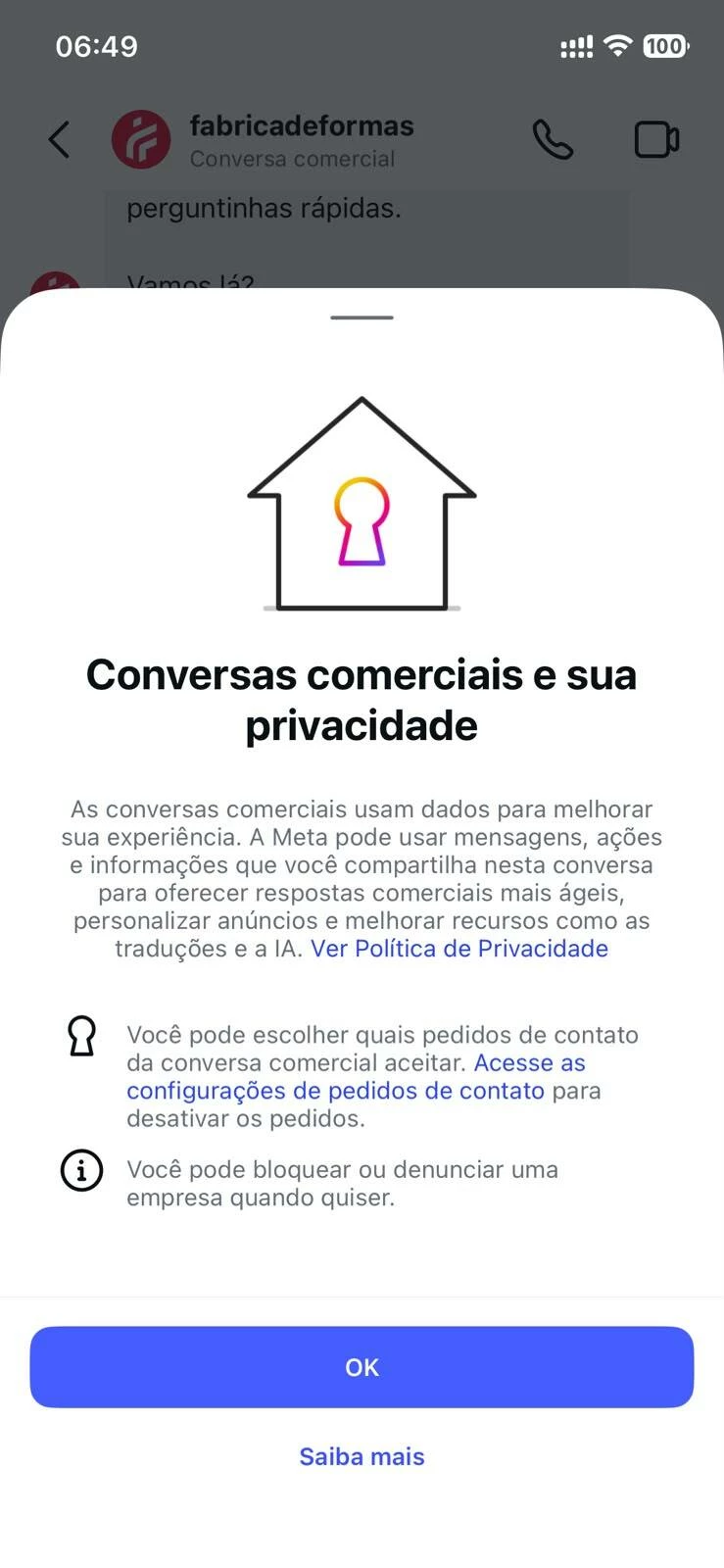
After accepting this screen (there is no option to decline it), Instagram starts showing "Tap to send an AI-generated message" suggestions above the message composer.
The problem is that these AI-generated suggestions appear exactly where ManyChat Quick Replies are supposed to be displayed.
Our entire Instagram automation relies on Quick Replies to qualify leads. Instead of seeing the buttons sent by ManyChat, users now see Instagram's AI-generated suggestions. The interface looks very similar, making it even more confusing for users.
📷 Screenshot 2 attached – AI-generated suggestions replacing the ManyChat Quick Replies
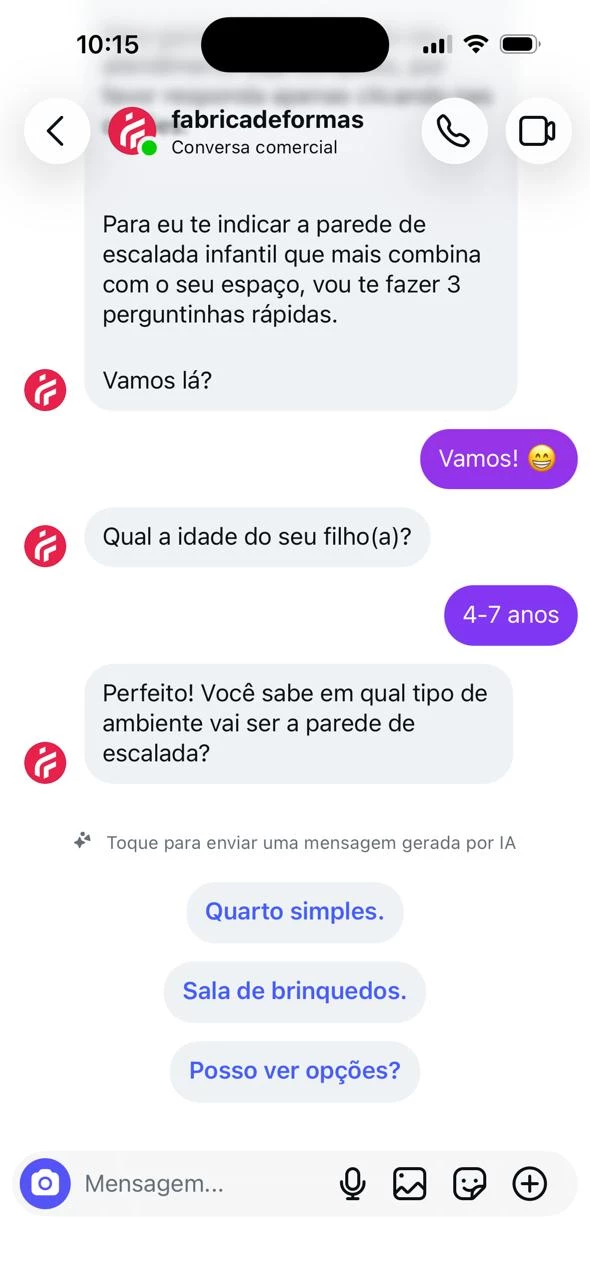
I've also attached a short screen recording demonstrating the issue. The narration is in Portuguese, but the UI behavior should be easy to understand.
At 0:44 in the video, Instagram displays the AI-generated reply suggestions. This is the exact moment when all the ManyChat Quick Reply buttons disappear. Up until that point, the automation is working normally and the Quick Replies are visible.
What I observed during testing
- The automation works normally until Instagram displays the AI-generated reply suggestions.
- As soon as the AI suggestions appear, all ManyChat Quick Replies disappear.
- If I close the conversation and open it again, the AI suggestions appear immediately.
- If I tap the text input to type a manual message, the AI suggestions disappear.
- However, the ManyChat Quick Replies do not return, leaving the user unable to continue the automation as intended.
To verify this wasn't specific to my account, I also tested using a completely different personal Instagram account (not connected to our business in any way). I started a conversation with our business account for the first time, and the exact same behavior occurred.
This makes me believe this is a new Meta feature that is gradually rolling out to Instagram users when they message business accounts.
For businesses like ours that rely heavily on Instagram automation for lead qualification, this could become a serious issue.
Questions
- Is anyone else experiencing this?
- Is this a known issue?
- Has ManyChat already raised this with Meta?
- Is there any workaround or setting to disable these AI-generated reply suggestions?
- Has anyone found a way to make the Quick Replies appear normally again?
If you're experiencing the same issue, please leave a comment. It would help us understand whether this is a global rollout or only affecting certain accounts.
Hopefully, if more people report the same behavior, the ManyChat team can investigate it with Meta.
P.S. If anyone from the ManyChat team sees this, I'd really appreciate if this could be escalated to your Meta partnership team. This appears to be a platform-level UI change that could significantly impact Instagram automations and businesses that rely on Quick Replies for lead qualification.
Thank you!