Question

Whatsapp Automation

  • March 6, 2026
  • 8 comments
  • 34 views

andrejbr


"Hi everyone!

I'm setting up an automation to reply to messages on my WhatsApp. However, when I send a message to a customer myself (after 24 hours of no contact), the Manychat automation is being triggered.

Is there a way to trigger a WhatsApp automation only when a third party sends a message, and not me?"

8 replies

rodrigo_silvano
Forum|alt.badge.img+4

Hey, ​@andrejbr 

When you go to Inbox on Manychat after the automation triggered, what do you see?
Usually, when an automation is triggered, the Inbox shows why that happen.

Can you share with us please?


Devtrest
  • Up-and-Comer
  • March 9, 2026

Yep, you can do that.

What’s probably happening is that the automation is listening to any WhatsApp activity, so when you send a message after the 24-hour window, Manychat still sees it as something that can trigger the flow.

What you want instead is to make sure the automation starts only from an incoming message from the contact, not from your own outgoing message.

I’d check 2 things:

  • the trigger you’re using, to make sure it’s based on the user replying

  • whether you can add a condition so the flow only continues when the last message came from the contact

If your outbound follow-ups and your inbound reply automation are connected too closely, they can also overlap and cause this kind of behavior.


andrejbr
  • Author
  • Up-and-Comer
  • March 12, 2026

Yep, you can do that.

What’s probably happening is that the automation is listening to any WhatsApp activity, so when you send a message after the 24-hour window, Manychat still sees it as something that can trigger the flow.

What you want instead is to make sure the automation starts only from an incoming message from the contact, not from your own outgoing message.

I’d check 2 things:

  • the trigger you’re using, to make sure it’s based on the user replying

  • whether you can add a condition so the flow only continues when the last message came from the contact

If your outbound follow-ups and your inbound reply automation are connected too closely, they can also overlap and cause this kind of behavior.

Guys,

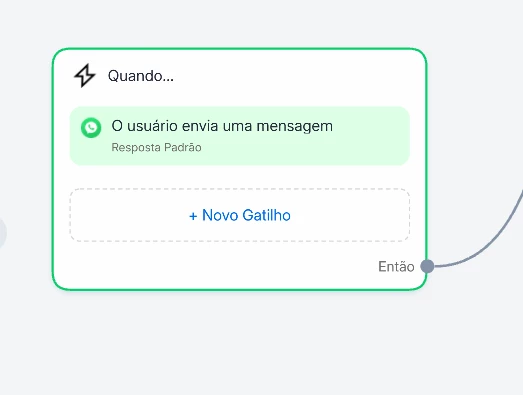
I don't see any trigger here to indicate that the user has submitted. Look at the image of my automation.


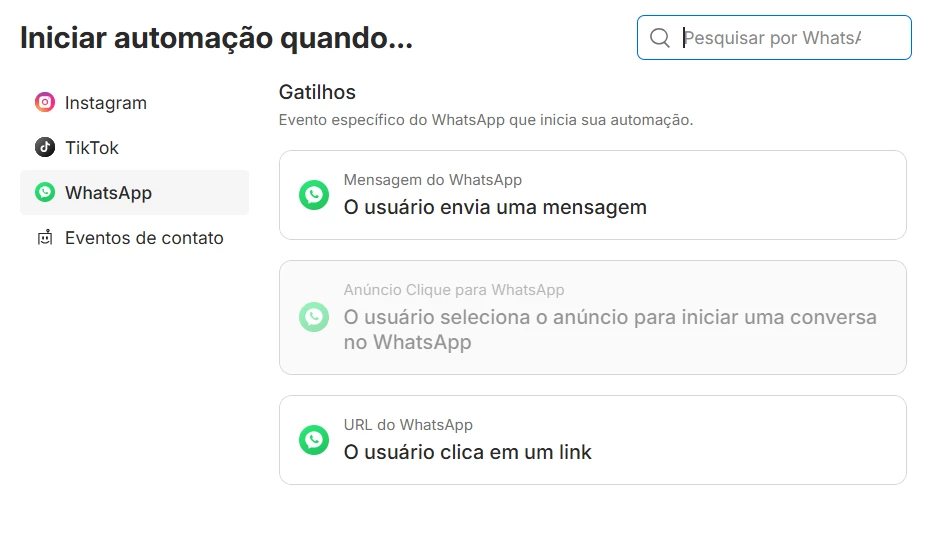
And notice that on WhatsApp I only have 3 triggers. I'm using the first one.


rodrigo_silvano
Forum|alt.badge.img+4

@andrejbr Go to the inbox tab, select the conversation between you and the customer and check these kind of information


When you sent the message, if any automated message was sent by Manychat, it will appear there.


andrejbr
  • Author
  • Up-and-Comer
  • March 13, 2026

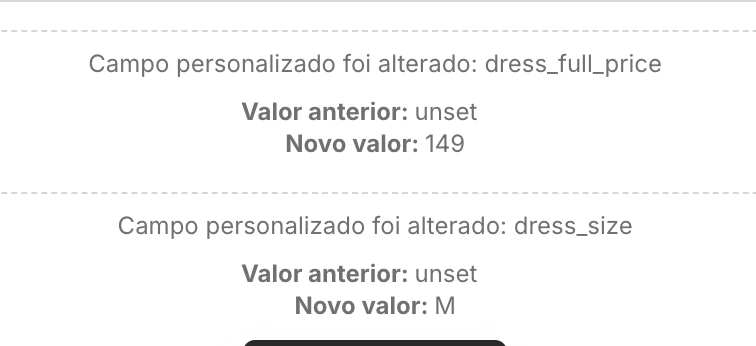
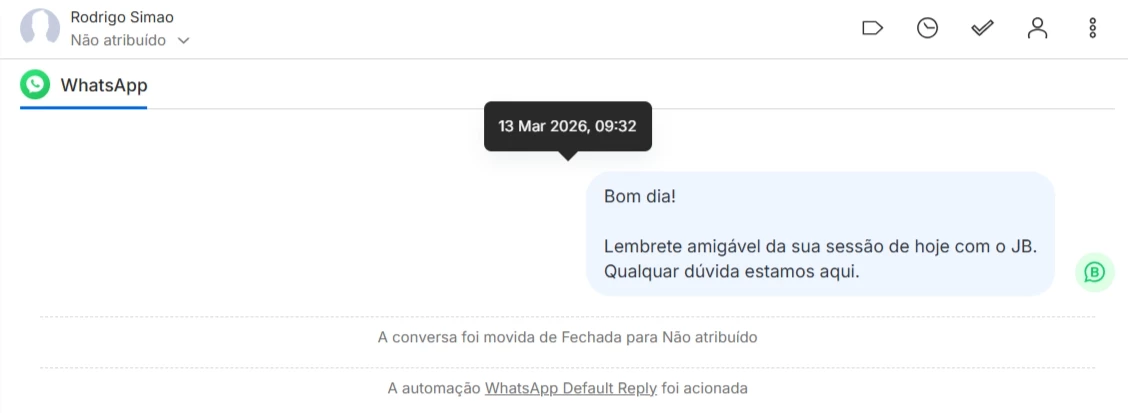
I couldn't find that exact information, but see the image; I sent a message today and the Manychat automation was triggered.


Devtrest
  • Up-and-Comer
  • March 13, 2026

Yes, you should be able to do that.

It sounds like your automation is picking up any activity in the chat, so when you message the customer yourself, it still treats that like a trigger.

What you want is a trigger that only reacts when the customer sends the message, not when you do.

I’d check the trigger conditions and make sure it’s set to respond only to an incoming user message. If possible, keep your follow-up messages and your reply automation in separate flows too, so they don’t overlap.

So basically: yes, it’s possible the trigger just needs to be more specific.


andrejbr
  • Author
  • Up-and-Comer
  • March 13, 2026

Yes, you should be able to do that.

It sounds like your automation is picking up any activity in the chat, so when you message the customer yourself, it still treats that like a trigger.

What you want is a trigger that only reacts when the customer sends the message, not when you do.

I’d check the trigger conditions and make sure it’s set to respond only to an incoming user message. If possible, keep your follow-up messages and your reply automation in separate flows too, so they don’t overlap.

So basically: yes, it’s possible the trigger just needs to be more specific.

Exactly. But I don't have that option in Manychat to activate automation based solely on the customer's message. I don't know what's happening, I'll try contacting support.


rodrigo_silvano
Forum|alt.badge.img+4

@andrejbr this sounds like a bug, and you should open a ticket to support for them be able to check the account in question.

Please follow one of these links:

English: https://help.manychat.com/hc/en-us/p/get_support_page
Portuguese: https://help.manychat.com/hc/pt-br/p/get_support_page