Solved

whatsapp number extraction

  • March 9, 2026
  • 5 comments
  • 22 views

dr.mohammadalmashaqbh

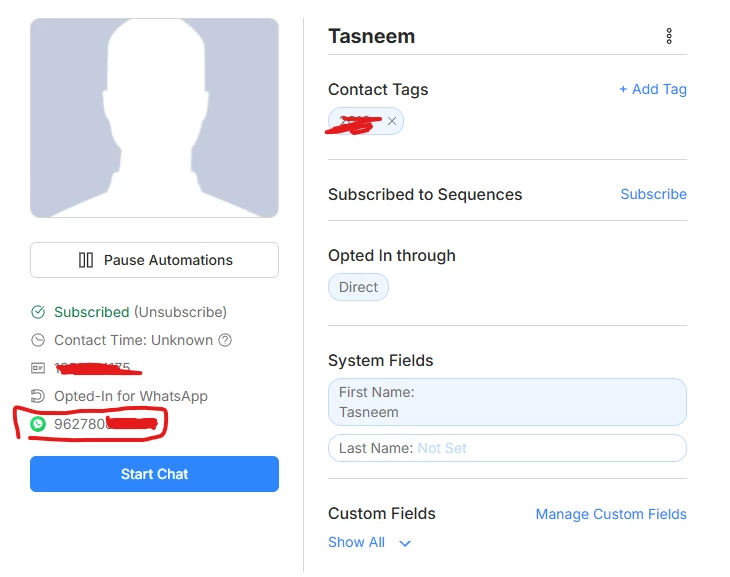
hi everyone, is there a way to extract whatsapp number from my whatsapp contact on many chat rather than manually taking it? hope someone gives me clear answer and thy why to do it

 

Best answer by Gustavo Boregio

Hey ​@dr.mohammadalmashaqbh it's the same… you can export tags with Google Sheets integration, or using the API.


For the Google Sheet integration, the tag will give you you TRUE/FALSE values to indicate if the person has the tag or not.

5 replies

dr.mohammadalmashaqbh

and thx to all of u❤️


cata_rendon
Forum|alt.badge.img+5
  • Community Moderator
  • March 9, 2026

Hi ​@dr.mohammadalmashaqbh,  

In ManyChat, WhatsApp numbers are typically stored in the “WhatsApp ID” system field for each contact once the user interacts with your WhatsApp account.

If you want to extract or export WhatsApp numbers, you have a few options:

  • Google Sheets integration: You can send contact data to Google Sheets, including the WhatsApp number. I’d also recommend exporting the user’s ManyChat ID so you can track their activity more easily.

  • External Request: You can use an External Request step to send the contact data in JSON format to your own CRM or external system.

You can also create Rules to automatically send this information to those systems whenever a new contact is created or updated.

Hope this helps!

Catalina R.


dr.mohammadalmashaqbh

@cata_rendon thank u very much i apreciate your comment it worked, but do you know how to take the tag od the contact also?


Gustavo Boregio
Forum|alt.badge.img+7
  • Community Moderator & Expert
  • Answer
  • March 9, 2026

Hey ​@dr.mohammadalmashaqbh it's the same… you can export tags with Google Sheets integration, or using the API.


For the Google Sheet integration, the tag will give you you TRUE/FALSE values to indicate if the person has the tag or not.


cata_rendon
Forum|alt.badge.img+5
  • Community Moderator
  • March 10, 2026

@cata_rendon thank u very much i apreciate your comment it worked, but do you know how to take the tag od the contact also?


Hi ​@dr.mohammadalmashaqbh, basically you can send any user info to google sheets: tags, CUF, email, phone, etc… 

This a good way to track and store your leads info and activity.

Hope this helps!

Cata