Question

WhatsApp templates – No preview on Desktop?

  • June 17, 2026
  • 4 comments
  • 37 views

angeliti

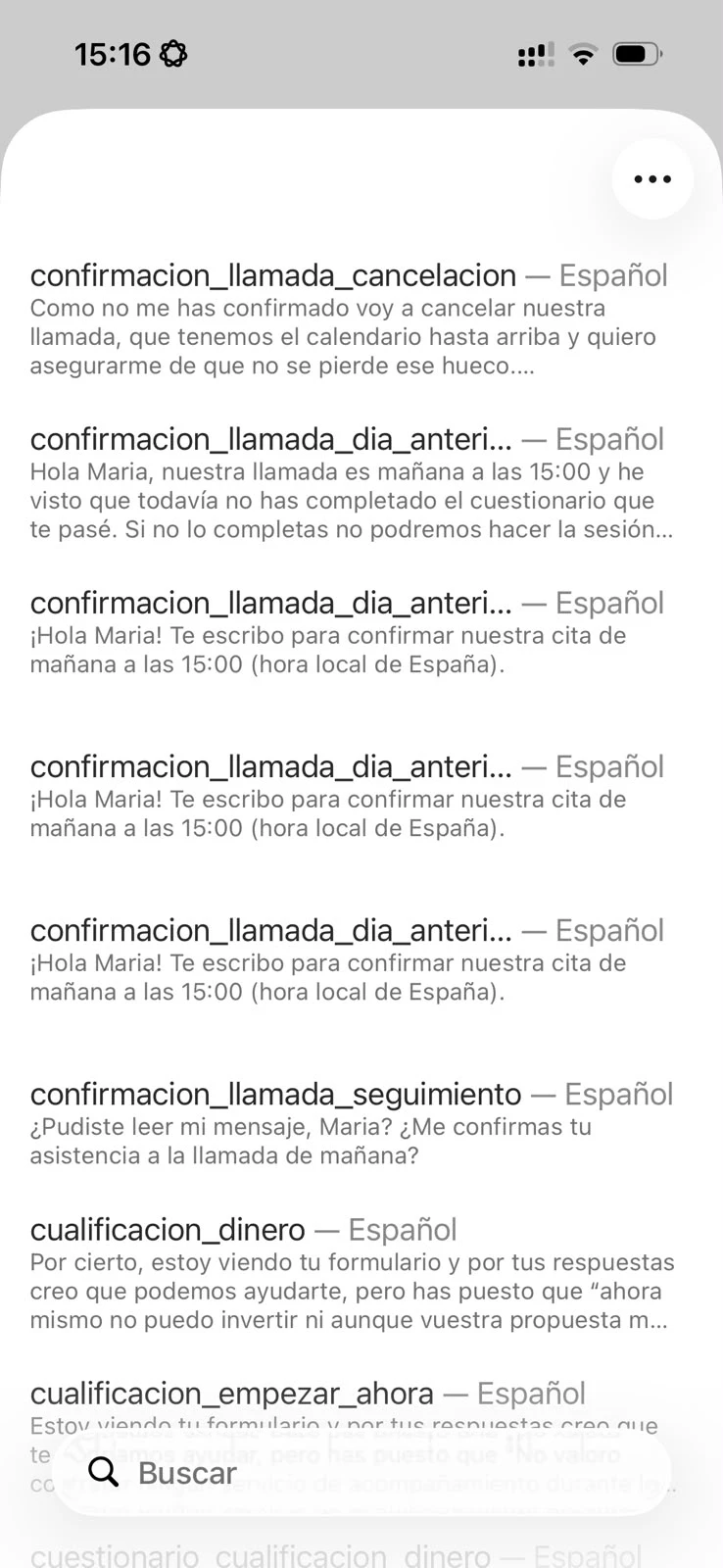
When I use Inbox in my phone and click on the “Templates” icon, Manychat displays a list of all the available templates along with a preview of each of them, so you know what it contains.

However, when you are in the Desktop, you only get a list with the names (without preview), which makes it very hard to choose the right template when you have a lot of them:
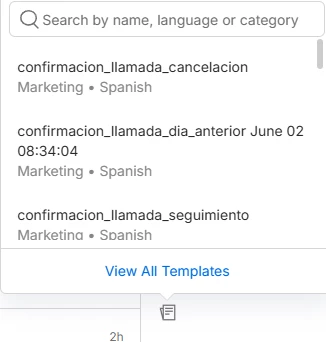


Plus, when you click on one it doesn’t appear in the chat so you can verify it’s the right one before sending it. Instead, it’s sent immediately.

I’m I missing something? Because the current Desktop experience is horrible.

Thanks,
Ángel.-

4 replies

angeliti
  • Author
  • Up-and-comer
  • July 24, 2026

Hello? Anybody from the team can help me with this?


angeliti
  • Author
  • Up-and-comer
  • August 11, 2026

@Raquel Forastieri ​@cata_rendon ​@brunart ​@NamiFromManychat did you have a chance to take a look at this?


cata_rendon
Forum|alt.badge.img+5
  • Community Moderator
  • August 21, 2026

Hi ​@angeliti  do you mean when you are using the live chat you cannot see the template you are sending? If that is the case, yes, you cannot preview the template. You only see user´s interaction once you send it.

Probably if you want to check you are sending the correct template, you can send it as a broadcast or as rule (after adding a tag).

Hope this helps


angeliti
  • Author
  • Up-and-comer
  • August 25, 2026

Hi ​@cata_rendon!

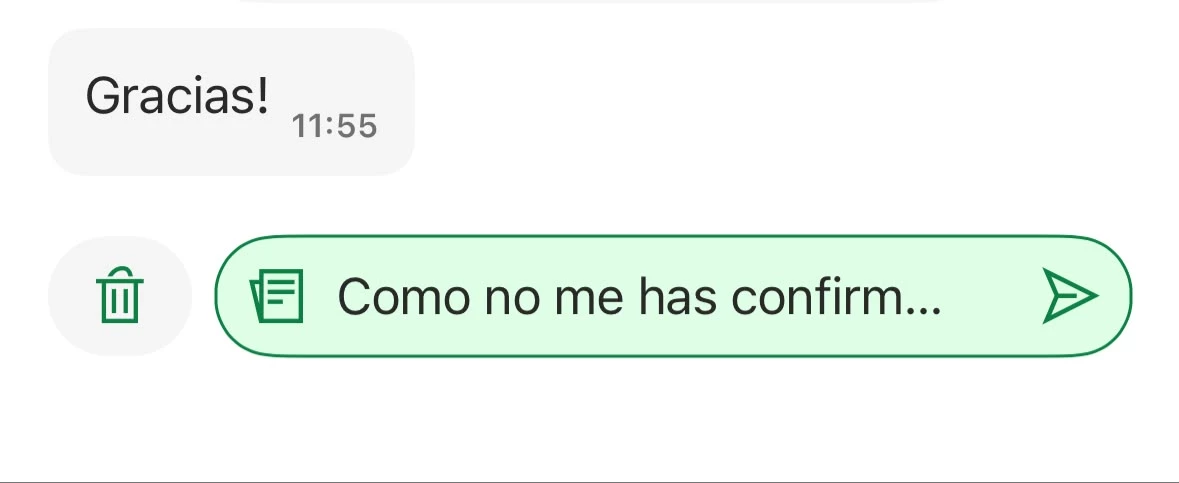
Yes, when I’m using the live chat for a WhatsApp Conversation and I click on the “Message templates” in the bottom, I get a list of available templates and a search box, but I cannot see a preview of those templates. And when I click on one it gets sent immediately, without needing a second click on “send”, which is very dangerous because one you send something on WABA it cannot be deleted.

In the phone it works much better. When I click on the CHOOSE TEMPLATE button, I can see all the available templates along with a preview of each of them:


And then, when I click on one, it appears as selected, but I still need to click on SEND to send it:


I think the Inbox experience in Desktop should be like the one in Mobile:
- Show a preview of each template
- Requiere the user to click SEND to avoid sending something by mistake


Could you please pass this to the Product Team?

Thanks,
Ángel.-